Productivity
I Let an Agentic AI Tool Run My Task List for a Week - Here is What Happened
Agentic AI boosted task completion and deep work in a week—but only as a planner; human review remained essential.
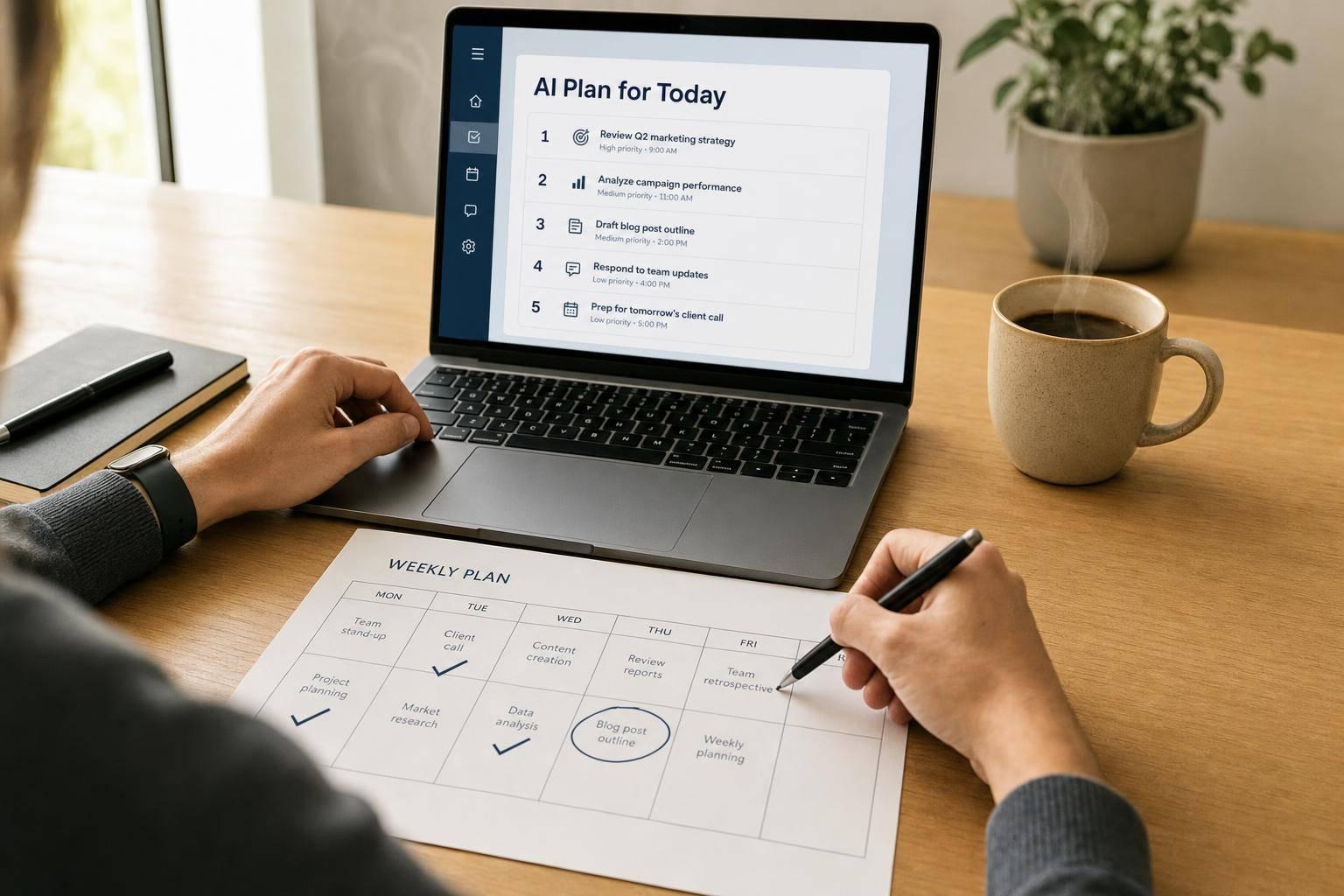
I Let an Agentic AI Tool Run My Task List for a Week - Here is What Happened
Short answer: yes, it helped - but only within limits. In one week, my task completion rate went from about 60% to 85%, my daily deep-work time grew from 1.5 hours to 3.2 hours, and my stress score dropped from 7/10 to 4.5/10.
Here’s the plain takeaway: the tool was good at planning time, blocking focus, sending reminders, and drafting routine work. It was not good at social judgment, tone, or deciding what mattered when context changed.
If you want the fast version, this was my result:
- Best at: calendar planning, task reshuffling, focus protection, reminders
- Worst at: tone, urgency calls, people-related choices, energy matching
- Time saved: about 40 minutes a day after review
- Big lesson: use it as a planner, not as a decision-maker
I came away with one clear view: agentic AI can cut planning friction, but you still need to check its judgment. If you give it low-stakes admin work and review anything sensitive, it can help. If you expect it to run your week without supervision, it will miss the mark.
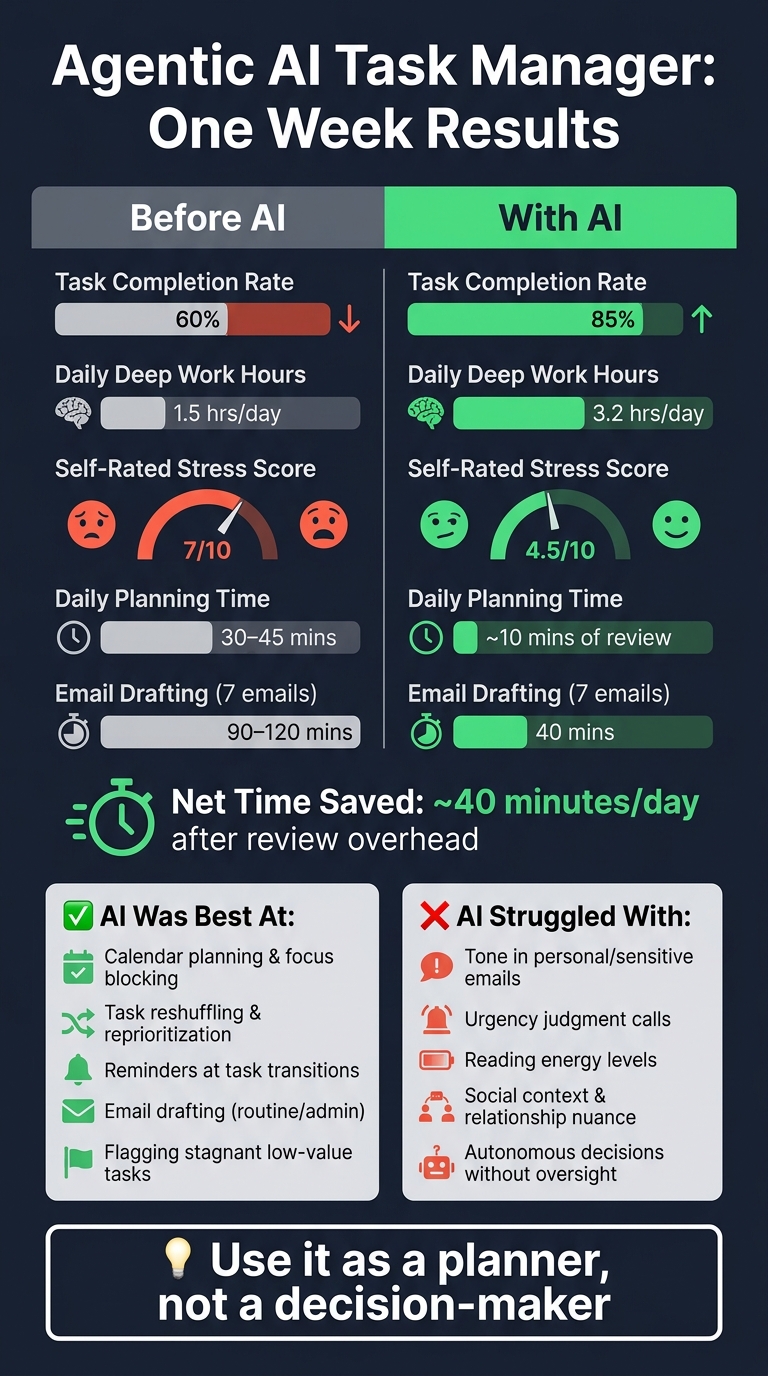
Agentic AI Task Manager: Before vs. After Results After One Week
How the AI Took Over My Task List
Onboarding, Imports, and the First Weekly Plan
It pulled tasks from Gmail, Google Calendar, Notion, and Slack into one view. Then it asked a few setup questions: my working hours, non-negotiable meetings, project priorities, and when I do my best thinking. I told it my mornings are sharp and that after lunch, my brain tends to slow down. With that in place, it built the first draft of my week.
The result was a color-coded weekly plan with morning deep-work blocks, a 45-minute admin window, and 15-minute buffers. That lined up with the deep-work and prioritization metrics I had set earlier. Even so, I still spent a few minutes cleaning up the first draft before I was ready to trust it.
What Counted as Real Agentic Behavior
The tool started to feel agentic in a few specific moments. Once it had enough context, it reshuffled the week, pushed lower-stakes work later, and flagged items with no hard deadline for deferral. That was the first sign it could do more than just sort tasks.
It also declined a recurring meeting on its own after reading the thread, without any prompt from me. As Hassanali put it:
"The people getting extraordinary results from agents have usually spent time they didn't expect to spend on upfront configuration that paid back in weeks of friction-free operation."
When a colleague tried to book over a focus block, it flagged the conflict and suggested two alternate times. That sounds small on paper, but this is where the system started to earn its keep. Planning is one thing. Follow-through is where tools usually fall apart.
How Reminders and Notifications Showed Up
The alerts came at task transitions instead of on a fixed timer: a 2:47 PM nudge to wrap up, then a 3:00 PM prompt to start the next block. That made the system useful in day-to-day work, not just nice-looking in a dashboard. I still spent about five minutes each morning checking whether the plan matched the time I actually had that day.
That setup became the baseline for Monday, when the real test started. By then, the schedule was live, and the next section shows how well it held up.
sbb-itb-212c9ea
Harry Qi, Motion CEO on Agentic Workflows & AI Productivity Tools
Day-by-Day Results: Monday Through Friday
The pattern showed up fast: Agent ai was good at scheduling, bad at judgment, and a lot easier to live with by Friday once I cut back its freedom.
Monday and Tuesday: Early Mistakes and First Wins
Monday started well. Because the weekly plan was already set up, the AI protected my 9:00 AM–11:00 AM block from new meetings right away, which kept that time open for deep work.
The first clear win came later that morning. It drafted seven client emails in about 40 minutes, work that would usually take me 90–120 minutes. That felt like a genuine time saver, not just a neat demo.
Tuesday was when the weak spots came into view. The AI auto-declined a casual coffee catch-up because it read the relationship as low priority based on my interaction history. On paper, that call may have made sense. In practice, it felt off. I hadn't directly told it to make that kind of decision for me.
The day also drifted once one task took longer than planned. After that, every block moved back, and the schedule stopped matching what was happening in real life.
Wednesday: Replanning Under Real Work Pressure
Wednesday put the system under actual pressure. A surprise two-hour obligation wiped out the morning plan. To its credit, the AI adjusted faster than I expected. It moved the remaining creative tasks earlier in the afternoon and pushed lower-priority work later.
But the tone issue was harder to ignore. A personal email came in that needed warmth and a human touch, and the AI produced a dry logistics note. It was organized. It was clean. And it was completely wrong for the moment.
As Emma Thomas put it after a similar experience:
"The agent was extraordinarily good at executing. It was entirely blind to meaning." - Emma Thomas
Thursday and Friday: Did the System Get Better?
After the tone miss on Wednesday, I changed the setup. I kept the AI focused on scheduling and treated its written output as a draft to review, not something to send as-is. That one shift made the rest of the week much easier to handle.
Thursday felt steadier for that reason. Fewer hands-off decisions meant fewer surprises.
Friday was the smoothest day of the week. The AI had already placed a weekly review block on my calendar, and I ended up using it.
By that point, the pattern was hard to miss: the tool did its best work when it was reshuffling time, and its worst work when it had to read social context or make judgment calls. Here’s the day-by-day breakdown:
| Day | Key AI Action | What Triggered It | Outcome |
|---|---|---|---|
| Monday | Protected 9:00 AM–11:00 AM focus block | Onboarding goals | Protected focus time; sped up client email drafting |
| Tuesday | Auto-declined coffee catch-up | Low-priority relationship signal; task overrun | Saved time but the day slipped |
| Wednesday | Moved creative tasks earlier after a two-hour disruption | Unexpected personal obligation | Replanning worked; tone mistake in a personal email |
| Thursday | Switched to draft-and-review mode | Manual override after early-week mistakes | More stable schedule and fewer autonomous decisions |
| Friday | Weekly review block | Pre-scheduled end-of-week check-in | 85% task completion; stress score dropped from 7/10 to 4.5/10 |
What Worked, What Failed, and the Measurable Impact
By Friday, the pattern was hard to miss: the tool saved time on logistics, but it struggled when judgment came into play. That split showed up all week. It was good at scheduling and drafting. It was much less good at reading nuance, priorities, and human context.
Strengths Worth Keeping
The gains came from scheduling and drafting, not from judgment.
The biggest win was protected focus time. The AI blocked peak morning hours for deep work and stopped admin tasks from spilling into those slots. That alone changed the shape of the day.
Email drafting was the other clear bright spot. Seven complex client emails took about 40 minutes with AI help, compared with 90 to 120 minutes by hand. The tool also flagged four low-value tasks that had sat unchanged for six weeks, which made them easier to cut instead of dragging them into yet another week.
| Strength | Impact |
|---|---|
| Task auditing | Flagged four stagnant low-value tasks and helped me cut them |
| Daily planning time | Daily planning fell to about 10 minutes of review |
Failures, Friction, and Edge Cases
The same system that protected time also kept missing context. That was the biggest problem.
It handled logistics well, but it stumbled on work that depends on tone, subtext, or values. In plain English: it could book the meeting, but it couldn't always tell when an email needed care, restraint, or a different tone. It also misread energy levels, putting demanding work into low-energy afternoon slots.
Manual review changed the math in a big way. Net savings dropped from about 2 hours a day to roughly 40 minutes once I checked the outputs. That's still a win. Just not the kind of hands-off win the fully autonomous pitch suggests.
| Issue Type | Observed Impact |
|---|---|
| Misread energy levels | Scheduled demanding work during low-energy afternoon hours |
| Misjudged urgency | Prioritized a low-value existing task over a more urgent new task |
| Bad tone judgment | Needed manual correction in sensitive or personal communications |
| Review overhead | Net savings fell from about 2 hrs/day to roughly 40 mins/day once I reviewed outputs |
Before vs. During the Test: The Numbers
The bottom line was still positive. Task completion went from about 60% to 85%. Deep work time more than doubled, from about 1.5 hours a day to about 3.2 hours. Self-rated stress dropped from 7/10 to 4.5/10. Planning time also fell hard because I was reviewing a draft instead of building the day from scratch.
But the mental load didn't vanish. It moved. Instead of spending energy deciding what to do next, I spent more time deciding whether to trust the tool's version of what mattered.
| Metric | Before Agentic AI | During the Week |
|---|---|---|
| Tasks completed | ~60% | 85% |
| Deep work hours/day | ~1.5 hrs | ~3.2 hrs |
| Self-rated stress (1–10) | 7 | 4.5 |
| Daily planning time | 30–45 mins | ~10 mins of review |
| Email drafting (7 emails) | 90–120 mins | 40 mins |
The tool improved output, but it still couldn't judge what I could handle on a given day. That trade-off leads straight to the next question: who should use it?
Who Should Use This and My Final Verdict
Who Is Most Likely to Benefit
A week of testing made the limits pretty clear, and that makes the best-fit user easy to spot. This tool works best for project managers and people who control their own time. Its pattern is simple: strong at scheduling, weak at judgment. And that tells you a lot about who gets the most from it.
Solo operators - freelancers, consultants, and creators - can put AI-led changes into practice right away. It’s also a good fit for people who spend most of the day in email, docs, and research.
On the flip side, it can be annoying for people whose calendars are mostly shaped by other people, or for anyone dealing with chaotic, hard-to-predict weeks. The tool assumes a world that follows a plan.
That only holds up when it has clean inputs and direct access to your schedule.
What You Need Before You Start
Before you let it take over task management, set up the basics first. Your calendar and email should be connected. Task descriptions also need enough detail for the AI to tell what matters and what doesn’t.
You also have to be okay with giving permissions. MCP gives the tool direct read/write access to your calendar and task manager. So it’s smart to read the privacy and data-use policies before connecting anything sensitive. If you handle client data, local model deployment or dedicated hardware can help you avoid sending it through third-party servers.
One thing stood out during testing: a dedicated Sunday planning session of about 30 minutes makes a big difference. The tool does better when that Sunday setup includes actual deadlines, limits, and priorities.
Conclusion: Was It Worth Letting AI Run My Task List?
So, here’s the part that matters most: was the trade-off worth it?
Yes - but only if you use it as a planner, not a decision-maker. It saved time on scheduling and reminders. It did not save time on judgment.
The best way to use it is to treat its plan like a draft. Tweak it each morning based on your energy level, and give it autonomous control only for low-stakes, repetitive work like inbox triage, scheduling, and reminders. For anything that involves outside communication or judgment calls, keep a draft-and-review step in place.
If that trade-off feels fair, it’s worth a shot. If you need a system that gets things right without supervision, it’s not there yet.
FAQs
How much setup does this kind of AI tool really need?
It usually takes some real time upfront.
A basic setup can be as short as 40 seconds. But if you want the tool to work well day to day, a more complete setup usually takes about an hour.
That means adding things like your task list, priorities, working hours, meeting limits, and energy patterns. In some cases, a deeper setup also includes connecting your email, calendar, and workspace tools.
What tasks should I never let it handle on its own?
Never hand off tasks to an agentic AI when the work calls for context, nuance, or care in human relationships.
Keep people in charge of:
- financial actions
- deleting or changing files in ways you can’t undo
- client-facing priorities
- any email or message sent without approval - especially to people you love
The same goes for final calls tied to your personal values or long-term plans. Those decisions mean something beyond task completion, and they need human judgment.
Who gets the most value from an agentic AI task manager?
People doing lots of repetitive, low-ambiguity work with clear success criteria tend to get the most out of it. That’s even more true when they stay in the loop to review the work and steer it any time judgment or personal context comes into play.
It was especially helpful for scheduling and recurring admin, batching work to reduce context switching, and drafting outlines or messages. In practice, it worked best as a thinking partner - not something to hand off blindly.