Digital Transformation
Ultimate Guide to Claude Code in 2026
Guide to Claude Code: Plan Mode, subagents, 200k-token context window, installation, commands, and best practices for developers and non-coders.

Ultimate Guide to Claude Code in 2026
Claude Code is a powerful AI coding assistant designed to simplify software development. It goes beyond basic code completion by actively understanding entire projects, making edits, running commands, and verifying results. Key features include:
- Plan Mode: Analyzes codebases and proposes changes before execution.
- Subagents: Mini-assistants that handle specific tasks in isolated environments.
- 200,000-Token Context Window: Processes entire projects, making it ideal for large-scale and legacy systems.
Developers benefit from smooth integration with terminals, IDEs, and CI/CD pipelines. Non-coders can describe tasks in plain English, while businesses can automate workflows with AI tools using the Model Context Protocol (MCP) to connect with tools like Slack, Jira, and Figma. Installation is straightforward, supporting multiple platforms with easy setup options.
In 2026, Claude Code is transforming industries by enabling faster debugging, feature building, and workflow automation. Whether you’re modernizing legacy systems or creating prototypes, it’s a versatile tool for both technical and non-technical users.
A Complete Guide to Claude Code - Here are ALL the Best Strategies
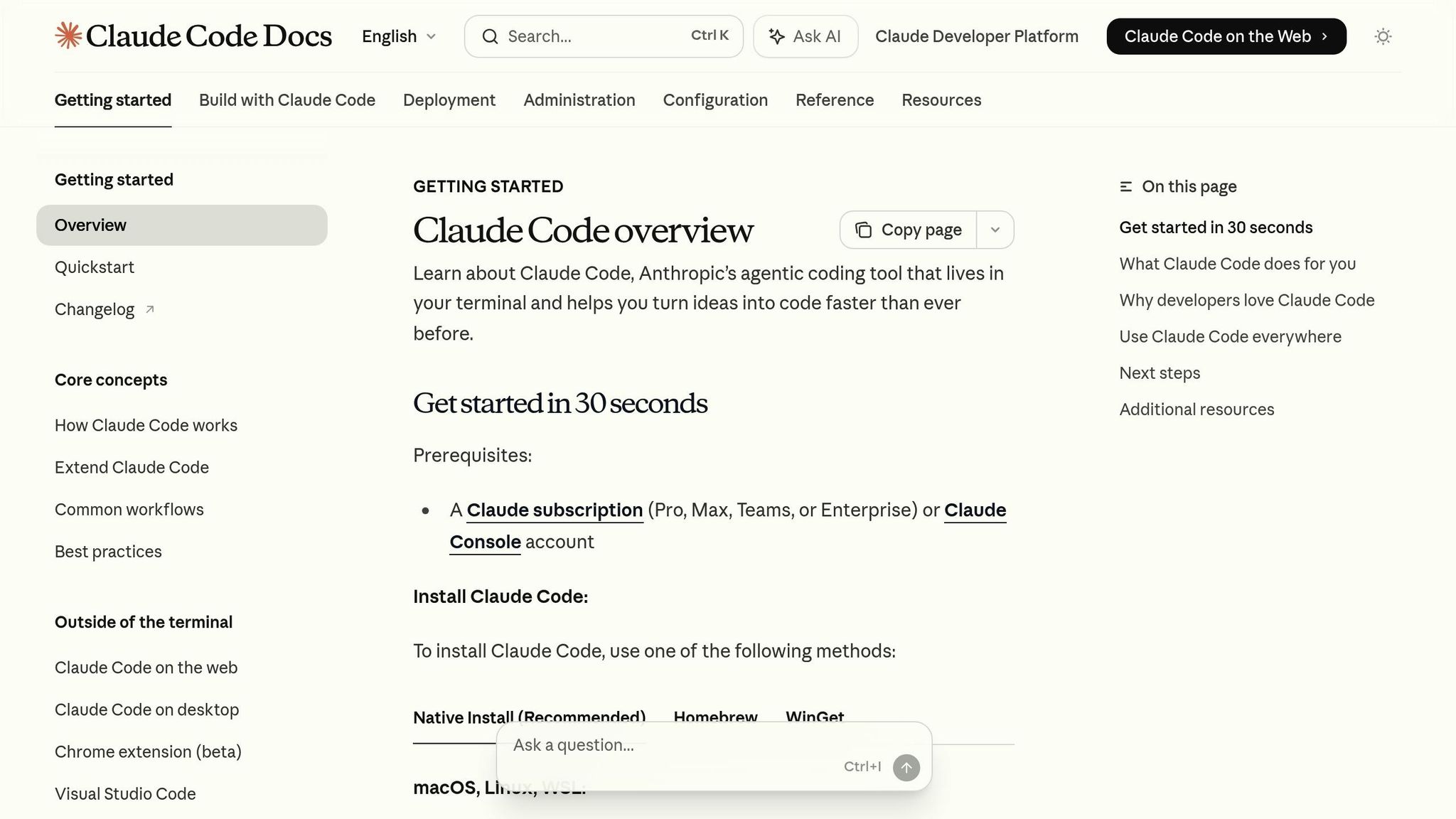
Key Features of Claude Code
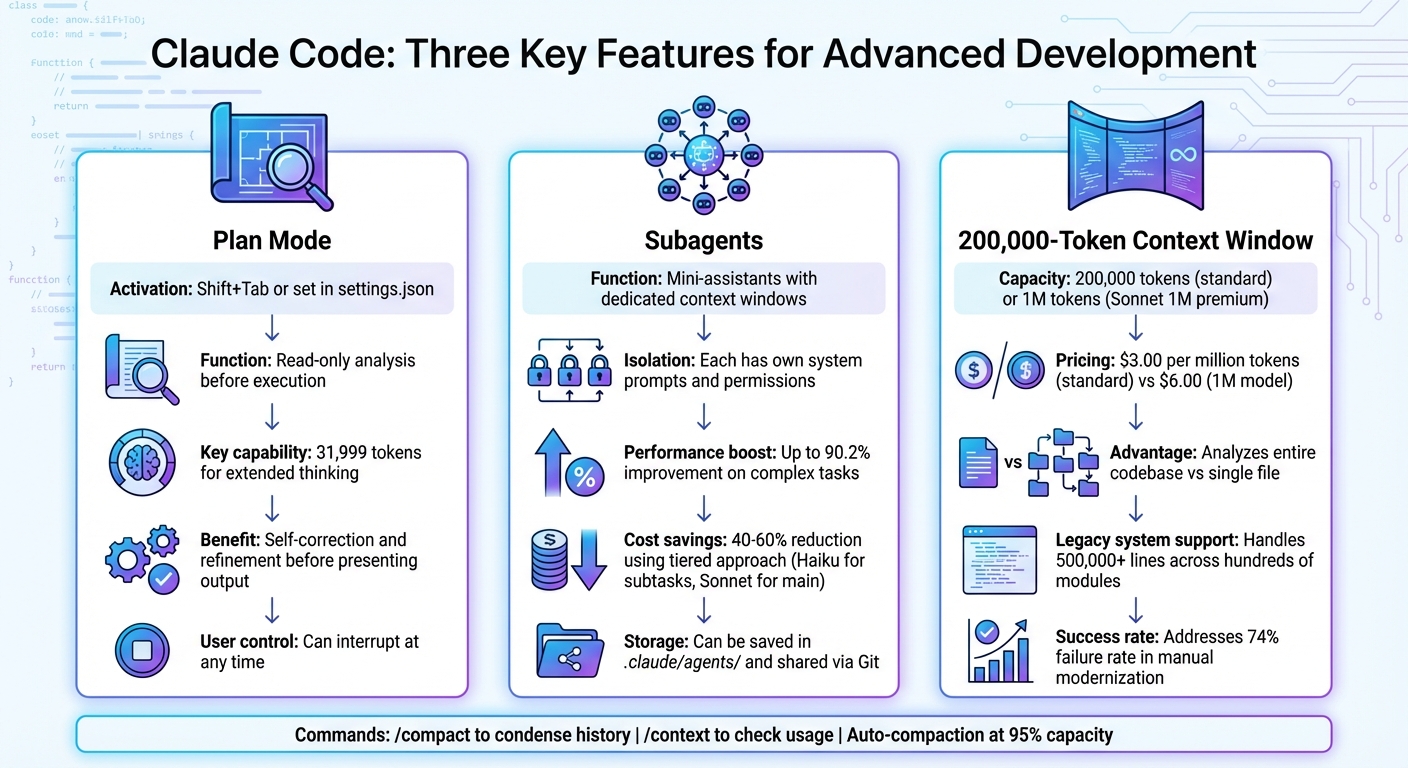
Claude Code Key Features Comparison: Plan Mode, Subagents, and Context Window
Claude Code brings three standout capabilities to the table, enhancing code intelligence across the development lifecycle. Plan Mode adds a layer of safety by letting Claude analyze your codebase and propose a plan before making any changes. Subagents handle specialized tasks in isolated environments, ensuring workflows remain efficient and free of context interference. Finally, a 200,000-token context window allows Claude to understand your entire project, rather than limiting its view to a single file. Let’s break down how each feature works.
Plan Mode and Agentic Capabilities
Claude's agentic loop enables it to chain multiple actions, making it highly effective for complex tasks. Plan Mode takes this a step further by operating in a read-only state, where Claude gathers information about your codebase and formulates a plan before executing any changes. During this phase, it uses the AskUserQuestion tool to clarify objectives and ensure alignment with your goals. You can activate Plan Mode by pressing Shift+Tab or setting "defaultMode": "plan" in .claude/settings.json.
The documentation highlights:
Claude Code serves as the agentic harness around Claude: it provides the tools, context management, and execution environment that turn a language model into a capable coding agent.
Plan Mode also includes extended thinking, which allocates 31,999 tokens for internal reasoning. This allows Claude to evaluate alternatives, self-correct, and refine its output before presenting it to you. Importantly, users can interrupt the process at any time, ensuring human oversight remains central.
Subagents and Workflow Automation
Subagents are like mini-assistants within Claude, each with its own dedicated context window, system prompts, and permissions. These subagents take on specific tasks, such as log analysis or running test suites, without affecting the main workflow. According to research, multi-agent systems can improve performance on complex tasks by up to 90.2%. Additionally, using a tiered approach - where subtasks are routed to Claude Haiku while the main session runs on Sonnet - can cut operational costs by 40% to 60%.
Workflow automation is another standout feature, leveraging lifecycle hooks to execute shell scripts at pivotal moments. Here’s how some key hooks work:
| Hook Event | When it Fires | Use Case |
|---|---|---|
| SubagentStart | When a subagent begins | Setting up temporary database connections |
| PostToolUse | After a tool is used | Running linters after code edits |
| SubagentStop | When a subagent completes | Sending notifications or updating tickets |
| PreToolUse | Before a tool executes | Validating commands to block unauthorized operations |
Subagents can also be stored in your project’s .claude/agents/ directory and checked into Git, ensuring your team shares the same automated workflows.
200,000-Token Context Window
One of Claude's most powerful features is its 200,000-token context window, which gives it a project-wide perspective. Unlike inline assistants that can only process the current file, Claude can analyze an entire codebase. For larger projects, the premium "Sonnet 1M" model extends this capacity to 1 million tokens at a cost of $6.00 per million input tokens, compared to $3.00 for the standard Sonnet model.
This feature is especially helpful for modernizing legacy systems. Many legacy codebases include over 500,000 lines of logic spread across hundreds of modules, with some individual modules containing 5,000 to 10,000 lines of tightly coupled code. Traditional manual approaches often fail, with nearly 74% of organizations unable to complete modernization efforts. Claude’s extensive context window helps bridge the gap between older and newer software, making it easier to migrate systems like COBOL to Python while preserving business intent.
To manage large projects efficiently, you can use commands like /compact to condense your conversation history while keeping key decisions and code snippets intact. The /context command lets you see what’s consuming your context, and auto-compaction kicks in when usage nears 95% capacity. For especially large refactoring tasks, switch to the 1M context model using the --model sonnet[1m] flag.
Getting Started with Claude Code
Setting up Claude Code is quick and straightforward - you can have it up and running in just a few minutes. It supports macOS 13.0+, Ubuntu 20.04+, Debian 10+, and Windows 10+ (via WSL or Git for Windows). To get started, make sure your system has at least 4 GB of RAM, though 16 GB is better for handling larger projects. The installation itself takes up about 500 MB of disk space.
Installation and Setup
Installing Claude Code is easiest using the native method, which ensures automatic background updates. Here’s how to get started:
- macOS, Linux, or WSL: Open your terminal and run
curl -fsSL https://claude.ai/install.sh | bash. - Windows PowerShell: Use the command
irm https://claude.ai/install.ps1 | iex.
You can also use package managers like Homebrew (brew install --cask claude-code) or WinGet (winget install Anthropic.ClaudeCode). However, these methods don’t support automatic updates.
Once installed, verify everything is set up correctly by running claude doctor. This command checks your version, installation type, and highlights any configuration issues. Keep in mind, you'll need an active subscription or a billed Anthropic Console account to proceed. The first time you use the claude command, you’ll complete a one-time authentication process using either OAuth or an API key.
Claude Code also offers permission modes to control how it interacts with your files:
- Default Mode: Requests permission for every edit or shell command.
- Auto-accept Mode: Automatically edits files but still asks before running commands.
- Plan Mode: Operates in read-only mode for analysis without making changes.
You can switch between these modes by pressing Shift+Tab. For more complex tasks, starting in Plan Mode allows Claude to analyze your codebase and propose solutions before making any changes.
To maintain coding standards, create a CLAUDE.md file in your project’s root directory. This file stores instructions, conventions, and persistent rules, and Claude reads it every time you start a session.
Once the setup is complete, you’re ready to start using Claude Code for your tasks.
Basic Commands and Usage
After verifying the installation, you can dive in by starting an interactive session. Here’s how to get started:
- Simply type
claudeto begin a session. - Run a specific task with
claude "fix the CSS padding". - Use
claude -p "explain this file"for a quick query that exits immediately. - To pick up where you left off, type
claude --continueorclaude -c.
Claude automatically scans relevant files, but you can manually specify files using the @ symbol, such as @src/utils/auth.js. To see all available commands, type /help, and for configuration settings, use /config to enable features like extended thinking mode.
Here’s a quick reference table for some key commands:
| Command | Function | Example |
|---|---|---|
claude |
Starts an interactive session | claude |
claude "task" |
Executes a specific task | claude "fix build errors" |
claude -p |
Runs a one-off query and exits | claude -p "explain this file" |
claude commit |
Generates a Git commit | claude commit |
/resume |
Opens a session picker | /resume |
/config |
Opens configuration settings | /config |
Claude also creates local checkpoints before editing files, so you can undo changes by pressing Esc twice or asking Claude to revert. If things aren’t going as expected, you can provide immediate corrections - Claude adapts on the fly. For better results, be as specific as possible with your prompts. Instead of saying "fix the bug", try something like "fix the login bug where users see a blank screen after entering incorrect credentials."
sbb-itb-212c9ea
Practical Applications Across Industries
Claude Code is reshaping workflows across marketing, healthcare, and sales. In January 2026, ServiceNow deployed Claude Code across its 29,000-employee workforce. Engineers now use it to write and review code, while sales teams leverage Claude-powered tools to synthesize prospect data. Bill McDermott, Chairman and CEO of ServiceNow, shared:
This partnership is about reimagining how work gets done. It puts the power to build, deploy, and scale mission-critical applications into the hands of every person, in every industry, at every level.
In healthcare, Claude Opus 4.5 is streamlining claims authorization and research analysis, cutting processing times from days to just hours. Additionally, it has reduced seller preparation time for customer meetings by an impressive 95%. These applications demonstrate how Claude Code’s foundational capabilities are being applied to solve industry-specific challenges.
Coding and Debugging Large Projects
Claude Code’s large context window and subagent framework make it a standout tool for managing enterprise-scale coding projects. It can analyze entire codebases, create actionable plans, and implement changes across multiple files simultaneously. This is invaluable for tasks like adding features or fixing complex bugs. A notable example came in January 2026 when Boris Cherny, Claude Code's creator, showcased its capabilities by merging 259 pull requests and 497 commits in just 30 days, resulting in 40,000 lines of code added and 38,000 removed.
Developers often use its read-only planning mode to map out migrations or refactors before making any changes. This is especially useful for updating legacy systems or planning architectural overhauls. For complex projects, up to 10 subagents can work in parallel, each in isolated contexts to ensure smooth and efficient workflows. Developer Chris Dzombak emphasized the importance of accountability, saying:
I believe I'm ultimately responsible for the code in a PR with my name on it, regardless of how it was produced.
To maintain high coding standards, the hooks system automatically runs essential commands - like linters or test suites - after every file edit. The Model Context Protocol (MCP) further enhances productivity by integrating Claude with enterprise tools such as Jira for ticket tracking, Slack for notifications, and Google Drive for accessing design documents. As of January 2026, MCP supports over 3,000 external services.
Prototyping and Non-Coder Use Cases
Claude Code isn’t just for developers - it’s opening doors for non-technical users to create and innovate. The introduction of "Cowork" in late 2025, a GUI version integrated into Claude Desktop, allows users without terminal skills to collaborate with Claude. They can designate folders for Claude to read and modify files, making it accessible to design teams and non-coders alike. Mark Fershteyn, CEO of Mastering AI, explained:
Claude Code actually does the work on your computer. You describe what you want. It reads your files, writes code, runs it, and hands you the finished thing. It's the difference between a consultant who writes recommendations and a contractor who shows up and builds the house.
Design teams can paste UI mockups or error messages directly into the terminal for analysis, enabling Claude to generate corresponding HTML or CSS. Marketing teams are automating data workflows by pulling campaign data from APIs like Google Ads, Meta, and LinkedIn, normalizing metrics, and exporting them to unified dashboards or Google Sheets. Meanwhile, sales teams are optimizing prospect research and lead enrichment by syncing data between Google Sheets and CRMs like HubSpot.
This shift toward rapid prototyping allows non-technical users to build functional prototypes and internal tools in just hours using plain English descriptions. By January 2026, an estimated 15.85% to 22.60% of GitHub projects were using AI coding agents, and Claude Code had already achieved a $1 billion annualized run rate within six months of its launch.
Advanced Techniques and Best Practices
Building on Claude Code's core features, these advanced techniques help refine performance and maintain clear, effective workflows.
Optimizing Usage and Reset Windows
Claude Code operates with a 200,000-token window that includes your conversation history, file reads, and outputs. Once this window fills, the system's performance can dip - it might forget earlier instructions or make mistakes. Managing this context window is crucial for smooth operation.
To keep things running efficiently, use /clear to reset your session between unrelated tasks. If a task requires more than two rounds of corrections, start fresh with a focused prompt. The /compact <instructions> command can condense your session history, retaining only the essentials. Additionally, keep your CLAUDE.md file under 500 lines. If it exceeds this limit, consider offloading domain-specific knowledge into Skills that load only when needed.
Leveraging Subagents and Skills
Subagents work within isolated context windows, preventing detailed outputs - like extended test logs - from cluttering your main session. Assign codebase investigations to these subagents, which can provide concise summaries and help maintain focus in your primary conversation.
Skills in Claude Code use a tiered loading system. A short metadata block (roughly 100 tokens) loads at startup, while the full instructions (usually under 5,000 tokens) load on demand. For workflows that involve side effects, such as deployments, set disable-model-invocation: true in the skill's frontmatter. This ensures they only run when manually triggered. To balance speed and cost, you can assign subagent tasks to faster models like Haiku for exploration while reserving Claude 3.5 Sonnet for final implementation. These delegation strategies help streamline workflows while upholding rigorous coding practices.
Maintaining Coding Standards
Strict coding standards are key to producing reliable outputs. Define project rules in your CLAUDE.md file, such as "Use ES modules" or "Avoid direct commits to main." To enforce these standards, configure hooks to automatically run tools like ESLint or Prettier after file edits. For instance, adding a PostToolUse hook in your settings.json to execute:
npx prettier --write "$FILE_PATH"
ensures consistent code formatting after every edit.
For complex tasks, use Plan Mode (activated with Shift+Tab) to separate research from execution. This ensures alignment with your project's architecture before writing any code. Adopting a writer/reviewer pattern can also improve quality - one instance writes the code, while another reviews it for edge cases and deviations. If implementation veers off track, use /rewind to return to previous snapshots and restore alignment.
Conclusion
Claude Code is transforming software development in 2026. With its 200,000-token context window, agentic loop architecture, and integration with existing tools, it acts as an autonomous coding partner - capable of gathering context, executing commands, and verifying results on its own.
Its extensibility framework is where it truly shines. Features like CLAUDE.md for project rules, Skills for reusable workflows, MCP for connecting with over 3,000 external services, and Hooks for precise automation allow you to customize the tool to fit your workflow perfectly.
The results speak for themselves. Boris Cherny, the creator of Claude Code, achieved 259 pull requests and 497 commits in just 30 days, adding 40,000 lines of code. Additionally, Claude Opus 4.5 scored 80.9% on SWE-bench Verified while reducing token usage - clear markers of enhanced productivity.
Start by creating a CLAUDE.md file to define your project’s conventions. Use Plan Mode with Shift+Tab for efficient refactoring, and assign research tasks to subagents. Whether you’re debugging massive codebases, automating complex workflows, or developing new features, Claude Code adjusts to your needs while maintaining file checkpoints and read-only safeguards.
FAQs
How does Claude Code's Plan Mode improve safety in software development?
Plan Mode in Claude Code takes software development safety to the next level by carefully examining your entire project structure before generating or executing any code. This step-by-step planning process helps catch potential problems early, whether they’re errors, bugs, or even security vulnerabilities - making it especially useful for large or complex codebases.
What sets Plan Mode apart is its ability to simulate and review plans ahead of time. This ensures that every action is intentional and fits the context of your project. By taking this extra precaution, it reduces the chances of unsafe changes or misconfigurations. For developers, this means more confidence in protecting the integrity and security of their code throughout the development journey.
What are the advantages of using subagents in Claude Code?
Using subagents in Claude Code opens up new possibilities for flexibility and efficiency in AI workflows. Developers can break down tasks into modular components, making it simpler to organize, test, and refine code. This modular approach also allows for parallel processing, which can significantly improve performance in demanding applications.
Subagents can be tailored to meet specific needs, whether that means integrating external tools, adding custom features, or addressing niche industry requirements. This adaptability makes it easier to automate a variety of workflows - such as content generation, research, or task management - turning Claude Code into a versatile tool for boosting productivity in many fields.
How can someone without coding experience use Claude Code to create prototypes?
Claude Code serves as an AI-powered coding assistant designed to make coding accessible, even for those without programming experience. Instead of wrestling with complex syntax or needing in-depth technical knowledge, you can simply describe your goals in plain language. From there, Claude Code can help generate or tweak code snippets, debug errors, and even execute commands. This means you can focus on your ideas rather than getting bogged down by technical hurdles.
For instance, you could ask Claude Code to build specific features, clean up existing code, or fix bugs just by sharing error messages or explaining what you’re trying to achieve. It’s especially handy because it understands your project’s context and integrates smoothly with tools like VS Code. This makes it a fantastic resource for experimenting, refining, and testing ideas quickly - even if you’re not a developer.