Writing Tools
The Ghostwriting Secret: How to Make Claude Sound Exactly Like a Real Human
Use real samples, a short style guide, and a three-pass prompt workflow to make AI writing sound like a real person.
The Ghostwriting Secret: How to Make Claude Sound Exactly Like a Real Human
Most AI writing sounds fake for one simple reason: it starts with the tool, not the person.
If I want Claude to sound like a real human, I don’t ask it to “write naturally.” I give it real writing samples, a short voice guide, and a step-by-step draft process. That matters because 71% of content teams said off-brand tone was their top problem in 2026.
Here’s the short version:
- Start with real samples like emails, posts, and memos
- Build a short voice guide with tone rules, banned phrases, and paragraph style
- Prompt in passes: outline, draft, then tone edit
- Force specificity with numbers, named examples, and clear opinions
- Edit for rhythm by cutting stiff patterns and reading the draft out loud
- Save what worked so the next draft sounds closer to the writer
In other words: you supply the voice and judgment; Claude helps with draft speed and revision.
What makes the biggest difference isn’t a magic prompt. It’s using a repeatable system that strips out common AI tells with tools like WriteHuman, keeps the facts tight, and makes each new draft sound more like one person wrote it.
How to Make Claude Write in YOUR Voice - The Complete Setup Guide
sbb-itb-212c9ea
Build a Voice Profile Before You Prompt
Great ghostwriting starts with source material, not prompts. You need proof of how a person writes: their rhythm, opinions, go-to phrases, and the lines they won’t cross.
Pull Voice Signals From Real Writing Samples
Informal emails, LinkedIn posts, Slack or Discord messages, and internal memos often tell you more than polished public copy. For a first pass, gather 5–8 strong samples. If you want clearer patterns, aim for 10–20.
Those samples are the raw material for your style guide.
If you don’t have much to work with, interview the writer for 30–60 minutes and build a Voice DNA note. Focus on what they believe, which phrases they avoid, and how they see the world.
Pay attention to both levels of voice:
- Surface voice: sentence length, paragraph size, punctuation, contractions
- Deep voice: reasoning patterns, analogies, opinions, worldview
Skip samples that were heavily edited by someone else, written by AI or polished by AI, drafted in an overly formal register like contracts or press releases, or are simply out of date.
Turn Your Notes Into a Simple Style Guide
Turn those notes into a style guide under 400 words. Keep it centered on five parts: audience, tone, banned phrases, preferred transitions, and paragraph length. Then add one right example and one wrong example.
The banned phrases part matters more than most people think. In practice, voice is often easier to pin down by what it refuses to say than by adjectives like "warm" or "authoritative."
Save the finished guide as a .md file so you can upload it into Claude Projects and reuse it across drafts.
Now Claude has rules to follow, not fuzzy tone notes.
Lock U.S. Defaults Before Drafting
Before drafting, lock in U.S. defaults inside the style guide: U.S. spelling, month-day-year dates, USD formatting, imperial units, and plain word choices like use instead of utilize.
Once the voice guide is locked, use it to shape the prompt structure.
Prompt Structures That Produce Human-Like Drafts
Once your voice guide is locked in, the next move is building prompts that use it on purpose. Most one-shot prompts spit out bland copy. The problem usually isn't prompt length. It's prompt structure.
A Prompt Formula for Blog Posts, Emails, and Thought Leadership
Paste your style guide and 3–5 sample lines into the prompt. Prompts that sound human tend to follow the same basic frame: role, audience, voice, format, and goal.
Give Claude a role that matches the piece, like editor, strategist, or subject-matter expert. That helps it stay tied to your point of view instead of drifting into generic filler.
Then get specific about the reader. Spell out their situation, what they're worried about, and the context shift you want to create. For example: "The reader is a mid-level marketing manager worried about proving ROI to their VP. Lead with metrics, then explain the reasoning."
After that, set firm format rules. Say things like: "Average sentence length: 14 words. Vary between 4 and 28. No em-dash overuse. No bold-term-colon lists." The key is simple: use rules you can check, not vague descriptors.
Once that skeleton is in place, don't ask for everything in one shot. Run the prompt in passes.
Ask for an Outline, Then a Draft, Then a Tone Revision
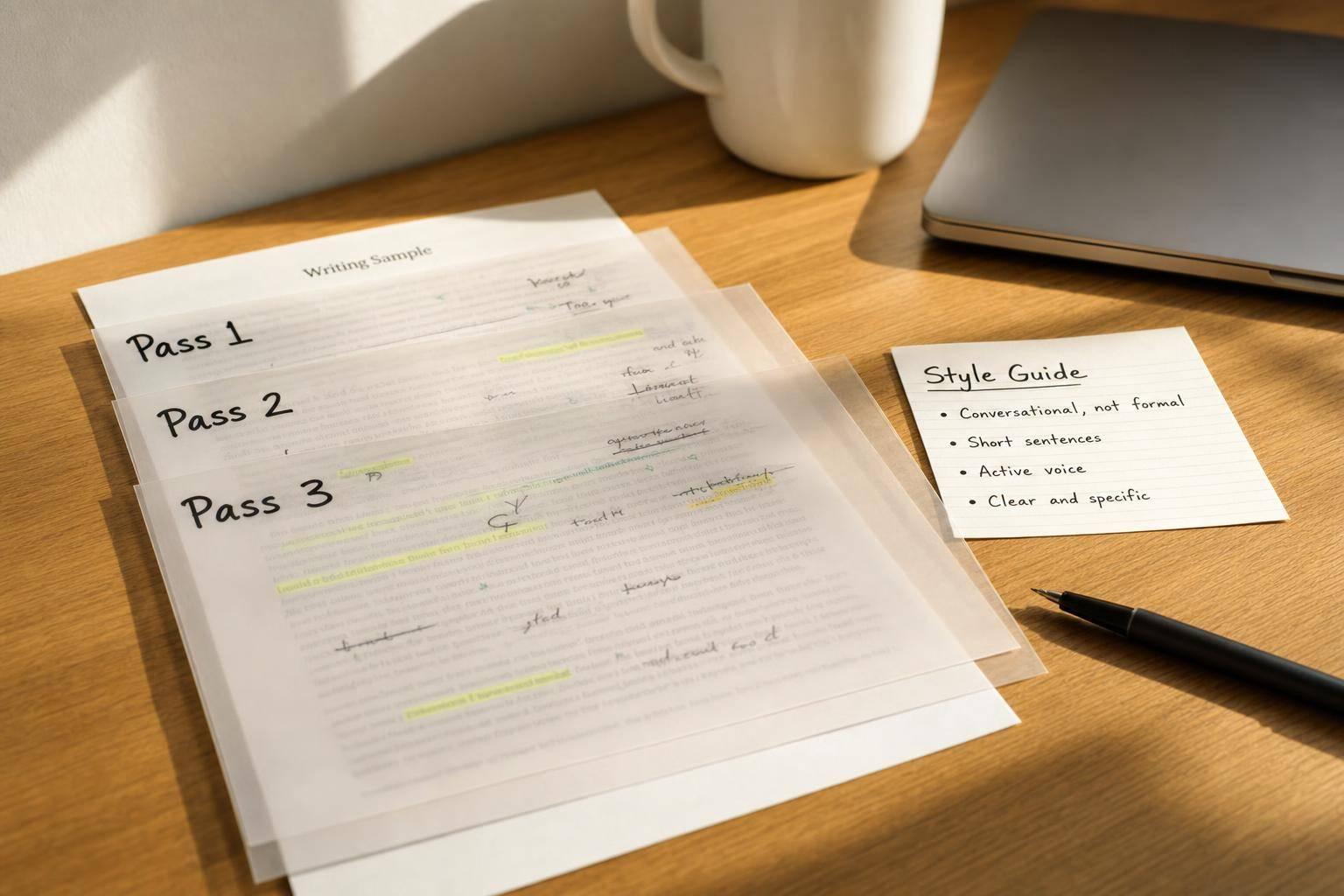
A three-pass flow works well: outline, draft, revise.
Start with your real notes. Use the messy bullet points, half-finished opinions, and rough structure you already have. Ask Claude to turn that into an outline without losing your point of view.
Then ask for a draft from that outline, and give one very clear instruction: "Skip tone polish on the first pass. Do not add a conclusion." That matters. It stops the draft from sanding off the rough edges that make writing feel like it came from a person, not a machine.
On the third pass, go after the robotic stuff. Ask Claude to play the role of a hostile editor and point out repeated sentence patterns, three-part lists, and heavy em-dash use. Then have it rewrite based on that critique.
"If you only fix one thing, fix the negative-parallelism, tricolon, and em-dash trio. Those three patterns alone produce roughly seventy per cent of the obvious tell." - The Adpharm
Once the draft is on the page, tighten it with facts, limits, and sharper opinions.
Prompt for Specific Opinions, Details, and Clear Limits
After structure, lock in specificity. Tell Claude that every draft needs at least:
- one concrete number
- one named thing
- one concession or counterpoint
That mix pulls the writing away from airy claims and closer to grounded detail.
At the same time, set hard guardrails. Be direct: "Do not invent client stories, performance data, or personal experiences that were not provided in this prompt."
"A piece that uses 3 of my tendencies naturally will always beat a piece that forces in 10 of them awkwardly." - Frank Andrade, Artificial Corner
Keep your opinion instructions tight too. Give Claude your actual stance, then tell it to hold that line without hedging. If you wouldn't say "it depends" in a normal conversation, the draft shouldn't say it either.
Edit for Tone, Rhythm, and Believability
This is where Claude starts to sound like a person. You’ve already set the structure and locked the facts. Now the job is tone, rhythm, word choice, and plainspoken judgment.
Fix Rhythm With Sentence and Paragraph Variety
Mix up sentence length on purpose. Use short lines. Longer ones too. Fragments can help. So can questions. And yes, sometimes starting a sentence with "And" or "But" makes the writing feel more like speech than copy.
Paragraph length matters too. Real people don’t write in neat little blocks every time. Uneven paragraphs usually feel less stiff and less planned.
Read the draft out loud. Your ear will catch clunky rhythm faster than your eyes will. If a line sounds scripted when you say it, cut it or rewrite it.
Add Emotion Without Sounding Forced
Jargon and machine-like phrasing kill believability fast. Words like "transformative", "robust", and "synergistic" feel generic. Ban them. Same with stacked superlatives that try too hard.
Contractions like "don't" and "you're" often do more than another adjective ever could. Phrases like "I'm not sure, but..." or "Maybe it's just me..." can build trust because they sound like real human uncertainty. That said, don’t overdo it. Match the writer’s normal level of confidence, hesitation, and warmth.
For U.S. professional writing, the sweet spot is usually confident, warm, direct, and polite. If a sentence sounds like a press release, that’s a problem. Cut it back. Then check that the whole draft still sounds like one person talking, not a polished brand voice.
Use Claude to Revise Its Own Draft
After you make manual edits, let Claude take one more pass using the same style guide. Ask it to flag repeated patterns and every sentence that starts with "It is worth noting that..." Then tell it to rewrite those parts with tight constraints, like mixing short and long sentences in each paragraph.
You can also have Claude match a past piece of your own writing. Paste a paragraph from an old newsletter and say: "Rewrite this section so the rhythm and vocabulary range match that sample." That works better than telling it to sound "natural."
Do one last read-aloud pass before you publish.
Use Claude to scan for these common patterns:
| AI Pattern to Remove | Human-Sounding Replacement |
|---|---|
| "It's not just X - it's Y" | A direct statement or a simple "but" |
| Three-adjective stacks | One strong adjective or a specific noun |
| "It is worth noting that..." | Start the sentence with the actual point |
| "In today's fast-paced world..." | Open with a specific situation or problem |
| "Serves as", "functions as" | Use the plain word "is" |
Build a Repeatable Ghostwriting Workflow
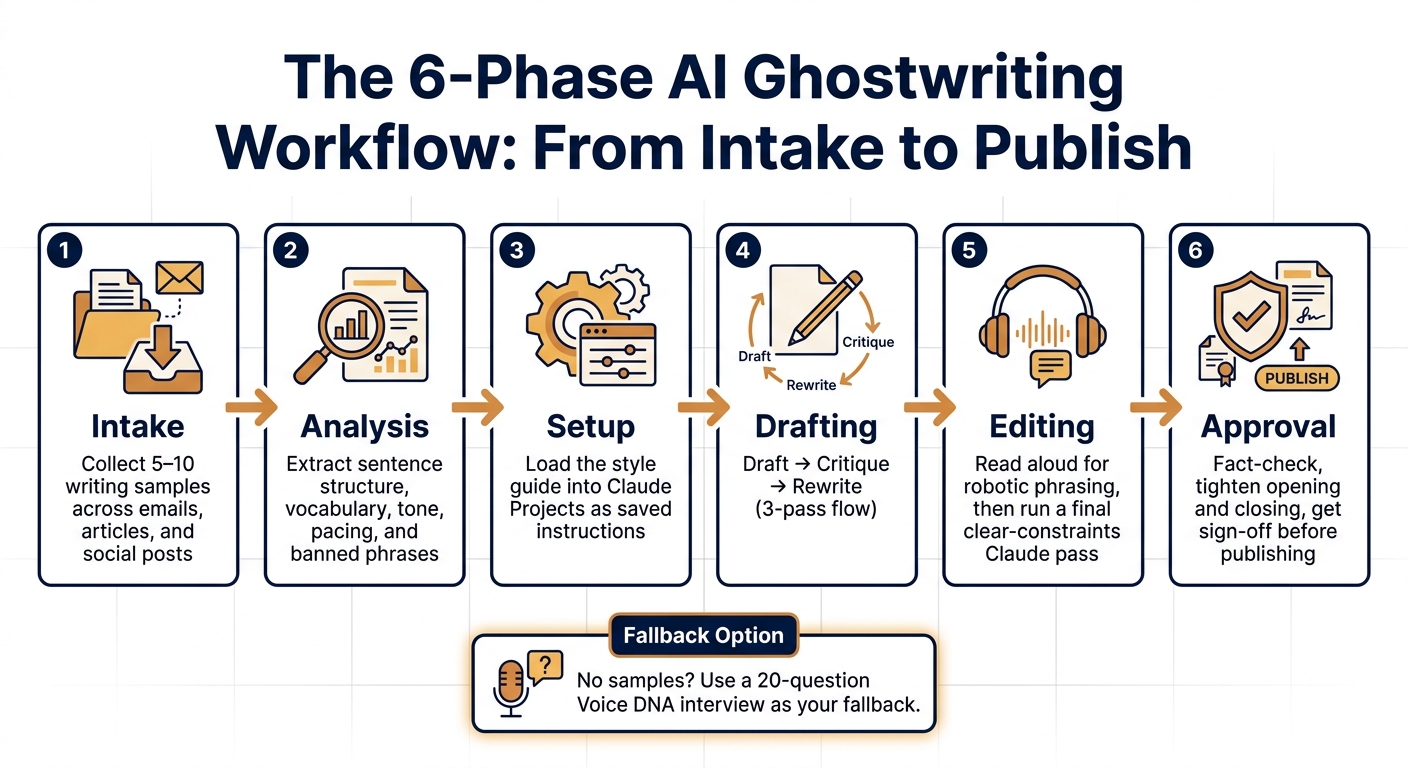
The 6-Phase AI Ghostwriting Workflow: From Intake to Publish
A Step-by-Step Process From Intake to Publish
Once your voice guide and prompt rules are doing their job, turn them into a repeatable workflow.
That gives you a production loop you can run again and again without guessing your way through each draft. More importantly, it helps keep every piece on-voice from intake to approval.
Use the same six phases every time:
| Phase | What You Do |
|---|---|
| Intake | Collect 5–10 writing samples across emails, articles, and social posts |
| Analysis | Ask Claude to extract sentence structure, vocabulary, tone, pacing, and banned phrases |
| Setup | Load the style guide into Claude Projects as saved instructions |
| Drafting | Draft, critique, rewrite |
| Editing | Read it aloud for robotic phrasing, then run one final clear-constraints Claude pass |
| Approval | Fact-check, tighten the opening and closing, and get sign-off before publishing |
No source samples? Use the fallback interview instead.
Fallback: if no samples exist, use a 20-question interview to build a Voice DNA doc.
Save What Works So Future Drafts Get Better
After each approved draft, save the lines that hit the mark and the edits that made weak lines work.
Put paragraphs that match the writer's voice into a Voice Reference doc inside Claude Projects. Then use those paragraphs as the model for the next draft. Track edits by type, like tone, word choice, and structure, and update the Never/Always list as you go.
This is where the process starts to click. Each cycle gets faster when you build on documented proof instead of memory.
Conclusion: The Core Rules for Human-Sounding Claude Output
Natural-sounding output comes from specific inputs and careful editing, not vague instructions like "write conversationally." Start with real writing samples. Build a style guide from those samples. Use structured prompts with clear opinions, concrete details, and explicit limits. Revise for rhythm and emotion. Keep a human editor involved at every approval stage.
The teams that get this right don't wing it. They build a system, save what worked, and treat every draft as data for the next one.
FAQs
How many writing samples do I really need?
Collect 5 to 20 writing samples, with at least 3,000 words in total. That’s usually enough material to spot clear patterns in how you think, phrase ideas, and move from one point to the next.
If you don’t have enough strong samples, use an interview-based method instead. Claude can ask about your beliefs, instincts, and professional point of view to build a voice profile and map out your rhythm and tone.
What if I do not have enough past writing to train the voice?
If you don’t have much past writing to work with, you can still build a strong voice profile. One simple way to do that is to have Claude interview you.
Start with a structured prompt that maps out your preferences from scratch. Cover things like tone, sentence style, word choice, and any words or phrases you never want to use. Then, as you make content that sounds right, feed those samples back into your system prompt and keep shaping your voice library over time.
How do I know if a draft still sounds like AI?
Compare the same prompt before and after you apply your voice brief. Start with the opening. Look at sentence length, rhythm, and word choice. If the voice-brief version is shorter, leads with a concrete claim, and skips banned phrases, the brief is doing its job.
For a tougher check, run a blind review with a colleague. Then test edge cases like apology emails or cold outreach. If the voice still feels steady there, your instructions are solid.