Digital Transformation
What Is Vibe Coding? How Anyone Can Build an App Without Writing Code
How vibe coding uses plain English and AI to generate full‑stack apps—workflow, tools, limitations, and security tips for launching fast.

What Is Vibe Coding? How Anyone Can Build an App Without Writing Code
Vibe coding lets you build apps by describing your idea in plain English - no coding needed. Just tell the AI what you want, and it handles everything from creating the interface to setting up the backend. Introduced by Andrej Karpathy in 2025, this approach makes app development accessible to anyone, not just developers.
Here’s how it works:
- Describe your idea: Use natural language to explain what the app should do.
- AI builds it: The system generates the app’s structure, logic, and design in minutes.
- Refine and test: Provide feedback, test features, and deploy your app with minimal effort.
By early 2026, vibe coding tools were used by 84% of developers, with the market reaching $4.7 billion. While it’s fast and user-friendly, AI-generated code can have security flaws, so human oversight is still key. For beginners, tools with natural language input and one-click deployment make it easy to get started.
Vibe coding is reshaping app development, empowering creators to turn ideas into functional software in hours instead of months.
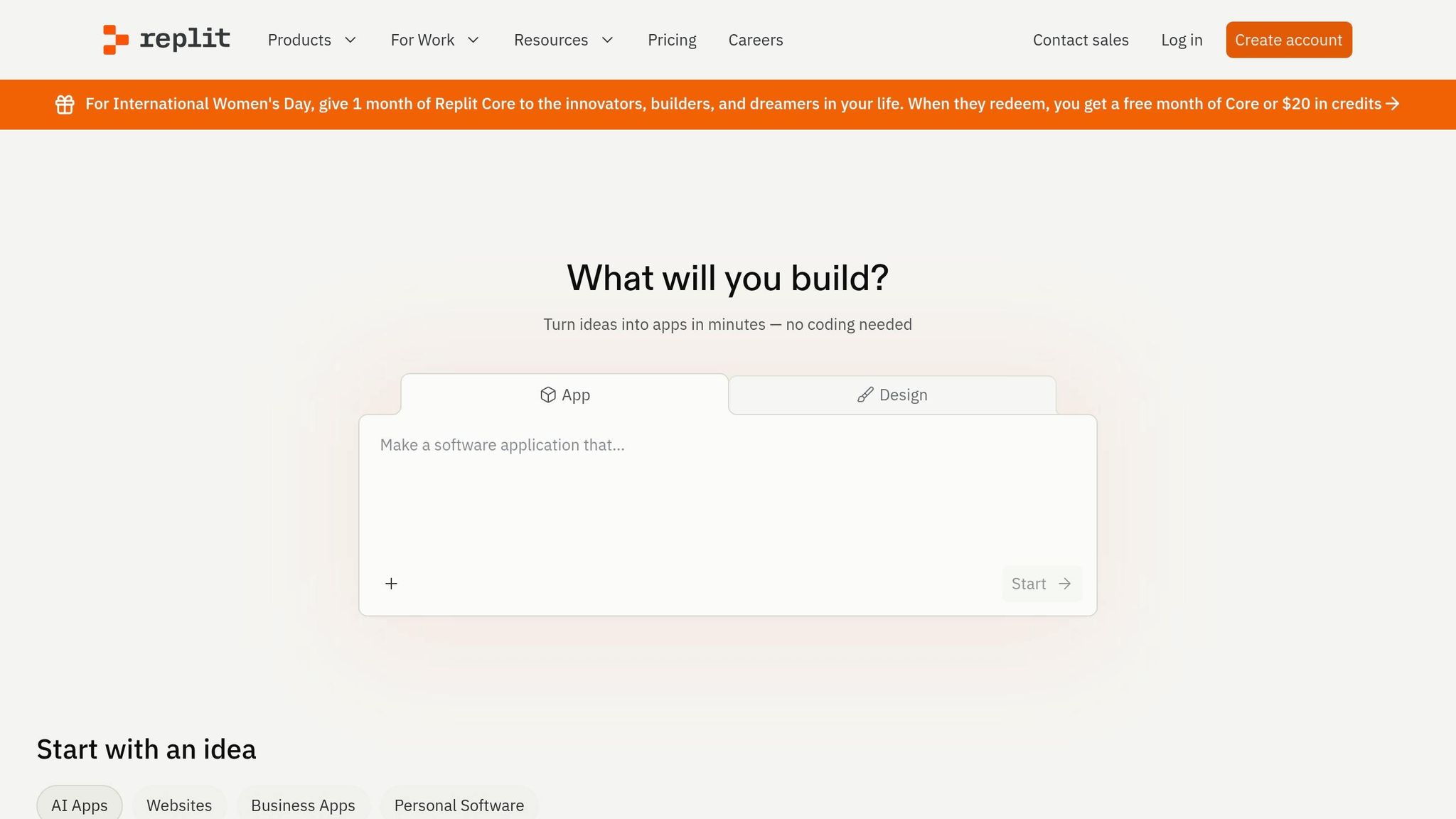
Complete Vibe Coding Tutorial: Build a Full Stack App in 30 Min with AI | Matt Palmer (Replit)
sbb-itb-212c9ea
How Vibe Coding Works
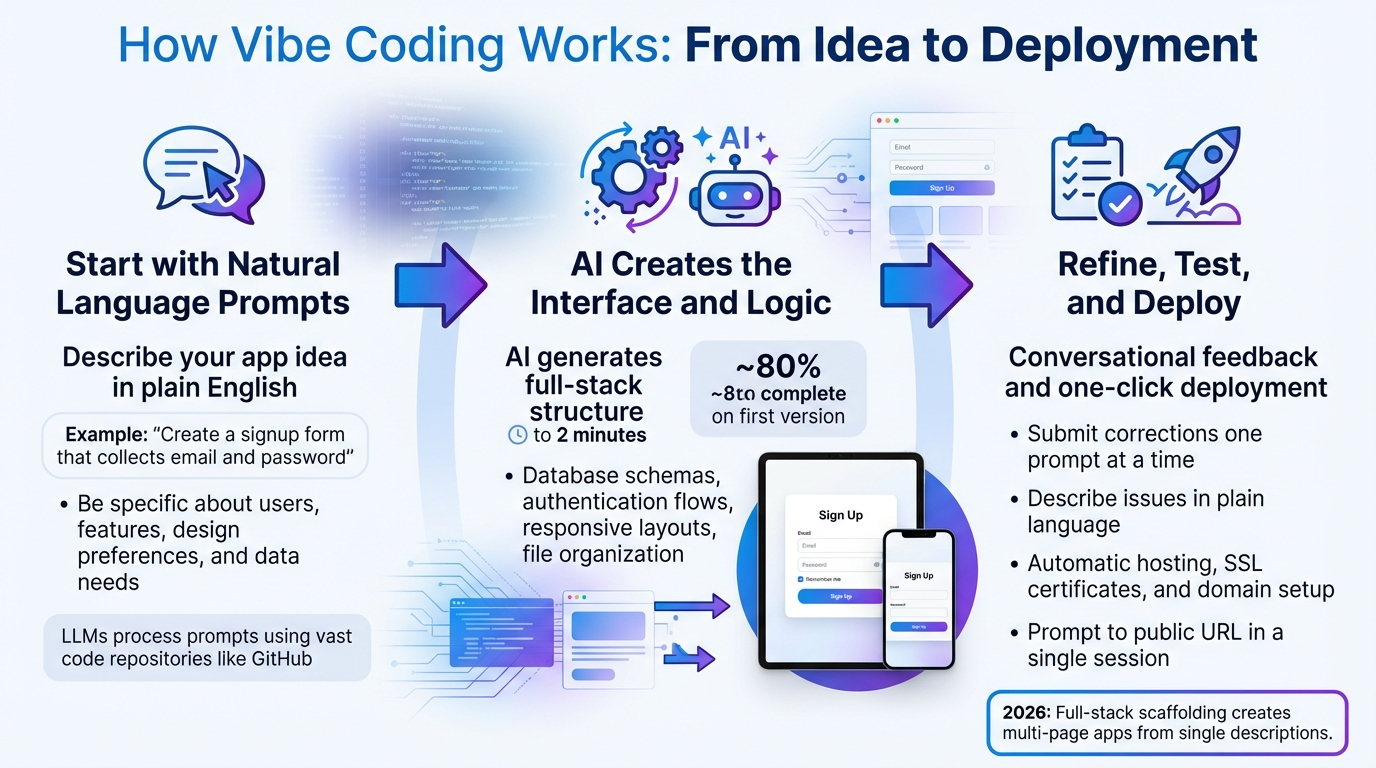
How Vibe Coding Works: 3-Step Process from Idea to Deployment
Describe your app idea, let the AI build it, and refine it until it's ready to launch. Here’s how the process unfolds:
Step 1: Start with Natural Language Prompts
Kick things off by typing your app idea in plain English - no need to dive into technical details. Just focus on the outcome you want. For example, you could say: "Create a signup form that collects email and password and displays a confirmation message."
Large Language Models (LLMs) process your prompt, interpreting its intent and context. These models pull from vast code repositories, like GitHub, to generate code that aligns with your needs. The key here is clarity. Be specific about your target users, essential features, design preferences (like colors and layout), and the data you need. For instance, you might say: "Build a booking system for a yoga studio with a calendar view, email notifications, and a pricing table similar to Stripe's."
Step 2: AI Creates the Interface and Logic
Once you submit your idea, the AI generates the app’s structure - everything from database schemas to authentication flows and responsive layouts. This process usually takes 30 seconds to 2 minutes. This step, known as full-stack scaffolding, allows modern tools in 2026 to create fully functional multi-page applications based on a single, high-level description.
The AI tackles multiple parts at once: file organization, logic, and styling. You’ll see a live preview of your app in action. Typically, the first version gets about 80% of the app right - covering common workflows, basic UI elements, and boilerplate code. The remaining 20% is where refinement comes in. After the initial structure is ready, it’s time to fine-tune and test your app.
Step 3: Refine, Test, and Deploy
Once the initial build is complete, you’ll refine your app through conversational feedback. Test each feature thoroughly to confirm it works as expected. If something doesn’t function correctly, describe the issue in plain language, such as: "The submit button does nothing when clicked". The AI will analyze the problem and suggest a fix.
Make adjustments one prompt at a time for the best results. Submitting multiple corrections at once can complicate things. If a technical error arises, copy and paste the error message into the tool - most of the time, the AI will quickly diagnose the issue and offer a corrected code snippet.
When everything looks good, deploying your app is usually a one-click process. Tools in 2026 manage hosting, SSL certificates, and domain setup automatically, enabling a seamless "prompt to public URL" workflow in a single session.
Getting Started with AI Apps for Vibe Coding
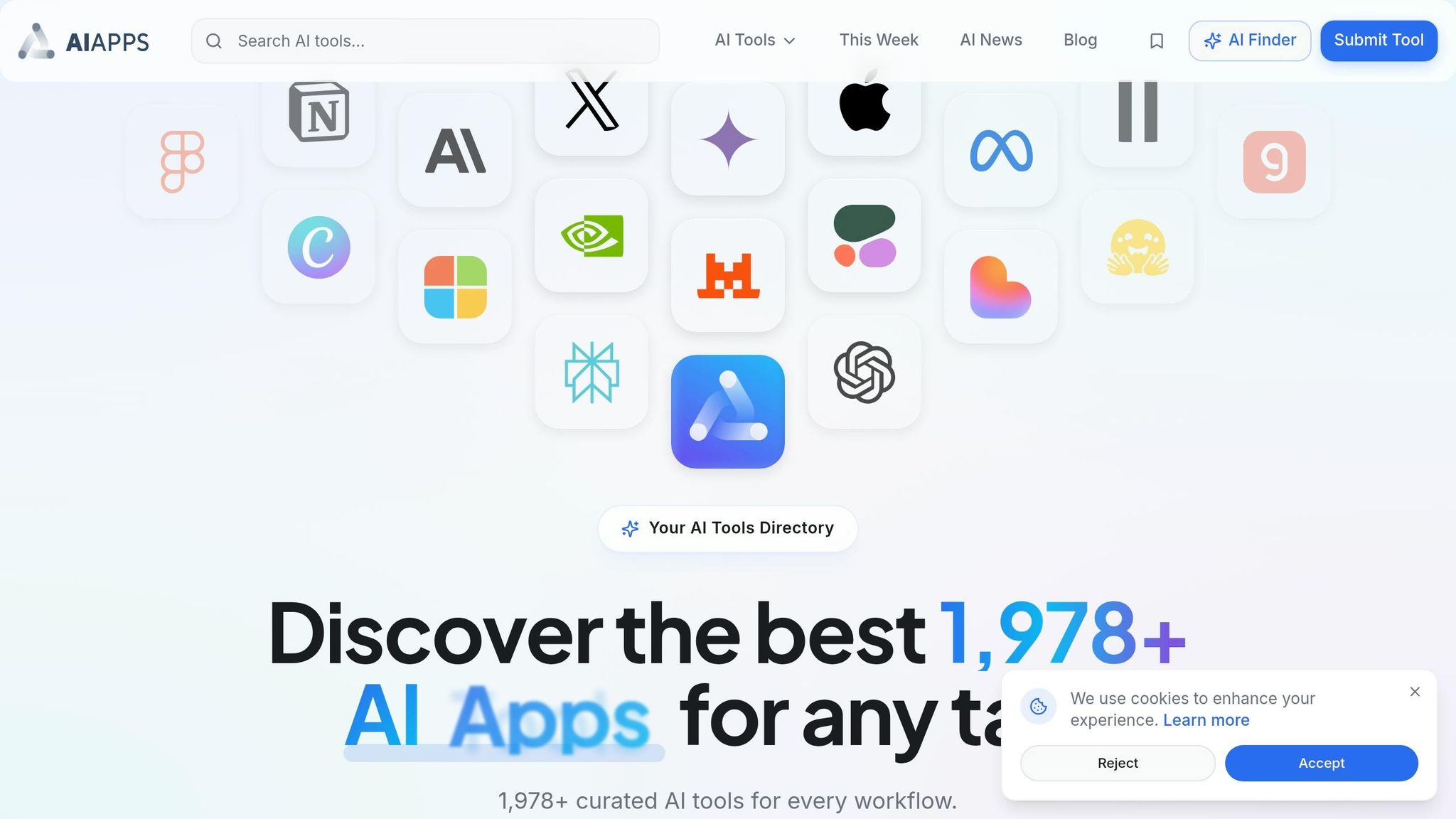
Finding Tools on AI Apps
Once you're familiar with the vibe coding process, the next step is selecting the right tools to streamline your development. AI Apps is a massive directory featuring over 1,900 AI tools, including more than 91 specifically for vibe coding. This platform is built to complement the Vibe Coding workflow, enabling you to create apps using natural language descriptions instead of traditional coding.
The tools are organized into categories like "Full-Stack", "Design-to-Code", "Mobile Native", and "Autonomous Agents". To make your search easier, you can apply filters such as "No-Code", "Builder", or "Free Tier." For mobile app development, selecting the "Mobile" filter will show tools tailored for iOS and Android platforms.
According to feedback from over 50,000 developers, using these curated tools can boost productivity by 85%. It's a good idea to focus on tools that allow you to export code, as this ensures you retain control over your software and avoid vendor lock-in. To find the best fit, try experimenting with 2–3 tools from different categories - such as one for UI design and another for full-stack development - to see what aligns with your workflow. Up next, let’s dive into how the type of listing can guide your tool selection.
Free vs. Featured Listings
AI Apps offers two primary listing types: Featured and Free. Featured listings are highlighted at the top of the directory with a "Featured" badge. These typically showcase well-established platforms with strong user ratings. For example, Hostinger AI Hub boasts a 4.7/5 Trustpilot rating based on 58,515 reviews, while Lovable has a 4.6/5 rating on Product Hunt from 163 reviews.
Free listings, on the other hand, appear below the featured section. They include essential details like user ratings, pricing options (free, paid, or free tier), and functional tags. While these tools may not receive premium placement, they’re a great way to discover emerging or niche options that might suit specific project needs. If you’re just starting with Vibe Coding, it’s a good idea to explore Featured listings first. These tools have been thoroughly reviewed and verified by the Vibe Coding team, making them a reliable starting point.
Benefits and Limitations of Vibe Coding
Vibe Coding vs. Standard Programming
Vibe coding offers incredible speed and accessibility. By March 2025, Y Combinator reported that 25% of startups were creating products using 95% AI-generated code. With this approach, AI-powered teams can complete tasks 30% faster, even enabling non-technical founders to independently build complete products.
However, this speed comes with trade-offs, particularly in code quality and security. AI-generated code is reported to have 1.7 times more major security issues than human-written code, with about 45% failing basic security tests. Simon Willison, an AI researcher, emphasizes the importance of human involvement:
"If an LLM wrote every line of your code, but you've reviewed, tested, and understood it all, that's not vibe coding in my book - that's using an LLM as a typing assistant".
This underscores how human oversight can transform AI outputs into secure, dependable code.
| Dimension | Vibe Coding | Standard Programming |
|---|---|---|
| Skills Needed | Natural language prompts; basic technical literacy | Proficiency in syntax, data structures, and logic |
| Time Required | Hours to days for an MVP | Weeks to months for an MVP |
| Ease of Use | High; conversational iteration | Low; requires deep technical training |
| Error Handling | AI chat loops; "describe the bug" | Manual debugging; systematic logical tracing |
| Code Quality | Varies; prone to redundancy and security flaws | Consistent with developer skill level |
While 23.5% of builders report being 10 times faster with vibe coding, a 2025 study revealed that AI tools made experienced developers 19% slower on complex tasks, even if the process felt more enjoyable. The key lies in knowing when to rely on vibe coding versus traditional methods.
Common Limitations and Solutions
One common issue with vibe coding is the "prompt loop" - where fixing one bug inadvertently creates new ones. This often becomes a problem after 15–20 components, as AI struggles with more complex backend logic, data integrations, and authentication requirements. David Siegel, CEO of Glide, explains:
"The first 20% of any project (frontend) is thrilling... the final 80% (data, backend, integrations, auth) is super hard. The LLMs get confused as you scale your codebase".
Security concerns also loom large. In 2025, 72.3% of builders expressed worries about vulnerabilities in vibe coding platforms. A new threat, "slopsquatting", has emerged, where attackers register malicious packages with names that AI models frequently generate. This can lead to developers unknowingly importing harmful code.
To address these challenges, consider these strategies:
- Use rules files (e.g.,
.cursorrulesorCLAUDE.md) to define project standards and conventions. - Follow a research-plan-implement framework, where AI outlines a step-by-step plan before generating code.
- Set clear boundaries in your prompts (e.g., "Response should be under 50 lines" or "Only modify the payment flow, don't touch auth").
- Prioritize building authentication and payment systems early.
A hybrid approach often proves most effective. Use vibe coding to quickly build the first 80% of a project (focusing on UI and basic structure), then hand-code the remaining 20% for custom logic and optimization. Always have a developer review AI-generated authentication and data-handling flows before deploying to production. This blend of AI speed and human precision ensures a balance between rapid prototyping and reliable execution.
How to Build Your First App with Vibe Coding
Step 1: Define Your App Idea
Start by identifying a specific problem you want your app to solve. For example, you might say, "I need to assign jobs to technicians faster." Once you have a clear idea, outline the user flow. Think about how users will interact with the app - for instance, submitting a form, reviewing the data, and receiving a notification. Next, define your core data tables (like tasks, users, and dates) and decide who gets access to view or edit them.
To keep it manageable, limit your first app to 2–3 main screens. Beginner-friendly ideas include an expense tracker, habit logger, client portal, invoice generator, or a simple dashboard.
Your app idea should answer four key questions: What does it do? Who is it for? How does it function? What will it look like? For example: "A habit tracker with SMS reminders for busy professionals that logs daily activities and sends evening check-ins."
Once you’re clear on the concept, you’re ready to pick the right tool to bring it to life.
Step 2: Choose a Tool from AI Apps
Now, select a tool that matches your skill level and project needs. If you’re looking for speed, go for a platform that uses natural language input and allows you to export code, so you don’t get stuck with one provider.
Think about your deployment needs. Tools with one-click deployment - offering built-in hosting and automatic SSL - are perfect for beginners. Use AI Apps’ filtering options to compare features like mobile responsiveness and authentication support. It's best to start with a tool that allows for iterative building, so you can make step-by-step improvements. Many platforms offer free plans, so you can experiment without financial commitment.
Step 3: Build, Refine, and Deploy
With your tool in hand, it’s time to start building. Don’t expect perfection right away - most initial outputs will be about 80% complete. Focus on refining the app by giving clear, specific instructions, like "Change the button color to blue." Take it one step at a time: prompt, review the results, and make targeted improvements.
Test your app in real-world scenarios to spot any issues in logic or design. Since AI tools often default to desktop layouts, be sure to ask for mobile-specific adjustments, such as stacking columns or adding a hamburger menu. Always test these changes on an actual mobile device to ensure they work as intended. If the AI gets stuck, restart the session and feed it the current code to continue.
Here’s an inspiring example: In early 2025, David Adius, a former quantitative trader with no formal engineering background, used vibe coding to create "Stoppr", a mobile app aimed at Gen Z women. By reusing proven UI patterns and guiding the process with conversational prompts, he launched the app in under 30 days. Within five months, "Stoppr" hit 60,000 downloads and was generating $12,000 in monthly recurring revenue with a 35% profit margin.
Before you launch your app, always perform a thorough review yourself or use security scanners built into the platform. Research shows that about 45% of AI-generated code can contain vulnerabilities. Additionally, make it a habit to save or commit working versions of your app using tools like Git or the platform’s built-in version history. This ensures you don’t lose progress while debugging. Modern tools have made deployment incredibly simple, often handling SSL, hosting, and domain setup with just one click.
Conclusion
Vibe coding has completely transformed the landscape of who can create software. You no longer need a computer science degree, years of experience, or deep technical expertise. The question has shifted from "can you code?" to "do you have a clear idea, and can you explain it?". With the market projected to grow from $4.7 billion to $37 billion by 2032, vibe coding is redefining how apps are built.
Interestingly, 63% of active vibe coders aren't traditional developers - they're marketers, founders, and product managers. Startups are increasingly relying on AI-generated code, slashing development time and costs. Tasks that used to take months and cost tens of thousands of dollars can now be completed in just 30 minutes to 2 hours, all for a subscription fee of $20 to $25 per month.
"It's not really coding - I just see stuff, say stuff, run stuff, and copy paste stuff, and it mostly works."
– Andrej Karpathy, Co-founder, OpenAI
This shift is changing the culture of development and making it easier than ever to launch new projects. AI Apps simplifies the process further by offering access to over 1,900+ curated AI tools. You can filter tools by features like mobile responsiveness or authentication support and compare free and premium options to find the perfect fit. Whether you're creating an expense tracker, a client portal, or something even more ambitious, the resources are right at your fingertips.
FAQs
Do I still need a developer to review my app?
No, you typically don’t need a developer to review apps created with vibe coding tools. These platforms produce working code that users can test and tweak on their own. That said, if you’re planning to deploy the app in a production environment, it’s a smart move to have a professional review it. This helps ensure the app meets security and scalability standards.
How do I avoid security issues in AI-generated code?
To keep your app secure when using AI-generated code in vibe coding, it's essential to stick to a few key practices. First, always review and test the code thoroughly - AI-generated code can sometimes include vulnerabilities that need to be caught early. Implementing security rules and adding authentication measures from the start can also help safeguard your application.
Human oversight plays a critical role here. Since a large portion of AI-generated code may have flaws, having developers carefully check the output is non-negotiable. Finally, stay vigilant about risks like security gaps and technical debt, which can build up over time. Addressing these proactively ensures your app remains both secure and dependable.
What should I include in my first prompt?
When crafting your first prompt for vibe coding, clarity is key. Start by describing the app's intended purpose and outcome in straightforward terms. For example, you might say, "Develop a task management app that includes user login functionality and sends notifications," or "Design a fitness tracker featuring a dashboard and options to export data."
Use simple, direct language, as though you're explaining the concept to a skilled colleague. Highlight the app's essential features or functions, and if applicable, provide examples or detailed instructions to ensure the vision is well understood.