Codex Dream Skin is a Misc AI tool. Apply custom visual themes to the Codex desktop app while preserving native controls and official functionality. Best for developers.
About Codex Dream Skin
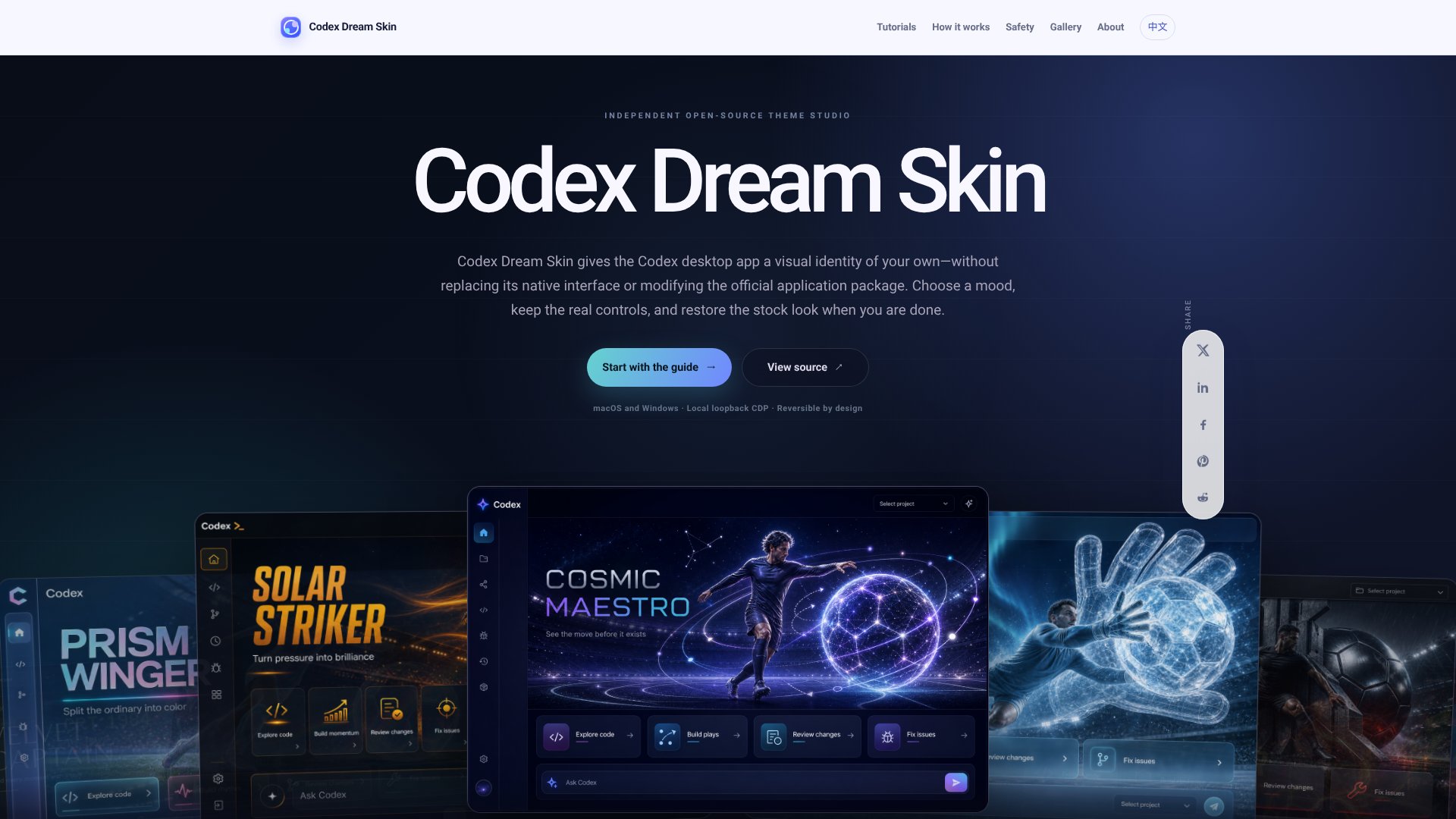
Codex Dream Skin is an independent open-source theme studio that personalizes the Codex desktop application through reversible visual customization. Rather than replacing the native interface or modifying the official app package, the tool injects CSS and decorative elements via a local loopback CDP endpoint, letting you reshape the workspace atmosphere while keeping all native controls intact.
The features that matter
- Reversible theme layer — Applied at runtime without touching the official Codex package. One-click restore returns the app to stock appearance.
- Local loopback CDP endpoint — Theming stays on your machine only. The injector targets the Codex renderer over 127.0.0.1 and validates the expected process before applying visual changes.
- Native controls preserved — Sidebar, project picker, task content, menus, and composer remain the real Codex interface. Background art and accent colors sit beneath interactive elements, not on top of them.
- Custom theme creation — Choose an image background and tune accent colors. The tool prepares artwork as a restrained banner and background beneath frosted content layers.
- Cross-platform support — Dedicated installation workflows for macOS and Windows. Each platform uses its native setup method (shell script for Mac, PowerShell for Windows).
- Verification & recovery — Installation validates the Codex process, renderer, and loopback connection before injecting the theme. Troubleshooting guides cover update drift and stale file recovery.
How it stands out
The platform maintains a clear separation between the official application, the local injector, and the visual theme layer. This three-layer design is intentional: your theme supplies atmosphere while Codex remains the working interface. Installation does not patch the app bundle, rewrite code signatures, or replace any official files. If the theme stops serving you, the restore workflow is straightforward — stop the injector, close the debug session, and return to stock appearance.
Realistic expectations
Loopback binding blocks network exposure, but CDP is a powerful debugging protocol with no same-user authentication. Treat the theme session as sensitive: run only trusted local software while active, then restore when you no longer need customization. The tool is not designed to patch or redistribute Codex, act as an API proxy, or silently rewrite configuration. It does what it says — visual personalization of the workspace, nothing more.
Key Features
Reversible theme layer applied without replacing native Codex interface
Local loopback CDP endpoint ensures theming stays on local machine only
Official Codex app package remains untouched and unmodified throughout
One-click restore workflow returns desktop app to stock appearance
Custom theme creation with image backgrounds and accent color tuning
Platform support for macOS and Windows with dedicated installation workflows
Frequently Asked Questions
No. It is an independent open-source customization project and is not affiliated with, endorsed by, or sponsored by OpenAI or its products.
No. Decorative layers sit behind or around the live renderer. Native controls remain fully interactive and functional.
No. The project explicitly separates theming from API configuration and does not silently rewrite API keys or base URLs.
Loopback binding blocks network exposure, but CDP is powerful and lacks same-user authentication. Run only trusted software during themed sessions and restore when finished.