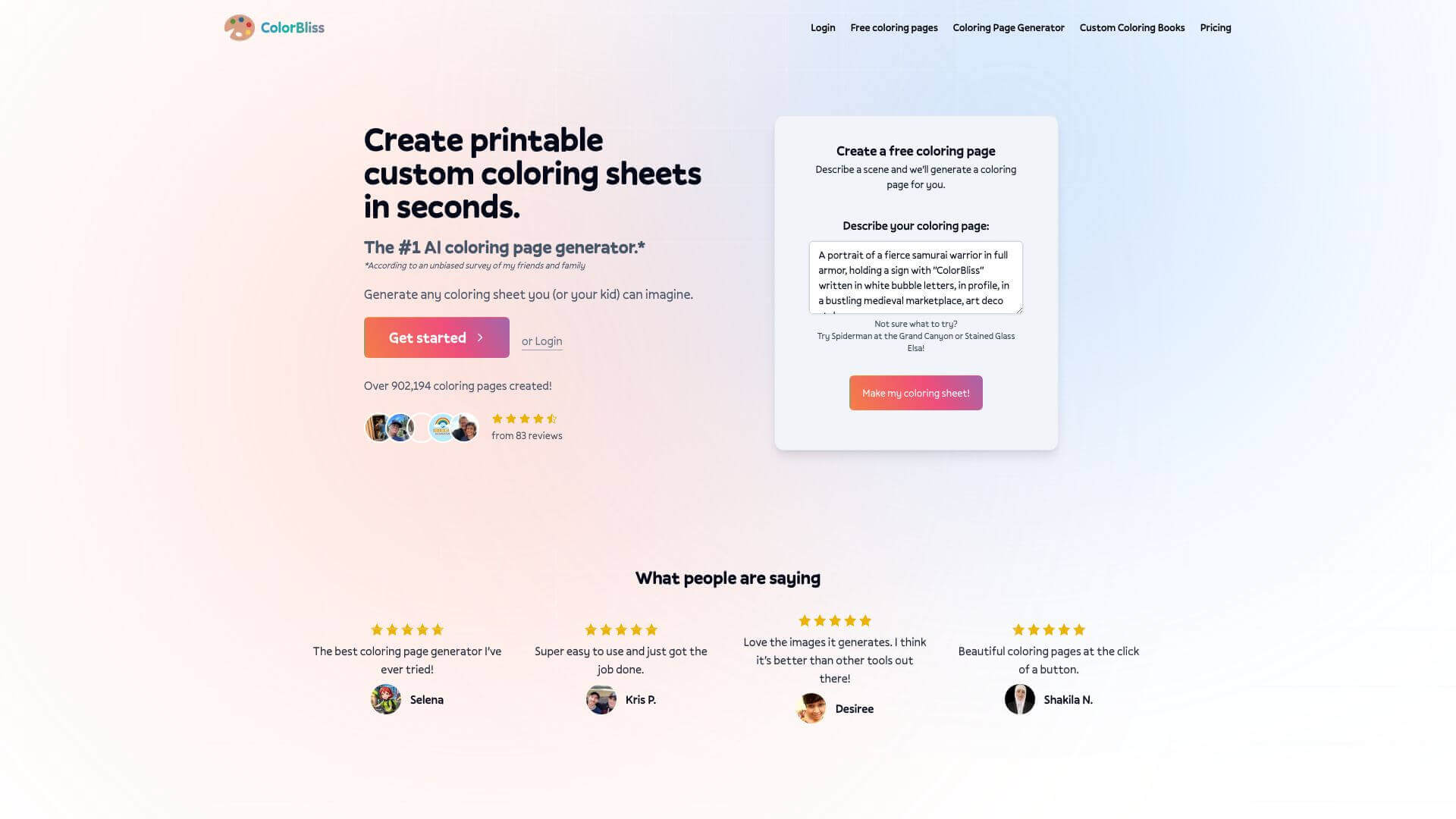
ColorBliss is an AI Image tool. Generates custom coloring pages from text or image prompts, using AI. Perfect for fun, education, and personalized gifts. Key features include Text Prompt System, Image Upload and Conversion, and Customization and Design Options. Best for teachers, writers and designers.
About ColorBliss
ColorBliss is an AI tool that generates custom coloring pages from text descriptions or uploaded photos. The platform supports text-prompt creation, image conversion, style customization, downloadable output, and commercial use options — targeting parents, teachers, gift-givers, and content creators producing personalized coloring activities.
The core features that matter
- Text prompt system letting users describe scenes and have the AI generate coloring pages matching the description
- Image upload and conversion turning personal photos into custom coloring pages, useful for personalized gifts and family activities
- Customization and design options for adjusting styles and details in generated coloring sheets
- Download and print functionality with easy save-and-print workflows for offline use
- Word art and custom designs beyond standard coloring pages, supporting creative variations
- Commercial use options on subscription tiers for users selling coloring pages or using them in business contexts
How it stands out
The custom coloring page space is small with competitors including BeMyKid, generic image generators repurposed for coloring use, and various Etsy creators selling pre-made pages. ColorBliss's specific position is the AI generation accessible to users without design skills. For parents wanting personalized activities or teachers creating custom educational content, that accessibility matters.
The honest qualifier: AI-generated coloring pages vary in quality. Simple subjects (animals, basic scenes) produce cleaner line art; complex compositions sometimes have inconsistent line weights or muddy details. The photo-to-coloring-page conversion works best on photos with clear subjects and clean backgrounds. For users producing occasional coloring pages for personal use, ColorBliss covers the workflow efficiently. For users running coloring-page-based businesses or producing high volumes, evaluating output quality on a sample of intended use cases before committing matters more than feature checklists.
Key Features
Text Prompt System.
Image Upload and Conversion.
Customization and Design Options.
Download and Print Functionality.
Word Art and Custom Designs.
Commercial Use Options.
Frequently Asked Questions
ColorBliss uses AI to make coloring pages. It does this from text you type or images you upload.
Yes, if you have certain subscription plans, you can use the images to make money.
No, it's made to be easy for everyone, no matter your skill level.
You can make custom coloring pages. You can also create word art and turn photos into coloring pages.