
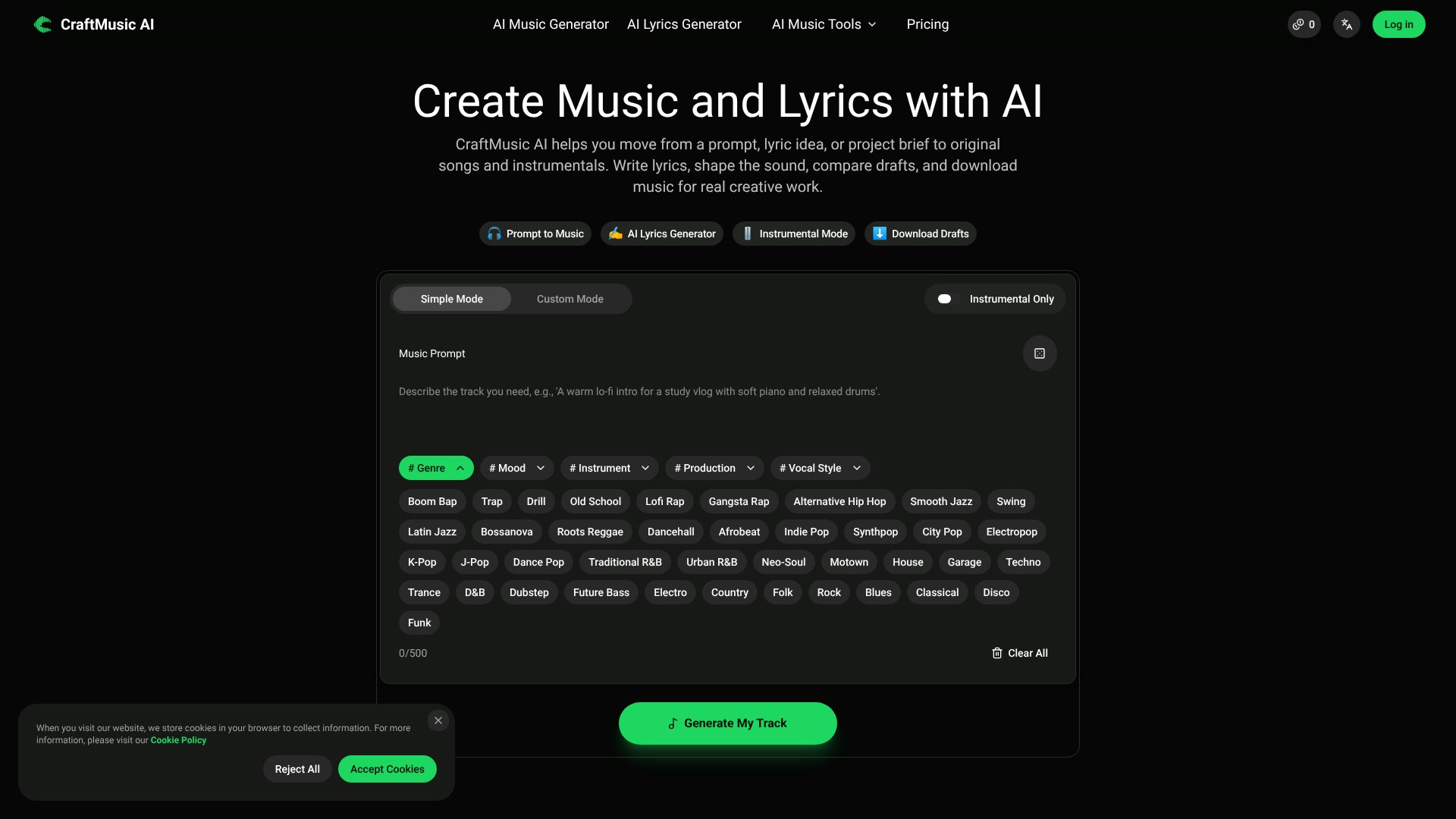
CraftMusic AI is an AI Audio Generators tool. AI tool for generating original songs, instrumentals, and lyrics for videos, podcasts, games, and creative projects. Best for content creation, gaming and marketing.
About CraftMusic AI
CraftMusic AI addresses a common friction point for creators: the gap between having a musical idea and actually producing usable audio. Whether you're building background music for a video, testing a song concept, or scoring a podcast episode, the platform generates original songs and instrumentals from text prompts, then lets you compare drafts before committing to a download.
The typical workflow
You start by describing what the music needs to do—a YouTube intro, game scene, podcast bed, or full song idea. Next, you layer in musical direction using genre tags, mood descriptors, vocal styles, and instrumental preferences. CraftMusic AI generates a few options, you pick the strongest draft, and download the track for editing, sharing, or publishing under your plan's commercial-use rights.
What you get vs. doing it manually
The platform pairs two core tools: an AI Music Generator that produces vocal tracks or instrumentals across multiple genres, and an AI Lyrics Generator that writes hooks, verses, and choruses from themes or rough ideas. You also get access to supporting tools—a vocal remover, stem splitter, and mastering—that save you round trips to other software. The comparison workflow is the practical win here: generating multiple drafts and selecting the one with the strongest hook or mood before download means less guesswork about which direction to pursue.
Honest trade-offs
Generated audio is royalty-free, but commercial-use rights depend on your plan tier. The free tier limits you to two songs per month with personal-use only restrictions; paid plans unlock commercial licenses alongside higher generation quotas. The tool works best when you provide specific directional input—genre, mood, vocal style, and context about the project's purpose. Vaguer prompts tend to produce more generic results. Additionally, the quality and originality of output depend heavily on the detail in your prompt; this isn't a tool for hands-off music creation, but rather for iterating quickly on ideas you can articulate.
Key Features
Generate songs and instrumentals from text prompts with genre and mood control
AI Lyrics Generator for hooks, verses, and choruses with editable drafts
Compare multiple music drafts before downloading for your project
Royalty-free original audio generation with commercial license options
Instrumental-only mode for videos, podcasts, and narration
Additional tools including vocal remover, stem splitter, and mastering
Frequently Asked Questions
Yes. You can create music for YouTube, podcasts, games, and ads according to your plan terms. Commercial-use rights are included with paid plans. Check your plan before publishing to monetized channels or client work.
Yes. New users receive free credits to test the music and lyrics workflow. Upgrade to a paid plan when you need more generations, downloads, and commercial-use rights for published work.
Yes. Instrumental mode lets you create background music for podcasts, narration, games, videos, meditation tracks, and any project where vocals would compete with dialogue or visuals.
Use specific music prompts that mention the use case, mood, genre, instruments, vocal style, and where the track will be used. Detailed prompts like warm lo-fi intro for a study vlog work better than single-word genre requests.