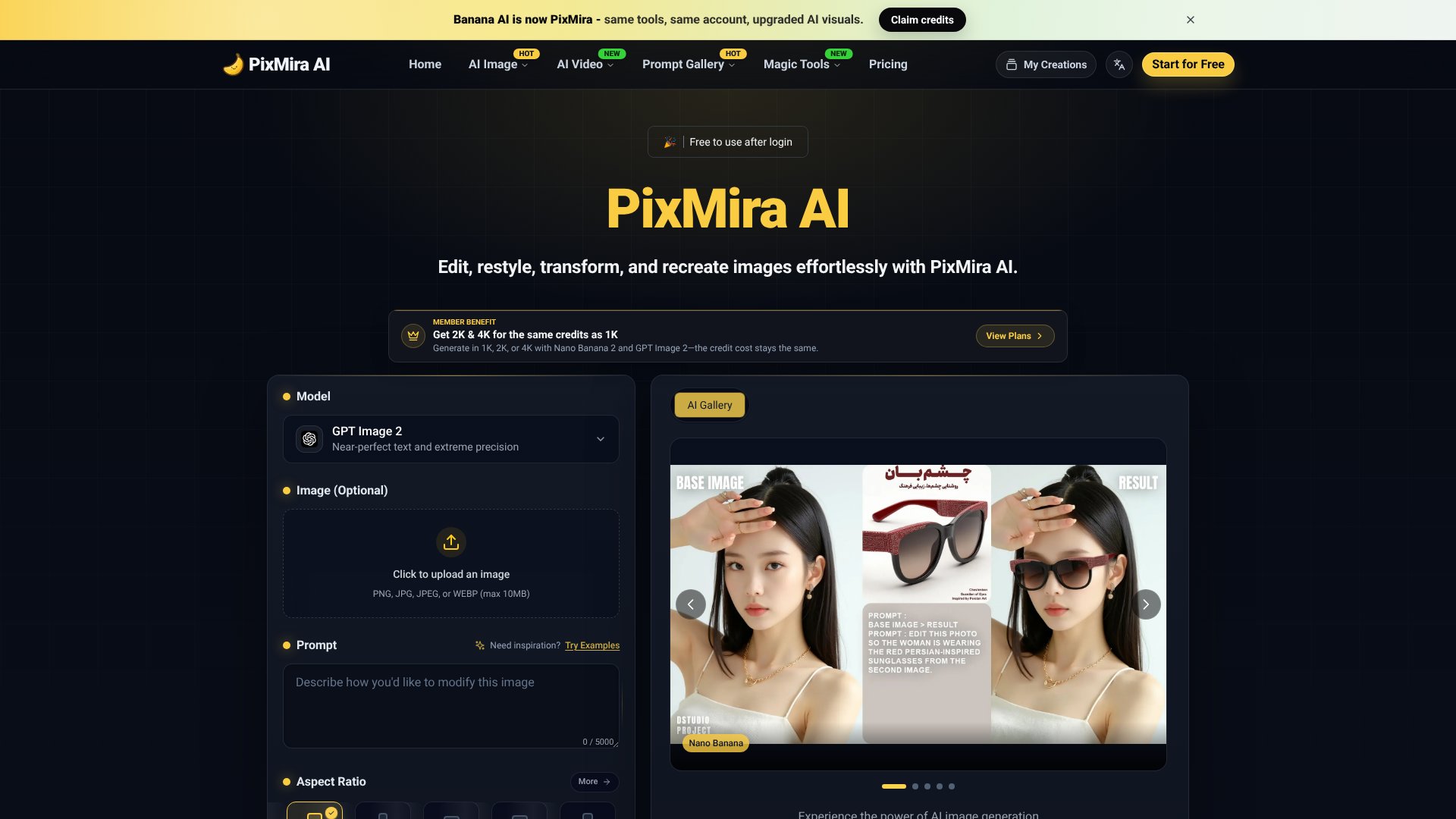
Pixmira AI is an AI Image tool. AI-powered photo editor and image generator using text prompts for fast, high-quality edits. Perfect for creators and businesses. Best for marketing, e-commerce and content creation.
About Pixmira AI
Pixmira AI positions itself as a practical tool for users who need photo edits completed in seconds rather than minutes. The platform removes the friction of traditional editing by accepting text prompts instead of requiring clicks through menus or design knowledge. If you've ever needed to swap a background, remove an unwanted object, or apply a cohesive style across multiple photos, the speed advantage here matters—especially at 1-2 second processing times.
The features that matter
- Object removal and background replacement via text. Describe what you want removed or what background you'd like, and the tool handles edge refinement and lighting matching automatically.
- Style conversion across multiple looks. Apply anime, watercolor, cyberpunk, or cinematic effects instantly while the platform maintains your subject's recognizable features.
- Batch editing. Process multiple photos with the same edits simultaneously, useful for creators managing image series or consistent branding visuals.
- Resolution flexibility at flat credit cost. Generate or edit at 2K and 4K resolutions for the same credit price as 1K, removing the usual penalty for higher output quality.
- Identity consistency across edits. Faces and key features stay recognizable when you apply different styles or swap backgrounds, reducing the "before and after" look discontinuity.
- Lighting and color adjustments. Control light direction, intensity, and tonal changes while preserving texture and material boundaries.
Who this is built for
Pixmira AI works best for users without design training who need results fast. Social media managers building consistent content, creators generating profile pictures, and anyone batch-editing portrait or product photography will see immediate value. The text-prompt interface lowers the learning curve compared to traditional editors.
Realistic expectations
The tool excels at the edits it advertises—object removal, background swaps, and style application—but quality depends partly on your prompt clarity and the image you upload. Free credits come with signup, but advanced features and higher resolutions require paid credits. The 1-2 second speed is genuine, though results are final outputs; you don't get the layer-based control of Photoshop if you need to refine further.
Key Features
Remove objects and replace backgrounds with text prompts
Apply creative styles from anime to watercolor instantly
Maintain consistent identity across multiple edits
Process edits in 1-2 seconds with lightning-fast speed
Batch edit multiple photos simultaneously
Support for 2K and 4K resolutions at same credit cost
Frequently Asked Questions
PixMira AI removes objects, replaces backgrounds, applies creative styles, adjusts lighting, changes colors, and transforms portraits. Simply describe your edit with text prompts and the AI handles the rest instantly.
PixMira AI processes edits in just 1-2 seconds, making it one of the fastest AI photo editors available. Both single and batch editing operations are quick and efficient.
No design experience needed. PixMira AI features a user-friendly interface where you upload a photo, type a text prompt describing your desired edit, and click generate for instant results.
Yes. PixMira AI is suitable for marketing visuals, social media content, and product photos. Its high-quality, consistent edits in seconds make it ideal for businesses enhancing creative assets.