
Wizstar AI Video Generator is an AI Video tool. Create AI videos, images and avatars in a shared credit-based workspace. Best for marketing.
About Wizstar AI Video Generator
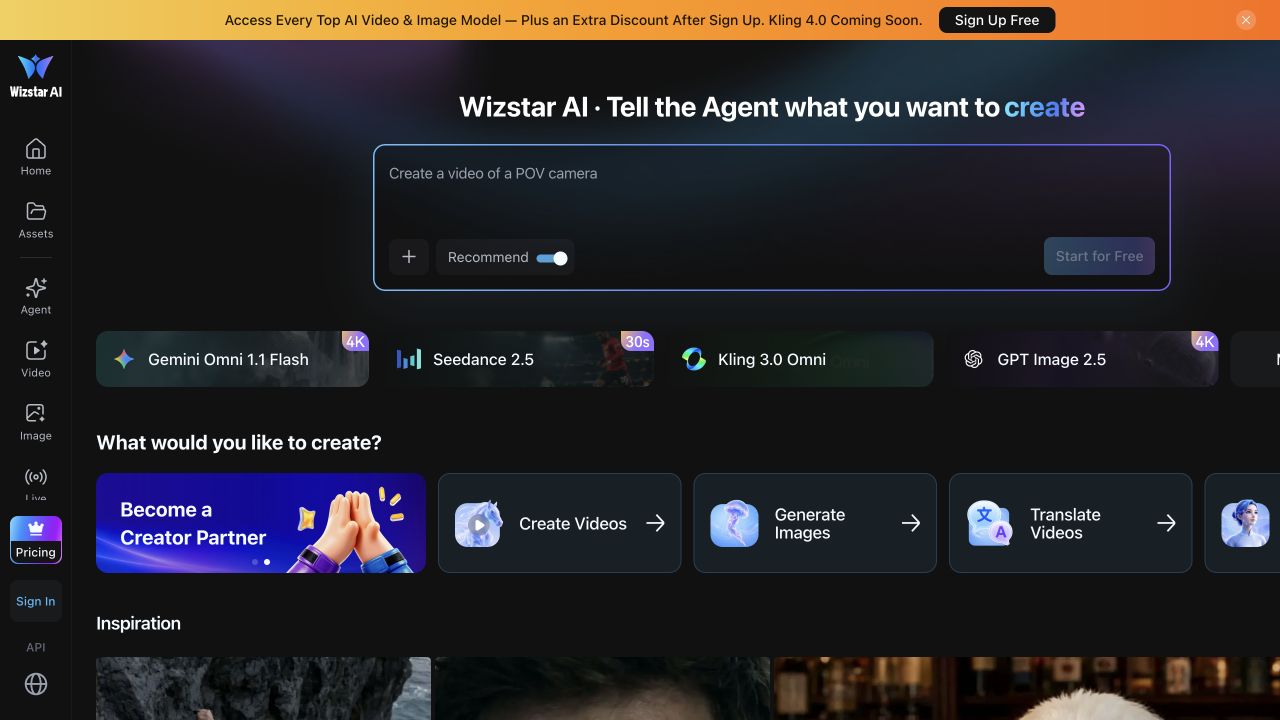
Wizstar AI Video Generator is a browser-based creative workspace with tools for making videos, generating images, translating video and creating AI avatars. Its home screen combines a creative-brief composer with shortcuts to these workflows, so users can choose a task before entering a generation interface. The product is relevant to creators and marketing teams preparing visual content for campaigns or social channels. Wizstar sells subscriptions and credit top-ups; credits are shared across image and video creation. Model choice, video length and output quality affect credit consumption. This overview is based on the official product and billing pages, not an independent test of generated output.
Key Features
Creative brief composer: describe a project and supply reference files from the main workspace.
Video and image tools: separate creation workflows are available from the home screen.
Translation and avatars: dedicated tools extend the workspace beyond image and video generation.
Shared credit billing: image and video tasks draw on credits, with costs varying by model and output settings.
Wizstar AI Video Generator Pros & Cons
Pros
Video, image, translation and avatar workflows are accessible from one workspace.
Shared credits provide a common balance for image and video creation.
The billing page explains model-dependent credit consumption and plan differences.
Cons
Credit consumption depends on model, video length and output quality, so the advertised video allowance is not a fixed output guarantee.
Custom avatars and voices are listed as paid add-ons on standard plans.
Output quality and rendering speed have not been independently benchmarked for this listing.
Verdict: Is Wizstar AI Video Generator Worth It?
Wizstar is worth evaluating if you need several visual-content workflows without switching between separate product interfaces. Budget by the credit cost of your intended tasks rather than the headline video allowance. Check current billing terms, model access and add-on costs before subscribing. This is a source-based editorial overview, not a hands-on performance rating.
Frequently Asked Questions
It provides a creative workspace with video creation, image generation, video translation and AI avatar tools, as shown on the official home page.
The billing page offers subscriptions and credit top-ups. Credit use depends on the selected model, video length and output quality. Check the current price and terms before paying.
The public plan comparison lists custom avatars and voices as paid add-ons for Starter, Plus and Pro. Confirm the applicable terms for your selected plan.