Productivity
The Best AI Apps for iPhone & Android - February 2026 Download Rankings
February 2026 download rankings and feature comparison of leading mobile AI apps — download stats, key functions, pricing tiers, and platform compatibility.
The Best AI Apps for iPhone & Android - February 2026 Download Rankings
February 2026 saw ChatGPT dominate AI app downloads with 51 million installs, leading a competitive market. Google Gemini, Microsoft Copilot, and Claude also made notable strides in user engagement and functionality. Here's a quick breakdown:
- ChatGPT: 51M downloads, 955.6M monthly users, $194M revenue. Excels in conversation, coding, and creative tasks. Free tier available with premium options up to $200/month.
- Voice Flow: Newly launched on Android, praised for accurate dictation and multilingual support.
- Gemini: 27M downloads, excels in text, image, and video tasks with Google integration.
- Microsoft Copilot: Integrated with Microsoft 365, ideal for productivity.
- Perplexity: Research-focused, with transparent citations and advanced search tools.
- Claude: Popular for long-form content and document analysis.
Each app caters to specific needs, from voice dictation to in-depth research or productivity. Free tiers let you test features before upgrading.
Quick Comparison:
| App | Main Functionality | Downloads (Feb 2026) | Free Tier | Platforms |
|---|---|---|---|---|
| ChatGPT | Conversational AI | 51M | Yes | iPhone, Android |
| Voice Flow | Voice dictation | 1.3M (Android debut) | Yes | iPhone, Android |
| Gemini | Text, image, video tasks | 27M | Yes | iPhone, Android |
| Microsoft Copilot | Productivity tools | 64M | Yes | iPhone, Android |
| Perplexity | Research with citations | 100M+ | Yes | iPhone, Android |
| Claude | Long-form content | 15M | Yes | iPhone, Android |
Explore these tools to find the best fit for your goals, whether it's productivity, research, or creativity.
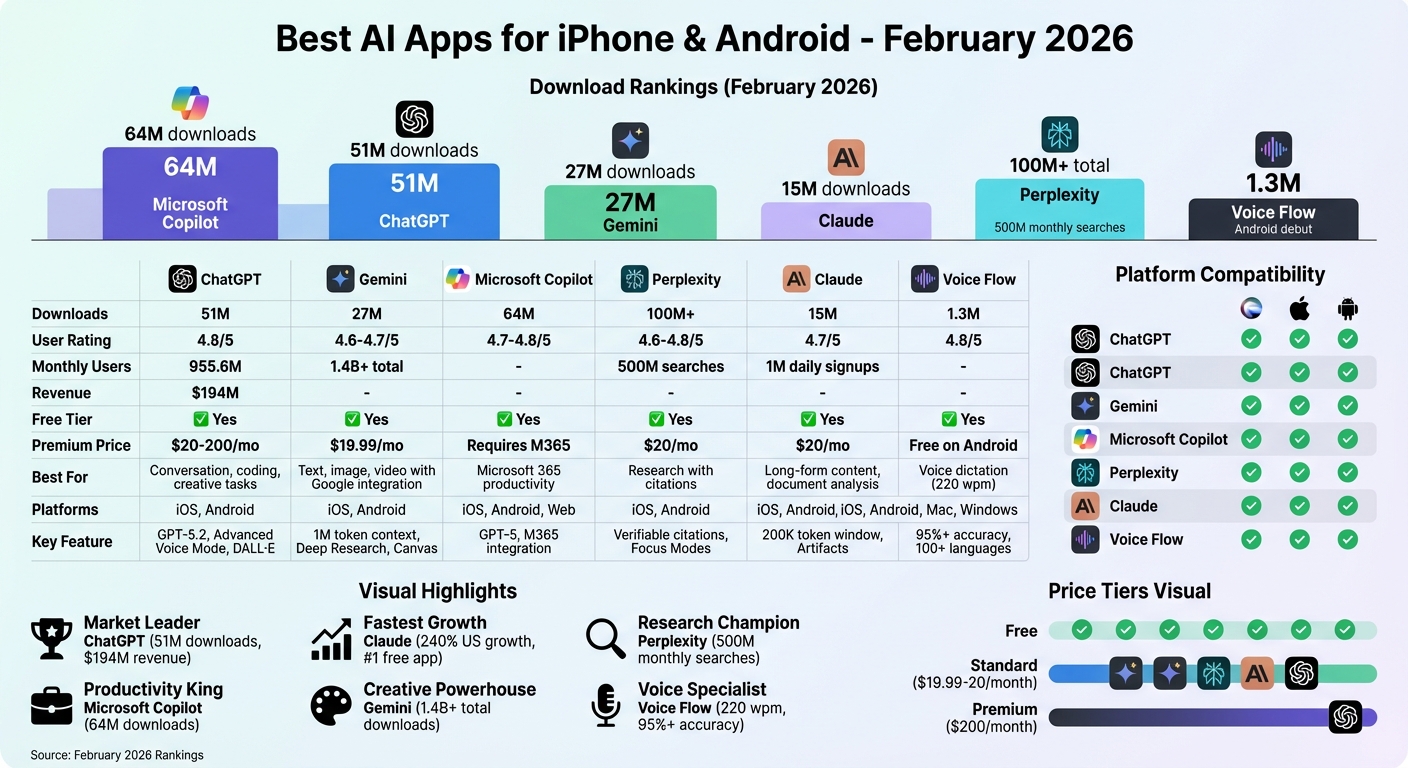
Top AI Apps Download Rankings and Features Comparison February 2026
1. Voice Flow
Download Popularity (February 2026)
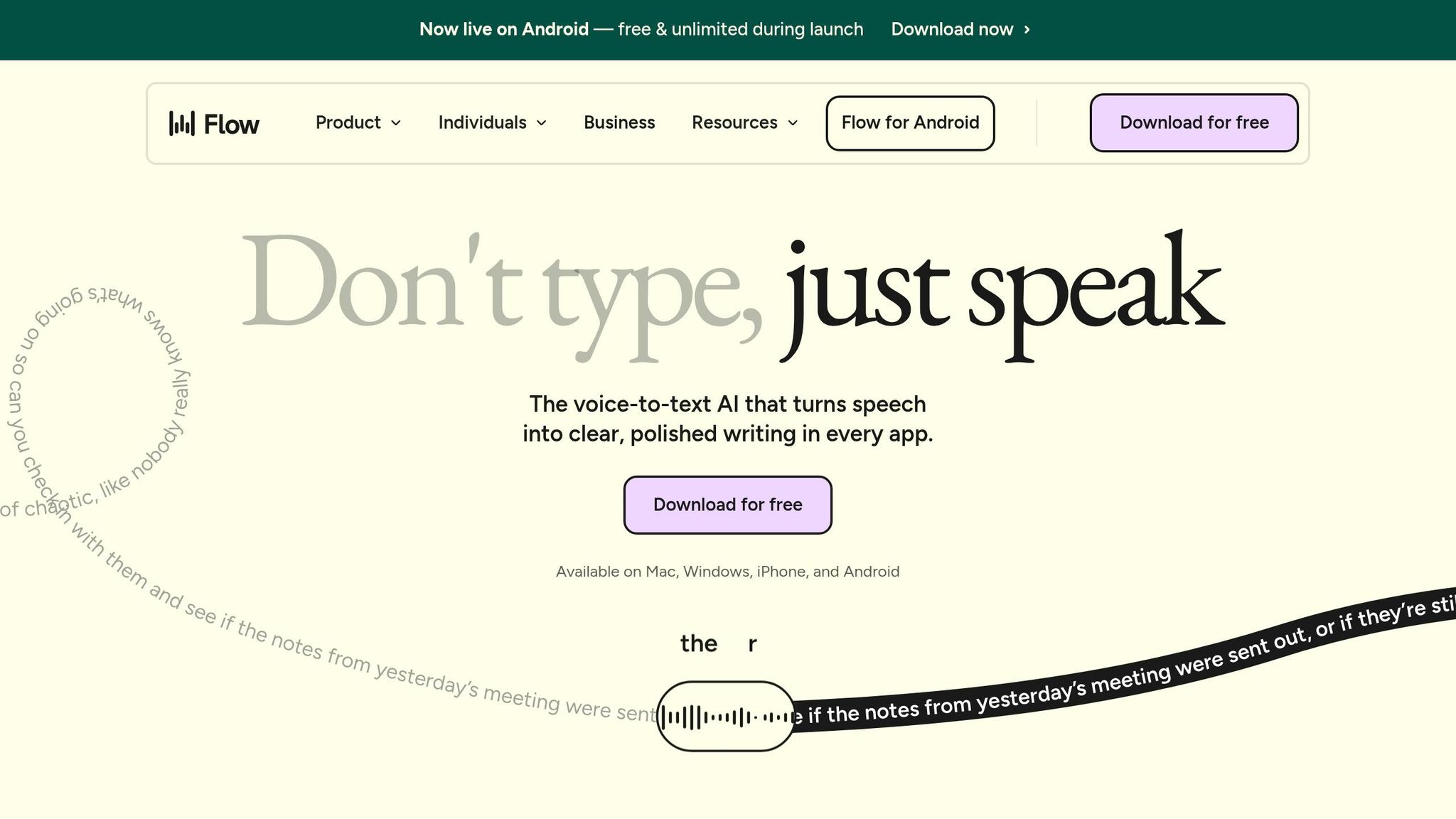
Voice Flow, also known as Wispr Flow, made its Android debut on February 23, 2026, after previously being available on iOS, Mac, and Windows. Within just a few days of its early rollout, users dictated over 1.3 million words in English, showcasing a strong initial reception. This release also introduced a major infrastructure overhaul, boosting dictation speeds by 30% compared to earlier versions.
Average User Rating
With a stellar 4.8/5 average rating, Voice Flow has been widely praised for its innovative floating bubble interface on Android. Users have highlighted its ability to turn scattered thoughts into polished text effortlessly. Reid Hoffman described the app as "transformative", reflecting the excitement it has generated among its users. Offering transcription accuracy above 95% and a dictation speed of around 220 words per minute - about four times faster than typing - the app sets a high bar for voice recognition technology.
Key AI Functionalities
Voice Flow stands out with its ability to automatically remove filler words like "um" and "ah", while also applying formatting based on the context of the text. Supporting over 100 languages, it includes a unique Hinglish model that blends Hindi and English seamlessly. CEO Tanay Kothari explained the inspiration behind this feature:
"This is one of those times when I just had to build something for me: the first voice model to actually support transcription in Hinglish instead of traditional Hindi script".
Platform Compatibility (iPhone/Android)
On Android, Voice Flow introduces a floating bubble interface that works alongside popular keyboards like Gboard, whereas on iPhone, it functions through a dedicated custom keyboard. Android users at launch were granted unlimited free usage, in contrast to the usual 1,000-word weekly limit on other platforms. The app is compatible with Android (OS 13 or newer), iPhone, Mac, and Windows, with the Android version offering enhanced integration through widgets and shortcuts.
Next, we dive into the standout features of PAIOS.
2. PAIOS
Download Popularity (February 2026)
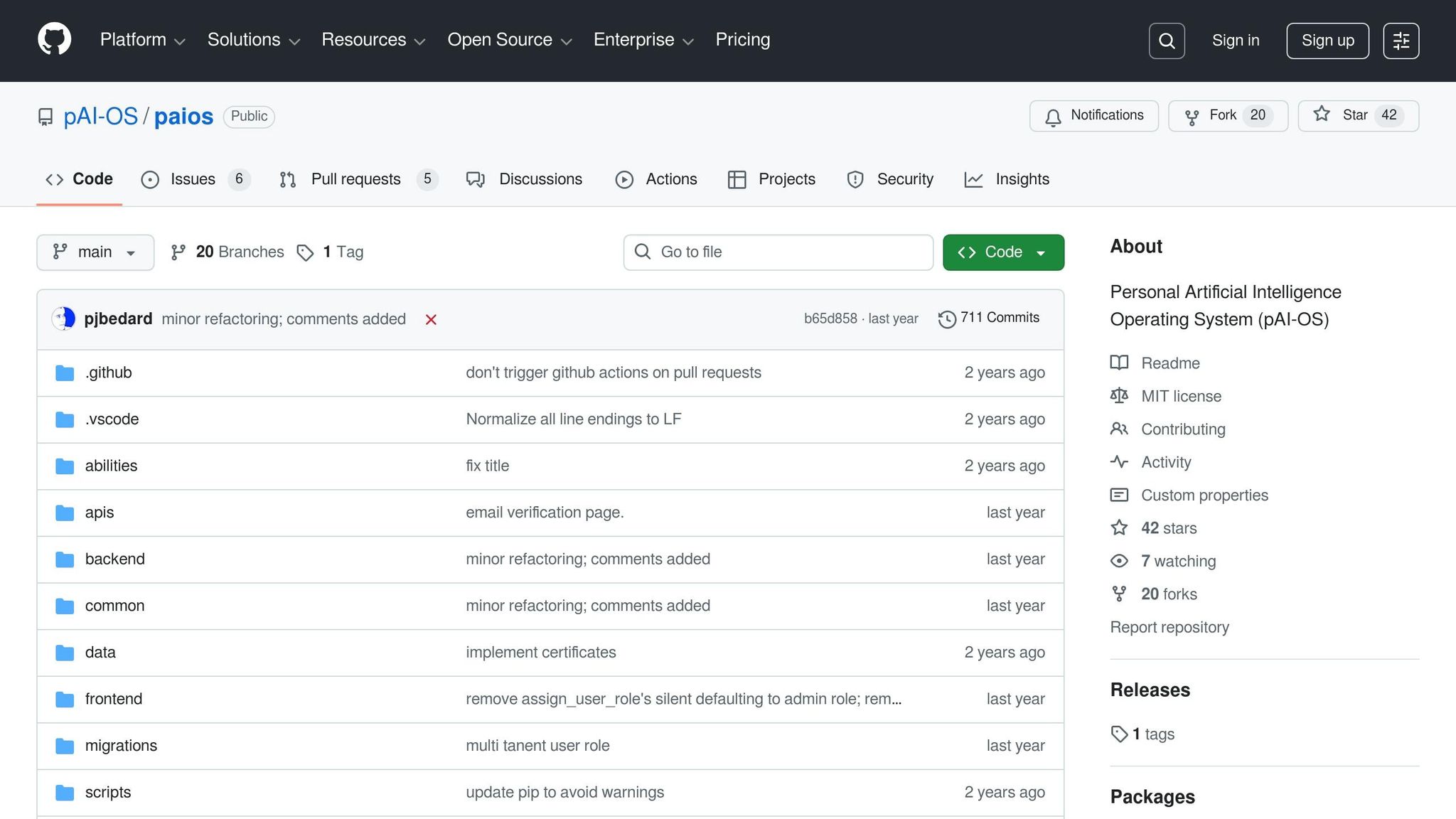
PAIOS brings a technical twist to the February 2026 rankings by focusing on developers. Unlike traditional app store releases, this project is rooted in an open-source approach. By early 2025, its GitHub repository logged 711 commits, 42 stars, and 20 forks, showcasing consistent development activity. By February 2026, PAIOS had released an early demo aimed at users curious about its personal AI features, although its primary audience remains developers.
Key AI Functionalities
What sets PAIOS apart is its emphasis on customization. Instead of offering a pre-designed assistant, it provides a framework for users to create and train their own AI tailored to personal needs. It consolidates all files, data, and accounts into a single, secure hub, while giving users full control over access permissions. This means users can easily grant or revoke access to sensitive information. The technical foundation of PAIOS is reflected in its codebase, primarily written in Python (76.5%) and TypeScript (19.5%).
Platform Compatibility (iPhone/Android)
PAIOS is designed for a Python-based terminal setup and works on POSIX systems (Linux/macOS) as well as Windows. Distributed under the MIT license, its open-source code is accessible to early adopters. As of February 2026, a "canary branch" is available for those eager to explore its features, with a more polished version still in development. This makes PAIOS a better fit for tech-savvy users who are comfortable with command-line tools, rather than those looking for a seamless mobile app experience.
Next, we shift focus to ChatGPT and its broader appeal.
3. ChatGPT
Download Popularity (February 2026)
ChatGPT took the top spot in February 2026, racking up an impressive 51 million downloads. This marked a 148% increase compared to the same time last year. On Android alone, the app crossed the 1 billion download milestone on the Google Play Store. Financially, it also made waves, ranking as the second highest-earning app globally with $194 million in net revenue.
Average User Rating
ChatGPT has maintained a stellar 4.8/5 average rating across both the Apple App Store (based on 6.1 million ratings) and Google Play (from 40.4 million reviews). Users frequently commend the app for its ability to simplify complex ideas and provide creative assistance. However, not all feedback is glowing - some users have voiced concerns about stricter content filters and confusion surrounding its four-tier pricing model.
Key AI Functionalities
The late 2025 release of GPT-5.2 elevated ChatGPT’s capabilities significantly. The app now offers three performance tiers: Instant, Thinking, and Pro, with the Thinking tier achieving a 70.9% score on the GDPval benchmark. Beyond text-based interactions, ChatGPT includes features like Advanced Voice Mode for natural conversations, DALL·E integration for generating images, and a camera-based vision tool that can transcribe handwritten notes or recognize objects.
Subscribers to ChatGPT Plus gain early access to Sora, a video generation feature, while Pro users ($200/month) unlock unlimited access to the top-tier GPT-5.2 model and full Sora 2 functionality. Additionally, all conversations sync across devices, ensuring users can seamlessly continue their work whether they’re on mobile or desktop.
Platform Compatibility (iPhone/Android)
ChatGPT runs smoothly on both iPhone (iOS 16.1 or later) and Android devices, offering nearly identical functionality. However, Android users benefit from multitasking options, such as split-screen mode, while iPhone users need to switch between apps. Supporting English and 59 other languages, the app has also earned the "Editors' Choice" badge on Google Play. Free users have limited access to GPT-5.2 Instant, capped at about 10 messages every 5 hours. Meanwhile, the $20/month Plus plan remains a favorite among professionals, offering GPT-5.2 Thinking and an ad-free experience.
Next, we’ll look at how Gemini utilizes native Android features to stand out.
Ultimate AI Apps For Your Smartphone in 2026 [Completely FREE]
4. Gemini
Gemini stands out in the lineup of top AI apps by blending powerful features with a broad range of capabilities.
Download Popularity (February 2026)
Gemini reached an impressive milestone of 100 million downloads within just 30 days, bringing its total downloads to over 1.4 billion. This achievement placed it as the #3 app in the Productivity category.
Average User Rating
On Google Play, Gemini boasts a solid 4.6/5 rating, based on feedback from 30.6 million users. Meanwhile, on the Apple App Store, it holds a slightly higher score of 4.7/5, though this is based on reviews from 1,100 users in the U.S. [29, 31]. While students appreciate its ability to simplify complex topics, some Android users have noted occasional delays of up to 30 seconds during its "thinking mode".
Key AI Functionalities
Gemini's Pro and Ultra plans offer a massive 1-million-token context window, making it capable of handling extensive content - think up to 1,500 pages of text or 30,000 lines of code [28, 29]. Its Deep Research feature compiles detailed reports using data from hundreds of websites, while the Canvas tool helps users create apps, games, web pages, and infographics with ease.
For creative projects, Gemini includes:
- Nano Banana Pro for advanced image editing
- Veo 3.1 for generating 8-second video clips
- Lyria 3 for crafting 30-second soundtracks [28, 29, 30].
The app also supports natural voice interactions through Gemini Live, which works seamlessly with real-time camera or screen sharing. Users can even design custom AI "Gems" by uploading specific instructions and files [27, 28].
The free plan ($0/month) includes Gemini 3 Flash, offering features like image generation, Deep Research, Gemini Live, and Canvas, with 50 daily AI credits for video generation. For more advanced tools, the Google AI Pro plan at $19.99/month unlocks Gemini 3.1 Pro, Nano Banana Pro, 1,000 monthly AI credits, and 2 TB of cloud storage.
Platform Compatibility (iPhone/Android)
Gemini works on iPhone (iOS 16.0+) and Android (9.0+). On Android, it can function as the system's primary assistant, handling tasks like setting alarms and sending texts. However, this level of integration isn’t available on iOS [27, 29, 31]. Beyond smartphones, Gemini also supports Wear OS, Android Auto, Google TV, and XR headsets.
Up next, we’ll dive into how Microsoft Copilot integrates with productivity tools.
5. Microsoft Copilot

Microsoft Copilot has become a go-to tool for productivity, seamlessly integrating AI into the everyday software millions already rely on.
Download Popularity (February 2026)
Microsoft Copilot reached an impressive 64 million downloads, with 4.3 million of those occurring in the last 30 days. During February 2026, the app averaged about 140,000 downloads daily. On Android alone, it crossed the 50 million download mark on the Google Play Store. It ranked as the #6 Productivity app in the US and #3 in the UK.
Average User Rating
The app enjoys high ratings across platforms, with a 4.8/5 on the Apple App Store from 369,000 reviews and a 4.7/5 on Google Play, based on 2.21 million reviews. Users frequently highlight its effectiveness for research, homework assistance, and its concise "pros and cons" summaries. However, some have expressed concerns about data retention issues after signing in and an uptick in advertisements [39, 40].
Key AI Functionalities
Powered by the GPT-5 model, Microsoft Copilot offers an enhanced, intuitive experience [39, 40]. It brings together chat, content creation, and file management within the Microsoft 365 ecosystem. Users can create visual content like images, posters, banners, and videos through AI tools such as Image Creator and Video Creator [35, 36]. The app also integrates directly with Outlook, Word, Excel, and PowerPoint, enabling users to draft, summarize, and analyze data effortlessly.
Features like Copilot Pages and Notebooks make organizing AI-generated content and collaborating with others straightforward. The platform also includes specialized AI agents designed for tasks such as conducting research and managing photos.
While a free version of the app is available, advanced features like Copilot Chat require a Microsoft 365 Copilot license, a commercial Microsoft 365 license, or a Microsoft 365 Personal/Family subscription [36, 40].
Platform Compatibility (iPhone/Android)
Microsoft Copilot works on both iPhone and Android devices (8.0+), with the Android app sized at 78.92 MB. It’s also accessible on Windows, Mac, and web browsers [36, 37]. While core features remain consistent across platforms, Android users benefit from native split-screen multitasking, which allows them to view documents side-by-side with Copilot - a capability not available on iPhone. Support for Copilot on WhatsApp ended on January 15, 2026, as the focus shifted to the standalone mobile app.
Next, let’s delve into how Perplexity approaches AI-powered search and research.
6. Perplexity
Perplexity stands out for its research and fact-checking capabilities, providing answers with verifiable source citations.
Download Popularity (February 2026)
Perplexity has surpassed an impressive 100 million downloads on Google Play, with the platform handling over 500 million searches each month. It remains a top choice for users who value accuracy and transparent sourcing.
Average User Rating
The app boasts an average rating of 4.8/5 stars on the Apple App Store, based on 432,000 reviews, and 4.6/5 stars on Google Play from 1.86 million reviews. Users frequently highlight its ability to deliver direct, ad-free answers with clear source tracking. However, some have noted that the free tier now offers fewer features, with advanced tools like file uploads and in-depth research requiring a subscription. These ratings underscore users' appreciation for its focus on accuracy and its advanced AI-driven capabilities.
Key AI Functionalities
Perplexity sets itself apart by emphasizing verifiable source citations, with every response including inline references for transparency. Subscribers to the Pro plan ($20/month or $200/year) gain access to premium features such as model switching between GPT-5.2, Claude Sonnet 4.5, and Gemini 3 Pro. They can also use specialized Focus Modes tailored for Academic, Writing, Math, and Video content to refine search results. Research mode allows for the creation of detailed, multi-page reports, while Perplexity Computer handles intricate, multi-step tasks. Android users enjoy unique tools like "Draw to Search" and a system-level assistant powered by Large Action Models. Even on the free tier, users benefit from unlimited basic searches and up to 5 Pro Searches daily.
Platform Compatibility (iPhone/Android)
Perplexity is available on both iPhone (iOS 17.0 or later) and Android devices. While the core features are consistent across platforms, the iPhone version offers deeper integration with native Apple apps, such as Apple Music, Mail, and Notes, through the Perplexity voice assistant. The Android assistant is also available but lacks the same level of native app integration. The app supports 47 languages, including Spanish, French, German, Japanese, and Chinese.
Next, we take a closer look at how Claude enhances mobile conversational AI.
sbb-itb-212c9ea
7. Claude
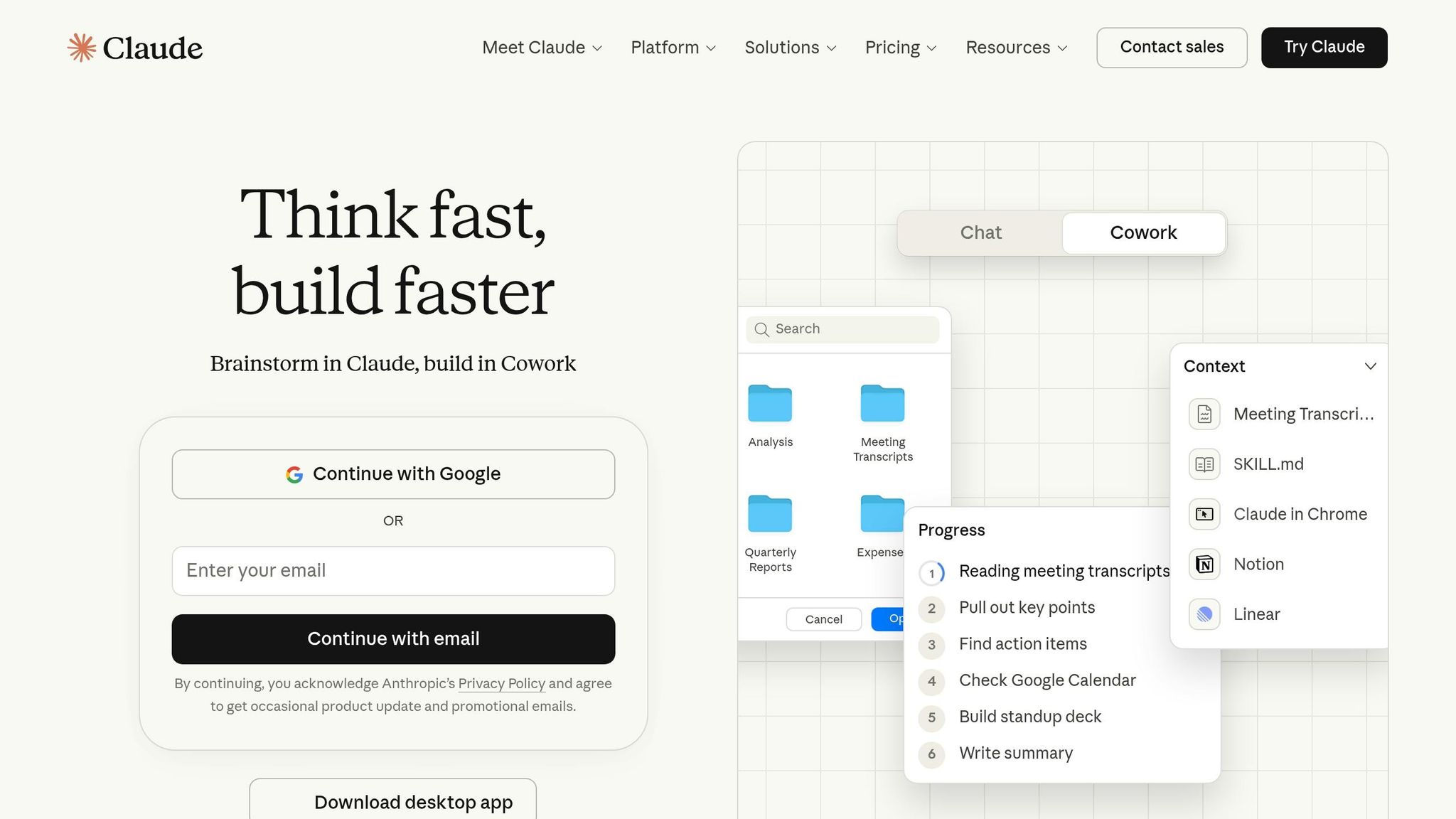
Claude has quickly risen to prominence, showcasing impressive growth and features that have captured users' attention. Emerging in early 2026, it became the #1 free app on the US App Store, even surpassing ChatGPT. Currently, it holds the top spot for free iPhone apps in the United States, Canada, Germany, Ireland, and Luxembourg. Mike Krieger, Chief Product Officer at Anthropic, shared that "more than one million people are now signing up for Claude every day".
Download Popularity (February 2026)
Globally, Claude has hit 15 million total downloads, with 4.4 million occurring in just the last 30 days. In the United States, downloads surged by 240% in February, jumping from 2.1 million to an additional 1.1 million installs. On average, the app sees 150,000 daily downloads. This explosive growth aligns with positive user feedback, as reflected in its ratings.
Average User Rating
Claude boasts a 4.7/5 star rating on both the Apple App Store (based on 77,000 reviews) and Google Play (with roughly 298,000 reviews). Users often commend its engaging and thoughtful responses. However, some have voiced concerns about message rate limits on both free and Pro plans, as well as occasional restrictions on chat length that can interrupt longer conversations.
Key AI Functionalities
Claude’s features go beyond its popularity, offering advanced tools like a 200K token context window, which can expand to 1 million tokens via API for comprehensive document analysis. Other notable features include hands-free voice mode, visual analysis for images and PDFs, real-time web search, and integration with Google Drive, Gmail, and Calendar. The "Artifacts" feature allows users to edit documents side-by-side and create interactive charts, diagrams, and SVG code directly within the chat. Developers will find its coding capabilities particularly useful, with strong support for Python, JavaScript, and React. The free plan provides access to Claude 3.5 Sonnet with standard usage limits, while the Pro subscription ($20/month) offers five times the usage and priority access.
Platform Compatibility (iPhone/Android)
Claude works seamlessly across iPhone (iOS) and Android (8.0+) devices, maintaining full feature parity across mobile platforms and the web. Features like voice mode, visual analysis, and synchronized conversations allow users to start a chat on their phone and pick up where they left off on a desktop. The app also supports translation and dictation in over 100 languages. However, it does not currently include native AI image generation. Android users should ensure the developer is listed as "Anthropic PBC" to avoid downloading unofficial clones.
Next, we’ll explore how Meta AI integrates conversational AI into social platforms.
8. Meta AI
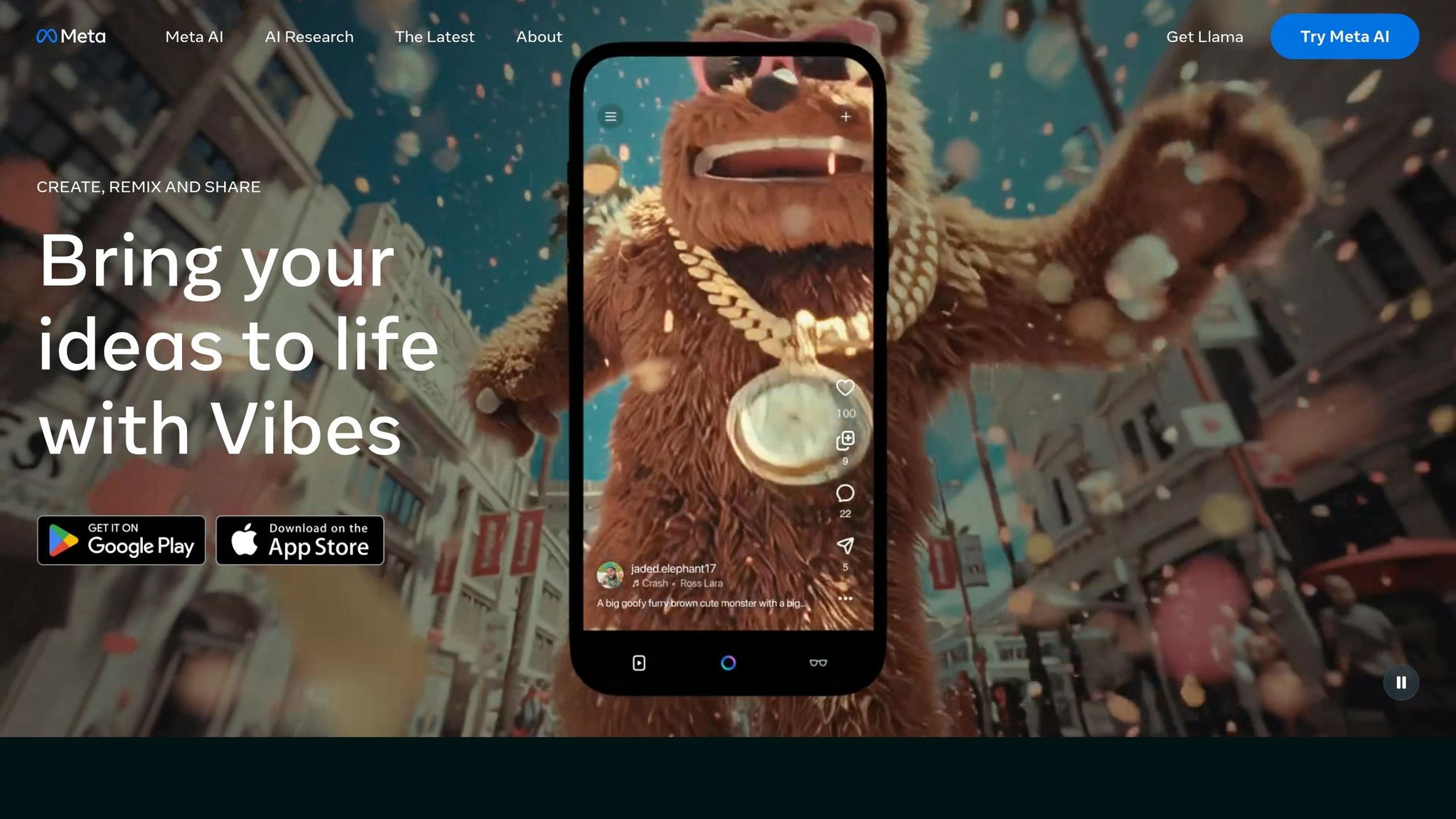
Meta AI stands out by blending creative video generation capabilities with seamless integration into its Meta AI glasses. By February 2026, the app had surpassed 10 million downloads on Google Play and reached over 45 million downloads on Android devices.
Download Popularity (February 2026)
In the past 30 days, Meta AI recorded an impressive 5.1 million downloads. On iOS, it claimed the top spot in the Photo & Video category in Italy and ranked #7 in the United States. Meanwhile, on Android, it secured the #3 position in the Social category across various European countries, including Italy, Belgium, and Portugal. These rankings highlight the app's growing appeal and expanding user base.
Average User Rating
Meta AI has earned high user ratings, with an average of 4.7/5 stars on iOS (from 78,000 ratings) and 4.57/5 stars on Android (based on 1.2 million reviews). Users praise its intuitive interface and its ability to transform images into engaging, shareable videos. However, some common issues include the app occasionally "forgetting" conversation history, crashes during media uploads, and significant battery consumption - reportedly draining 1% of battery life every two minutes.
Key AI Functionalities
The app's popularity is driven by its standout features, particularly "Vibes." This feature enables users to create, remix, and share AI-generated videos. With Vibes, users can lip-sync to songs, add custom dialogue, and remix content from other creators, offering endless creative possibilities. Beyond video creation, Meta AI doubles as a personal assistant, providing tailored recommendations and answers via voice or text. It also acts as a companion for Meta AI glasses (Ray-Ban Meta, Oakley Meta Vanguard, Meta Neural Band), supporting hands-free interactions, media imports, and device management. Recent updates have further expanded its functionality, adding music integration, messaging, and dialing capabilities.
Platform Compatibility (iPhone/Android)
Meta AI is available for both iPhone (iOS) and Android devices (version 10+). The Android version requires about 286.9 MB of storage. While the app offers in-app purchases, its core AI assistant features are free to use. Some users, however, have reported high storage demands, with the app consuming up to 18 GB of "Documents & Data" on certain devices.
9. LocalStream
LocalStream operates entirely offline, handling all data directly on your device without requiring an internet connection or login. This ensures your data stays private at all times.
Key AI Functionalities
Designed specifically for Apple Silicon, LocalStream takes full advantage of Apple's MLX framework and the unified memory architecture in M- and A-series processors. This results in fast, energy-efficient performance. One standout feature is Local Voice Mode, which enables real-time, natural conversations directly on your device. It also integrates seamlessly with system tools like Siri, Apple Shortcuts, and the Action Button for enhanced usability.
Platform Compatibility
LocalStream is built exclusively for Apple devices, including iPhone, iPad, and Mac. It does not support Android devices, as it relies on the deep integration between Apple hardware and software. Up next, we’ll explore Quick Search's standout features.
10. Quick Search
Quick Search wraps up our list with its sleek, AI-driven mobile search tool. This app redefines how users access information by blending classic web search with advanced AI features. Let’s dive into what makes it stand out.
Key AI Features
Quick Search offers instant page summaries by pulling together information from multiple sources and presenting clear, citation-supported answers. It also supports multimodal searches, allowing users to explore through images, visuals, and voice commands.
Device Compatibility
The app works seamlessly on both iPhone and Android devices, providing a consistent and reliable search experience.
App Comparison Table
This table highlights the key features and compatibility of each app, making it easier to compare their strengths at a glance. Use it to identify which app aligns best with your needs.
| App | Core Functionality | Platform Support | Free Tier Available | Main Use Case |
|---|---|---|---|---|
| Voice Flow | Smart voice dictation with automatic editing | iPhone & Android | Yes | Seamless speech-to-text conversion |
| ChatGPT | Flexible conversational AI | iPhone & Android | Yes | Research, brainstorming, and debugging code |
| Gemini | AI assistant for text, image, and video tasks | iPhone & Android | Yes | Multitasking with Google integration |
| Microsoft Copilot | AI designed for productivity | iPhone & Android | Yes | Workflow automation within Microsoft 365 |
| Perplexity | AI-driven search engine with citations | iPhone & Android | Yes | Verified research and source tracking |
| Claude | Conversational AI for detailed writing | iPhone & Android | Yes | Document analysis and long-form content creation |
Each app supports both iPhone and Android, but Gemini offers deeper integration on Android devices. With free tiers available across the board, you can explore their core features without upfront costs. Premium plans, which vary slightly in pricing, unlock perks like higher usage limits, faster responses, and access to advanced AI capabilities.
Conclusion
February 2026's download rankings paint a clear picture: ChatGPT leads the pack with over 500 million installs on Google Play, while Gemini has climbed to 350 million users, and Perplexity handles more than 500 million searches monthly. These numbers not only reflect the current market landscape but can also help you decide which tool aligns best with your needs.
The right app depends on your goals. For an all-purpose assistant capable of coding, brainstorming, or general problem-solving, ChatGPT remains a top choice. If your focus is on research with verified, real-time citations, Perplexity stands out by offering what traditional search engines often lack. Meanwhile, Claude shines when tackling long documents or creating detailed, nuanced content. For those already using Microsoft tools, Microsoft Copilot offers seamless integration with Word, Excel, and Outlook on mobile devices. Each of these tools is tailored to meet specific needs, whether it’s creative tasks, research, or productivity.
If you're unsure where to start, explore the free plans most tools offer. Many include generous features, with the option to upgrade to a "Lite" plan for around $8/month.
And don’t forget - there’s a world of AI tools beyond these. Check out AIapps.com, where you can discover over 1,900 options for everything from photo editing and music creation to transcription and accessibility.
FAQs
Which AI app is best for my main goal?
When it comes to choosing the best AI app, it all boils down to what you need. For general help, ChatGPT stands out with tools like voice mode and photo analysis. If you're after deeper conversations or need to analyze documents, Claude is a solid pick. Looking for quick research? Perplexity gets the job done. For photo editing enthusiasts, Lensa AI is a fantastic option. And if productivity or content creation is your focus, Adobe Firefly is hard to beat. Pick the one that aligns with your goals.
What do I lose by staying on the free plan?
Sticking with the free plan often means missing out on advanced features, dealing with lower-priority customer support, and facing usage limits. These constraints can make it harder to take full advantage of everything the app has to offer.
Which apps work best on my phone model and OS version?
Apps such as Google Assistant and ChatGPT work seamlessly with most current Android and iPhone models. To get the most out of these apps, make sure your device is running the latest operating system updates and meets the suggested hardware requirements. Regular updates not only improve app performance but also unlock new features for a smoother experience.