Digital Transformation
Warning: These New AI Tools Are About to Make Your Job Redundant
AI is automating routine office tasks—writing, support, design and junior coding face the highest risk; judgment still matters.

Warning: These New AI Tools Are About to Make Your Job Redundant
AI is cutting routine office work now, not later. By 2026, 23.5% of U.S. companies had replaced workers with ChatGPT-style tools, and U.S. tech firms logged 77,999 AI-linked job cuts in the first half of 2025.
If I boil this down to one point, it’s this: the jobs at highest risk are made up of repeatable digital tasks. That includes first drafts, Tier 1 support, basic design, junior coding, data routing, and admin work.
Here’s the short version of what this article shows:
- AI Apps helps me check which tasks in a role are easiest to automate across 130 roles and 13 industries
- ChatGPT handles drafting, summaries, analysis, and some multi-step task work
- Claude is strong on long documents, spreadsheet work, and step-by-step task execution
- Midjourney cuts down early-stage design and image production work
- GitHub Copilot takes over much of routine coding, tests, and boilerplate
- Intercom AI (Fin) handles a large share of support chats end-to-end
- Zapier AI automates cross-app workflows, routing, and record updates
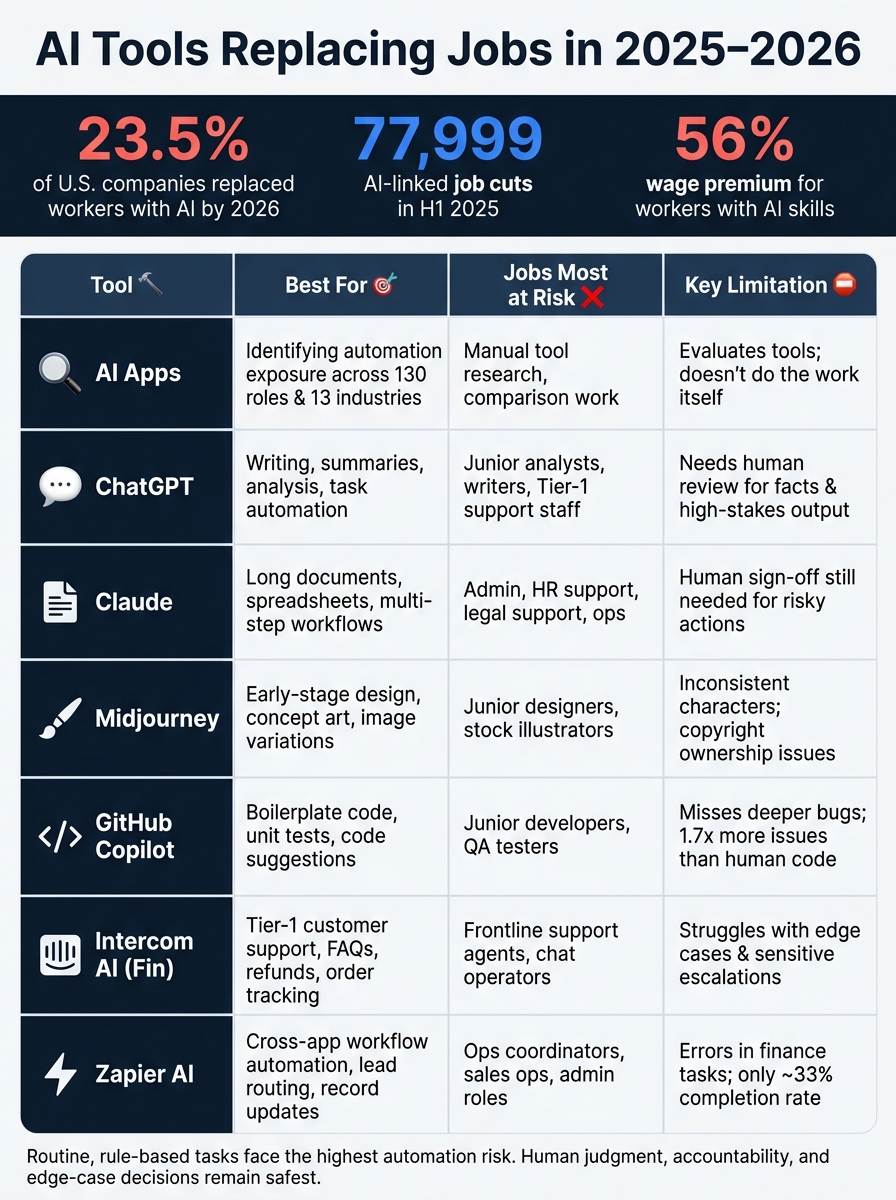
AI Tools Replacing Jobs in 2025–2026: What Each Tool Automates
How AI is Changing Jobs (and How You Can Benefit in 2025)
sbb-itb-212c9ea
Quick Comparison
| Tool | Best for | Jobs under most pressure | Main limit |
|---|---|---|---|
| AI Apps | Finding which tasks and roles are exposed | Tool research, manual comparison work | It helps evaluate tools; it does not do the work itself |
| ChatGPT | Writing, summaries, analysis, task help | Junior analysts, writers, support staff | Needs review for facts and high-stakes output |
| Claude | Long documents, spreadsheets, multi-step work | Admin, HR support, legal support, ops | Human sign-off still needed for risky actions |
| Midjourney | Early design, concepts, image variations | Junior designers, stock illustrators | Weak on consistency, specs, and copyright issues |
| GitHub Copilot | Boilerplate code, tests, code suggestions | Junior developers, some QA work | More review work; misses deeper bugs |
| Intercom AI | Tier 1 customer support | Frontline support agents | Struggles with edge cases and sensitive issues |
| Zapier AI | Workflow automation across apps | Ops coordinators, sales ops, admin roles | Errors and edge cases still need checks |
The bottom line: AI does best when the work is rule-based and repeated. People still win where judgment, accountability, client handling, and edge-case decisions matter.
If I were reading this to protect my role, I’d ask one question first: Which parts of my job can be turned into a repeatable workflow?
1. AI Apps
AI Apps helps readers see which parts of a job are most open to automation. It covers 130 roles across 13 industries and breaks each one down task by task.
Task Automation Depth
AI Apps looks at jobs at the task level instead of treating every role the same. That matters, because two people can share a job title and still do very different work.
A paralegal page, for example, focuses on contract review and brief drafting. A software engineer page leans into code generation and pull request descriptions. That kind of breakdown gives users a much clearer view of where AI fits into day-to-day work.
Role Exposure
Exposure changes based on the task mix. AI Apps makes that easier to spot by showing which parts of a role are more exposed than others.
Routine, structured work sits at the top of the list:
- Data entry is around 95% automation risk
- Tier-1 customer service is about 80%
- Junior software developers fall in the 40–50% range
It also gives users role-specific prompts to test what AI can handle on its own and where human judgment still matters. That puts the spotlight on a simple pattern: the more rule-based the task, the easier it is to automate.
Speed and Cost Advantage
AI can produce content up to 3x faster at 40% lower cost than human teams. AI Apps helps users figure out which tasks are ready for automation and whether AI is acting as an assistant or taking over the work entirely.
Human Oversight Required
Routine documentation, templated communication, and structured data work are easier to automate. But factual accuracy, ethics, client relationships, and final decisions still need people.
AI handles execution. People keep judgment and accountability.
Next: ChatGPT, the general-purpose tool most workers encounter first.
2. ChatGPT

If AI Apps shows where work is exposed, ChatGPT shows how fast those exposed tasks can disappear.
ChatGPT is the most widely used general-purpose AI tool in the workplace. It can handle drafting, document summaries, code generation, and data analysis. Its 2026 version also moved toward goal-driven workflows: give it a goal, and it can browse the web, use software, and retry steps until the task is done. That changes the tool from a helpful assistant into something closer to a semi-autonomous assistant.
Task Automation Depth
The Klarna example shows what this looks like on the ground. In February 2024, Klarna launched an OpenAI-powered assistant that handled 2.3 million customer chats in its first 30 days - about the workload of 700 full-time agents. It automated 67% of customer conversations and cut average resolution time from 11 minutes to under 2 minutes.
Role Exposure
The roles with the most exposure tend to depend on repetitive, structured work. These are high-volume, rule-based jobs in support, legal ops, writing, and junior analysis. Common examples include drafting, summarizing, triage, reconciliation, and first-pass analysis.
Junior roles face more risk because one senior professional using AI can now cover work that once needed a team of three to five people. That changes the old training ladder. Research summaries, first drafts, and basic reconciliation - the kind of work that used to help junior staff learn on the job - are now being handled by AI.
Speed and Cost Advantage
The speed gap is hard to ignore. ChatGPT can produce a 2,000-word article in 3–5 minutes, while a human writer may need 3–5 hours. That's about a 50x productivity gap.
The math also shifts in customer support. AI-driven models have cut the cost per conversation from $5.11 in human-only setups to $1.36 in AI-augmented ones.
Human Oversight Required
ChatGPT still needs human review for factual accuracy, brand voice, original reporting, and high-stakes decisions. It can help you move fast, but speed isn't the same as judgment.
It also struggles with complex support escalations and emotionally sensitive cases where accountability matters more than speed.
For longer documents and deeper analysis, the next comparison shifts to Claude.
3. Claude
Claude is built for long, multi-step knowledge work. It does well when the job involves dense documents, financial reconciliation, and project management without dropping the thread. If ChatGPT helps teams move faster on drafts, Claude stands out more on long files and step-by-step execution.
Task Automation Depth
Claude's biggest change is this: it doesn't just answer questions. It completes jobs.
Claude Cowork works like an autonomous workflow tool. It can open files, edit spreadsheets, and move data between apps on a user's computer. Claude Fable 5 pushes that further. It can stay locked on one goal across hundreds of steps and recover from mistakes on its own.
In June 2026, Stripe used Claude Fable 5 to upgrade a 50-million-line codebase in one day. Engineers said that same job would have taken a full team more than two months. That's the kind of jump in output that can shrink the number of people needed for a task.
Role Exposure
The jobs under the most pressure aren't only technical roles.
Usage data shows that 33.4% of Claude Cowork sessions are tied to business processes and operations, including spreadsheet reconciliation and checklist building. By contrast, only 8.7% are for software development. That points to data entry, admin support, HR screening, legal support, and customer service as some of the roles at highest risk.
Speed and Cost Advantage
Claude can cut web design costs from about $10,000 to $1,000, generate design systems and prototypes from text, and shrink two-week engineering tasks into 4 to 6 hours.
That's a huge time and cost gap. Even so, human review still matters for regulated work, client-facing deliverables, and anything high stakes.
Human Oversight Required
Claude is built to pause before taking major actions, like sending an email or saving a file, and ask for approval first.
For regulated data such as HIPAA and SOC 2, messy HR cases, or legal judgment with real consequences, Claude still works best as a drafting and execution tool with a human in the loop. Claude executes. Humans approve.
Next: Midjourney, where visual production faces the same automation pressure.
4. Midjourney
Midjourney now replaces the first pass of visual production, especially for routine design work. In practice, it acts like a production tool that puts pressure on entry-level design jobs through speed, volume, and lower cost. That makes entry-level visual production one of the clearest areas where AI is changing the work.
Task Automation Depth
Midjourney handles high-volume, repetitive visual tasks with little friction: social media assets, blog headers, mood boards, background textures, and campaign visual references. Work that once took a designer 2–4 hours can now take 5–15 minutes through AI iteration. Teams can test 50–100 visual variations in a single afternoon to settle on color palettes and compositions before moving into a final direction.
Midjourney V7 added Draft Mode for fast iteration at half the cost, a spatial Canvas for visual outpainting and element swapping, and faster concept and asset iteration.
Role Exposure
The jobs under the most pressure are entry-level production artists, volume-heavy social media creators, basic packaging and label designers, and stock image illustrators. Graphic design job postings fell by 33% in 2025, and that pattern continued through Q1 2026.
The harder hit is the loss of junior training work. The production tasks that once trained junior designers - resizing assets, building layout variations, and making quick mockups - are the same tasks AI handles best. Midjourney isn't just cutting down task time. It's removing the junior work that used to help designers learn on the job. And senior designers doing routine commercial work aren't safe either.
Speed and Cost Advantage
In April 2026, Nik Sai of BetOnAI ran a 30-day test replacing a $1,800/month human designer with a $76/month AI stack that included Midjourney for artistic visuals. The result: net savings of $824/month and a 3x jump in output volume.
Midjourney cuts routine design costs by 50–80% and can double or quadruple output in AI-assisted workflows.
Human Oversight Required
Midjourney still breaks down on consistency and precision. It can't reliably keep the same face, character, or proportions across different poses or scenes - a problem known as "character drift". That's a big issue for brand mascots, children's book illustration, or any project that needs the same visual identity across many assets.
It also struggles with technical, medical, and spec-accurate product art. And there's a legal catch: pure AI-generated images without substantial human authorship still lack copyright protection in the U.S.. That makes them risky for logos and other assets that need to be copyrightable.
| Use Case | Midjourney | Human Illustrator |
|---|---|---|
| Blog/Social Media | Fast, low cost, trend-responsive | Too slow for daily high-volume |
| Brand Mascot | Inconsistent across poses/contexts | Creates a consistent visual system |
| Product Mockups | Good for lifestyle and mood visuals | Accurate to specs and proportions |
| Technical/Medical Art | Inaccurate details; fails specs | Precise and accurate |
The practical move is simple: use Midjourney for exploration and early production, then hand off to a human for brand control and final, copyrightable assets.
The same pattern now shows up in code, where AI moves from image generation into software execution.
5. GitHub Copilot
GitHub Copilot has moved far beyond basic autocomplete. It now handles 60–70% of routine coding work, including scaffolding CRUD APIs, generating unit test stubs, writing database migration scripts, and explaining legacy code. Google also reported that 75% of its new code is AI-generated, with human engineers reviewing and approving it before release.
Task Automation Depth
Copilot’s "Next Edit Suggestions" can predict follow-up changes. For example, if a developer renames a function, Copilot can suggest updates across the related call sites. Its newer Agent Mode goes further: it can plan multi-step work, edit files across a project, and run terminal commands without waiting for a prompt at every step.
Role Exposure
This hits junior developers first. Their work tends to be routine, and routine work is exactly what Copilot handles well. Junior developers are the most exposed because Copilot is taking over the tasks they once used to learn the job. Entry-level programmer hiring dropped 73% in a single year, and employment for software developers ages 22 to 25 fell nearly 20% from 2024 to 2026.
Senior engineers aren’t untouched. They now spend 20–35% more time on code review to catch AI mistakes, and engineers as a group spend more time reviewing code (11.4 hours per week) than writing it (9.8 hours per week). That changes the shape of the job. The work is moving away from writing code and toward checking it, which shows that Copilot is taking over core tasks, not just helping around the edges.
Speed and Cost Advantage
A controlled study of 4,800 developers found that average task completion time fell from 161 minutes to 71 minutes - a 55% improvement. Pull request cycle time dropped 75%, from 9.6 days to 2.4 days. And at $10/month for the Pro plan, the cost case is easy to understand.
But there’s a catch. Review is now the bottleneck. PR volume has almost doubled, up 98%, yet actual shipping speed has stayed flat. In plain English: teams are producing more code at a faster clip, but the review queue is eating up much of that gain.
Human Oversight Required
AI-coauthored pull requests contain 1.7 times more issues than human-written ones, and 66% of developers say AI-generated answers are often close but still need fixes. Copilot is also weak at root-cause debugging. It tends to patch the symptom instead of finding the deeper problem. And it doesn’t know what sits outside the repo, so work tied to Slack threads, product specs, or architecture decisions still calls for human judgment.
One result is hard to ignore: a randomized trial found that experienced developers were actually 19% slower when using AI on complex, familiar codebases, even though they believed they were 20% faster.
| Task | Copilot Reliability | Human Oversight Needed |
|---|---|---|
| Boilerplate / Scaffolding | High | Low |
| Unit Test Generation | High | Medium |
| Documentation | Medium | Medium |
| Refactoring | Medium | High |
| Debugging | Low | Very High |
6. Intercom AI
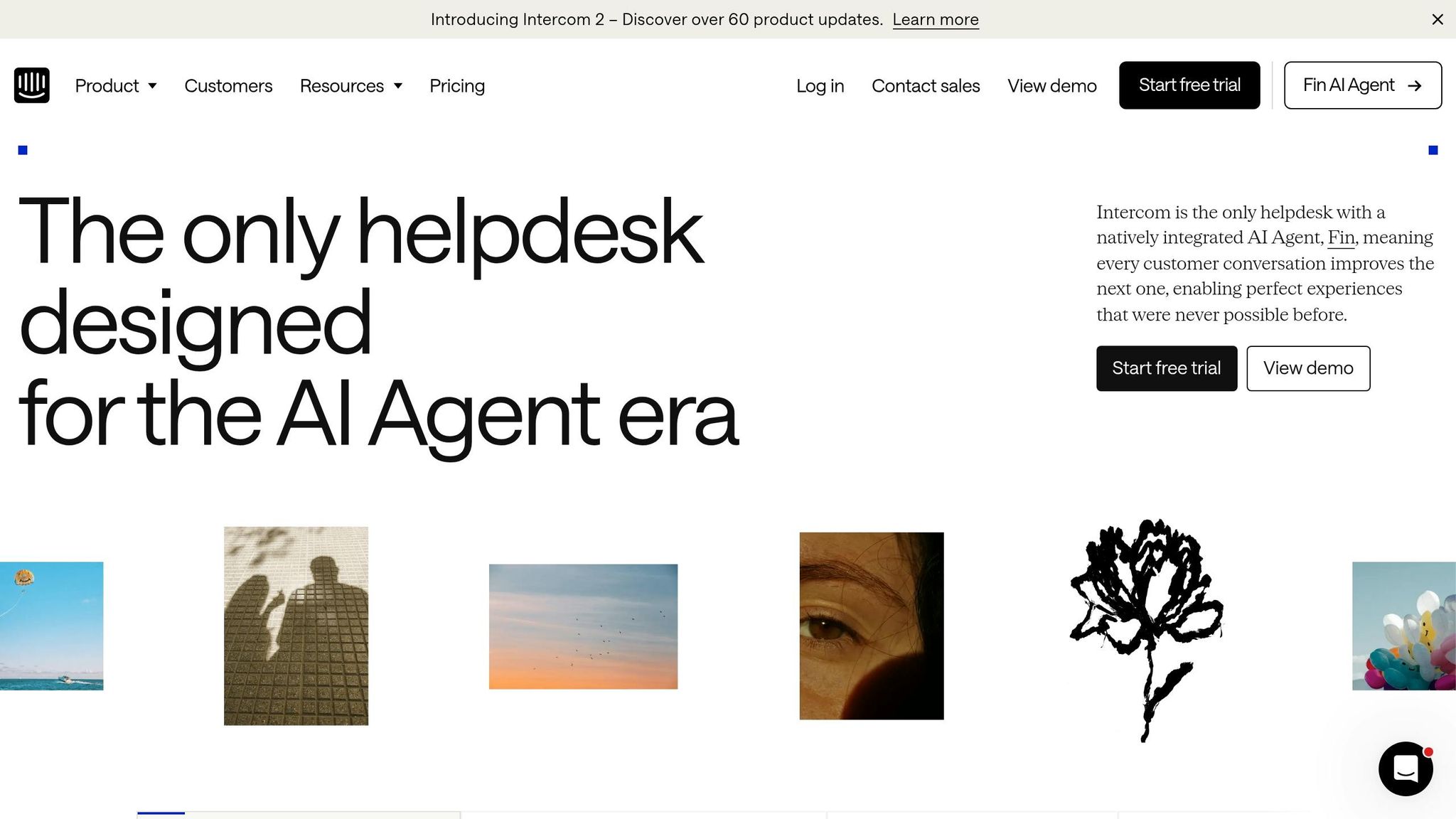
Fin is an AI support agent that handles conversations from start to finish. That includes FAQs, customer lookups, refunds, and subscription changes. Across 4,500 customers, it resolves an average of 56% of conversations end-to-end. Intercom’s May 2026 rebrand to Fin makes one thing clear: this agent now sits at the center of the company’s support story. And that says a lot about how much of the support stack it can now run by itself.
Task Automation Depth
Fin works across three layers: knowledge-base answers, live customer-data lookups, and multi-step actions inside connected systems like Stripe or Shopify.
One example shows what that looks like in practice. In November 2025, a 40-person SaaS company with a 6-person support team handling 4,200 monthly conversations deployed Fin. Within three months, it reached 67% containment, cut response times from more than 3 hours to 14 seconds, and moved CSAT from 4.1 to 4.6.
Intercom also added Fin Operator in May 2026. It works like an AI manager for Fin, spotting knowledge gaps, drafting help articles, and troubleshooting failed conversations. Synthesia's VP of Customer Support, Constantina Samara, said the tool cuts content auditing to about 10 minutes by letting the AI find gaps and suggest article edits.
That changes where the workload lands. First, fewer tickets reach frontline agents. Then the burden moves upstream to the support teams that used to run those agents day to day.
Role Exposure
Tier-1 agents and chat operators face the most pressure. Fin is built for high-volume, repeatable questions. The math is hard to ignore: AI-handled interactions cost about $0.10 to $0.50 each, while a human-handled ticket runs around $5 to $12. Fin itself is priced at $0.99 per resolved conversation.
So the job starts to change. Support ops spends less time answering tickets and more time setting up the AI, reviewing outputs, and approving knowledge-base updates.
Speed and Cost Advantage
Fin replies in 800 milliseconds to 3 seconds, runs 24/7, and costs much less than human support. Intercom’s base plan starts at $74 per month.
Human Oversight Required
Fin works best when the knowledge base is clean and current. In small-business testing, it posted a 38% resolution rate, and 2–4 weeks of documentation cleanup lifted performance by 12 percentage points. In plain English: if the source material is messy, the bot struggles too.
Escalation steps in when a customer asks for a human, when the AI fails twice, or when sentiment turns negative. People still handle fraud, legal edge cases, and high-value accounts. Identity verification also remains only partly automated. The beta feature "Agent in the Loop" pauses sensitive steps so a human can sign off before anything moves forward.
| Task | AI handles end-to-end? | Needs human review? |
|---|---|---|
| Tier-1 FAQs | Yes | No, unless documentation is missing |
| Order Tracking | Yes | Only if package is flagged as lost/stolen |
| Refunds | Yes (via Procedures) | Yes, for high-value or policy exceptions |
| Subscription Changes | Yes (via Procedures) | No, for standard upgrades/downgrades |
| Identity Verification | Partial (Agent in the Loop) | Yes |
Support is only one layer of automation; next comes the workflows that connect these tools across teams.
7. Zapier AI
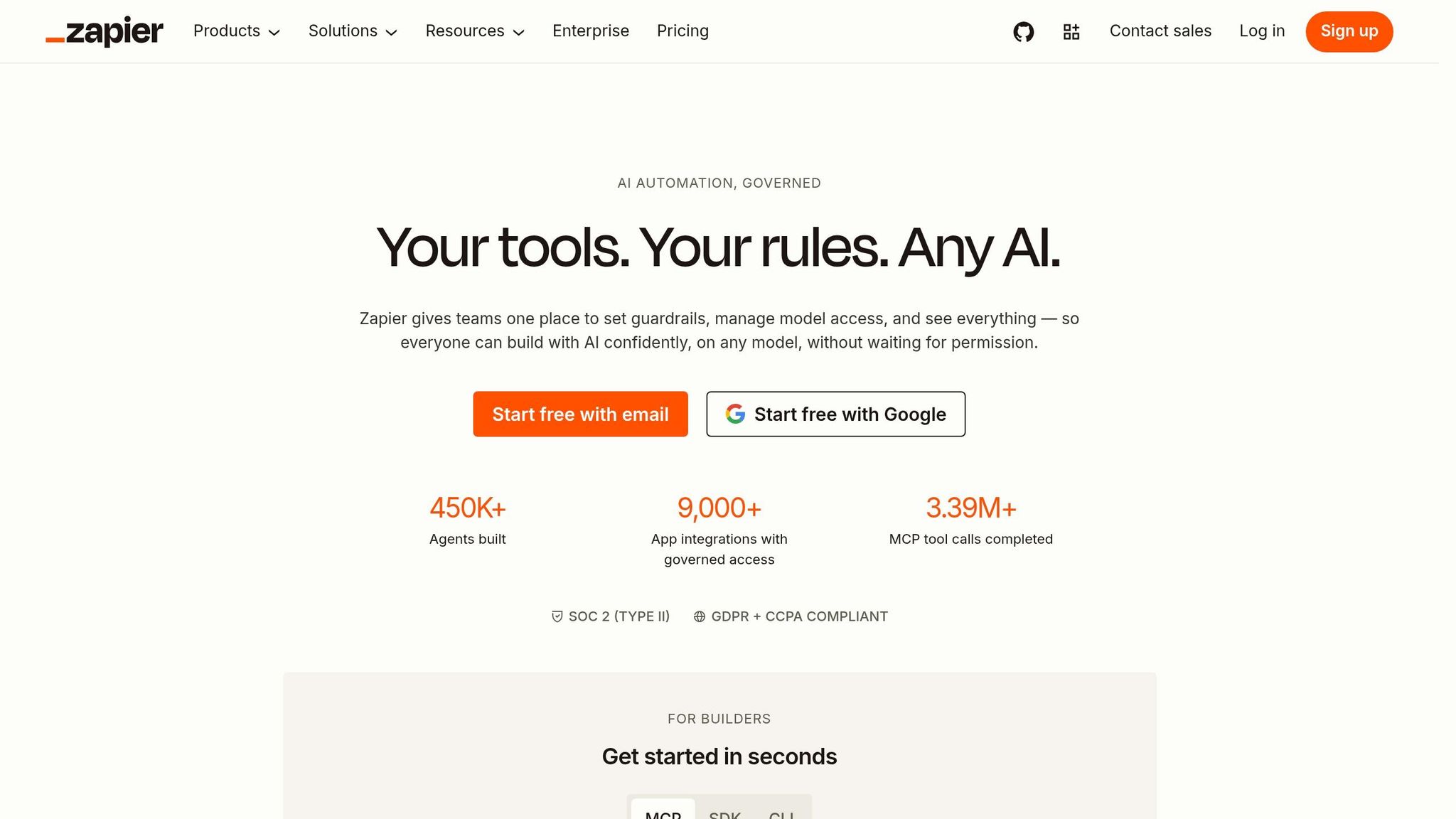
Zapier now handles multi-step work across systems, linking 9,000+ integrations so AI models can take action across a full tech stack. For teams buried in operations work, that means fewer coordinators, fewer handoffs, and less copy-paste labor. In plain English, Zapier is most threatening to roles built around moving information, not making decisions or producing original work.
Task Automation Depth
The big shift is this: Zapier is no longer just a simple trigger tool. It can now run multi-step AI workflows that move through dozens of actions in one go. A single workflow can enrich lead data, summarize company details, and create CRM records without a person stepping in.
The case studies make that pretty clear. In June 2026, Toyota of Orlando's Director of Operations Spencer Siviglia built a 38-step Zap that extracts and routes 4,000 to 5,000 leads per month from messy, inconsistent formats into clean records, with zero manual input. When a ransomware attack took down the dealership's CRM for an entire month, that Zap kept the sales team moving.
At Vendasta, Zapier and AI took over lead enrichment and CRM updates. The result: 20 hours saved per day across 20 reps and $1 million in recovered revenue, equal to about 282 working days per year.
That kind of pressure hits first where the work is repetitive: lead routing, ticket handling, record updates, and system-to-system admin work.
Role Exposure
The first jobs in the line of fire are operations coordinators, sales ops, revenue ops, support triage, and IT helpdesk roles. These jobs often revolve around taking data from one place, cleaning it up, and sending it somewhere else. Zapier can now automate lead qualification, CRM enrichment, and routing from start to finish.
Speed and Cost Advantage
The math is blunt. A junior employee costs about $54,000 to $86,000 per year. A Zapier-based agent stack handling 5,000 tasks per month costs roughly $1,200 to $2,400 per year. Zapier's Professional plan starts at $19.99/month when billed annually for 750 tasks.
That doesn't mean software replaces every person. But for routine workflow handling, the price gap is hard to brush aside.
Human Oversight Required
More automation doesn't automatically mean cleaner results. The average worker still spends more than 3 hours per week fixing errors from AI outputs. And some areas are still much harder than others.
Finance stands out. Agents currently complete only about 33% of finance objectives correctly, compared with around 60% in support and operations. That's a big gap, and it explains why finance remains the hardest domain to automate.
| Business Domain | AI Completion Rate | Difficulty |
|---|---|---|
| Support | ~60% | Moderate |
| Operations | ~60% | Moderate |
| Finance | ~33% | High |
Source: Artificial Analysis AutomationBench-AA, July 2026
Zapier is strong at routine routing and admin work. The pressure point now is less about whether the task can be moved through a workflow, and more about where a human still needs to check the output, spot edge cases, and make the final call.
Where Human Workers Still Have an Edge - and Where They Don't
Across the tools above, the split isn't job versus no job. It's routine work versus judgment work.
AI isn't wiping out whole roles in one shot. It's pulling them apart task by task. In writing, coding, support, design, and workflow automation, the work most at risk is digital, repeatable, and driven by clear rules.
49% of companies actively using AI tools say the tech has already replaced workers. Entry-level training roles tend to get hit first because AI can now produce those outputs in seconds.
That means people still stand strongest where judgment, accountability, and context matter most. The table below shows where that divide is easiest to see.
| Criterion | Tasks most affected | Jobs at highest risk | Human advantage that remains |
|---|---|---|---|
| Task Automation Depth | Data syncing, report generation, meeting summaries | Admin assistants, ops support, note-takers | Prioritization, stakeholder judgment, accountability |
| Role Exposure | SEO content, Tier-1 support, stock graphics | Junior writers, Tier-1 support agents, stock illustrators | Brand strategy, complex problem-solving, empathy |
| Speed & Cost Advantage | Image generation, boilerplate code, report generation | Stock illustrators, junior developers, ops staff | Brand strategy, complex visual problem-solving, process design |
| Human Oversight Required | Boilerplate code, contract review, bug fixes | Junior developers, paralegals, QA testers | Legal judgment, ethical oversight, edge-case handling |
Some roles don't disappear so much as change shape. As AI takes over routine tasks, the people who remain are expected to handle harder calls, sort priorities, and own the outcome.
Other roles face a different problem. AI tools let nonexperts do specialist work for less money, which puts pressure on wages. So the big career question right now is pretty simple: Which of your tasks vanish, which stay, and what makes the difference?
Pros and Cons by Tool Category
After the tool-by-tool breakdowns, this table gives you the tradeoff at a glance.
| Tool/Platform | Biggest advantage | Biggest limitation | Best fit use case | Jobs most exposed |
|---|---|---|---|---|
| AI Apps | Multi-model discovery; compare tools without extra subscriptions | Not a direct automation engine | Tool selection and stack optimization | Reduces manual tool research and comparison |
| ChatGPT | Versatile all-rounder; strong data analysis and complex logic | Can produce generic or overly formal prose; factual hallucinations | General productivity, data crunching, problem-solving | Pressures junior analysts and generalist writers |
| Claude | Superior writing quality; handles very long documents | No image or video generation; slower on simple tasks | Long-form reports, legal analysis, document review | Cuts routine research and drafting work |
| Midjourney | Highest artistic image quality; strong persona consistency | Discord-based interface; copyright ownership ambiguity | Concept art, editorial visuals, marketing assets | Reduces demand for entry-level illustrators and designers |
| GitHub Copilot | Seamless IDE integration; enterprise IP indemnification | Limited to code suggestions; lacks autonomous multi-file refactoring | Real-time code autocomplete and boilerplate | Pressures junior developers and QA testers |
| Intercom AI (Fin) | Resolves most Tier 1 support tickets 24/7 | Struggles with high-empathy or complex escalation cases | Enterprise customer support automation | Shrinks entry-level support staffing needs |
| Zapier AI | Connects thousands of apps via plain-language commands, no coding required | Costs scale quickly at high task volumes | Cross-platform workflow and admin automation | Cuts repeatable virtual assistant and admin work |
One pattern shows up fast: these tools save time, but each one has a ceiling. Some are great at writing. Some shine in code. Others are best for support or workflow automation. That’s why picking the right tool matters more than chasing the newest one.
The biggest risk is false certainty. A polished answer can still be wrong. That matters a lot when the output is customer-facing, goes into production code, or touches legal work. Human review is still part of the job.
Next comes the harder question: where do people still beat these tools?
Conclusion
Bottom line: these tools are shrinking repetitive cognitive work fast. The pressure is hitting work built on repetition, structure, and predictable output first. In writing, coding, design, support, and automation, the same thing keeps happening: routine digital work is getting compressed before anything else.
The roles under the most pressure are in content, design, junior coding, Tier 1 support, research, and admin operations. By 2026, 23.5% of U.S. companies had already replaced workers with ChatGPT or similar tools, and entry-level employment in AI-exposed roles for workers ages 22–25 has dropped 13% since late 2022. That shift matters. The safer work is moving upward into judgment, not sideways into more routine output.
Workers who move toward oversight, domain expertise, client communication, and judgment-heavy decisions will be in the strongest position. Anthropic CEO Dario Amodei has warned that AI could eliminate half of entry-level white-collar jobs within five years. AI skills now come with about a 56% wage premium compared to non-AI roles, which gives a pretty clear signal about where the market is going.
The first move is simple: figure out which parts of your role are exposed. If you want to check your own exposure, start with the tool map. Use AI Apps to scan its directory of 1,900+ tools, filter by your field, and compare what each can do today.
FAQs
How do I know if my job is at risk?
Look closely at what fills your day. Jobs face more risk when a big share of the work is repetitive, rule-based, or built around structured thinking. That includes things like data entry, basic content drafting, and routine code generation.
Work tends to be safer when it leans on complex judgment, leadership, deep empathy, or hands-on skill. So the smart move is simple: use AI for speed, then put your energy into decisions, relationships, and checking the output. If a tool can do the first draft, your edge comes from knowing what to keep, what to fix, and what to ignore.
Which tasks are safest from AI?
The safest jobs from AI tend to be the ones that still need physical presence, hands-on skill, and the ability to work in messy, unpredictable situations.
The same goes for roles built on human trust and judgment. Jobs like nursing, skilled trades, and high-stakes conflict resolution are harder to hand over because they rely on real relationships, emotional awareness, split-second calls, and clear human accountability.
What should I learn to stay competitive?
To stay competitive, move from being a task doer to a strategic operator. Repetitive, rule-based work is more and more handled by AI.
Put your energy into managing automated workflows and reviewing AI output. At the same time, build stronger skills in high-judgment work like creative strategy, complex decision-making, brand positioning, and relationship management.