Productivity
What Can You Actually do With OpenClaw? Real Examples
Local, open-source AI agents that run commands, manage email, scrape web data, and schedule recurring tasks for hands-off automation and privacy.
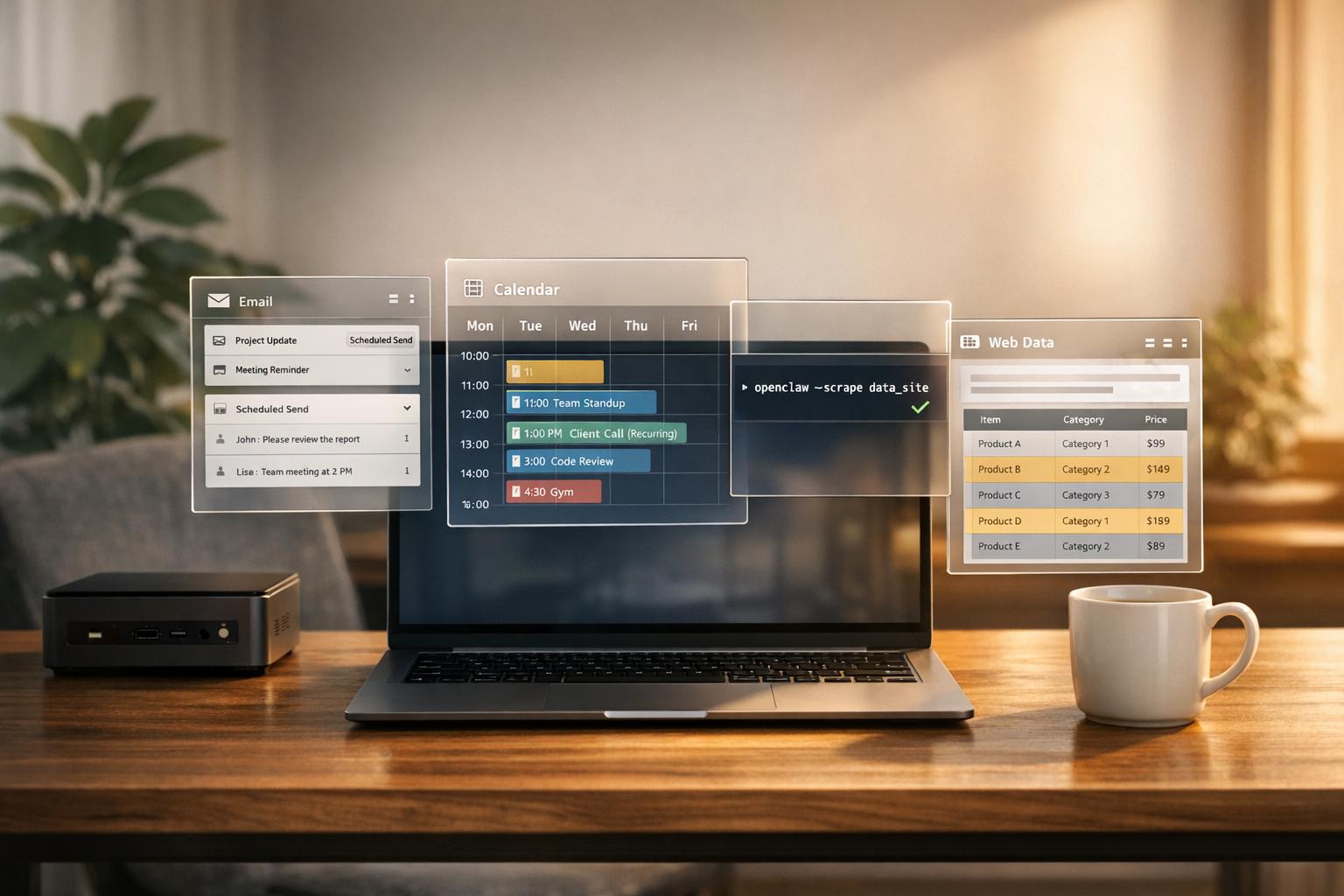
What Can You Actually do With OpenClaw? Real Examples
OpenClaw is an open-source AI agent that automates tasks by connecting large language models with your local hardware and messaging platforms like Slack, Telegram, and Discord. Unlike typical chatbots, it directly executes commands - managing files, running shell commands, and interacting with APIs - while keeping your data private on your own machine. It’s designed for hands-off automation, handling tasks like email sorting, workflow management, and web scraping without constant supervision.
Key Highlights:
- Customizable: Modify OpenClaw’s open-source framework to suit your needs, from adding new plugins to creating specialized agents for different tasks.
- Privacy-Focused: Operates locally, ensuring sensitive data like emails and API keys never leave your network.
- Autonomous Scheduling: Automates recurring tasks using Cron jobs and a Heartbeat system, saving hours of manual work.
- Practical Applications: Examples include automating email management, negotiating discounts, and running multi-step workflows for businesses.
For instance, developers have used it to reduce email management time by 75%, automate Slack-based expense tracking, and even negotiate a $4,200 car discount. OpenClaw is a practical tool for streamlining repetitive tasks with automation tools, freeing up time for more critical work.
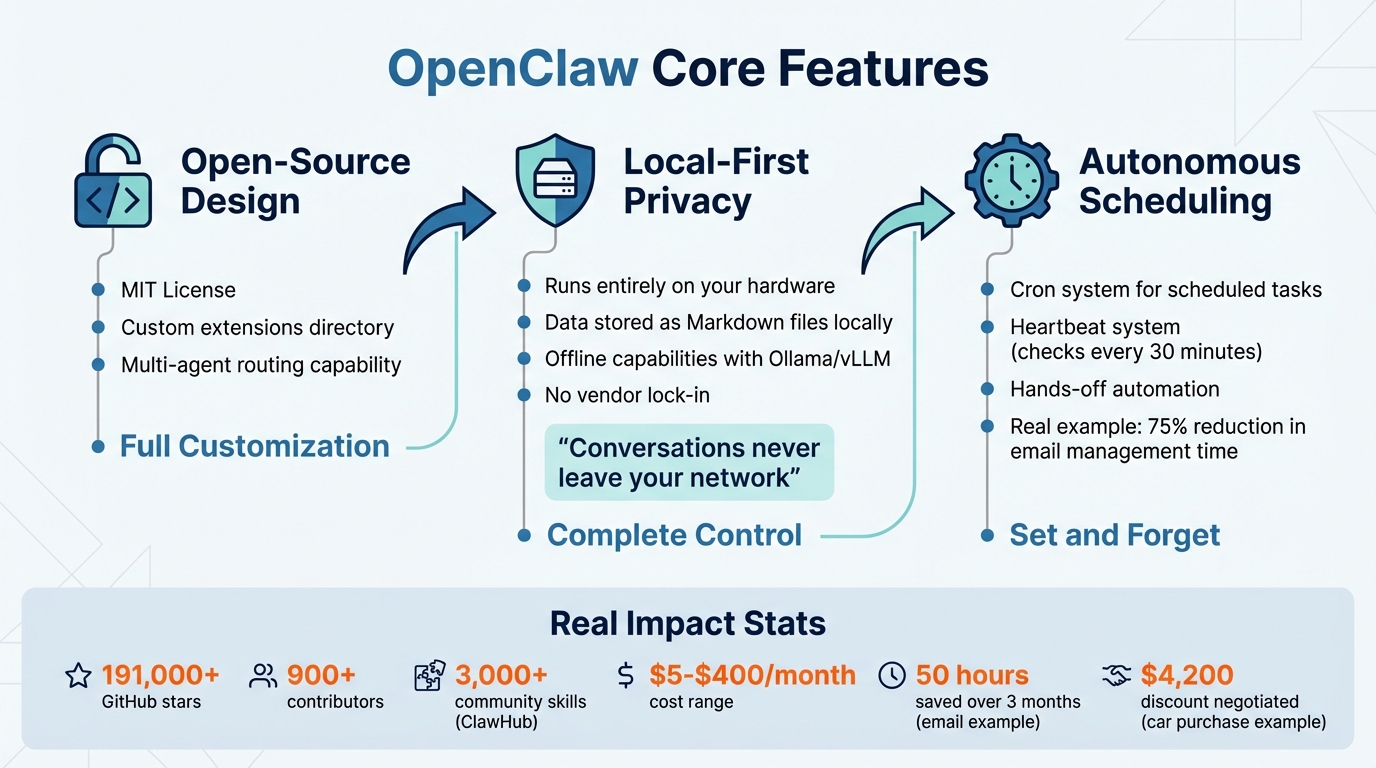
OpenClaw Key Features: Open-Source, Local-First, and Autonomous Scheduling
OpenClaw Use Cases that are Actually Helpful! (ClawdBot)
sbb-itb-212c9ea
What OpenClaw Can Do: Core Features
OpenClaw stands out with three main features that make it practical and powerful: its open-source architecture for full customization, a local-first design that prioritizes your data privacy, and autonomous scheduling to handle tasks without constant input.
Open-Source Design for Custom Solutions
OpenClaw operates under an MIT license, giving you the freedom to tweak and expand the platform to meet your unique requirements. The system includes an extensions/ directory where you can add custom channel adapters (like for Microsoft Teams or Matrix), create new memory backends, or build specific tool plugins - all without touching the core code.
One standout feature is its multi-agent routing. This is a game-changer for businesses juggling multiple communication platforms. For instance, you can assign your Telegram support channel to an agent with a formal tone while directing your Discord community to an agent with a friendlier, casual vibe. Each agent functions independently, ensuring tailored interactions across different platforms.
The next major strength lies in its local-first approach, designed to give you complete control over your data.
Local-First Design for Privacy and Control
Unlike cloud-based tools, OpenClaw runs entirely on your own hardware. This means your conversations, files, and API keys stay within your local network. All agent memory and logs are saved as Markdown files on your machine, making your data easily accessible and secure.
"Cloud AI sends every conversation to corporate servers. OpenClaw runs entirely on your machine - conversations never leave your network."
This setup also supports offline capabilities. By integrating with local models like Ollama or vLLM, OpenClaw can work in isolated environments without internet access. It can interact directly with your local file system, shell, and browser - tasks that cloud-based tools simply can’t perform. Additionally, you get to choose which LLM providers to use (like OpenAI, Anthropic, or Grok) and manage their API keys, avoiding vendor lock-in.
However, with great control comes responsibility. Since OpenClaw has deep access to your system, it’s wise to run it as a non-root user with limited permissions. Start by granting it read-only access to files, then increase its privileges gradually as needed.
Autonomous Scheduling for Hands-Off Automation
OpenClaw also excels at automating tasks, reducing the need for constant oversight. It uses two key systems for this purpose: a Cron system for scheduling tasks at specific times and a Heartbeat system that checks for pending tasks every 30 minutes. Together, these allow the agent to independently handle tasks like monitoring your inbox, checking server status, or generating reports.
A real-world example: In February 2026, Octomind implemented "OctoClaw" to automate their Slack expenses channel. The agent extracted invoice images, validated recipients against an approved list, and replaced a previously manual process.
"Start with 'show me what you'd do,' graduate to 'do it and tell me,' eventually arrive at 'just do it.'" - Daniel Roedler, Co-founder and CPO, Octomind
For maximum reliability, it’s best to host OpenClaw on a dedicated machine, like a Mac mini or a VPS, rather than a personal laptop that might go to sleep. Use Cron jobs for predictable tasks, such as daily reports, and rely on the Heartbeat system for reactive monitoring, like triaging your inbox. To manage costs and risks, you can set "quiet hours" to pause autonomous operations during off-hours.
How to Use OpenClaw: Practical Examples
Now that you’re familiar with OpenClaw’s main features, let’s explore how it handles everyday tasks. These examples highlight how the tool goes beyond simple automation to create workflows that are genuinely helpful.
Automating Email and Message Management
OpenClaw doesn’t just automate - it transforms how you manage email. By connecting to platforms like Gmail or Outlook, it categorizes emails into groups like "Urgent", "Important", "FYI", "Newsletter", and "Spam". Unlike other AI tools, it doesn’t stop at sorting - it can send emails, archive newsletters, and organize messages into folders automatically.
You can also train OpenClaw to match your tone by uploading about 100 of your past email responses. This allows it to draft replies that align with your personal or brand voice. Plus, it serves as a centralized hub, integrating with platforms like Telegram, Slack, WhatsApp, and Discord to manage notifications and tasks from one interface.
Here’s the kicker: users have reported saving around 50 hours over three months. Daily inbox management dropped from 90 minutes to just a quick summary check, all for about $15 per month.
Start cautiously by enabling an approval mode. This lets you review and approve emails before they’re sent, ensuring accuracy and tone. For ongoing conversations, extend session memory by setting sessionExpireAfterMs to one year (31,536,000,000 milliseconds). To make your emails more polished, consider adding a "Humanizer" skill to avoid repetitive AI writing patterns like overusing em dashes or lists.
Building Custom Workflows with Tool Chaining
OpenClaw shines when it comes to creating multi-step workflows that integrate various tools. It uses a "Trigger + Action + Deliver" approach, where tasks can be initiated by schedules (cron jobs), events (webhooks), or manual inputs (chat). These workflows can replace tedious manual processes across a range of applications.
For example, in January 2026, software engineer AJ Stuyvenberg created a workflow where OpenClaw scraped local dealer inventories, filled out contact forms, and negotiated using PDF quotes. The result? A $4,200 discount on a new car.
"Outsourcing the painful aspects of a car purchase to AI was refreshingly nice." - AJ Stuyvenberg, Software Engineer
Another user developed an agent called "Reef" that combined tasks like Gmail triage, Wikibase enrichment, and publishing content from Obsidian to Ghost CMS. This workflow extracted 49,079 atomic facts from a ChatGPT export to build a personal knowledge graph.
The Zilliz team also used OpenClaw to create a Slack-based Milvus community assistant. This agent combined documentation retrieval and error troubleshooting to provide 24/7 support.
Start with the trigger: Use cron for recurring tasks (e.g., 0 9 * * * for daily 9 AM workflows) or webhooks for event-based triggers like GitHub pull requests or Sentry errors. For simpler tasks, you can create a numbered sequence like "1) Summarize calendar, 2) List tasks, 3) Check emails, 4) Save as markdown". Always enable approvals for high-risk tools like exec to avoid irreversible actions.
Web Automation and Data Collection
OpenClaw also excels at automating web interactions and data collection. Its Snapshot System scans the DOM and maps interactive elements, removing the need for manual CSS selectors. You can trigger these tasks through chat platforms with simple commands like "Extract all product names and prices from the page and save as CSV".
In January 2026, developer Dave Kiss used OpenClaw via Telegram to rebuild his personal website while away from his computer. The agent migrated 18 posts from Notion to Astro and updated DNS settings on Cloudflare - all without him touching a laptop.
Another developer, Herbert Yang, set up an image-collection pipeline for research in just 30 minutes using OpenClaw.
One bot, powered by OpenClaw, managed liquidity in 15-minute prediction markets for cryptocurrencies like BTC, ETH, SOL, and XRP. It executed over 13,000 trades in a single week, handling positions from under $10 to $60,000.
Use the Chrome extension mode for tasks requiring authentication, as it preserves active sessions. To avoid being blocked, configure request delays (e.g., openclaw config set browser.requestDelayMs 2000) and always respect robots.txt guidelines. Isolate tasks by using separate browser profiles (--browser-profile openclaw).
These examples demonstrate how OpenClaw can handle complex automation scenarios, making it a powerful tool for more than just simple task management.
Using OpenClaw for System Management
OpenClaw isn’t just about web automation - it also simplifies system management tasks like file handling, running shell commands, and automating scripts. Whether it’s clearing cluttered folders or ensuring regular backups, OpenClaw’s reach extends to keeping your system organized and efficient.
File Management and Automation
With OpenClaw, managing files becomes effortless. It can compare folders, spot duplicate files, and organize data seamlessly. By directly accessing hardware, OpenClaw can execute shell commands to move files, run scripts, and even monitor system resources like disk usage. For instance, if it detects bloated Docker images or oversized log files, it can suggest cleanups to free up valuable space.
The tool also supports automating repetitive tasks. Using the openclaw cron command, you can set up recurring jobs, such as daily backups, hourly folder cleanups, or weekly archive uploads. For added security, it’s a good idea to start with read-only permissions and expand access as needed.
Adapting Over Time with Persistent Memory
What sets OpenClaw apart is its ability to learn and adapt over time. It stores everything it learns in plain Markdown files - like MEMORY.md, LESSONS.md, and preferences.md - located in the ~/.openclaw/memory/ directory. This allows OpenClaw to remember your preferences, past solutions, and project details across sessions, much like how it customizes email responses and workflow routines. This eliminates the need for repeated instructions and makes its automation smarter and more personalized.
The memory system combines two retrieval methods: 70% vector search to understand semantic meaning and 30% BM25 keyword search for technical details like file paths or commands. To keep things relevant, it applies temporal decay, reducing the importance of older notes by 50% every 30 days. However, key files like MEMORY.md remain permanently significant, ensuring core system rules are always accessible.
You can also manually edit these Markdown files to enforce specific rules. For example, you might add, “Always use trash instead of rm” or “Always push to git after significant changes.” Errors in shell commands are logged in LESSONS.md to prevent them from recurring. If you want OpenClaw to remember something specific, simply tell it: "Remember that I prefer [preference]".
Before using the memory feature, make sure to create the directory by running mkdir -p ~/.openclaw/workspace/memory. Regularly review MEMORY.md to remove outdated entries, as overly large files can slow down the system. And remember, never store sensitive information like API keys or passwords in memory files, as they are loaded into the LLM context window.
Team Workflows with Multi-Agent Routing
OpenClaw takes automation to the next level by simplifying collaborative workflows for teams and environments juggling multiple projects.
In settings where multiple users and projects are involved, OpenClaw's multi-agent routing ensures isolated workspaces and data integrity. Each agent operates within its own workspace, maintaining separate chat histories and authentication credentials. This strict separation guarantees that data remains compartmentalized. The system routes incoming messages based on a "most-specific wins" logic. It first looks for exact matches, such as specific direct message IDs or group chat IDs, and only then considers broader identifiers like Discord server IDs or phone numbers.
For example, in February 2026, a freelancer managing projects for Nike, Adidas, and Puma utilized this feature to create three distinct agents. Each agent had its own project directory and Git SSH keys, ensuring that sensitive information like variable names or private API keys didn’t cross between clients. This kind of segregation not only protects data but also creates a more focused and efficient workflow.
Managing Team Communication and Workflow Segmentation
OpenClaw allows teams to assign specific roles to agents - such as Researcher, Coder, or QA - while a primary agent oversees coordination. Each agent is equipped with its own SOUL.md file, which outlines its responsibilities and boundaries. Access controls further enhance flexibility, enabling a team-agent to serve an entire department or a private-agent to remain exclusive to one individual. Mention patterns, like using @familybot, ensure that responses are directed to the right agent.
Another example from February 2026 highlights this segmentation in action. A developer used OpenClaw to manage two Telegram bots: one for work (@my_work_bot) and another for personal projects (@my_personal_bot). Both bots were connected to a single OpenClaw Gateway. The work bot was configured to access company files and GitLab, while the personal bot focused on side projects. This setup ensured that private queries didn’t accidentally appear during work-related screen-sharing sessions, showcasing OpenClaw’s commitment to secure and tailored automation.
From a resource perspective, five agents typically require about 2.5 GB of memory (512 MB per agent) and 1–2 GB of disk storage, as they share the same base image. To avoid system overload when scheduling agents for automated task checks, it’s recommended to stagger their start times.
Conclusion: What You Can Accomplish with OpenClaw
OpenClaw serves as a powerful digital assistant, capable of handling a wide range of tasks autonomously while keeping your data secure on your own hardware. By understanding natural language commands and retaining memory of past tasks, it simplifies workflows and boosts efficiency.
And it does all this without breaking the bank. Depending on how much you use it, costs range from $5 to $400 per month - a fraction of the expense of hiring additional staff. The numbers speak for themselves: as of February 2026, OpenClaw has amassed over 191,000 stars on GitHub and boasts contributions from more than 900 developers. Its capabilities continue to grow, supported by the ClawHub marketplace, which offers more than 3,000 community-developed skills.
"Just ran 'openclaw deploy' and watched it set up my entire k8s cluster, configure ingress, and deploy 12 microservices. What used to take me a week now takes 10 minutes." - @devops_mike
The versatility of OpenClaw shines across industries. Real estate agents automate lead follow-ups, developers deploy code while they sleep, and finance teams execute trades based on real-time sentiment analysis. One user even shared how OpenClaw diagnosed and fixed a malfunctioning SMS chatbot in just eight days - a problem that had lingered for 10 months.
To get started, begin with simple, approval-based tasks that save time every day. As you gain confidence, you can tackle more complex automations. The key to safe and effective use lies in setting clear boundaries with SOUL.md files and applying guardrails for sensitive tasks. OpenClaw doesn’t replace your expertise; instead, it complements it by taking care of repetitive tasks, freeing you to focus on more meaningful decisions.
FAQs
How do I safely let OpenClaw run commands on my computer?
To ensure the safe operation of OpenClaw when running commands, it's crucial to stick to the security best practices detailed in its documentation. Some of the key steps include:
- Using sandboxing features: Set up sandboxing to restrict the scope of command execution and prevent unauthorized actions.
- Keeping the software updated: Regularly install updates to address security vulnerabilities and apply patches.
- Restricting access: Limit access to critical system areas to reduce potential risks.
- Monitoring logs: Keep an eye on activity logs to detect any unusual or suspicious behavior.
By following these steps, you can reduce potential risks and maintain secure functionality on your device.
What hardware do I need to run OpenClaw 24/7?
To keep OpenClaw running around the clock, you have two practical options. One is using a dedicated local device, such as a Mac Mini (priced at around $599) or a Mac Studio, configured to stay on 24/7 by enabling the 'Prevent sleep' option in the power settings. The other option is opting for a cloud-based VPS, which costs approximately $3–$5 per month. This route offers the benefits of scalability and minimal maintenance. Your choice will depend on your budget and whether you prefer the hands-on control of a local setup or the ease of cloud-based solutions.
How do I create a new agent for a specific Slack or Telegram channel?
To set up a new agent for Slack or Telegram, begin by installing OpenClaw globally using npm install -g openclaw. Next, initialize your agent with the command openclaw init my-agent. Once initialized, configure the agent to connect with the platform of your choice.
Follow the setup guides specific to Slack or Telegram to link your workspace or bot. Afterward, adjust the channel routing settings according to your needs. Finally, start the agent by running openclaw start. Your agent will now be ready to operate directly within the designated channel.