FileOut logo

FileOut

Generate professional documents with AI assistance, from reports to presentations and spreadsheets.

No ratings yet
Visit FileOut
View Alternatives
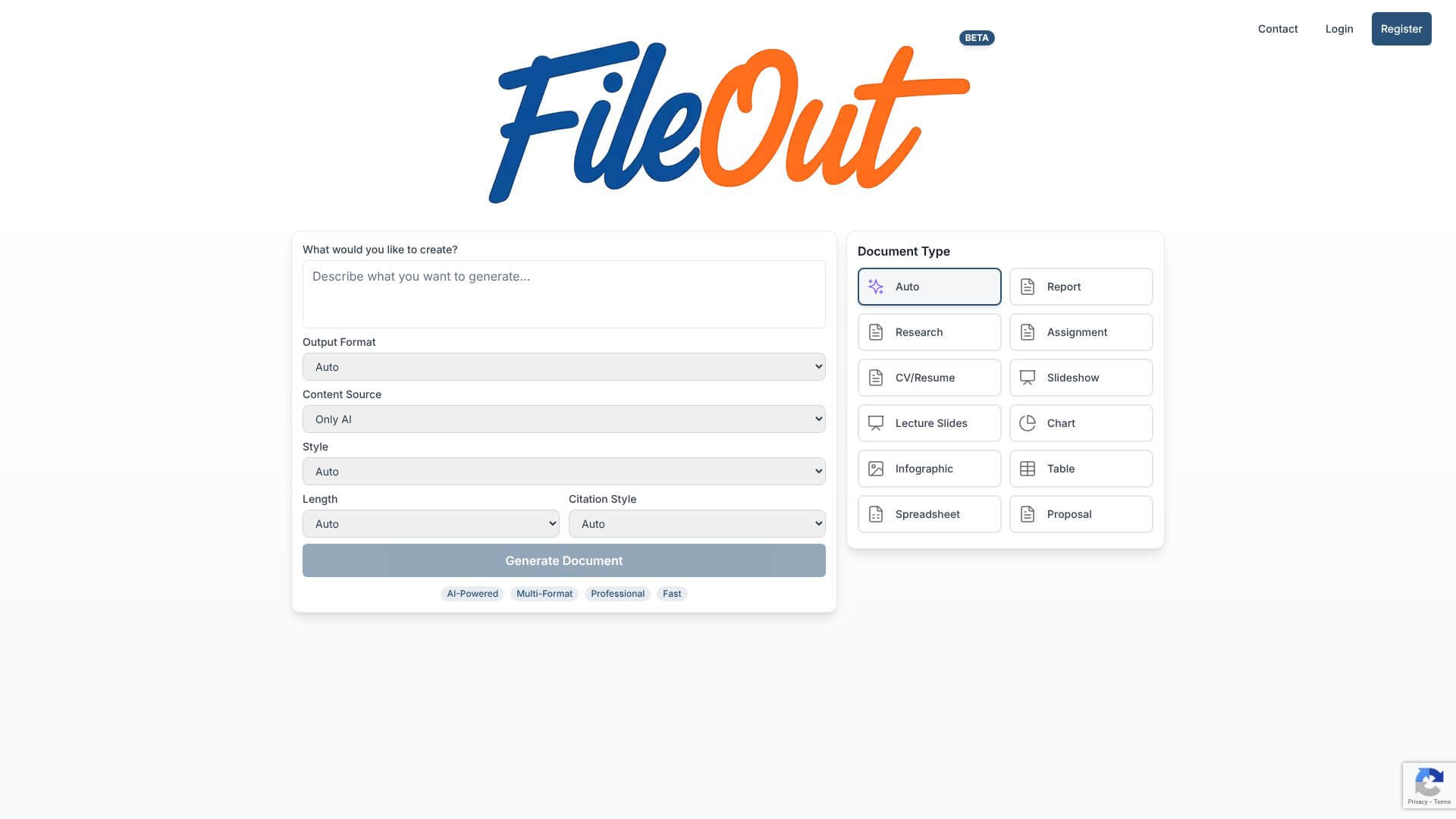
FileOut screenshot

FileOut is an AI Productivity tool. Generate professional documents with AI assistance, from reports to presentations and spreadsheets. Key features include AI Saves Time, Many Ways to Export, and Looks Just Right. Best for teachers, marketers and content creators.

4.0 (5 reviews)28 upvotes6 key features6+ alternatives →

About FileOut

FileOut is an AI tool in beta that helps you make many kinds of documents quickly. It creates things like reports, presentations, and spreadsheets. You can pick styles and citation types. But, some warnings suggest there might be security issues you should know about.

Key Features

AI Saves Time.

FileOut uses AI to quickly write documents for you. You tell it what you need, and it creates the content. This means you don't have to write everything yourself. It makes getting your documents ready much faster.

Many Ways to Export.

You can get your documents in lots of different types. FileOut lets you save them as PDFs, Word files (DOCX), PowerPoint slides (PPTX), Excel sheets (XLSX), pictures (PNG), and even Markdown files. This helps you use your documents wherever you need them.

Looks Just Right.

FileOut has different styles for your documents. You can pick from Elegant, Professional, Modern, Academic, or Corporate. This helps your documents look exactly how you want them to, fitting your needs perfectly.

Citations Made Easy.

If you're writing academic papers, FileOut helps with citations. It supports APA, MLA, Chicago, Harvard, and IEEE styles. This makes it easy to properly credit your sources without a lot of extra work.

Use Your Own Words or Let AI Help.

You have choices for how you create content. You can have the AI write everything, called "Only AI." Or, you can use your own stuff, called "User Content." You can also mix both, "User Content + AI." This makes it flexible for what you need.

**For

Frequently Asked Questions

FileOut combines templates with AI. It creates content based on what you describe. Traditional templates need you to put in all the content yourself. This saves you time while keeping things looking professional.

No, FileOut is not recommended for sensitive business information. There are security warnings from ScamAdviser. FileOut also lacks public security certifications.

Yes, FileOut exports to common formats like PDF, DOCX, PPTX, and XLSX. These work with Microsoft Office, Google Workspace, and Adobe apps. It integrates smoothly with your existing software.

FileOut offers many citation formats and supports 19 document types. It also has flexible AI-assisted generation. However, other tools have better security records and more user reviews.


User Reviews

Similar Tools

View all →



