
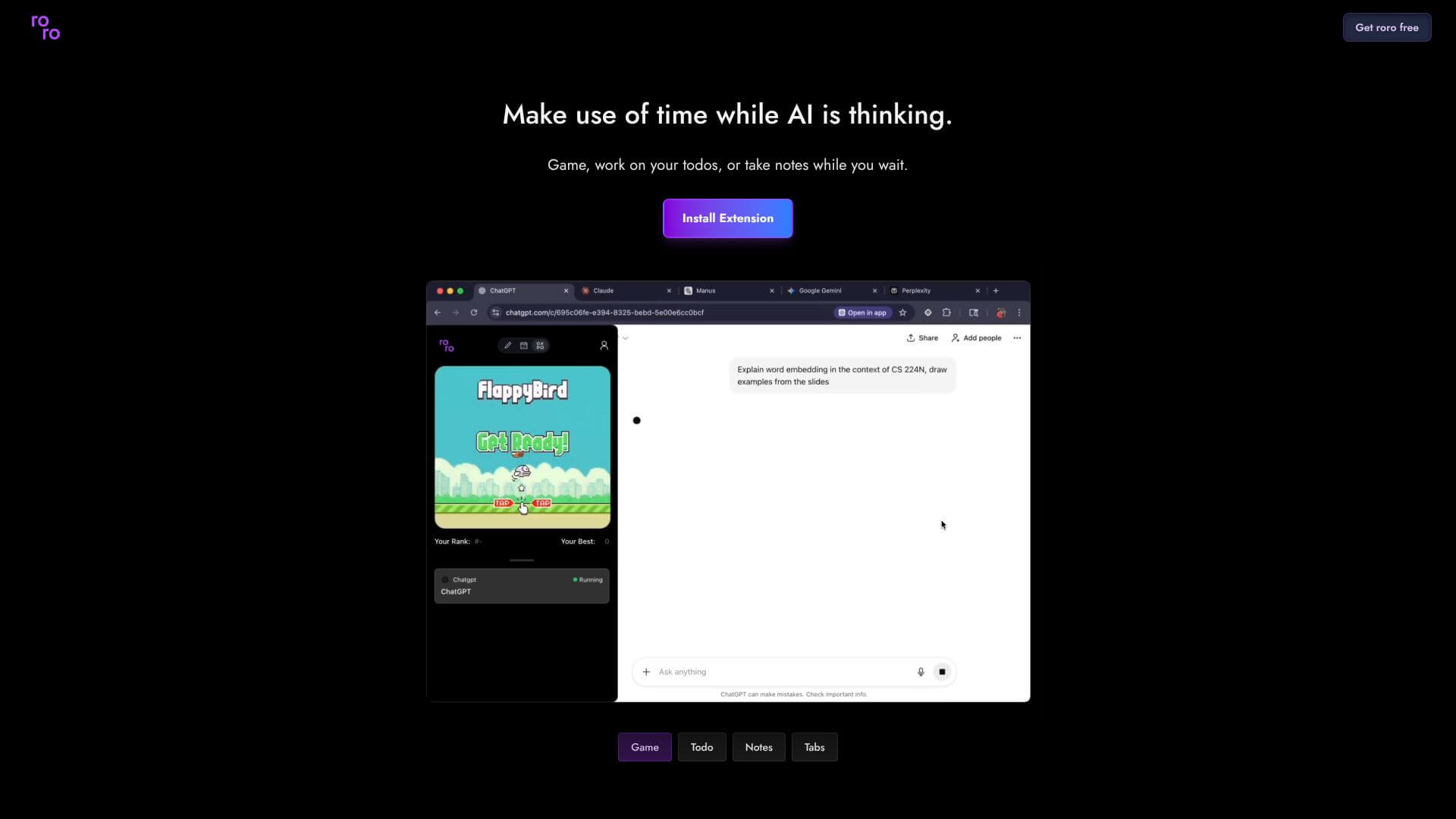
roro is an AI Productivity tool. Tracks AI agent activity across browser tabs, offers entertainment during AI processing. Key features include Multi-Tab AI Tracking, Real-Time Activity Monitoring, and Entertainment Integration. Best for software developers and engineers, data scientists and analysts and project managers.
About roro
Roro is a Chrome extension. It lets you track what AI agents are doing in your browser. It also gives you entertainment while you wait for AI tasks to finish. This helps you use your time well. It's great for monitoring AI workflows in your browser. It helps with AI task automation.
Key Features
Multi-Tab AI Tracking.
Roro helps you watch what your AI agents are doing. It works across all your open browser tabs. You can see everything at once.
Real-Time Activity Monitoring.
You get instant updates on your AI tasks. Roro shows you their progress and current status. Everything happens in real-time.
Entertainment Integration.
Waiting for AI can be boring. Roro has built-in fun stuff to keep you busy. You can stay entertained while your AI works.
Chrome Browser Integration.
Getting Roro is easy. It's a simple extension for Chrome. You can install it quickly and start using it right away.
Activity Dashboard.
All your AI processes show up in one spot. Roro gives you a clear overview. You can see what every AI is doing.
Productivity Optimization.
Don't waste time while AI is running. Roro helps you use that time better. It makes sure you're always productive.
Frequently Asked Questions
Roro is a Chrome extension. It works best with Chrome and other Chromium-based browsers.
Roro has built-in entertainment options. They keep you busy while AI processes. Specific activities might change with updates.
Yes, Roro is made for this. It lets you watch AI activity across different tabs and tasks.
You can find details about data handling and security by checking out the privacy policy on tryroro.com/privacy.