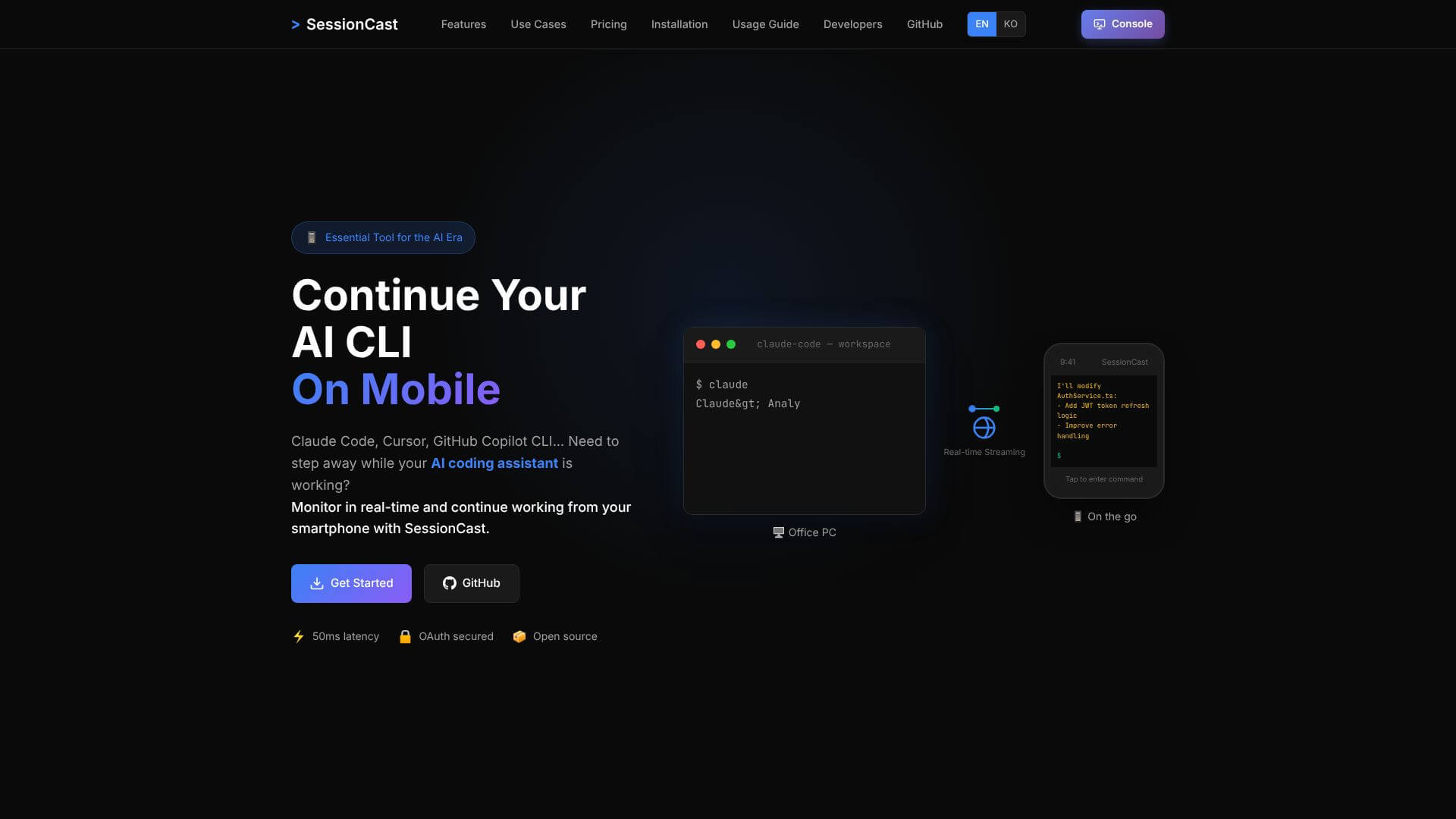
SessionCast is an AI Code tool. Monitor and control your terminal sessions on your smartphone in real-time. Key features include Real-time Terminal Streaming, Mobile-Optimized UI, and Secure Access. Best for software developers and engineers, project managers and data scientists and analysts.
About SessionCast
SessionCast is a real-time terminal streaming tool that mirrors tmux sessions from your development machine to your smartphone. The use case targets developers running long AI coding tasks, CI/CD pipelines, or background processes who want visibility and control while away from their main workstation.
The core features that matter
- Real-time terminal streaming mirroring tmux sessions directly to your smartphone, supporting remote monitoring of running tasks without needing to be at your computer
- Mobile-optimized UI with a responsive design that makes terminal output readable on smaller screens rather than requiring constant zooming
- Secure access through Google OAuth2 authentication, keeping sessions private and limited to authorized viewers
- Multiple session management handling many terminal sessions concurrently, supporting workflows across different projects without switching contexts
- Low data usage through GZip compression on the stream, keeping mobile data consumption modest during sustained monitoring
- Full keyboard input and collaboration for sending commands from your phone to AI coding assistants, plus session sharing for real-time debugging or code reviews with teammates
How it stands out
The remote terminal access space has established tools including SSH apps for mobile (Termius, Blink Shell) and tmux session sharing options. SessionCast's specific position is the streaming-plus-mobile-UI approach rather than full terminal emulation. For developers monitoring long-running AI agents or CI workflows, streaming with mobile-optimized output is more practical than full SSH on a phone screen.
The honest qualifier: terminal streaming works best for read-mostly workflows. Writing complex commands from a phone screen remains slow regardless of how good the keyboard input is, so SessionCast fits monitoring use cases better than active development. The Google OAuth authentication is convenient but ties the tool to that authentication path; users wanting alternative auth methods would need to wait for that support. For developers running agentic AI tools that work for hours, SessionCast provides a natural way to check progress and intervene from anywhere without needing full remote workstation access.
Key Features
Real-time Terminal Streaming.
Mobile-Optimized UI.
Secure Access.
Multiple Session Management.
Low Data Usage.
Full Keyboard Input & Collaboration.
Frequently Asked Questions
It uses Google OAuth2 authentication. It also uses JWT token-based security to access sessions. This means only authorized users can view your terminal streams.
You can run the SessionCast agent on Linux, macOS, and Windows. You will need Node.js 18 or higher and tmux installed.
No, SessionCast accounts are for one user only. You will need to authenticate individually. But you can share sessions temporarily if you want to collaborate.
No, SessionCast needs an active internet connection. This is so it can stream your terminal sessions to your mobile device.