Productivity
AI Productivity Tools 2026: 15 Apps That Save 10+ Hours Weekly
A curated list of 15 AI apps that automate email, scheduling, meetings, and tasks to reclaim 10–15 hours of work each week.

AI Productivity Tools 2026: 15 Apps That Save 10+ Hours Weekly
Tired of wasting hours on repetitive tasks? These 15 AI tools can help you reclaim 10–15 hours per week by automating workflows, organizing tasks, and managing meetings. From email summaries to scheduling, these apps are transforming how we work.
Key highlights:
- AI Apps: Automates emails, schedules, and task management.
- Notion AI: Centralizes workflows with meeting notes and database tools.
- Reclaim AI: Smart scheduling and habit tracking.
- Motion AI: Builds optimized schedules and automates workflows.
- Zapier AI: Links apps and automates multi-step processes.
- Asana AI: Simplifies project management with automated updates.
- Hive AI: Email triage and project planning in seconds.
- Grammarly AI: Fine-tunes writing and automates feedback.
- Perplexity AI: Research assistant with fast, cited answers.
- Fireflies AI: Meeting transcription and action item summaries.
- ClickUp AI: Handles task management and project updates.
- Nifty AI: Generates workflows and automates project setup.
- Zovoro AI: All-in-one content creation platform.
- PrometAI: Business planning and strategy automation.
- Otter AI: Real-time meeting transcription and summaries.
Pro Tip: Start with one tool that addresses your biggest time drain, like emails or meeting notes, and test it for 30 days. Even a $30 tool can pay for itself if it saves you 10 hours a week.
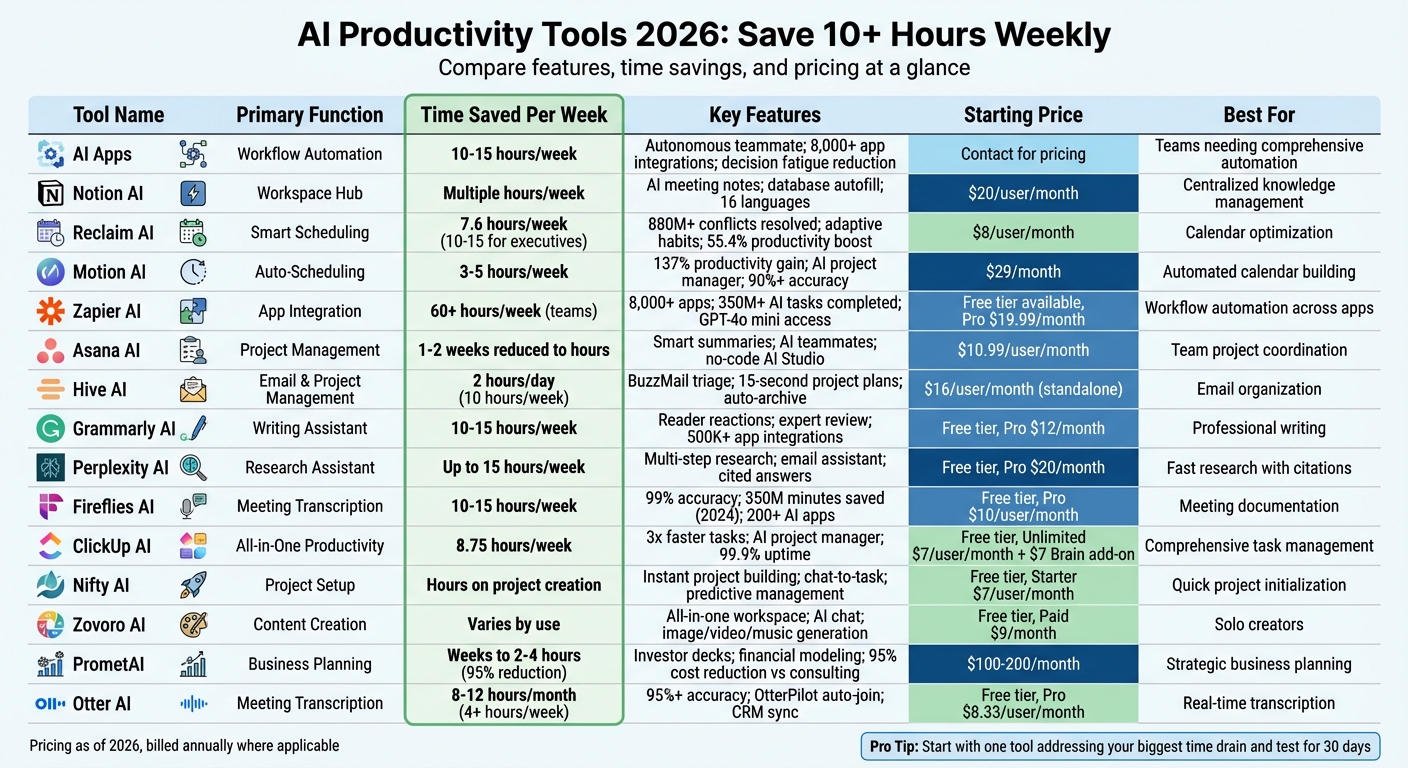
15 AI Productivity Tools Comparison: Features, Time Savings, and Pricing
1. AI Apps
Time-Saving Capabilities
AI Apps has grown from being just a helpful assistant to functioning as an "autonomous teammate" that takes charge of workflows on its own. Instead of relying on manual input, it shifts productivity to automated processes - you set the objective, and it handles the rest.
One of its standout benefits is how it reduces decision fatigue. It can sort through your inbox, schedule tasks based on priority, and even summarize lengthy email threads, enabling quicker decision-making. Teams leveraging these features report reclaiming 10–15 hours per week, which they can redirect to more strategic, high-value tasks instead of routine administrative work.
Building on these efficiencies, AI Apps streamlines task management with precision.
Task Automation Features
AI Apps goes beyond basic automation by using adaptive learning and context awareness. It can create tasks from meeting notes, adjust timelines proactively, and adapt to shifting priorities.
"AI adds the most value when it plugs into workflows that are already clear; task capture, time blocking, decision-making. Without that, it just creates more output with no direction." - Francesco, Akiflow
It also handles those small, repetitive tasks - like formatting notes or drafting follow-up emails - that often disrupt focus during deep work. For example, a mid-sized team of 120 people could save around 80 hours every month just by automating task creation.
But the benefits don’t stop there. AI Apps takes workflow efficiency a step further with its robust integrations.
Integration with Other Tools
AI Apps connects seamlessly with over 8,000 applications, acting as a central hub for managing your tools and data. Unlike basic integrations that only transfer messages between apps, this platform synchronizes data and context. For instance, it can pull CRM details to draft personalized emails or update project statuses based on chat logs.
The platform integrates directly into the tools you already use, offering context-aware assistance without requiring you to jump between applications. This unified approach helps eliminate data silos, which are often a major bottleneck for teams. For example, in 2025, Motorola saw a 346% ROI and recouped their investment in less than four months by implementing similar AI-powered coordination to automate cross-functional reporting.
2. Notion AI
Time-Saving Capabilities
Notion AI acts as a one-stop productivity hub, cutting down on the need to juggle between tools like Slack and Google Drive. Its Enterprise Search feature is a game-changer, allowing users to quickly find answers across their workspace, saving valuable hours for managers and researchers alike. This centralization lays the groundwork for advanced tools designed to simplify workflows.
One standout feature is AI Meeting Notes, which automatically records audio from platforms like Zoom, Google Meet, and Microsoft Teams - no extra bots required. Once your call wraps up, it generates instant transcripts, summaries, and actionable items [18,20]. According to George Ralph, "AI Meeting Notes and Research Mode alone can save teams hours each week". Additionally, Database Autofill processes large datasets, summarizing and extracting insights in minutes, turning what used to take hours into a quick task.
Task Automation Features
The Notion Agent, launched in 2026, takes automation to the next level. It updates project statuses, marks tasks as completed, and adjusts timelines automatically after meetings. With just a /meet command on any page, the AI transcription engine kicks in, converting meeting discussions into to-dos complete with assigned owners, priorities, and deadlines [18,20]. Alex Heath, Deputy Editor, describes it as:
"It's the most practical generative AI implementation I've encountered"
.
Notion AI supports 16 languages, including English, French, and Japanese. For meeting-related functions, it enforces a daily usage limit of 10 hours per user, with one minute of recorded audio (around 300 characters of transcript) needed to generate automated summaries.
Integration with Other Tools
Notion AI seamlessly integrates with external platforms through AI Connectors, bringing information from Slack, GitHub, Google Drive, and Jira directly into your workspace. This creates a unified knowledge base, making searches effortless [18,22].
With Notion Calendar and Mail, users can sync multiple calendars and Gmail accounts, managing schedules and communications with AI-driven insights. The platform is available across macOS 13+, Windows, web browsers, and mobile devices. Nick Erdenberger from GTM highlights its simplicity:
"There's power in a single platform where you can do all your work out of. Notion is that single place"
.
Pricing begins at $20 per user per month (billed annually) for business plans with full AI access. Enterprise plans come with custom pricing and enhanced security features like configurable transcript retention and SOC 2 Type 2 certification. Free and Plus plans include a trial of approximately 20 AI responses per workspace [11,18,19].
3. Reclaim AI
Time-Saving Capabilities
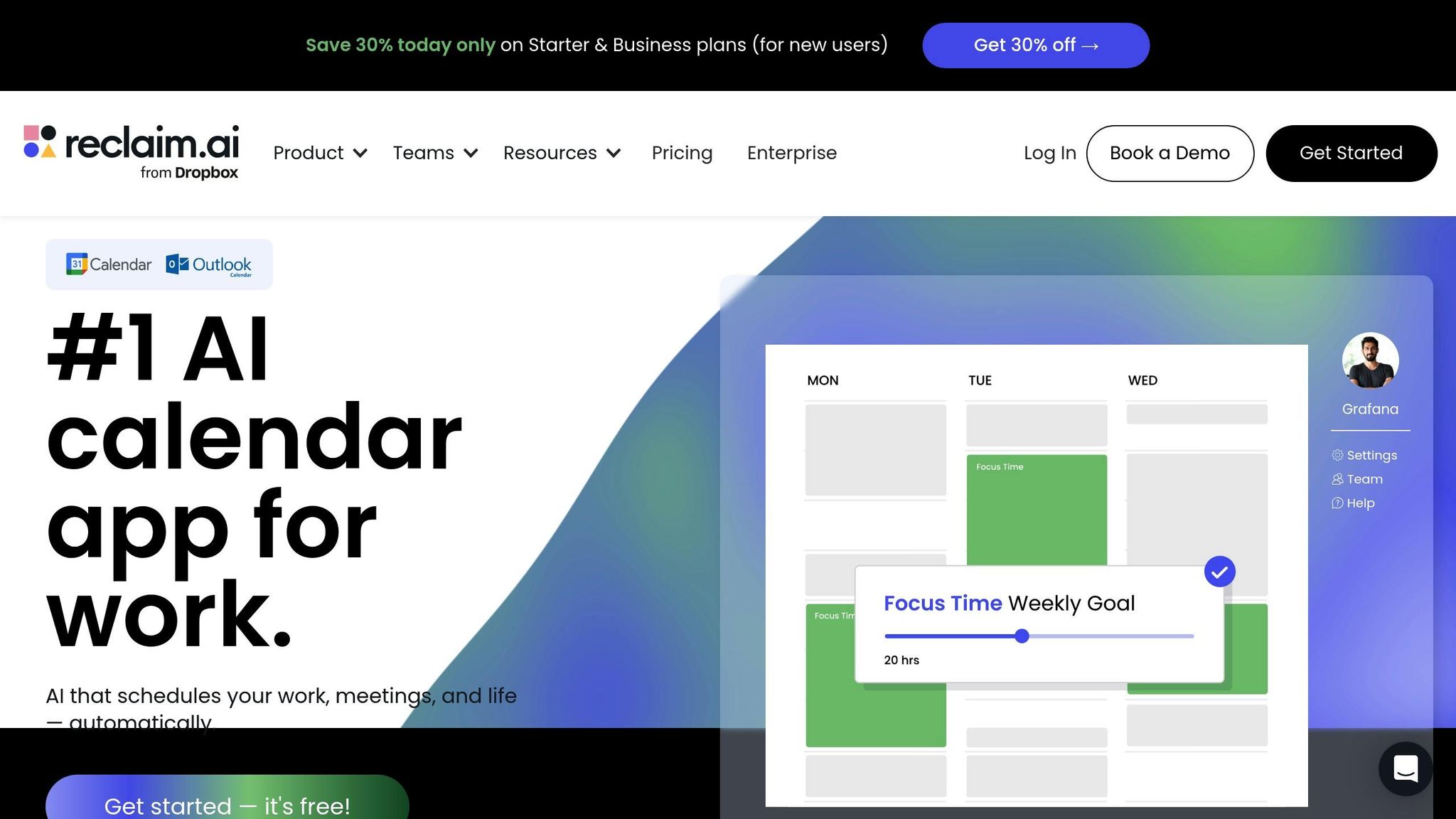
Reclaim AI acts as a smart scheduling assistant, organizing your calendar based on a hierarchy of priorities, from P1 (critical) to P4 (low). This system ensures that high-priority meetings take precedence over less critical tasks. Impressively, the platform has resolved over 880 million scheduling conflicts for its users.
It offers two modes to protect your focus time: Proactive, which schedules blocks in advance, and Reactive, which adjusts and reserves time as needed. On average, users save 7.6 hours weekly, with executives benefiting from 10–15 hours of reclaimed time. Beyond time savings, users report a 55.4% boost in productivity and a 41.9% improvement in work-life balance. These features make Reclaim AI a powerful tool for task automation and smarter scheduling.
Task Automation Features
Reclaim AI’s Adaptive Habits feature ensures recurring activities like lunch breaks or workouts remain part of your day. These habits are scheduled as flexible blocks that appear "free" to others but automatically lock as "busy" when your calendar fills up. This prevents important routines from being disrupted while still offering flexibility. Additionally, the platform inserts buffer and travel time around meetings, avoiding the stress of back-to-back scheduling.
The Smart Meeting Coordination feature takes the guesswork out of scheduling. By analyzing all attendees' calendars, it identifies the best times for meetings, cutting manual coordination efforts by up to 80%. Raj Dutt, CEO & Co-Founder of Grafana, highlights its impact:
"Reclaim is an essential tool for our employees to stay focused on their most important work. Our managers are able to keep up with direct reports through regular flexible meetings, and automatically plan and prioritize projects across our teams".
Integration with Other Tools
Reclaim AI integrates seamlessly with your existing tools, acting as a bridge to enhance their functionality. It offers bi-directional synchronization with platforms like Asana, Jira, ClickUp, Linear, Todoist, and Google Tasks - marking a task complete in Reclaim automatically updates it in the original tool. In August 2025, full support for Microsoft Outlook was introduced, expanding its compatibility beyond Google Calendar.
The platform also syncs with Slack to update your status and supports video conferencing tools like Zoom, Google Meet, and Microsoft Teams. Following its acquisition by Dropbox in August 2024, Reclaim has gained enterprise-level stability and deeper integration with Dropbox’s productivity suite. Pricing starts at $8 per user per month (billed annually), with a free Lite plan available for up to 2 calendars and 3 habits.
4. Motion AI
Time-Saving Capabilities
Motion AI takes the hassle out of scheduling by automatically building your entire calendar. It factors in task priorities, deadlines, dependencies, and meetings to create an optimized schedule for you. If a meeting runs over or an unexpected issue arises, the AI adjusts your schedule instantly.
On average, users save 3–5 hours a week - or roughly 30 minutes each day - by eliminating manual planning. The system also alerts users well in advance if a task is at risk of missing its deadline, giving you time to make adjustments. With productivity gains of up to 137%, Motion helps projects move 32% faster by reducing downtime between tasks.
This level of scheduling efficiency sets the stage for its powerful automation tools.
Task Automation Features
Motion's AI Project Manager simplifies project planning by generating complete plans from brief descriptions, boasting over 90% accuracy. Additionally, the AI Meeting Notetaker integrates with Zoom, Teams, or Google Meet to transcribe conversations and automatically assign action items - offering 80% more accuracy than traditional human notes.
The AI Workflows Builder transforms your Standard Operating Procedures into automated workflows, assigning tasks to the right team members with ease. For more specialized needs, Motion offers AI Employees like Alfred for executive assistance, Chip for sales, and Clide for customer support. These virtual assistants handle repetitive workflows and administrative tasks, helping businesses reclaim valuable time.
Joel Peeples, CEO of Ally Advantage, shared that Motion's AI Project Manager tripled his team's efficiency by automating resource allocation and capacity planning, ensuring deadlines were met without manual oversight.
These tools seamlessly integrate with many platforms, enhancing their utility.
Integration with Other Tools
Motion connects directly with popular tools like Google Calendar, Microsoft Outlook 365, iCloud, Gmail, Zoom, Google Meet, and Microsoft Teams. Through Zapier, it links to over 1,000 apps, including HubSpot, Salesforce, Slack, and Notion. You can also create tasks using Siri voice commands, by forwarding emails, or by converting Slack and Teams messages into actionable items. For developers, Motion offers a robust API to integrate with custom internal systems.
Ease of Accessibility
Motion consolidates tasks, calendars, projects, and documents into a single interface, complete with handy keyboard shortcuts like OPT+C for the calendar, OPT+A for the scheduler, and OPT+SPACE for quickly adding tasks. While available on both iOS and Android, the desktop version is the clear favorite, earning a 4.5/5 rating on G2. The mobile app, however, lags behind with a 2.7/5 rating on Google Play, mainly due to notification issues and limited functionality. Pricing starts at $29 per month (billed annually) for the Pro AI plan, which includes 7,500 AI credits.
5. Zapier AI
Time-Saving Capabilities
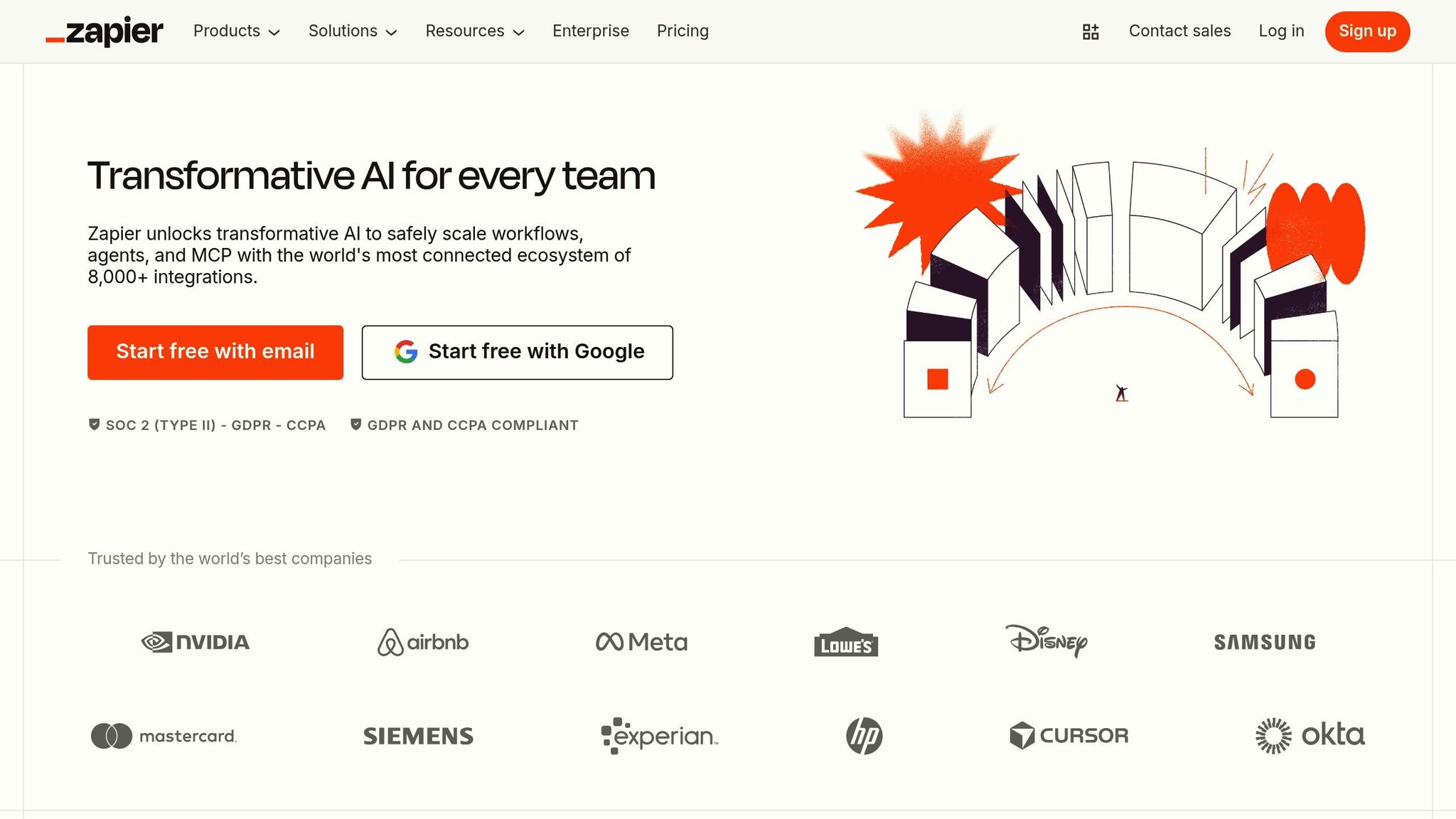
Zapier AI acts as a central hub, seamlessly linking over 8,000 apps and close to 500 specialized AI tools, tackling common integration headaches. To date, it has powered more than 350 million AI tasks. With its Copilot feature, you simply describe your workflow in plain English, and Zapier takes care of building, connecting, and testing the process [3,39]. For more intricate tasks, Zapier Agents step in as autonomous assistants, managing multi-step research and data analysis across your tech stack [3,37]. For instance, in September 2025, Healthie reported saving over 60 hours weekly by using Zapier AI Agents for administrative tasks and data processing.
The built-in "AI by Zapier" tool provides direct access to GPT-4o mini from OpenAI, enabling you to extract, classify, and summarize data within workflows - all without requiring separate API keys [3,38]. These time-saving tools create a foundation for powerful automation solutions.
Task Automation Features
Zapier's automation tools are designed to handle repetitive tasks efficiently. The AI by Zapier feature can summarize transcripts, categorize tickets, and even use chatbots to capture leads around the clock. Its Knowledge Grounding feature links AI actions to internal data sources like Google Drive, Notion, and Confluence, ensuring that responses are based on your actual business information, reducing manual effort. Additionally, the Model Context Protocol (MCP) allows external AI platforms to execute over 30,000 actions on demand.
"What used to be done by a whole team of researchers is now handled by one person using AI, including Zapier Agents. We actually do more with fewer people." – Evan Nison, NisonCo
Integration with Other Tools
Zapier AI integrates effortlessly with a wide range of business tools. It works with communication platforms like Slack, Microsoft Teams, and Telegram; email services such as Gmail and Outlook; CRM systems like HubSpot and Salesforce; and project management tools including Notion, Asana, and ClickUp [3,40]. It also connects to leading AI models, including ChatGPT (powered by GPT-5.1), Anthropic's Claude, Perplexity, and Jasper. Specialized AI tools like Fireflies.ai for transcription and ElevenLabs for voice generation are supported as well. Plus, its Chrome extension lets users trigger automated workflows directly from their browser.
Ease of Accessibility
Zapier AI makes building complex workflows simple, even for non-technical users. You can describe your needs in plain language or use voice dictation to create automations on the go. If a workflow encounters an issue, the AI troubleshooting feature provides clear explanations and actionable fixes.
Pricing starts with a free tier for basic automation needs, while Professional and Team plans are available at $19.99 and $69 per month respectively (billed annually). Enterprise plans offer custom pricing with added security features, single sign-on (SSO), and full audit trails. The platform complies with SOC 2 Type II and GDPR standards, ensuring strong data protection [40,41].
6. Asana AI
Time-Saving Capabilities
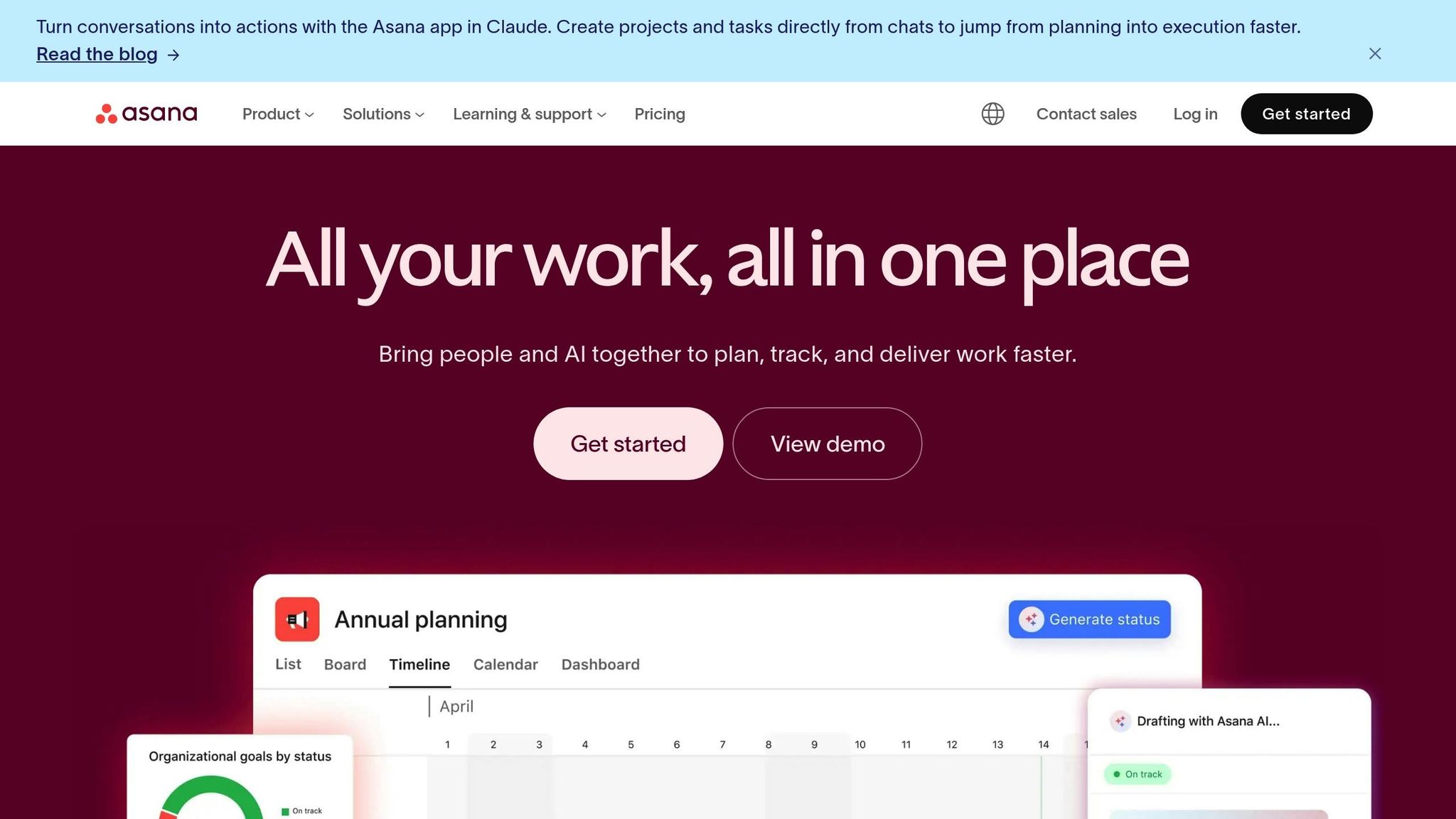
Asana AI takes the hassle out of repetitive tasks, saving teams countless hours each week. With its AI Studio, a no-code interface, users can design workflows that handle high-volume, tedious tasks automatically. Whether it’s sorting requests or updating project statuses, Asana AI does the heavy lifting for you.
A great example of its efficiency comes from Morningstar's Retirement Group PMO. In September 2025, they used Asana AI Teammates for a complex data analysis project. Senior Project Manager Alina Lamy shared that what typically required one to two weeks of intense human effort was done in just a few hours. CIO Laura Kohl highlighted how this feature "delivered results at scale" by uncovering institutional knowledge and spotting hidden patterns. Additionally, Belinda Hardman, Morningstar's Director of Program Management, slashed a two-week review process by integrating Asana AI directly into their intake workflows, capturing all necessary details upfront.
"A huge job that would have taken a human a monumental amount of time - about a week or two - the AI Teammate was able to just go through it in hours. Boom." - Alina Lamy, Senior Project Manager, Morningstar
This kind of efficiency paves the way for even more advanced automation possibilities.
Task Automation Features
Asana AI simplifies task management by automating routine processes. Features like Smart Summaries turn long project updates into concise overviews, making it easy to stay informed without wading through pages of details. Meanwhile, Smart Status pinpoints risks and bottlenecks by analyzing live project data, and Smart Fields automatically generates and fills custom labels, eliminating the need for manual input.
For those who want to create personalized automation, the Smart Rule Creator is a game changer. With plain English commands, you can set up rules like, "When a task is marked complete, move it to 'Done' and notify the lead", all without needing coding skills. For more complex tasks - like drafting campaign briefs, troubleshooting IT tickets, or investigating bugs - AI Teammates step in to handle strategic workloads collaboratively.
These features integrate seamlessly with other tools, creating a streamlined workflow.
Integration with Other Tools
Asana AI’s AI Connectors allow it to work with external platforms like ChatGPT, Microsoft 365 Copilot, Gemini, Claude, and Le Chat. This means you can brainstorm in your favorite AI tool and instantly turn those ideas into structured tasks within Asana, avoiding missed details or manual data entry.
Ease of Accessibility
Asana AI is accessible across all paid tiers. The Starter plan costs $10.99 per user per month (billed annually) and includes 150 AI actions. The Advanced plan is $24.99 per user per month with 1,500 actions, while the Enterprise plan offers unlimited actions with custom pricing. AI Studio is included in all plans. The platform supports Web, macOS, Windows, iOS, and Android devices, ensuring flexibility. Plus, with enterprise-grade security and contractual protections, your data remains safe from being used for model training by AI partners.
7. Hive AI
Time-Saving Capabilities
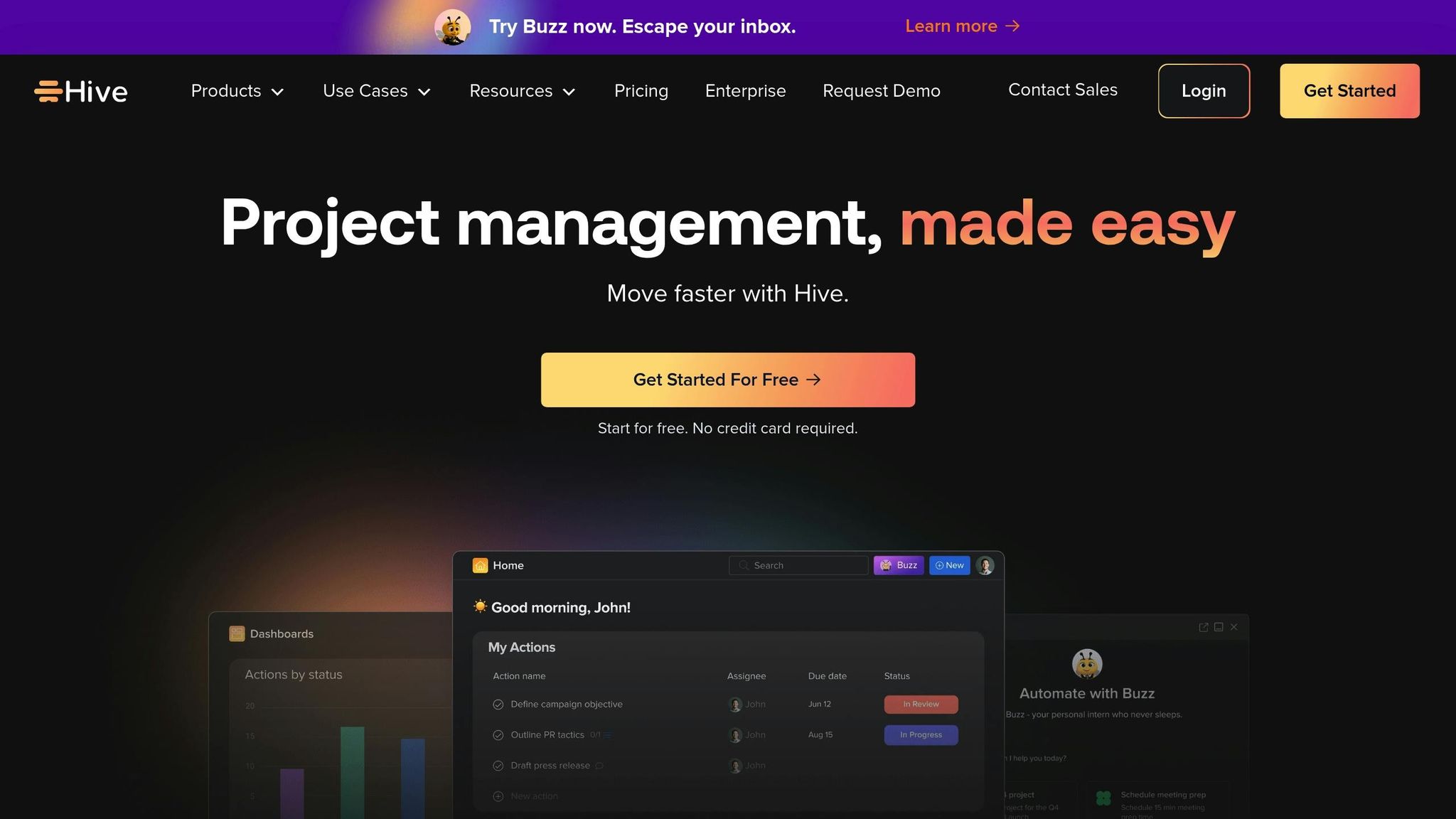
Hive AI takes productivity to the next level with its intelligent assistant, Buzz, designed to save users a whopping 2 hours daily - or 10 hours every week - by automating routine tasks. One standout feature, BuzzMail Triage, organizes your emails into categories like "Needs reply", "FYI", "Notifications", and "Awaiting reply", making it easier to prioritize and focus.
When it comes to project planning, Buzz can whip up a complete project plan in just 15 seconds based on a single prompt. Need help with email communication? Buzz drafts replies in your personal tone and can summarize a lengthy 40-message email thread into a concise brief in under a minute. It even simplifies meeting coordination by checking calendars for availability and auto-generating Zoom invites. These features make Buzz a game-changer for automating tedious tasks.
"Buzz completely changes how I handle email. It cuts down on everything I have to read, keeps everything organized, and helps me reply in a way that actually sounds like me." – Kate, Lead Product Marketing, Hive
Task Automation Features
Buzz acts as your around-the-clock executive assistant across key areas like Action Cards, Hive Mail, and Notes. For instance, when creating an action card, you can simply click the Buzz icon and select "Let Buzz handle it" to automatically generate subactions based on the task title. Its Auto-Archive feature smartly identifies and removes promotional clutter or irrelevant emails from your inbox without any effort on your part.
On the go? Record voice notes on your mobile device, and Buzz will transform them into research points, follow-ups, or shareable notes. For those who love customization, the platform includes a no-code Workflow Recipes builder, allowing users to set up personalized workflows that trigger specific sequences of actions.
Integration with Other Tools
Hive AI seamlessly integrates with Gmail, Outlook, Google and Microsoft calendars, and Zoom. This connectivity links emails directly to tasks, approvals, and reports, so you can manage everything without bouncing between applications.
Ease of Accessibility
Hive AI offers two pricing options to suit different needs. The Buzz Standalone App is available for $16 per user per month, including features like the AI Inbox Assistant and meeting-ready workflows. Alternatively, the Hive Add-on costs $8 per user per month and provides advanced Hive action controls, bulk automations, and reporting tools. Both options come with a 14-day free trial. The platform supports both web and mobile applications, ensuring flexibility and convenience.
8. Grammarly AI
Time-Saving Capabilities
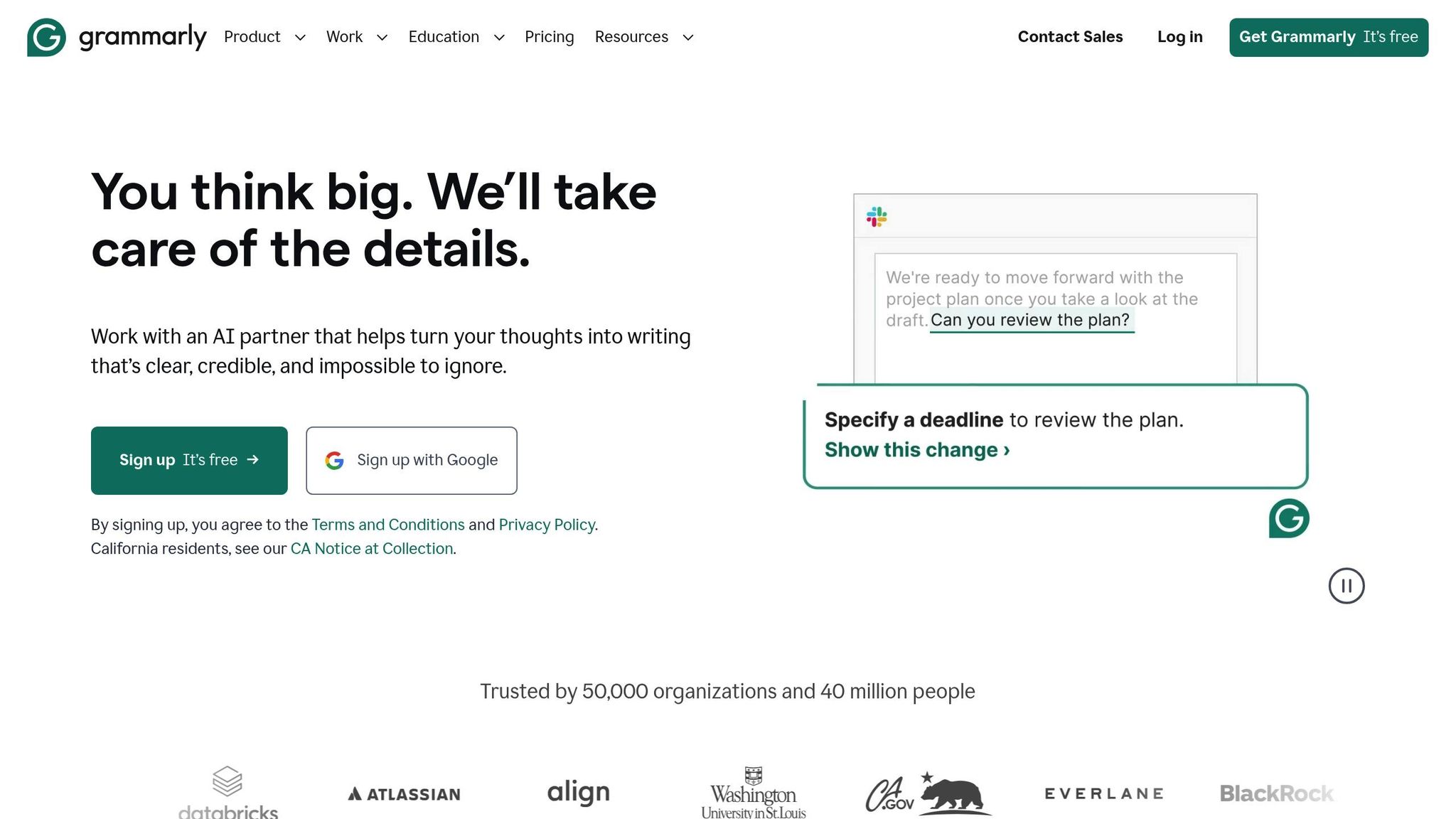
Grammarly AI is helping professionals reclaim 10–15 hours each week by fine-tuning tone and delivering feedback tailored to specific industries. Neil Hamilton, Head of Editorial at Databricks, shared:
"I used to spend 20–30 hours a week reviewing, rewriting, and coaching. Grammarly has cut that by at least half, and that's allowed my team to scale without scaling".
The platform uses specialized AI tools to tackle different aspects of writing. The Paraphraser refines tone in real-time, while the Expert Review feature offers feedback specific to your industry. One particularly useful tool, Reader Reactions, predicts how your audience - whether a sales lead or a teacher - might respond to your message before you even send it.
These tools, combined with Grammarly AI’s automation capabilities, make it easier to manage writing tasks and workflows efficiently.
Task Automation Features
Grammarly's Go AI assistant takes automation to the next level by anticipating user needs. It can handle tasks like scheduling meetings directly from email threads, summarizing long email chains into concise briefs, and even filing bug reports without hassle. Matt Torman, Former Marketing Content Manager at Zoom, emphasized its impact:
"Grammarly allows us to scale and spend more time on high-impact projects".
Other standout tools include the Citation Finder and Fact Checker, which simplify academic and professional writing by automating citation generation (APA, MLA, Chicago) and verifying claims. Teams can also utilize Advanced Snippets, which feature dynamic fields like dropdowns and text boxes to streamline standardized responses.
Integration with Other Tools
Grammarly’s extensive integration capabilities ensure you can stay focused without switching between platforms. It works seamlessly across 500,000 applications, including Gmail, Microsoft Word, Slack, and LinkedIn. Additionally, its Go assistant pulls context from over 100 apps, keeping all your tasks aligned and within reach.
Ease of Accessibility
Grammarly AI offers flexible plans to fit different needs. The Free plan includes 100 AI prompts per month, while the Pro plan, at $12 per month (billed annually), offers 2,000 prompts along with enhanced tone and brand consistency. For larger teams, the Enterprise plan provides unlimited prompts and advanced security features. Early access to the Go assistant is available for free on Chrome and Edge browsers.
9. Perplexity AI
Time-Saving Capabilities
Perplexity AI is designed to save users up to 15 hours a week by combining research, administrative tasks, and content creation into one streamlined platform. Its Research agent scans hundreds of sources in minutes to create detailed, cited reports - something that would otherwise take hours of manual work. Sergey Nuzhnyy, Head of Product Analytics at AIMLAPI, shared:
"Perplexity stands out for fast, cited answers and multi-step research workflows. It's ideal for researchers, journalists, and professionals who need reliable, sourced fact-finding."
The platform also features an Email Assistant that works with Gmail and Outlook to organize emails, draft replies, and even schedule meetings directly from email threads. Meanwhile, the Comet Assistant sidebar simplifies complex documents like contracts and articles by providing instant summaries.
By focusing on efficiency, Perplexity’s tools help users cut down on repetitive tasks and focus on more critical work.
Task Automation Features
Perplexity’s Comet Agent takes automation a step further, handling tasks like filling out forms, managing subscriptions, and submitting job applications with a resume. Using simple slash commands, users can trigger multi-step workflows effortlessly. Its Tasks feature allows users to schedule recurring research queries, making it easy to generate weekly status updates or daily briefings without lifting a finger.
For professionals who may not have technical expertise, the Labs feature is a game-changer. It transforms raw data or notes into polished presentations, dashboards, or visual content, eliminating the need for specialized design skills.
Integration with Other Tools
Perplexity connects seamlessly with thousands of tools to enhance productivity. Through Zapier, it integrates with over 8,000 apps, enabling users to automate research or summarization tasks based on external triggers. The Spaces feature ensures brand consistency by letting users upload guidelines and sample materials for AI-generated content. Additionally, its integration with Google Drive bridges the gap between local files and online research, creating a smoother workflow.
This level of connectivity ensures that Perplexity fits seamlessly into a variety of professional environments.
Ease of Accessibility
Perplexity offers options for different needs and budgets. The Free Tier provides basic search and AI capabilities, while the Pro plan, at $20 per month, unlocks advanced features like the Comet Agent and higher usage limits. For developers, API access is available across multiple tiers - from free (Tier 0) to enterprise-level options (Tier 5 at $5,000+), with higher spending unlocking greater request-per-minute limits. This flexibility makes the platform accessible to both casual users and professionals with more demanding needs.
sbb-itb-212c9ea
10. Fireflies AI
Time-Saving Capabilities
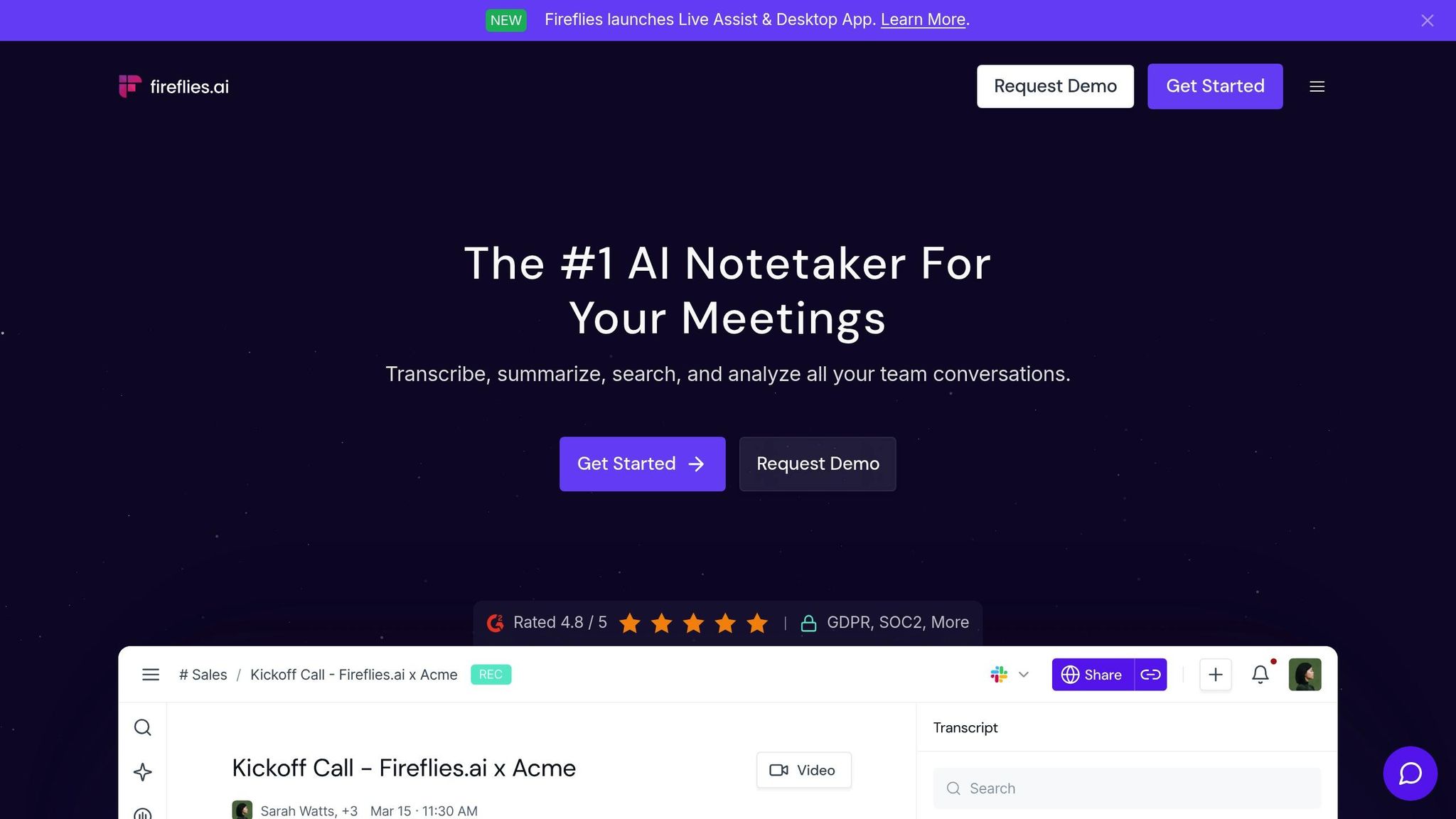
Fireflies AI takes the hassle out of meeting documentation, reducing cleanup time from 30 minutes to just 2 minutes. For teams managing over 15 meetings a week, this efficiency can save 10–15 hours that can be redirected to more strategic tasks.
The platform seamlessly joins sessions on Zoom, Teams, and Google Meet to record, transcribe, and summarize discussions with up to 99% accuracy for English. In 2024, Fireflies saved organizations a staggering 350 million minutes - equivalent to 665 years of productivity. Its AskFred GPT Assistant allows users to query meeting history using natural language, eliminating the need to sift through transcripts or recordings. With API response times under 500 milliseconds, it delivers results much faster than the industry norm.
These time-saving capabilities create a solid base for its wide-ranging task automation features.
Task Automation Features
Fireflies AI goes beyond saving time by automating workflows tailored to specific departments. With over 200 specialized AI Apps, it offers tools for various teams: sales teams can generate BANT reports automatically, recruiters receive detailed candidate scorecards, and project managers get instant meeting minutes. The Live Assist feature provides real-time suggestions and coaching during meetings, so users can stay focused without worrying about taking notes.
The platform also integrates meeting notes, call data, and action items directly into CRM systems like Salesforce and HubSpot or project management tools such as Asana and Jira. Custom rules can be set via its Rules Engine to manage which meetings the AI bot attends and how summaries are shared. Additionally, the Multi-Meeting Analysis feature delivers trend reports by analyzing data across daily, weekly, or monthly meetings.
Integration with Other Tools
Fireflies connects with over 100 apps across video conferencing, CRM, project management, and storage categories. It integrates deeply with Microsoft tools like Teams, SharePoint, Planner, and Dynamics 365. Using Model Context Protocol (MCP) connectors, users can securely link meeting data to external AI tools such as ChatGPT and Claude. The Task Feed consolidates action items identified in various meetings into one central hub, while Soundbites - shareable audio snippets of key moments - enhance team collaboration.
Ease of Accessibility
Fireflies is available on web, desktop, and mobile platforms (iOS and Android), making it a versatile choice for both virtual and in-person meetings. Trusted by over 20 million users, it’s already adopted by 75% of Fortune 500 companies.
Pricing:
- Free plan: Includes 800 minutes of storage and basic transcription.
- Pro plan: $10 per user/month (billed annually).
- Business plan: $19 per user/month, adding video recording and API access.
- Enterprise plan: $39 per user/month, offering HIPAA compliance, SSO, and dedicated support.
Fireflies meets SOC 2 Type II, GDPR, and HIPAA compliance standards, ensuring secure 256-bit encryption and private storage options for enterprise clients.
"Fireflies brought more structure in our meetings and more transparency within our company." - Matias Rodsevich, CEO of PR Labs
11. ClickUp AI
Time-Saving Capabilities
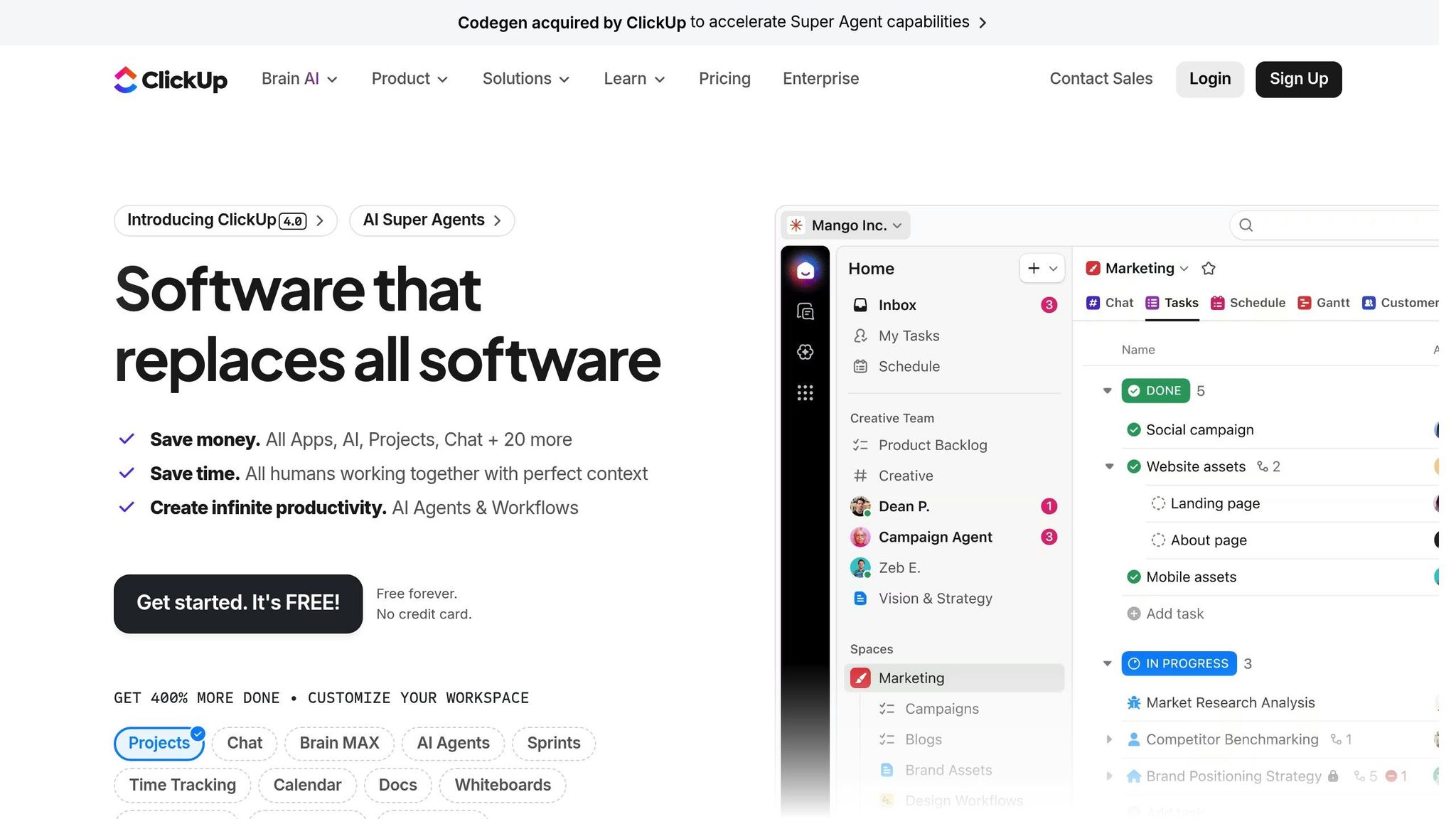
ClickUp AI is designed to eliminate unnecessary delays and streamline your workflow. The AI Knowledge Manager acts as a digital memory bank, instantly retrieving project details and decisions from across your workspace. This feature eliminates the need to message colleagues for context - a common issue, as research shows that 33% of knowledge workers reach out to 1 to 3 teammates daily just to gather the information they need.
The AI Writing Assistant is another standout feature, drastically cutting down the time it takes to create content. Tasks like drafting emails, blog posts, or reports that typically take 30 minutes can now be completed in just 30 seconds. The AI Notetaker takes efficiency further by recording, transcribing, and summarizing action items from meetings on platforms like Zoom, Teams, and Google Meet, allowing you to focus on the discussion instead of juggling notes. Additionally, the Voice-to-Action tool transforms spoken words into actionable tasks, increasing productivity by up to 4x.
On average, users save 8.75 hours per week and complete tasks three times faster when using ClickUp’s AI tools. These time-saving features lay the groundwork for its advanced automation capabilities.
Task Automation Features
ClickUp AI also tackles repetitive tasks that can drain hours from your day. The Autopilot Agents handle tasks like data entry, sentiment analysis, and categorization within custom fields, freeing you from tedious administrative work. The AI Project Manager takes automation a step further by generating subtasks, updating statuses, and predicting timelines automatically.
Creating automations is effortless with Natural Language Automations, which allow you to set up workflow rules simply by typing instructions in plain English. For example, you can write, "When a task is complete, move to Review and assign to QA". The AI-Powered Calendar optimizes your schedule by analyzing tasks and deadlines, automatically blocking time for focused work and adjusting plans if conflicts arise. Research shows that tasks that typically take 90 minutes can be completed in just 18 minutes with AI, saving up to 80% of your time.
"With the addition of ClickUp AI, I'm more efficient than ever! It saves me 3x the amount of time spent previously on Project Management tasks." - Mike Coombe, MCM Agency
Integration with Other Tools
ClickUp AI seamlessly integrates with a variety of external platforms, thanks to its Connected Search feature. This tool indexes data from apps like Slack, Dropbox, Salesforce, Jira, Zoom, GitHub, Figma, and Gmail, making it easy to find what you need without switching between tools. Users also gain access to premium AI models such as GPT-5, Claude Opus 4.1, o3, and Gemini, all available within ClickUp at a lower cost.
A major update in 2025 introduced a two-way Slack integration, enabling task completions and keyword triggers to sync automatically between Slack and ClickUp. These features help unify different platforms into a single, cohesive workflow. With a 99.9% uptime guarantee and ISO 42001 certification for responsible AI management, ClickUp AI ensures reliability and accountability.
Ease of Accessibility
ClickUp AI is accessible across desktop, web, and mobile devices, with a Brain MAX desktop app offering universal search functionality. The AI tools are easy to access via a persistent toolbar icon, "Ask AI" buttons within tasks and documents, and a floating icon for quick navigation from any screen. On the mobile app, users can quickly review task comment threads and stay updated on projects while on the go.
Pricing: ClickUp offers a Free Forever plan with basic features. Paid plans include the Unlimited plan at $7/user/month (billed annually) and the Business plan at $12/user/month. The ClickUp Brain add-on is available for $7/user/month (annual) or $10/user/month (monthly). Additional AI bundles include the AI Standard bundle at $9/month and the AI Autopilot bundle at $28/month.
With a 4.9/5 rating based on 100 reviews and 60.2% of users reporting they save at least 3 hours weekly, ClickUp AI stands out as a valuable tool for boosting productivity.
12. Nifty AI
Time-Saving Capabilities
Nifty AI simplifies project setup by automatically generating workflows tailored to your needs. With the AI Template Creator, you can input strategic keywords like "ecommerce website creation" or "agile sprint management", and the platform will generate complete workflows, including lists, statuses, and tasks, in seconds.
The Instant Project Building feature is another productivity booster. You can paste entire project outlines or functional specifications directly into the platform, and Nifty AI will transform them into a structured project layout. Additionally, the Chat-to-Task Automation feature captures action items from discussions, creating tasks with pre-filled details like assignees, deadlines, custom fields, and descriptions.
Task Automation Features
Nifty AI lightens the administrative load for project managers. Its Bespoke Document Generation feature uses AI to create essential project documents such as contracts, agreements, and plans. The platform's Predictive Management tools further enhance efficiency by automating resource allocation and predicting risks. This helps teams identify and address potential bottlenecks before they disrupt progress.
These tools integrate seamlessly into your existing workflows, saving time and effort.
Integration with Other Tools
Beyond automation, Nifty AI excels at keeping projects connected to your communication channels. The platform integrates with internal messaging tools, enabling task creation directly from conversations. It also supports data integration by allowing users to paste content from external sources, such as emails or documents, directly into the platform. For teams migrating from other tools, Nifty's AI-powered automation can quickly rebuild existing project structures, making transitions smoother.
Ease of Accessibility
Pricing: Nifty offers a Free Forever plan at $0, which includes unlimited users and tasks. For more advanced features, the Starter plan costs $7 per user per month, the Pro plan is $10 per user per month, and the Business plan is available for $16 per user per month. This flexible pricing ensures that teams of all sizes can access advanced AI-driven project management tools.
13. Zovoro AI
Time-Saving Capabilities
Zovoro AI brings together brainstorming, writing, visual, and audio production tools into a single workspace. By eliminating the need to juggle multiple tools, it simplifies the creative process and saves users valuable time. Some standout features include an AI chat function for idea generation, pre-designed writing templates for crafting marketing content and blogs, and tools for creating images, transforming images into videos, and generating AI-powered music. This all-in-one approach helps streamline creative workflows.
Task Automation Features
The platform is designed to make workflows smoother by automating repetitive tasks and reducing the hassle of switching between different tools. With built-in writing templates and media generators, users can handle content creation efficiently without relying on extra software or outsourcing.
Ease of Accessibility
Zovoro AI combines powerful automation with accessibility. It offers a Free plan for users to get started, while its Paid plan, starting at $9 per month, provides additional features tailored for creators, solo entrepreneurs, and small teams.
14. PrometAI
Time-Saving Capabilities
PrometAI transforms business planning by cutting timelines from weeks to just 2–4 hours. Compared to traditional consulting, which can take 3–6 weeks and cost anywhere from $5,000 to $50,000, PrometAI offers the same strategic deliverables for only $100–$200 per month - a 95% reduction in both time and cost. The platform quickly generates investor-ready pitch decks, executive summaries, and valuation reports. Additionally, its "Entrepreneurs Journey" tool helps map out growth paths and refine business strategies.
"PrometAI takes on work once reserved for expensive consultants, including strategic planning, financial modeling, and market research." - Nare Khachatryan, Business Analyst at PrometAI
Beyond speed, PrometAI streamlines strategic operations, making it a powerful tool for entrepreneurs.
Task Automation Features
PrometAI automates time-intensive strategic tasks, delivering results in minutes instead of days. It handles revenue projections, unit economics, and cash flow scenarios without requiring manual spreadsheets. The platform also conducts competitive analyses and calculates market sizes, including TAM, SAM, and SOM. For go-to-market strategies, it automates pricing, channel selection, and launch plans, while offering tools like SWOT Analysis and Porter's Five Forces. A convenient "save state" feature allows users to pause their work and pick up where they left off without losing progress.
Integration with Other Tools
Designed with a modular approach, PrometAI integrates easily with popular tools like no-code platforms (Bubble, Webflow), payment processors (Stripe), and marketing solutions (Shopify, Beehiiv). These connections empower a single founder to operate as efficiently as an entire team, positioning PrometAI as the strategic center of a broader tech ecosystem.
"The tool is no longer support. The tool is the role." - Nare Khachatryan, Business Analyst, PrometAI
The platform also supports multi-currency planning, including EUR, INR, and MXN options. Recent updates, such as Version 1.2.0, have further improved performance, reducing AI insight generation time from 30 seconds to under 10 seconds.
Ease of Accessibility
Despite its advanced features, PrometAI remains approachable for entrepreneurs at all stages, including those in industries like fashion, hospitality, and logistics. It simplifies complex strategic concepts, making them understandable and actionable. With pricing between $100 and $200 per month, PrometAI offers 90% to 98% lower costs compared to traditional consulting services.
15. Otter AI
Time-Saving Capabilities
Otter AI helps professionals save between 8 and 12 hours each month on meeting-related tasks, thanks to its real-time transcription accuracy of over 95%. It creates AI-generated summaries, decisions, and action items within seconds after a meeting, cutting recap time from as much as 30 minutes down to just a few moments.
The OtterPilot feature takes automation a step further by automatically joining, recording, and transcribing meetings on platforms like Zoom, Microsoft Teams, and Google Meet. Even if users can't attend, Otter ensures meetings are captured, allowing sales teams to reclaim up to 33% of their time. On average, users report saving over four hours each week due to its automated transcription capabilities.
"Otter is a must-have. Just being conservative - our team is getting 33% time back."
- Laura Brown, Vice President of Sales, Aiden Technologies
Beyond saving time during meetings, Otter AI simplifies post-meeting workflows as well.
Task Automation Features
Otter automates post-meeting tasks by capturing slides and whiteboard sketches, assigning action items with deadlines, and syncing key details directly with tools like Salesforce and HubSpot. Its AI Chat feature allows users to ask questions about meeting history, eliminating the need to sift through transcripts manually. Plus, with Zapier integration, specific phrases (like "Jira Ticket") can trigger external actions, such as creating tickets or updating project management tools.
These features make Otter a powerful tool for streamlining workflows and improving team productivity.
Integration with Other Tools
Otter integrates effortlessly with popular workplace tools, ensuring it fits into existing workflows. It automatically shares meeting summaries via Slack, syncs transcripts to Google Drive and Dropbox, and pushes action items directly to project management apps like Asana, Jira, Notion, and Trello. Its compatibility with all major video conferencing platforms ensures Otter can adapt to any meeting environment.
| Feature Category | Capabilities | Supported Tools |
|---|---|---|
| Video Conferencing | Auto-join, live transcript, recording | Zoom, Microsoft Teams, Google Meet |
| CRM Integration | Auto-sync notes, extract deal insights | Salesforce, HubSpot |
| Project Management | Assign action items, sync takeaways | Asana, Jira, Notion, Trello |
| Communication | Share summaries and transcripts | Slack |
Ease of Accessibility
Otter offers flexible plans to suit different needs. Its free Basic plan includes 300 transcription minutes, while the Pro plan costs $8.33 per user/month and the Business plan is priced at $19.99 per user/month. Otter is accessible across web, iOS, Android, and via a Chrome extension.
Recognized by The Wall Street Journal as a "must-try AI tool", Otter has also earned praise from notable users like Tony Robbins:
"It's an incredible app. The most accurate app out there [for transcription]".
I Tested 230+ AI Tools: These 15 Will Be Hot in 2026
Conclusion
The 15 AI productivity tools discussed here all aim to help you reclaim 10–15 hours each week, giving you more time to focus on meaningful, high-value work. Whether it’s managing an overwhelming inbox, organizing meeting notes, or handling repetitive data entry, there’s a tool designed to tackle those specific challenges. The key is to find tools that seamlessly fit into your workflow, reducing the need for disruptive context switching.
To make the most of these tools, start with a simple plan: evaluate how much time you lose each week to meetings, emails, or administrative tasks. Then, pick one tool that addresses your biggest time drain and test it for 30 days. Track metrics like hours saved, quicker turnaround times, or fewer, shorter meetings to gauge its impact. For example, if you earn $100 per hour and save 10 hours a week, even a $30-per-month AI tool pays for itself almost instantly.
"The future of work is not human versus machine, it's human amplified by machine." - Sergey Nuzhnyy, Head of Product Analytics, AIMLAPI
AI adoption is already widespread - 78% of companies are using AI technologies, and nearly 75% of knowledge workers rely on AI in their daily tasks. This widespread use highlights the urgency for businesses to embrace AI or risk falling behind competitors who are automating their workflows and redirecting saved time toward innovation and growth.
As you integrate these tools, don’t forget to establish governance policies to protect sensitive data and measure success by tracking metrics like reduced meeting times or increased task completion rates. The right AI tools don’t just make you faster - they help you focus on what truly matters. By incorporating these solutions into your workflow, you’re not just streamlining your processes - you’re laying the groundwork for ongoing innovation and meaningful growth.
FAQs
How can AI tools help save time on repetitive tasks?
AI productivity tools are game-changers when it comes to saving time. By automating repetitive tasks, they take care of the mundane work that often eats into your day. Think about tasks like managing your inbox, scheduling meetings, entering data, or updating project statuses - these tools handle them with minimal effort on your part. The result? You get to dedicate your energy to work that truly matters.
What makes these tools even more effective is their ability to fit seamlessly into your current workflows. They use context to perform tasks accurately, whether it’s auto-responding to emails, creating summaries, or syncing across multiple apps. This not only reduces errors but also clears up your schedule. In fact, users report saving over 10 hours a week on average, giving their productivity a serious boost.
What features should I prioritize when choosing an AI productivity tool?
When picking an AI productivity tool, focus on features that genuinely save time and improve efficiency. Look for tools that can automate repetitive tasks, work smoothly within your current systems, and adjust to your specific requirements. These features can simplify tasks like scheduling, analyzing data, and automating workflows, giving you back hours in your week.
It's also important to choose tools that are simple to set up, with user-friendly permissions and workflows that don’t demand heavy IT involvement. Essential features to prioritize include smart data management, context-aware assistance, and the ability to connect and automate various workflows. Opting for tools with these capabilities can help you work smarter, make informed decisions, and stay ahead in a fast-changing work environment.
How do I pick the best AI tool to improve my workflow?
To find the best AI tool for your workflow, start by pinpointing the tasks you want to simplify - whether it’s scheduling, analyzing data, or creating content. Seek out tools specifically built to handle those tasks and that can easily integrate with your existing systems. This way, you avoid unnecessary disruptions to your daily operations.
Ease of use is another key factor. Choose tools that don’t require extensive setup or training, allowing you to start benefiting from them right away. Prioritize solutions that boost productivity without requiring a complete overhaul of your processes. Tools that automate repetitive tasks or improve team collaboration can be especially helpful in saving time and increasing efficiency.