Digital Transformation
Top 10 AI Tools for Mobile App Testing
Objective roundup of 10 AI-powered mobile testing tools using self-healing, visual checks, and cloud device access to speed QA and reduce maintenance.

Top 10 AI Tools for Mobile App Testing
Testing mobile apps has become more efficient thanks to AI-powered tools. These tools address common challenges like UI changes, script maintenance, and device compatibility by automating processes and using advanced features like self-healing scripts and natural language commands. Teams report faster testing cycles, higher coverage, and reduced manual effort. Here's a quick rundown of the top 10 AI tools transforming mobile app testing:
- TestCollab: Generates test scripts from plain-English instructions and auto-updates for UI changes.
- Katalon: Offers AI-driven tools like StudioAssist for creating and managing tests with ease.
- Testim: Uses Smart Locators and AI Copilot for efficient test creation and debugging.
- Applitools: Focuses on visual testing with its Visual AI engine for UI consistency.
- Mabl: Simplifies mobile testing with GenAI Assertions and adaptive auto-healing.
- LambdaTest: Provides cloud-based access to thousands of devices and AI features for faster execution.
- Functionize: Automates test creation with generative AI and reduces maintenance with self-healing scripts.
- Tricentis Tosca: Supports enterprise testing with Vision AI and risk-based prioritization.
- Sauce Labs: Combines AI-powered test creation with access to thousands of real devices.
- Autify: No-code platform using AI to create and maintain stable tests across app updates.
These tools help QA teams save time, reduce costs, and improve test accuracy. Many offer free trials or flexible pricing, making them accessible for teams of all sizes.
1. TestCollab
AI-Powered Testing Features
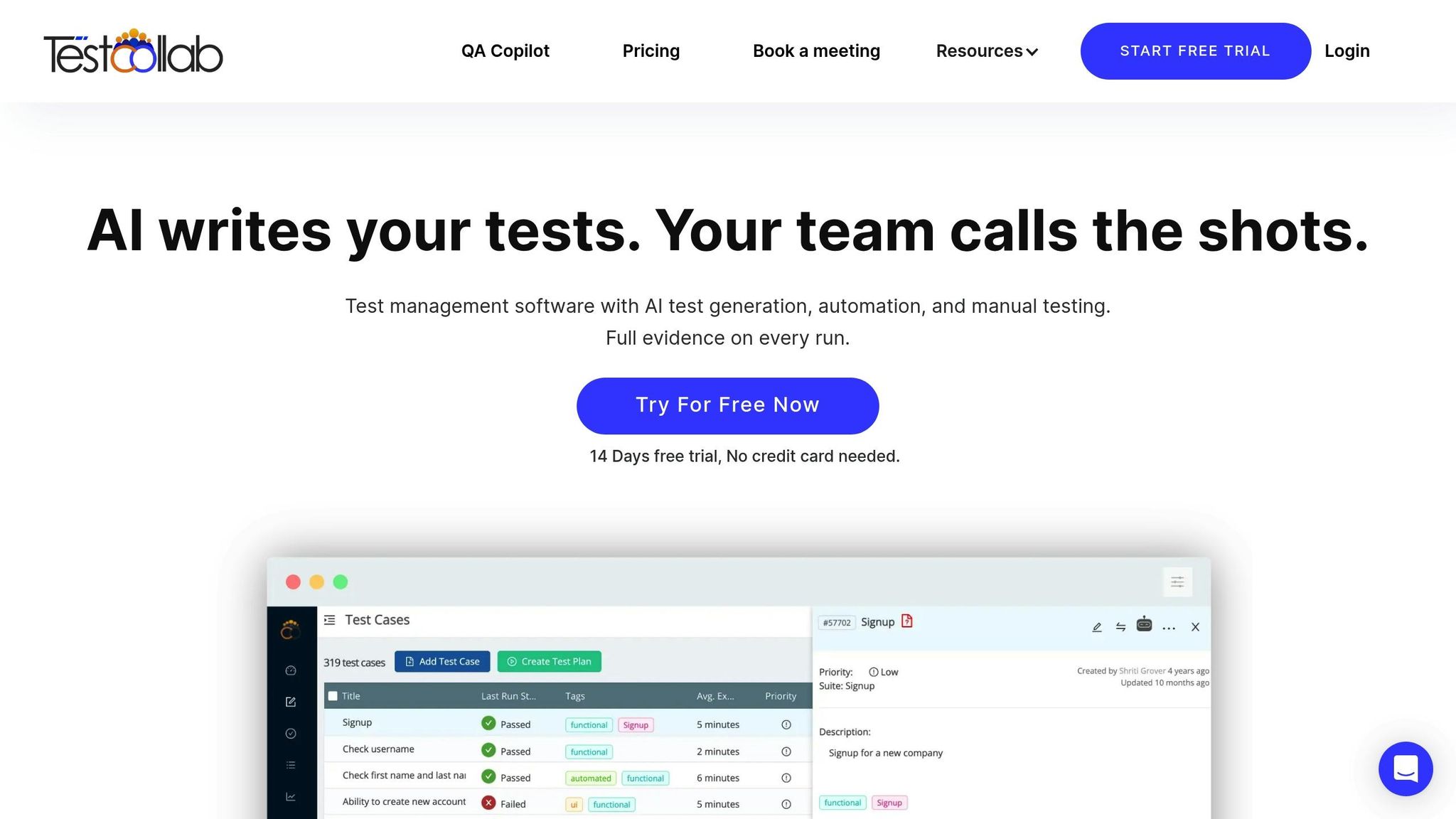
TestCollab simplifies the testing process by using generative AI to create test scripts from plain-English instructions - no coding required, making it one of the best AI tools for software developers and engineers. Its AI capabilities are designed to identify changes in the user interface and adjust test flows automatically. For instance, when UI elements are modified, TestCollab's AI analyzes visual components and updates the parameters without manual intervention.
Mobile-Specific Capabilities (iOS/Android)
TestCollab provides extensive support for mobile testing across iOS and Android platforms. It covers native, hybrid, and web applications, ensuring a consistent testing framework for apps on both the Apple App Store and Google Play. The tool is built to manage challenges like differing screen sizes, operating system versions, and device-specific behaviors, making it a reliable option for mobile app testing.
Automation and Self-Healing Scripts
To reduce maintenance headaches, TestCollab includes a self-healing feature that automatically updates test scripts when UI elements are altered. This prevents common issues like "NoSuchElement" exceptions and minimizes test flakiness. For example, if a login button is moved or a text field is renamed, TestCollab's AI engine detects the change and adjusts the script in real time. This feature is especially helpful in addressing the ongoing maintenance challenges that come with mobile app testing.
sbb-itb-212c9ea
How AI is Transforming Mobile Testing: Faster, Smarter, Better
2. Katalon
Katalon enhances mobile testing through AI-driven automation, offering tools designed to minimize manual effort and speed up test cycles.
AI-Powered Testing Features
Katalon integrates several AI-focused capabilities to streamline mobile app testing. One standout feature, StudioAssist, acts as an AI assistant that converts plain-text commands into executable test scripts using natural language processing. It can also translate technical code into plain language, making it easier for non-technical team members to understand.
Another key feature is the TrueTest™ engine, which leverages user behavior and AI interactions to create regression tests and map user journeys automatically. Katalon claims this feature can save testing teams as much as 40% of their time by eliminating manual trial-and-error. For visual testing, Katalon's AI prioritizes significant UI changes - like layout adjustments or text updates - while ignoring minor pixel-level differences that often lead to false positives. These tools collectively enable more thorough mobile app testing.
Mobile-Specific Capabilities (iOS/Android)
Katalon supports a variety of mobile applications, including native, hybrid, and mobile web apps, for both iOS and Android. Built on Appium 2.0+ and Selenium, it ensures compatibility with widely-used mobile automation frameworks. Testing can be conducted on real devices, emulators, simulators, or via TestCloud, which offers access to thousands of device configurations without the need for a physical device lab.
The platform's Mobile Recorder captures user actions within an app and automatically converts them into test scripts. These scripts are stored in an Object Repository, complete with properties like resource-id, class, and XPath. iOS testing requires macOS, Xcode, and a valid Apple developer certificate, while Android testing needs the Android SDK and ADB. Advanced features include support for biometric authentication (fingerprint and face ID), GPS simulation, and network throttling.
Automation and Self-Healing Scripts
Katalon employs a two-layer self-healing mechanism to address broken locators during test execution. The "classic self-healing" method first tries alternative locators such as XPath, CSS, or Image. If these fail, "AI self-healing" steps in, using a Large Language Model to analyze page sources, accessibility trees, and screenshots for the correct element.
The SmartWait feature reduces flaky test failures by pausing execution until all necessary UI elements are fully loaded, which is especially helpful when dealing with slow mobile networks. Liberty Latin America reported significant benefits after adopting Katalon, including saving over 2,400 work hours, boosting regression test coverage by 60%, and cutting testing timelines in half. Loganathan D., QA DevOps at Liberty Latin America, noted:
"Katalon's consistent framework has reduced the effort required for building automated tests and increased our regression test coverage by around 60%".
Pricing and Accessibility
Katalon offers a free tier for individuals or small teams, along with a 30-day free trial of Studio Enterprise, which includes full support for web, mobile, desktop, and API testing. Advanced AI features like StudioAssist are available with an Enterprise license. Teams using Katalon’s AI tools often report up to 60% faster test creation and a reduction in test maintenance efforts by as much as 75%.
3. Testim
Testim simplifies mobile app testing by automating processes to cut down on maintenance and speed up test creation. One of its standout features is the use of Smart Locators, which analyze hundreds of attributes to stabilize tests. If a locator's confidence dips below 70%, the system automatically enhances it. Over time, these locators become even more accurate through continuous refinement.
AI-Powered Testing Features
Testim Copilot brings a new level of efficiency by generating custom code steps from plain text instructions and explaining existing JavaScript code. Its Root Cause Analysis tool helps developers quickly identify and address recurring failures by aggregating screenshots and logs, making debugging much more straightforward.
Mobile-Specific Capabilities (iOS/Android)
Testim is well-equipped to handle the unique challenges of mobile app testing. It supports native, hybrid, and cross-platform apps built with frameworks like Flutter and React Native. Its Virtual Mobile Grid (VMG) provides cloud-based access to a variety of iOS simulators and Android emulators, removing the need for physical device labs. Developers can run tests on real devices, virtual devices, or even third-party grids. Enhanced Mode, a proprietary technology, ensures better test stability for hybrid apps and cross-platform frameworks that include embedded web views. As Caroline Ellstrom from Testim explains:
"Our proprietary technology ensures stable tests across cross-platform frameworks such as Flutter, React Native, and hybrid apps with embedded web views".
Automation and Self-Healing Scripts
Testim's codeless recording feature simplifies test creation by capturing user flows and automatically generating test steps. It identifies reusable elements and patterns, making the process more efficient. Thanks to its AI-powered locators, the platform can reduce test maintenance by up to 90%. For teams operating in agile environments, TestOps provides tools like Git-style branching, pull requests, and test ownership management to help scale testing efforts while maintaining quality.
Pricing and Accessibility
Testim offers flexible pricing options to cater to various team needs. Its Community Plan is free and includes unlimited local mobile runs with one parallel test on a connected virtual or physical device. The Basic plan, also free, supports up to 100 test executions per month. Access to advanced mobile testing features requires a platform purchase, with additional options for parallel tests and real device access available through custom quotes.
The platform has earned a 4.7/5 user rating from 81 reviews, with 71.6% of users rating it as "Excellent". Testim also meets SOC 2 Type II certification standards, ensuring secure and confidential cloud-based testing.
4. Applitools
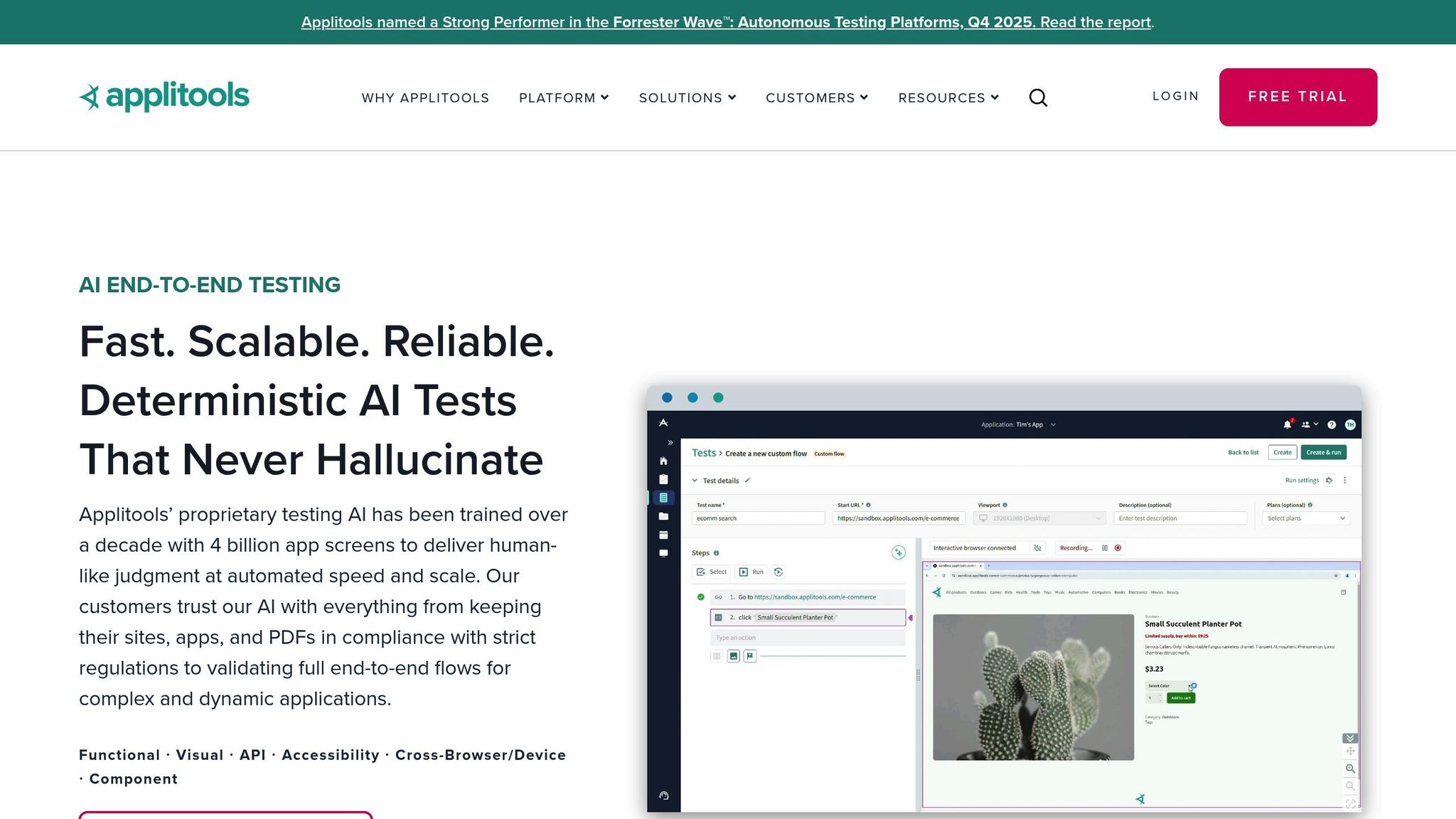
Applitools is known for its Visual AI engine, which excels at spotting UI bugs that traditional tests often overlook. This engine mimics human vision, identifying meaningful changes in your app's interface while ignoring trivial differences. This helps teams catch visual regressions across iOS and Android devices with fewer false positives. Here's a closer look at its standout features.
AI-Powered Testing Features
With Natural Language Processing, teams can write end-to-end tests in plain English. The platform's Root Cause Analysis pinpoints specific DOM or CSS changes, cutting down debugging time. It also includes automated accessibility testing to ensure compliance with WCAG 2.0 and 2.1 standards, checking critical elements like contrast ratios and focus indicators.
The platform has delivered measurable results for companies. For instance, Medallia reduced its deployment time from 4 hours per build to just 5 minutes while achieving full test coverage. As their team explained:
"Without Applitools – the process would take 4 hours per build – simply not something we could afford".
Similarly, EVERSANA saw a 20x improvement in deployment speed, cutting processes down from days to just hours.
Mobile-Specific Capabilities (iOS/Android)
Applitools integrates with popular mobile frameworks like Appium, Espresso, and XCUITest, making it easy to add visual validation to existing scripts with just one line of code. Its Ultrafast Test Grid supports parallel testing across real iOS and Android devices, slashing cross-platform testing time by up to 90%. Whether you're working with native apps, mobile web apps, or hybrid apps, Applitools has you covered.
The platform also features visual locators, which identify elements based on their appearance and automatically adapt when the code changes. This is particularly useful for managing complex mobile UI setups. Additionally, the auto-grouping feature clusters similar bugs across devices, enabling bulk acceptance or rejection of changes.
Automation and Self-Healing Scripts
The Applitools Autonomous feature simplifies test creation with no-code browser recording and self-healing locators. These locators adjust to changes in the code, reducing test maintenance by 4x. Together, these tools can boost test creation speed by 9x and expand coverage by 100x, potentially saving up to 500 hours of manual testing each month.
Pricing and Accessibility
Applitools offers flexible pricing options to cater to both individual developers and large organizations. A 14-day free trial is available for its Intelligent Testing Platform, along with a free community version for smaller projects or individual users. Enterprise plans are tailored to specific testing needs and volume.
The platform can be deployed as a SaaS solution, in a private cloud (AWS, Azure, GCP), or on-premises. It also meets ISO 27001 and SOC 2 Type II compliance standards. With a 4.8/5 rating for its Appium integration, Applitools has earned strong reviews from its users.
5. Mabl
Mabl has been an AI-driven testing platform since its launch in 2017. With Mabl's Agentic Test Creation, you can describe your testing needs in plain English, and the platform will generate reliable tests for both iOS and Android apps.
AI-Powered Testing Features
Mabl's GenAI Assertions simplify the validation of complex behaviors by using natural language instead of rigid, code-based checks. This is especially handy for testing dynamic elements like AI chatbots, visual components, or text translations. In fact, Accenture highlights that integrating AI into iOS and Android apps can increase revenue by up to 300%.
The platform's Visual Assist uses computer vision to locate and interact with elements based on their appearance. This is particularly useful for testing elements like PDFs or canvas components that lack traditional identifiers. Another standout feature, Test Impact Analysis, ensures only the tests relevant to recent code changes are executed, saving time and resources. These AI-powered tools integrate seamlessly into Mabl’s mobile testing capabilities.
Mobile-Specific Capabilities (iOS/Android)
Mabl is designed for today’s mobile landscape, supporting both native and hybrid apps on iOS and Android. It works with popular frameworks like React Native, Flutter, and Compose UI. Tests are run on real devices in the cloud - such as the iPhone 15, Pixel 8, and Galaxy S23 - eliminating the need for in-house device farms. The Scroll-to-Element action also addresses off-screen interaction challenges, reducing automation failures.
Mabl allows teams to unify iOS, Android, web, and API tests into a single suite, ensuring the entire customer journey is validated. With cloud-based parallel testing, you can run tests simultaneously across multiple devices, avoiding delays caused by device availability.
Automation and Self-Healing Scripts
Mabl embraces self-healing automation, with its Adaptive Auto-Healing feature using machine learning and generative AI to automatically update tests when UI changes occur. This reduces test maintenance by 85%. The Intelligent Wait feature further minimizes flaky tests by learning and adjusting to timing patterns.
A real-world example comes from Samar Khan, VP of Software Development and DevOps at ITS, who led a transition from Selenium to Mabl. Over four months, ITS achieved 80% cost savings compared to the $240,000 and two-year timeline projected for traditional tools. Khan shared:
"Using traditional automation tools like Selenium would have taken 2 years and $240K to accomplish what ITS did with mabl in just 4 months at 80% cost savings".
Mabl also reports that teams using their platform can create tests up to 10 times faster and deliver software 9 times faster overall.
Pricing and Accessibility
Mabl operates on a credit-based pricing model, starting at 500 credits per month for web, mobile, and API testing. It includes unlimited local and CI runs, and there’s a 14-day free trial for new users.
As a SaaS-only solution, Mabl eliminates the need for local infrastructure for mobile testing. Its low-code interface ensures accessibility for both technical and non-technical users, while CLI options are available for those who prefer command-line tools.
6. LambdaTest
LambdaTest, also known as TestMu AI, is a cloud-based testing platform trusted by over 2 million users. With an impressive track record of executing 1.2 billion tests across more than 10,000 real devices, browsers, and operating system combinations, it’s a go-to solution for many testing needs.
AI-Powered Testing Features
At the heart of LambdaTest's AI capabilities is KaneAI, a generative agent that simplifies mobile testing. It can create, debug, and refine tests written in plain English. On top of that, it auto-heals broken test steps by identifying UI changes in real time. Features like Smart Heal address locator failures automatically, while SmartUI employs computer vision to catch visual inconsistencies and generate test scenarios autonomously. These tools work together to streamline mobile test execution.
Mobile-Specific Capabilities (iOS/Android)
TestMu AI extends its AI-driven features to mobile testing, supporting native, hybrid, and web applications. It handles gestures like tap, swipe, pinch, and zoom, and its real device cloud accommodates both the latest and older iOS/Android models. This includes testing for biometric authentication, camera image injection, and device orientation changes. Additional tools like network throttling simulate various connectivity conditions, and geolocation testing spans over 170 regions.
Hrishi Potdar, Quality Engineering Architect, shared his experience:
"We have tripled our tests and are now executing tests in less than 2 hours with 78% Faster Test Execution".
Automation and Self-Healing Scripts
LambdaTest’s automation features go beyond real-time recovery with Smart Heal. KaneAI further enhances efficiency by auto-healing test steps when UI changes occur. Meanwhile, HyperExecute optimizes test orchestration by identifying flaky steps and diagnosing failures, reducing maintenance and speeding up execution.
Daniel de Bruijn, a Quality Assurance Automation Engineer, highlighted the benefits:
"With 70% faster test execution, TestMu AI helped us achieve faster time-to-market and enhanced CX.".
The platform also supports parallel testing across multiple device-OS combinations, enabling faster release cycles.
Pricing and Accessibility
LambdaTest offers a free trial for new users to explore the platform. Its pricing plans cater to various business needs, including enterprise options that provide private real device clouds, extended data retention, and premium support. Additionally, the platform adheres to SOC2 Type 2 and GDPR compliance standards, ensuring data privacy and secure AI practices.
7. Functionize
Functionize takes a fresh approach to testing by replacing traditional scripts with a machine learning-powered test agent. With a 4.7/5 rating on G2 based on 12 reviews, it has also been recognized as a leader in "The Autonomous Testing Platforms Landscape, Q3 2025" by Forrester [66,70].
AI-Powered Testing Features
Functionize's ML Engine captures around 200 attributes per element, collecting approximately 700,000 data points per test step. This level of detail allows the platform to achieve an impressive 99.95% accuracy in element tracking. Its capabilities extend to deep analytics and autonomous maintenance, simplifying mobile testing workflows.
The platform’s testGPT feature uses generative AI to craft tests from simple prompts. By capturing extensive data, it ensures precision even in complex mobile environments [70,73]. Additionally, the Root Cause Analysis (RCA) engine pinpoints the most likely reasons for test failures and offers ranked solutions you can apply with a single click [66,72].
Functionize also excels in visual testing. Its Visual AI Testing feature captures screenshots before, during, and after each test step. A fuzzy comparison method ensures minor rendering issues are ignored while significant problems are flagged [66,72].
Mobile-Specific Capabilities (iOS/Android)
Functionize tackles mobile testing challenges by emulating iOS and Android environments without the need for physical devices. Using nested virtualization on Google Compute Engine, it provides cloud-based emulation, eliminating the hassle of maintaining device inventories [66,67]. This is especially relevant as mobile traffic now dominates, with 90% of modern websites receiving more visits from mobile than desktop.
"Our intelligent test agent allows you to test any application on any device with no need for scripting or cross-platform modifications." – Functionize
The platform supports a wide range of applications, including native iOS, native Android, hybrid, and mobile web apps. Once a test is modeled by the ML Engine, it can run on any mobile platform or device without modifications. It also includes 2FA testing capabilities, enabling validation for flows requiring SMS or email verification codes.
Automation and Self-Healing Scripts
Functionize’s self-healing scripts are a game-changer, reducing test maintenance by 85%. Instead of relying on rigid selectors, the platform uses element fingerprints derived from hundreds of data points [66,69]. The NLP engine and Architect tool further simplify test creation, converting plain-English test plans into executable tests. This approach speeds up the process by up to 70%, making automation accessible even for non-technical users [66,69,70,72,73].
For added flexibility, the Functionize CLI allows testing on local servers through secure tunnels before deploying code to staging or production environments.
Pricing and Accessibility
Functionize offers consumption-based pricing, allowing users to pay only for what they use - an approach well-suited to modern mobile testing needs. Teams can explore the platform with a free trial [66,68], while enterprise plans with custom pricing cater to larger-scale projects and higher concurrency requirements.
8. Tricentis Tosca
Tricentis Tosca extends the possibilities of AI-driven automation with its visual and self-healing capabilities. It provides enterprise-level mobile testing through codeless automation and AI-powered updates. Supporting over 160 technologies, Tosca is particularly useful for teams looking to integrate mobile testing seamlessly with enterprise applications like SAP, Oracle, and Salesforce within a unified workflow.
AI-Powered Testing Features
Tosca's Vision AI uses visual cues to identify UI elements, bypassing the need for fragile identifiers. This allows teams to automate tests early in the development cycle by using mockups or basic UI descriptions - even before any code is written.
"With Vision AI you can create your automation already based on a simple mockup or UI description, before any code is written – enabling you to test much earlier in the development lifecycle." – Tricentis
Another standout feature is Agentic Automation, which transforms plain-language descriptions into fully executable test cases. For example, a simple instruction like "Verify that login fails with an incorrect password" is converted into detailed test steps, complete with data and logic. Additionally, Tosca Copilot, a generative AI assistant, provides support by identifying unused test cases, explaining complex test steps, and optimizing test portfolios - all through an intuitive chat interface.
Mobile-Specific Capabilities (iOS/Android)
Tosca's Mobile Agent simplifies device setup by automatically configuring devices - whether connected via USB, emulators, or simulators - and supports both iOS and Android platforms. It even enables cross-platform execution from Windows systems. This automation eliminates the manual setup processes that often slow down mobile testing.
To speed up testing cycles, Tosca supports parallel execution. Whether testing native, hybrid, or mobile web apps, its model-based approach lets users design tests using drag-and-drop building blocks instead of complex scripts. These features align perfectly with agile workflows, making mobile testing faster and more efficient.
Automation and Self-Healing Scripts
Tosca's self-healing AI is designed to reduce test maintenance. When application elements or UI structures change, the system automatically identifies equivalent objects and remaps them, preventing test failures without requiring manual intervention.
"It identifies equivalent objects in the updated app, remaps them, and prevents test failures without manual rework." – Tricentis
Additionally, Tosca’s Risk-Based Testing feature prioritizes test execution by analyzing change history and failure patterns. This ensures that the most critical areas of an application are tested first, optimizing both time and resources.
Pricing and Accessibility
Tricentis Tosca uses a custom, quote-based pricing model tailored to enterprise requirements. Interested teams can contact sales or request a demo for detailed pricing information. For those curious about its AI capabilities, the platform offers a "Try Tosca Copilot" option to explore its generative assistant features.
9. Sauce Labs
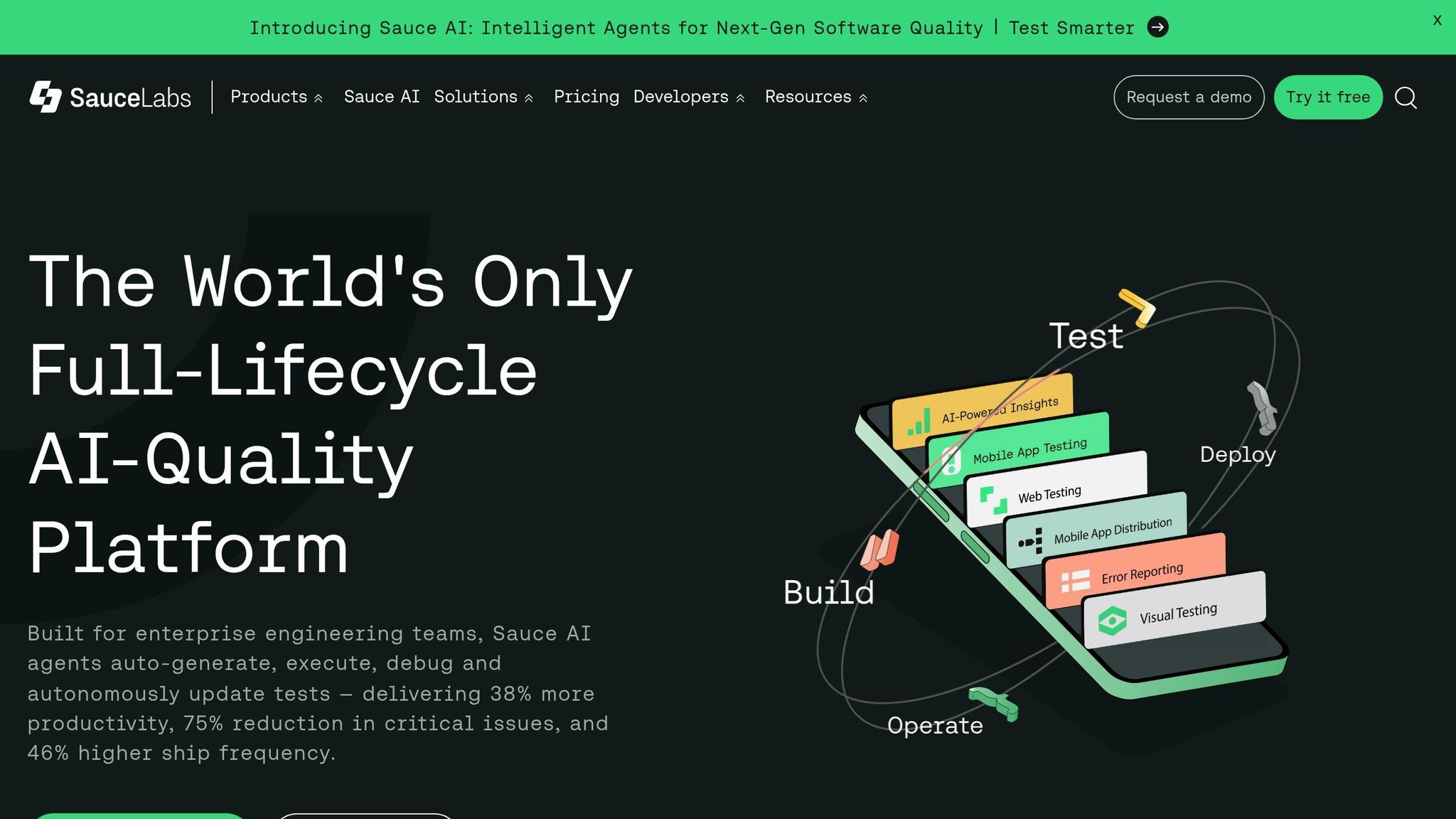
Sauce Labs stands out as a powerful, enterprise-level solution for AI-driven mobile testing. With a cloud infrastructure that has supported over 8 billion tests across 9,000 managed devices, the platform combines AI-powered test creation with extensive device coverage, accommodating a wide range of hardware and operating systems.
AI-Powered Testing Features
One of Sauce Labs' standout features is Sauce AI for Test Authoring, which transforms plain-English instructions into executable test scripts. For instance, a team can input a command like "Click the hamburger menu icon, then 'Settings'", and the AI generates an Appium script in Python, Java, or JavaScript. This feature accelerates test creation by up to 10 times compared to manual scripting.
"Sauce AI for Test Authoring is an intelligent agent for testing built into the Sauce Labs platform that solves the constraint of needing specialized coding knowledge," making it one of the best AI tools for developers. – Sauce Labs Documentation
Additionally, Sauce AI for Insights acts as a conversational agent, helping teams analyze test data by answering plain-language queries. It identifies flaky tests and device-specific failure patterns. Meanwhile, Sauce AI for Error Reporting provides crash analytics, uncovering runtime issues and cutting issue resolution time by half. These tools make mobile testing more efficient and streamlined.
Mobile-Specific Capabilities (iOS/Android)
Sauce Labs supports testing for both iOS and Android platforms through its robust device cloud, which works seamlessly with frameworks like Appium, XCUITest, and Espresso. The platform offers access to over 2,500 emulators and simulators alongside 9,000+ real devices. For native app testing, teams can upload APK, IPA, or ZIP files into the App Management interface, allowing the AI to analyze the app's context and create precise test scripts. The Real Device Access API, currently in open beta, lets teams interact with private devices programmatically via HTTP and WebSockets. Moreover, the mobile diagnostics suite provides detailed logs, video replays, and network analysis to help pinpoint the root causes of failures.
Automation and Self-Healing Scripts
Sauce Labs' self-healing capabilities are another major advantage. The system automatically adjusts test scripts when UI elements change, cutting down script maintenance time by 20–30%. With these intelligent debugging tools, teams have identified 95% more issues and achieved a 41% faster triage rate.
Pricing and Accessibility
Sauce Labs offers flexible pricing plans tailored to enterprise needs.
- Live Testing starts at $39/month, enabling manual testing on thousands of devices and browsers.
- Virtual Cloud begins at $149/month (billed annually) for automated testing on emulators and simulators.
- Real Device Cloud is available from $199/month, supporting physical Android and iOS device testing.
Currently, Sauce AI for Test Authoring is free for Enterprise customers during its beta phase, with plans to transition to a paid model later. Enterprise plans also offer custom pricing and include premium features like Single Sign-On (SSO), private device clouds, and dedicated support.
10. Autify
Autify wraps up our list as a no-code mobile testing platform designed for non-developers. Its standout feature is the Aximo AI Testing Agent, which performs end-to-end tests on iOS and Android apps using natural language and visual recognition. This eliminates the need for scripts or selectors, simplifying the process significantly. By identifying elements based on their visual context rather than relying on fragile DOM selectors, Autify ensures tests remain stable even when UI elements change between app updates.
AI-Powered Testing Features
At the heart of Autify’s capabilities is its Genesis AI engine, which transforms user stories into test scripts, enabling teams to start testing even before the code is finalized. The platform also includes visual regression testing, which automatically flags UI inconsistencies and layout changes between app versions. This feature significantly reduces manual effort and keeps tests up-to-date. According to Autify, this AI-driven approach slashes test maintenance time by 90%, with less than 1% of test failures caused by UI changes.
"Aximo doesn't rely on scripts or selectors. It executes directly against your application, so changes don't introduce maintenance work." – Autify
Real-world results highlight the platform’s impact. For example, KOSÉ saves over 110 man-hours monthly through automation, Demae-Can has halved its weekly regression testing time for both web and mobile apps, and Talent Palette saves 83 man-hours each month while improving development knowledge across teams.
Mobile-Specific Capabilities (iOS/Android)
Autify’s mobile testing features are equally impressive. Through its managed cloud infrastructure, users can access hundreds of real iOS and Android devices, eliminating the need for costly physical device labs. The platform supports OS-level interactions, such as shaking devices, toggling apps between foreground and background, and managing deep links or push notifications, ensuring thorough mobile testing. Teams can also create test scenarios using a visual recorder that captures actions on real devices, while parallel execution allows multiple tests to run simultaneously for faster results.
Automation and Self-Healing Scripts
Autify’s MLUI model uses machine learning to visually recognize elements, bypassing the need to rely on page source code. When UI changes occur, such as altered element IDs or layout adjustments, its self-healing mechanism automatically adapts tests to avoid failures. Additionally, the "fix with AI" feature allows teams to review and apply suggested updates with a single click after running tests. For larger changes, the Smart Re-recording feature updates only the affected steps, saving time and effort compared to rebuilding entire test scenarios.
Pricing and Accessibility
Autify offers flexible pricing options to cater to different needs. It provides a 14-day free trial that doesn’t require a credit card, along with a free community version for basic testing. For enterprise-level features, custom pricing is available. The platform also integrates seamlessly with popular CI/CD tools like GitHub Actions, Jenkins, CircleCI, GitLab, Azure Pipelines, and Bitrise through REST APIs.
Tool Comparison Table
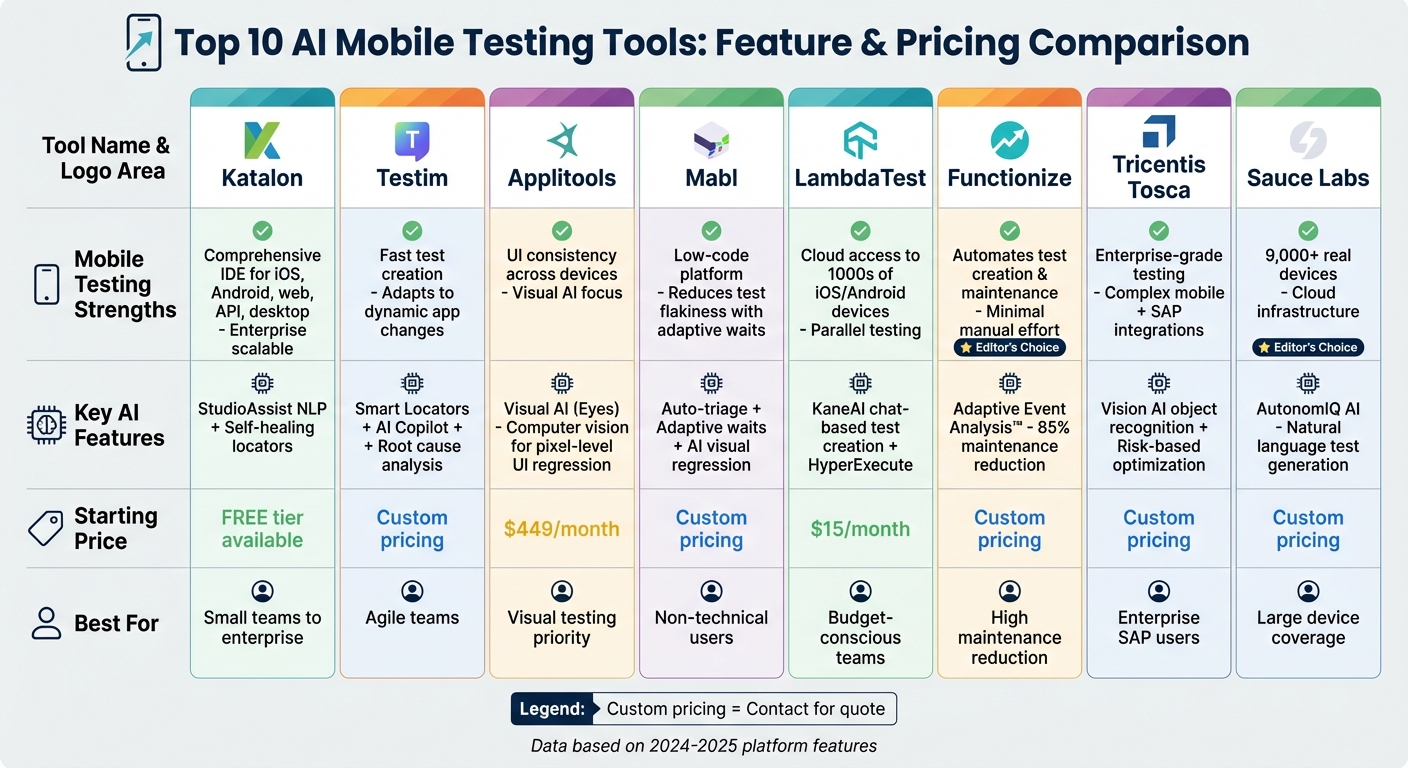
Top 10 AI Mobile Testing Tools Comparison Chart
Artificial intelligence is transforming mobile testing by introducing features like self-healing capabilities and reducing the need for ongoing maintenance. The table below provides a quick side-by-side comparison of some leading AI-powered mobile testing tools, highlighting their key strengths, AI features, and starting prices.
| Tool | Mobile Testing Strengths | Key AI Features | Starting Price |
|---|---|---|---|
| Katalon | Comprehensive IDE supporting iOS, Android, web, API, and desktop testing, designed for enterprise scalability | StudioAssist offers natural language test suggestions and self-healing locators | Free tier available |
| Testim | Enables fast test creation and adapts well to dynamic app changes | Smart Locators, AI Copilot for rapid test authoring, and root cause analysis | Custom pricing |
| Applitools | Focused on ensuring UI consistency across multiple devices using Visual AI | Visual AI (Eyes) leverages computer vision to detect pixel-level UI regressions | $449/month |
| Mabl | Low-code platform designed to reduce test flakiness with adaptive waits | Features auto-triage, adaptive waits, and AI-driven visual regression detection | Custom pricing |
| LambdaTest | Provides cloud-based access to thousands of iOS and Android devices for parallel testing | KaneAI agent for chat-based test creation and HyperExecute for faster execution | $15/month |
| Functionize | Automates test creation and maintenance with minimal manual effort | Adaptive Event Analysis™ and Adaptive Language Processing™ reduce maintenance time by up to 85% | Custom pricing |
| Tricentis Tosca | Tailored for enterprise-grade testing, including complex mobile environments and SAP integrations | Vision AI for object recognition and risk-based optimization | Custom pricing |
| Sauce Labs | Offers cloud infrastructure with access to over 9,000 real devices | AutonomIQ AI generates tests from natural language inputs | Custom pricing |
This table offers a straightforward snapshot of the tools discussed earlier, making it easier to compare their features and pricing.
Pricing varies significantly, from LambdaTest's affordable $15/month to Applitools' $449/month, with higher costs typically tied to advanced self-healing and AI-driven features. These self-healing capabilities can significantly cut down on maintenance time, making them a worthwhile investment.
Conclusion
AI-powered mobile testing tools are transforming how apps are developed and refined. With features like self-healing scripts, visual AI, and predictive analytics, these tools tackle modern testing challenges head-on. The benefits are clear: self-healing can slash maintenance time by up to 85%, visual AI pinpoints pixel-level UI issues that might escape human testers, and predictive analytics guide testing efforts toward high-risk areas.
The impact is being felt industry-wide. Companies are reporting major efficiency gains, from reducing manual regression testing to achieving nearly complete automation of UI tests. Over 60% of QA leaders now incorporate AI-driven prioritization into their workflows. For example, Duolingo cut manual regression testing by 70% after adopting AI-powered tools, WeChat achieved 90% automation coverage for UI tests using large language models, and Trendyol Tech doubled its automated test count in just one year, going from 4,869 to over 10,400 tests.
For teams looking to embrace AI testing, starting small makes sense. Begin with a proof of concept focused on your most failure-prone mobile flows. This lets you test whether features like self-healing align with your environment before scaling up. Integrating these tools into CI/CD pipelines ensures quality checks happen automatically with every code update, streamlining the development process.
As AI testing continues to advance toward fully autonomous systems that can explore apps, create test plans, and fix scripts independently, the role of testers will evolve. Instead of writing scripts, testers will focus on reviewing and auditing outcomes. Syed Fazle Rahman, Founder of Hashnode, captures this shift perfectly:
"The human stops writing scripts and starts reviewing results. You go from operating a tool to auditing an outcome. That's a fundamentally different job".
Whether you're a solo developer or part of a large enterprise team, staying updated on these developments is essential. Tools like LambdaTest, with entry-level plans starting at $15 per month, and Applitools, known for its advanced Visual AI capabilities, cater to a variety of needs. Select tools that align with your goals, integrate them thoughtfully, and keep an eye on the evolving AI testing landscape to ensure your team remains ahead of the curve.
FAQs
Which AI mobile testing tool fits my team size and budget?
The best AI mobile testing tool will vary based on your team’s priorities and budget. GPT Driver is a budget-friendly choice that works well for teams of all sizes. It supports both iOS and Android, simplifies test creation with minimal upkeep, and integrates smoothly with CI/CD pipelines. If your team is larger and needs more advanced capabilities, options like Virtuoso QA, Mabl, or Testim offer greater scalability and robust features, though they come at a higher cost.
How do self-healing tests work when the mobile UI changes?
Self-healing tests leverage AI and visual recognition to detect changes in user interfaces (UI). When a UI element changes or shifts, these tests automatically update broken locators or adjust to layout modifications. This process ensures that tests remain stable and continue to function without requiring manual intervention, reducing interruptions and maintaining seamless test execution as the UI evolves.
Do I need real devices, or are emulators and simulators enough?
Emulators and simulators are a handy option for early-stage testing. They provide a budget-friendly way to evaluate app functionality, user interface, and performance in conditions that closely mimic real devices. That said, they fall short when it comes to testing hardware-dependent features, varying network environments, and actual user interactions. To cover all bases, many developers combine both methods - using emulators for development and automation tasks, while relying on real devices for final testing and validation.