Creative Tools
Best Free AI Video Generators in 2026: I Tested 10 Tools So You Don’t Have To
Tested 10 free AI video generators in 2026 — features, limits, and best use cases to help you choose tools for social, training, or cinematic clips.
Best Free AI Video Generators in 2026: I Tested 10 Tools So You Don’t Have To
Finding free AI video tools that deliver quality without frustrating limits can be tricky. I tested 10 popular platforms to save you the hassle. Here’s what you need to know:
- Runway: High-end visuals, but free credits are one-time only and videos are capped at 720p with watermarks.
- HeyGen: Great for AI avatars with realistic expressions, but limited to 3 free videos/month.
- OpenAI Sora: Stunning realism for physics and landscapes, but struggles with dynamic movements and lacks native audio.
- Kling AI: Generous daily credits with solid motion quality, but slower rendering and 720p resolution on free plans.
- Synthesia: Excellent for corporate training, but lacks flexibility for creative formats and has no MP4 downloads on the free tier.
- Luma Dream Machine: Quick 3D-style clips with good spatial effects, but capped at 5 seconds and struggles with human characters.
- Pika: Watermark-free videos and 300 daily credits, ideal for short social media clips, though visual quality isn’t top-tier.
- Google Veo 3: Cinematic visuals with synced audio, but limited to 8-second clips and region-restricted features.
- Adobe Firefly: Commercially safe with polished visuals, but videos are capped at 5 seconds and lack native audio.
- AI Apps Directory: A tool comparison hub with over 1,900 options to find the best free features for your needs.
Quick Comparison
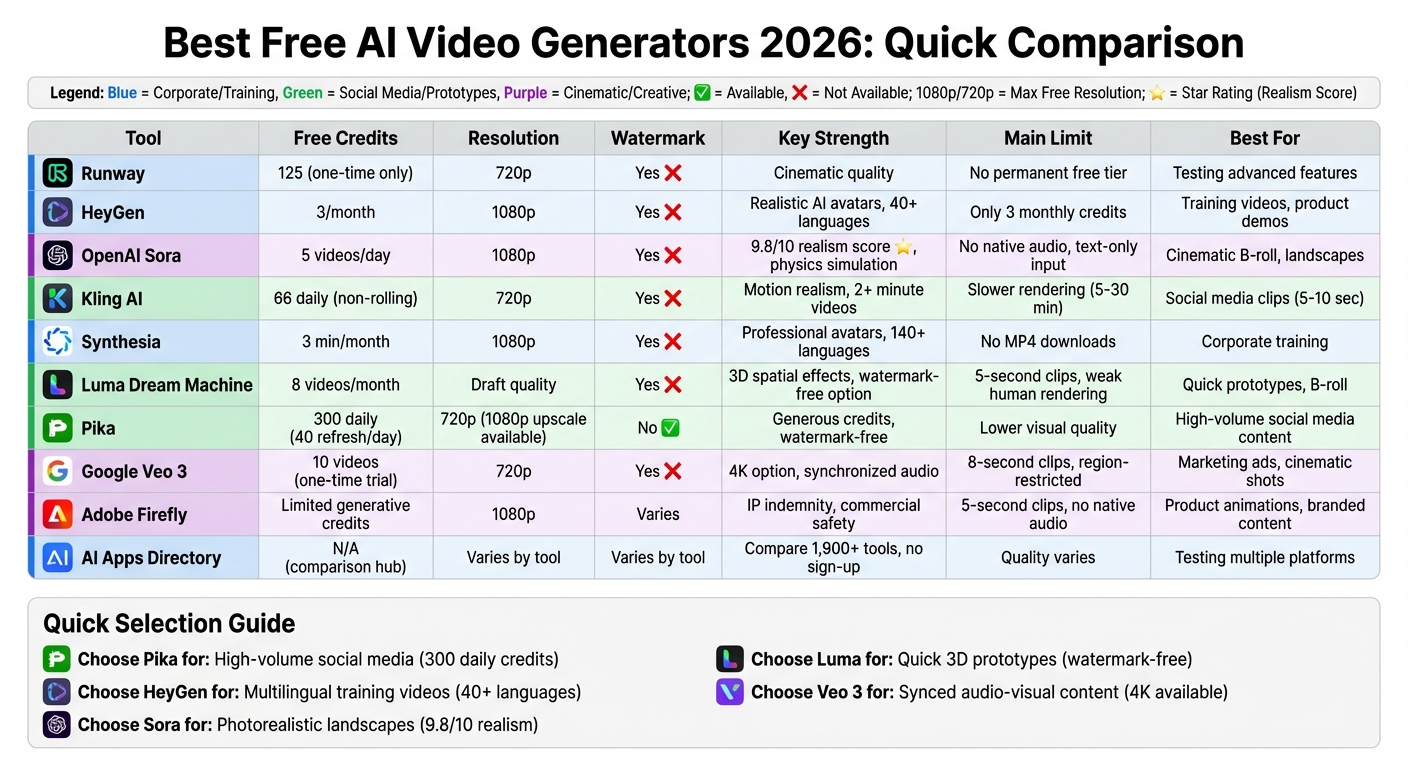
| Tool | Free Tier Highlights | Key Limits |
|---|---|---|
| Runway | 125 credits, cinematic quality | One-time credits, 720p, watermark |
| HeyGen | Realistic AI avatars, 1080p | 3 credits/month, watermark |
| OpenAI Sora | 1080p, excellent physics realism | 5 clips/day, no audio |
| Kling AI | 66 daily credits, motion realism | 720p, slower rendering |
| Synthesia | Professional avatars, 140+ languages | No MP4 downloads, watermark |
| Luma Dream Machine | 8 clips/month, 3D effects | 5-second clips, watermark |
| Pika | 300 daily credits, watermark-free | 4–6 second clips, lower quality |
| Google Veo 3 | Synchronized audio, cinematic visuals | 8-second clips, region-limited |
| Adobe Firefly | IP-safe, polished 1080p visuals | 5-second clips, no audio |
| AI Apps Directory | Compare 1,900 tools, no sign-up needed | Varies by tool |
Each tool has strengths tailored to specific needs - whether for social media, corporate training, or cinematic projects. Read on for detailed insights into their performance, limits, and best use cases.
Free AI Video Generators Comparison 2026: Features, Limits, and Best Use Cases
I Tried EVERY AI Video Generator (Here's What Each Does Best)
sbb-itb-212c9ea
1. Runway Free Tier
Runway offers 125 one-time credits for free users, but these credits do not replenish once used.
Free Tier Limits
The free tier comes with a few restrictions. Exports are capped at 720p resolution and include a noticeable Runway watermark. Additionally, commercial licensing is not available. Each generated video is limited to a maximum of 10 seconds.
"Professional Hollywood quality, but the free plan is just a demo. You have to pay to play here." – Emily Harper, AI Tool Reviewer
Output Quality
Even with the free plan's limitations, Runway stands out for its impressive video quality. Users get access to both the Gen-3 Alpha model and the upgraded Gen-4/4.5 models. These tools deliver stunning visuals, including realistic wet concrete textures, intricate glass reflections, and volumetric lighting effects like lens flares. Notably, in December 2025, the Gen-4.5 model achieved 1,247 Elo points on the Artificial Analysis Text-to-Video benchmark, showcasing its technical prowess.
"Runway 4.5 created one of the most stylized generations of the batch, which excelled on some points but was lacking in areas of realism." – Jonny Elwyn, Professional Video Editor
These features make Runway a great option for testing creative ideas before committing to a paid plan for full-scale production.
Best Use Cases
The free tier is perfect for experimenting with advanced tools like the "Aleph" model's camera controls or the "Act Two" facial tracking feature. It’s particularly suited for prototyping cinematic B-roll or establishing shots. However, for more complex or polished projects, upgrading to a paid plan is essential.
2. HeyGen Free Plan
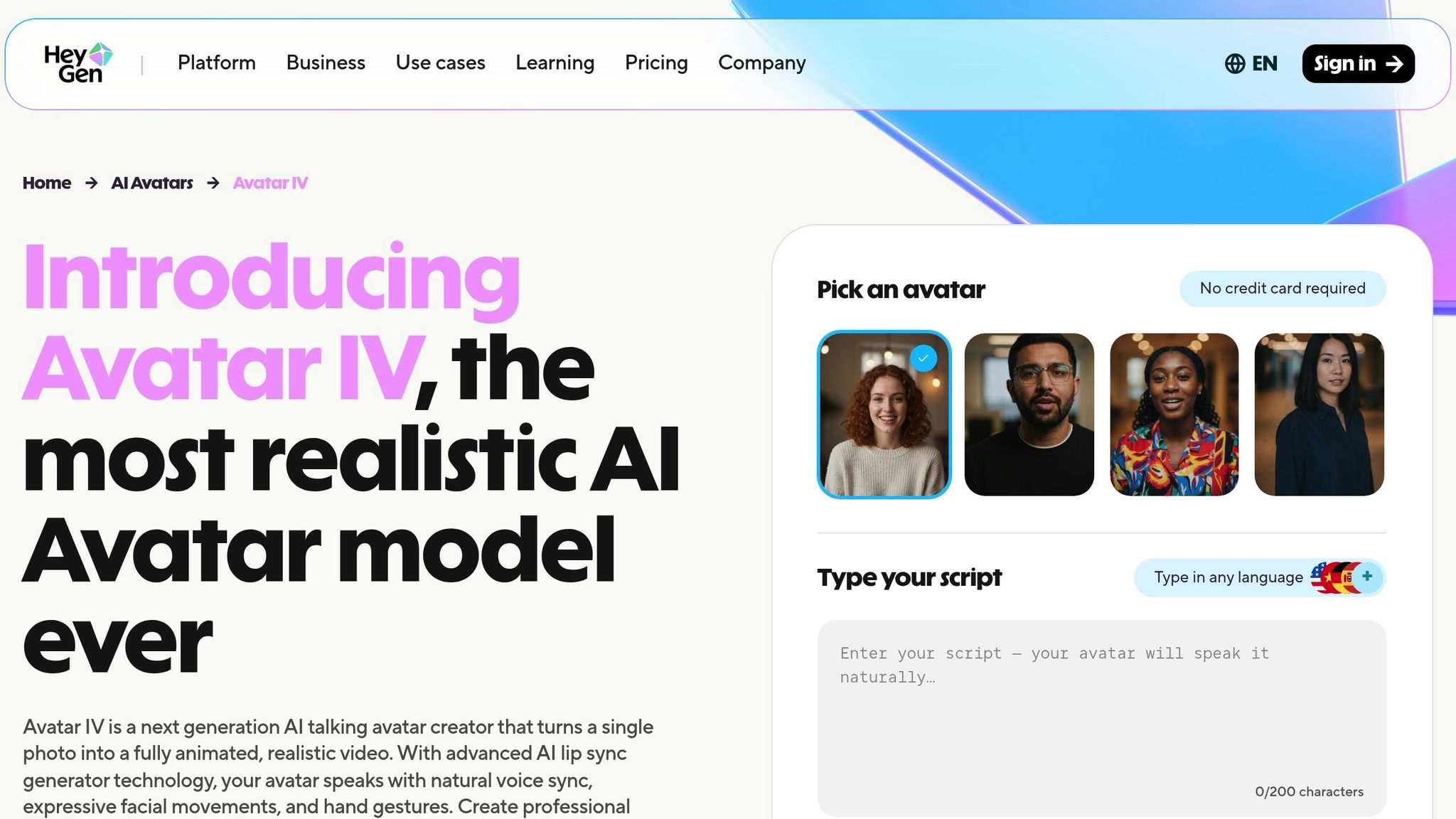
As of January 2026, HeyGen expanded its free tier from 1 to 3 credits per month, making it easier to test out its avatar creation capabilities. Free-tier videos can be up to 3 minutes long and include a visible HeyGen watermark. Users can create one basic avatar with up to five regenerations.
Free Tier Limits
While the 3-credit limit may seem modest, it’s enough to determine if HeyGen’s avatars align with your project’s needs. Videos are exported in 1080p HD, which is impressive for a free plan, though the watermark is present. If you need commercial rights, upgrading to a paid plan is required.
Output Quality
HeyGen’s "Avatar IV" technology is a standout feature, offering highly realistic micro-expressions, natural shoulder movements, and lip-sync accuracy that’s claimed to be 98%. With over 103 million videos created on the platform, it’s no surprise that HeyGen is often considered a top choice for AI avatars.
"HeyGen (Avatar IV) has moved past the 'uncanny valley,' featuring micro-expressions and natural shoulder movements." – Fello AI
The 1080p resolution performs well even on larger screens, making these videos an excellent choice for landing pages, product demos, and training materials.
Generation Speed
HeyGen’s rendering process is quick, with most videos generating in under a minute. However, longer scripts or more intricate scenes might take slightly longer. Additionally, the platform supports over 175 languages and dialects, which is a huge advantage for creating multilingual content.
Best Use Cases
The free plan is ideal for testing HeyGen’s AI avatar technology before committing to a subscription. It’s particularly useful for short product explainers, training recaps, or customer support videos that fit within the 3-minute limit. Social media creators can also leverage it for “talking head” content, though the watermark could be a downside for polished advertisements. If localization is part of your strategy, HeyGen’s translation capabilities make it a valuable tool, even within the constraints of the free tier.
3. OpenAI Sora Free Access
OpenAI's Sora is available for free through Microsoft's Bing Video Creator. This free tier allows users to generate up to 5 videos per day in 1080p resolution, with each clip lasting up to 60 seconds. Compared to ChatGPT's free tier, which is limited to 480p resolution and 5-second clips, Sora offers a much more robust experience. However, all free outputs include a watermark, which can be removed by upgrading to Copilot Pro for $20/month. Let’s take a closer look at the details of this free access.
Free Tier Limits
With Bing's free tier, users can create 5 videos daily at 1080p resolution. By contrast, ChatGPT's free tier offers lower-quality outputs with shorter clip durations, making Sora the better choice for those seeking higher-quality content. For users requiring longer clips or enhanced features, premium upgrades are available.
Output Quality
Sora stands out for its impressive output quality, particularly in realism. It scored an impressive 9.8/10 for realism in Fello AI's 2026 benchmarks, excelling in areas like physics simulation. Effects such as fabric movement and environmental reflections are rendered beautifully. However, challenges remain with object permanence and realistic human or animal movements. Tech reviewer Miguel Rebelo highlighted these limitations:
"Sora still struggles with object permanence, interactions, and dynamic movements. The look of humans and animals while moving and interacting will be weird, but landscapes look absolutely stunning".
This makes Sora a strong choice for static or scenic visuals, though it may fall short for dynamic, character-driven scenes.
Generation Speed
When it comes to rendering speed, Sora performs well for standard scenes, typically completing videos in 2–3 minutes. However, more complex scenes - those involving intricate details or advanced effects - may take over 10 minutes to generate. This slower pace could be a drawback for users working under tight deadlines.
Best Use Cases
Sora is particularly well-suited for cinematic prototyping and creating high-quality B-roll footage where realistic physics are essential. The free Bing tier is ideal for indie creators, educators, or anyone needing occasional 60-second clips. Additionally, Sora shines when handling abstract or poetic prompts like "time dissolving into light", often delivering visually stunning and imaginative results.
4. Kling AI Free Credits
Kling AI stands out with its daily credit system, offering free users 66 credits every day. These credits, however, don’t roll over - so if you don’t use them, they’re gone by day’s end. Creating a 5-second video in Standard mode costs 10 credits, meaning you can produce up to 6 videos daily. A 10-second video, on the other hand, uses 20 credits, limiting you to 3 videos per day. Keep in mind that Professional mode, which delivers higher-quality results, isn’t available in the free plan.
Free Tier Limits
The free plan has a few restrictions. Videos are capped at 720p resolution and include a watermark. Generations can take anywhere from 5 to 30 minutes, and delays are more likely during busy times. A unique aspect of Kling AI is that credits are deducted even if a generation fails or the output isn’t usable. For those looking for more flexibility, paid plans start at $6.99/month, offering features like 1080p resolution, watermark-free videos, and 660 monthly credits.
Output Quality
As of February 2026, Kling AI boasts an Elo rating of 1225, reflecting its advanced capabilities in motion realism and human character simulation. The platform shines in areas like realistic motion, physics simulation, and lifelike character rendering, earning an impressive 9.6/10 rating from professional evaluators. Free users can still access powerful tools such as Motion Brush, Camera Movement Controls (pan, tilt, zoom, orbit), and Negative Prompts, which allow for more precise adjustments.
Generation Speed
While the free tier delivers high-quality visuals, patience is key. Standard generations typically take 5 to 30 minutes, and wait times can increase during peak hours. If speed is a priority, especially for time-sensitive projects, upgrading to a paid plan provides access to faster "Turbo" generation.
Best Use Cases
The free tier is particularly well-suited for creating short social media clips - 5- to 10-second videos perfect for platforms like TikTok, Instagram Reels, and YouTube Shorts. It’s also great for turning static product images into dynamic ads using the image-to-video feature, which often produces more consistent results compared to text-to-video generation. The daily credit refresh makes it a handy tool for testing ideas and experimenting with prompts before committing to a subscription.
5. Synthesia Basic Free Plan
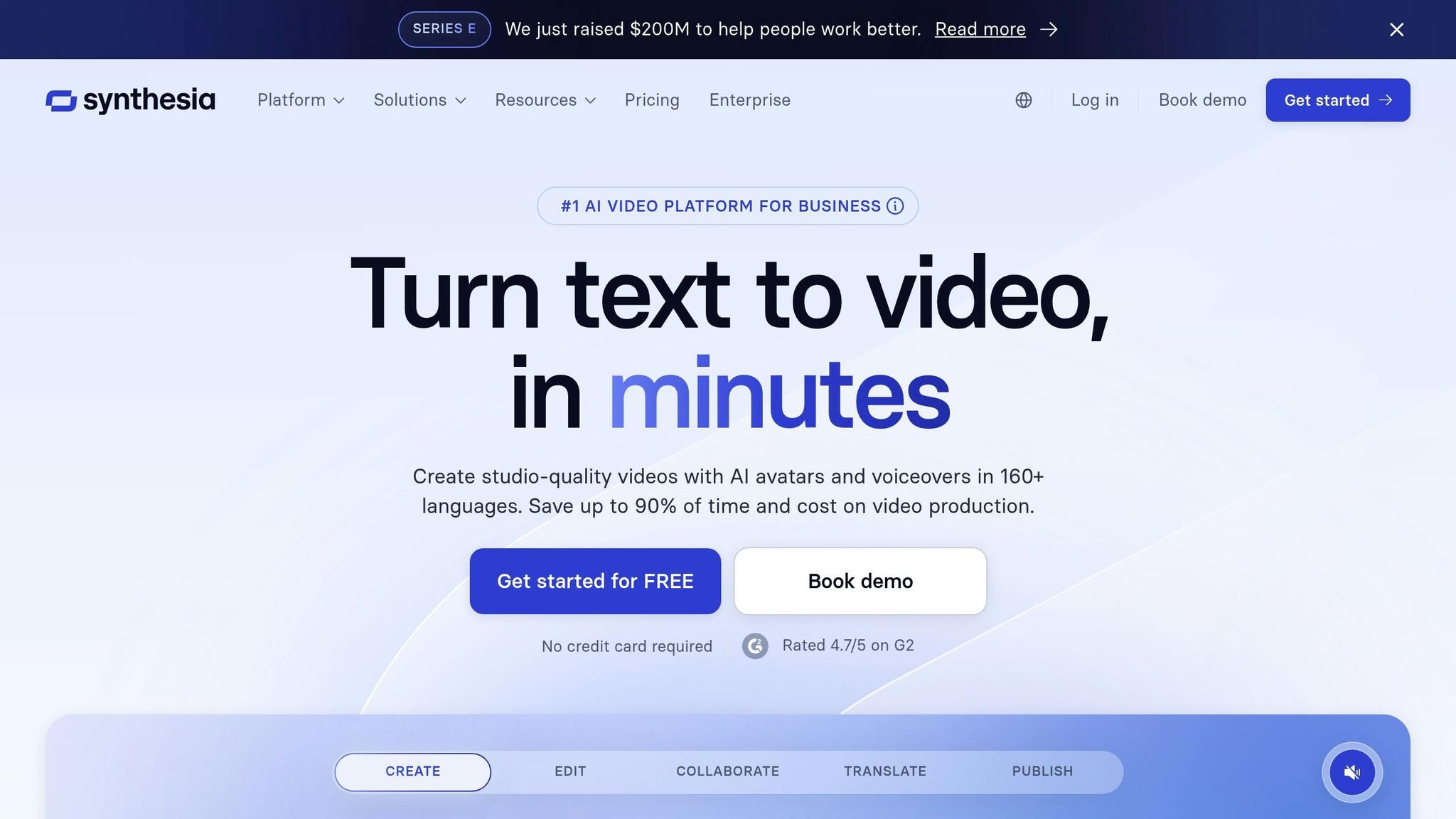
Synthesia's free plan gives users a quick glimpse into its capabilities. With this tier, you can generate up to 3 minutes of video per month, which can be shared via a link or embedded using a code - but MP4 downloads are not included. All videos created under this plan carry a Synthesia watermark. This makes it a practical option for internal purposes, like short training clips or company updates, though it may not be ideal for projects needing watermark-free, downloadable videos.
Free Tier Limits
The free plan gives access to 9 AI avatars, chosen from a library of more than 240 options. Advanced features like custom avatar creation, voice cloning, and branding tools are reserved for paid users. However, you can still use AI voices in over 140 languages and accents. Starting a project is flexible - you can use a text prompt, script, URL, or upload a PDF or PowerPoint file. The editor also allows you to add text overlays for things like company names or key messages.
Output Quality
Even with its restrictions, the video quality stands out. Synthesia's free plan uses the same lifelike AI avatars available in paid plans, complete with natural gestures like blinking and head movements. The platform also incorporates advanced video generation tools to create cinematic backgrounds, and videos are rendered in Full HD (1080p) resolution with precise lip-syncing, making them suitable for professional use. Synthesia’s reputation is solid, with 90% of Fortune 100 companies using it to scale video production, and it boasts a 4.7/5 trust rating.
Generation Speed
Once you’ve set up your script and chosen an avatar - a process that takes under 3 minutes - the video is typically ready in 10 to 20 minutes, depending on the script's complexity. For faster processing, paid plans offer priority rendering. This makes the free plan a good fit for straightforward internal communication needs.
Best Use Cases
While the watermark and share-only output limit its use for external purposes, the free plan works well for internal corporate communication. It’s perfect for creating employee onboarding videos, instructional guides, or company announcements where a shareable link suffices. Additionally, it’s a great way to experiment with different avatars and refine your messaging. For projects requiring watermark-free downloads or more customization, upgrading to a paid plan (starting at $29 per month) is a better option.
6. Luma Dream Machine Free Tier
Luma Dream Machine's free tier lets users create up to 8 videos per month, each lasting 5 seconds. These videos are rendered in draft quality using the Ray 3 model, include a Luma watermark, and are meant for non-commercial use only. Impressively, the platform can complete video generation in under 2 minutes. Below, you'll find details on its limitations, output quality, speed, and ideal use cases.
Free Tier Limits
The free tier is designed for experimentation rather than large-scale projects. Users can generate 8 short (5-second) videos each month, all rendered in draft quality with a Luma watermark. These videos are restricted to non-commercial use. For longer projects, you’d need to combine multiple snippets externally. Upgrading to a paid plan unlocks higher-quality outputs like 1080p and 4K HDR, along with advanced features such as 16-bit ACES EXR workflows. A standout tool is the Keyframes feature, which allows users to upload start and end images, helping guide the AI for smoother, more consistent animations.
Output Quality
Luma Dream Machine stands out for its realistic visuals, including physics, lighting, and dynamic details. As professional film editor Jonny Elwyn noted, "The Ray3 generation feels the most like a video game cut scene, but the sky, reflections, and water texture all feel pretty realistic". The platform’s strength lies in cinematic touches like bokeh effects and reflected light. However, it may struggle with prompts that require precise consistency over the 5-second video duration.
Generation Speed
Speed is a key advantage of Luma Dream Machine. It typically takes around 2 minutes to generate a 120-frame clip, making it a great choice for rapid prototyping or testing ideas. However, during peak times, users might experience queue delays.
Best Use Cases
The free plan works well for creating quick social media clips, pre-production visualizations, and educational content. It's also a helpful tool for game developers needing environmental shots or dynamic asset previews. While the 5-second limit and watermark make it less suitable for polished marketing materials, it’s a great option for testing concepts before committing to a paid plan, which starts at $9.99 per month.
7. Pika Free Plan
Pika's free plan stands out with its credit-based system, offering a great way to experiment with creative video generation. Users start with 300 credits and receive 40 more daily, allowing for around 8–13 video generations each day. Standard videos are capped at 4–6 seconds, though models like Pika 2.2 can extend clips up to 10 seconds. The default resolution is 720p, with an option to upscale to 1080p. A major perk introduced in 2026 is watermark-free videos - a rare feature in free AI video tools. However, the free tier is strictly for personal use, and commercial projects require a Pro plan upgrade.
Free Tier Limits
Credits refresh daily, with no monthly cap, making the plan flexible for frequent use. You can optimize credit usage by specifying aspect ratios (e.g., -ar 9:16 for TikTok) in your prompts. Advanced tools like Pikaffects - which add effects such as "melt" or "explode" - are also included, alongside lip-sync capabilities with 90–92% accuracy and sound effects generation. During peak hours, queues of 5–15 minutes are common, so scheduling your work during quieter times can help avoid delays.
Output Quality
Pika delivers impressive results, with a 90% realism score for lighting simulation, making scenes look almost like real footage. Its motion quality is rated at 82% fluidity, based on industry standards.
"Pika Labs 1.5 is a phenomenal and highly creative free tool for generating short, artistic video clips... its raw generation power is absolutely top-tier." – Andre Smith
While the output quality is strong, handling complex prompts remains an area for improvement.
Generation Speed
Under heavy server loads, free users may experience waits of 5–15 minutes. However, tools like "Modify Region" can significantly speed up workflows, reducing what might be a 30-minute visual effects edit to just 4 minutes.
Best Use Cases
The free plan is ideal for creating social media content tailored for platforms like TikTok, Instagram Reels, and YouTube Shorts, thanks to its vertical aspect ratio options. It’s also great for generating B-roll footage, animating product photos or logos via the Image-to-Video feature, and crafting artistic clips without resorting to stock footage.
"The daily credit refresh (300 credits) is insane - I created over 400 videos last month without paying a cent." – Emily Harper, AI tool reviewer
The 4–6 second clip limit makes the free plan perfect for testing creative ideas before deciding to upgrade to the Pro plan, which costs $10/month.
8. Google Veo 3 Free Trial
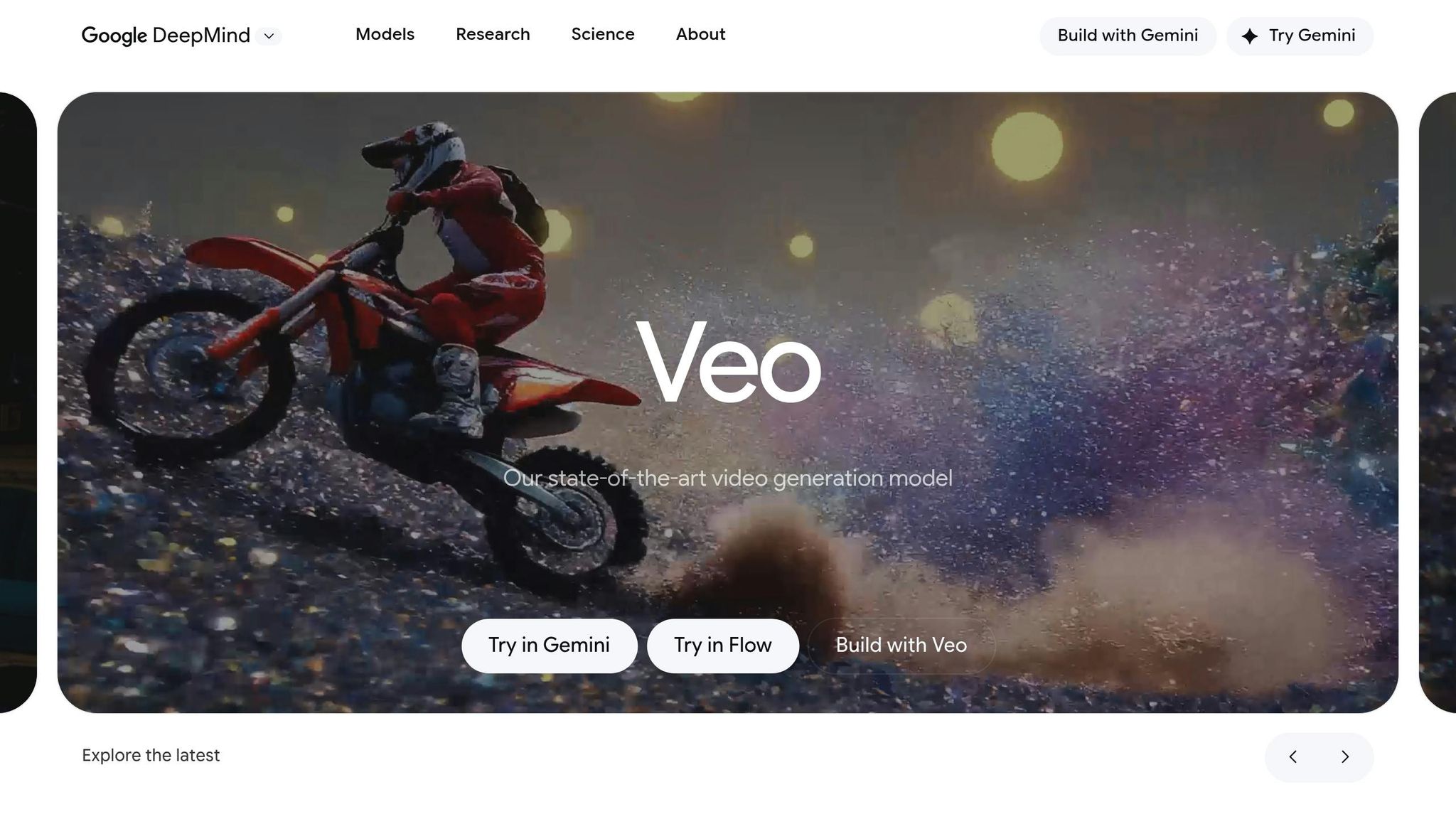
Google Veo 3 offers a one-time trial of 10 videos, giving users a glimpse of its impressive cinematic capabilities. During internal testing, 72% of evaluators favored Veo 3 for prompt fulfillment, compared to 23% who preferred OpenAI Sora. A standout feature is its native synchronized audio, which generates sound effects, dialogue, and environmental sounds from a single text prompt. This reduces the need for extensive post-production work.
Free Tier Limits
The free trial has some restrictions: videos are limited to 8 seconds in length and capped at 720p resolution, with a "Veo" watermark on each clip. Users are allotted exactly 10 generations, with no daily or monthly resets. Advanced tools like "Insert", "Remove", and "Extend" are only available with the $249.99/month Ultra plan.
For users outside the U.S., the "Photo-to-Video" feature is unavailable in the UK, Switzerland, and the European Economic Area due to privacy laws. If you’re looking for additional access without upgrading, third-party platforms like VideoMaker.me or ImagineArt provide alternative ways to interact with the Veo model.
Output Quality
In MovieGenBench testing, Veo 3 outperformed competitors in categories like overall preference, prompt adherence, and visual quality. It excels at simulating real-world physics, including fluid dynamics, light refraction, and complex camera movements like dolly zooms.
Promise Studios demonstrated its capabilities in late 2025 by using the "Ingredients to Video" feature. This allowed them to upload 1–3 reference images to maintain character consistency across 30+ scenes, reducing their pre-production time by 40%.
"Veo 3.1 ranked highest in overall preference, prompt adherence, and visual quality among all competing models." – MovieGenBench
The platform’s cinematic realism is impressive, but with an 8-second limit, creating longer narratives requires stitching multiple clips together. Still, the exceptional visual quality and rapid generation make it a strong choice for specific use cases.
Generation Speed
Videos typically take 2 to 5 minutes to generate. For quick drafts, the "Fast Mode" option helps conserve your 10 trial generations before committing to a higher-quality "Standard" render. While the first video renders quickly, subsequent clips may experience slight delays.
Best Use Cases
The free trial is particularly useful for marketing teams testing ad visuals through A/B testing without incurring hefty production costs. It’s also great for YouTubers needing short, specific B-roll clips - like "neon reflections in rain" - that are difficult to source from stock footage libraries. Using cinematic terms like "dolly zoom", "tracking shot", or "golden hour" in your prompts can help you achieve professional-quality results, even within the trial’s limitations.
With only 10 generations available, this trial is best suited for creating high-impact hero shots where synchronized audio and cinematic lighting are essential.
9. Adobe Firefly Free Video Generations
After testing Adobe Firefly, it stands out as a reliable tool for creating legally secure, high-quality video clips. What sets it apart is its commercial safety - Firefly is trained on Adobe Stock images, openly licensed content, and public domain data. This ensures that the videos generated are cleared for use in branded content, paid advertising, and client projects. For enterprise users, Adobe even offers IP indemnification, adding an extra layer of security. Let’s dive into the free tier limitations and performance highlights that position Firefly as a strong option.
Free Tier Limits
The free plan allows users to explore premium video and audio features with a limited number of generative credits. Generating video costs credits based on duration - each second of video requires credits, with clips capped at 5 seconds and rendered in 1080p resolution. Text prompts are restricted to 750 characters. During the beta phase, video generation costs 20 credits per second, but this increases to 100 credits per second after beta. For comparison, the Standard plan, priced at $9.99/month, offers 2,000 credits, which can produce around 20 five-second clips during beta testing.
Output Quality
Firefly delivers polished 1080p videos with sharp motion and consistent scene details. It performs particularly well with natural scenes, such as landscapes and atmospheric effects like fire, smoke, and lens flares, making it a great choice for cinematic B-roll. It also captures subtle emotional expressions in close-ups, which is useful for character prototyping. In tests, Firefly earned an 8.8/10 Fello Score. However, it’s worth noting that it doesn’t currently offer native audio generation.
Generation Speed
Firefly’s video generation is known for its speed, often described as "very quick." However, if you switch to the Google Veo 3.1 model within the Firefly interface, the generation time increases significantly. Be sure to keep your browser tab open during the process to avoid losing your video and credits.
Best Use Cases
Thanks to its speed and high-quality output, Firefly is ideal for creating product animations. You can upload a static product photo and use text prompts to add dynamic movement. Marketing teams can also use it to generate cinematic B-roll for social media campaigns, saving on expensive stock footage licenses. Additionally, Adobe Premiere Pro’s "Generative Extend" feature allows users to extend existing clips seamlessly. While the 5-second limit restricts long-form projects, focusing on impactful hero shots works well. Using cinematic terms like "35mm lens" or "tracking shot" in your prompts can help reduce the artificial feel and enhance realism.
"Adobe Firefly unleashed our creativity. It's a magic machine that helps us play, explore, and innovate, without compromising speed or safety." – Michael Meurer, Global Design Lead
10. AI Apps Video Tools Directory
AI Apps offers a curated selection of over 1,900 AI tools, including video generators. Unlike standalone tools, this directory allows users to compare multiple platforms side-by-side without needing to sign up for each one. It’s completely free to use and features advanced filters that help narrow down options based on specific needs, such as watermark-free exports or commercial usage rights. For creators managing several projects, this approach is a game-changer - you can rotate between tools and make the most of their daily free credits, avoiding individual usage caps. This centralized hub simplifies decision-making by offering quick comparisons of free tier benefits, building on the analysis of individual tools.
Free Tier Limits
While the directory itself has no restrictions, each tool within it maintains its own free tier limits. You can browse and compare tools without any barriers. For example, some platforms provide 30 daily credits that reset at midnight UTC, while others might offer around 150 tokens every 24 hours. The directory makes it easy to pinpoint which tools offer the most generous free options to suit your workflow.
Output Quality
The quality of the output largely depends on the tool you choose. High-end models deliver near-perfect temporal consistency, while budget-friendly options may struggle with details like textures and facial alignment. The directory includes filters for specific use cases. For example, certain avatar tools have been rated 98% natural for lip-sync performance during testing, making them ideal for educational videos. For social media content, some tools are optimized for vertical 9:16 formats and feature dynamic, attention-grabbing movements designed to stop users mid-scroll.
Best Use Cases
This directory is a powerful resource for creators looking to maximize their output without wasting time or money. It excels at helping users find specialized tools. If you’re creating anime-style videos, the directory points you to the best options. Need 3D cinematic camera work or lifelike AI avatars? Relevant tools are tagged for easy discovery. It’s particularly helpful for testing the same prompt across various models to find the perfect aesthetic before committing to a paid plan. With 91% of businesses using video as a marketing tool by early 2026, having a centralized place to evaluate your options can save you hours of effort.
Pros and Cons Comparison
After testing all 10 tools, the differences in their strengths and weaknesses become apparent. Each platform shines in specific areas while falling short in others, making it easier to identify the right tool for your project. Below is a detailed breakdown of each tool's highlights and limitations.
Runway Gen-4 delivers cinematic-level quality and advanced Motion Brush control, but it comes at a high price and lacks a permanent free tier, offering only 125 one-time credits.
OpenAI Sora 2 scored an impressive 9.8/10 for realism, particularly excelling in physics simulations. However, it only accepts text input and doesn't generate native audio.
Kling 3.0 is great for creating coherent videos longer than two minutes with outstanding motion realism, but its visual sharpness diminishes for extended durations.
HeyGen is widely recognized for its AI avatars, offering realistic micro-expressions and support for over 40 languages. Free users, however, are limited to three monthly credits and must deal with watermarks.
Luma Dream Machine performs well with 3D-style camera movements and spatial awareness, plus watermark-free exports on its free tier. Its main drawback is its struggle with rendering human characters.
Pika stands out for its generous free daily allowance of 300 credits, translating to roughly 400 videos per month, and its beginner-friendly interface. However, its visual quality doesn't match that of cinematic-grade models.
Google Veo 3.1 combines audio and video generation for synchronized sound effects, though it's limited by regional availability and an 8-second clip duration cap.
Synthesia is tailored for corporate training, supporting videos up to four hours long with professional avatars. However, it lacks flexibility for dynamic social media formats and doesn't offer a true free tier.
Adobe Firefly Video is ideal for enterprise users needing IP indemnity and seamless integration with Creative Cloud, but its clips are restricted to five seconds, and it lacks native audio support.
AI Apps Video Tools Directory allows users to compare over 1,900 tools without requiring sign-ups, making it easy to test different free tiers. However, the quality varies depending on the tool you choose.
Here’s a quick summary of each platform's strengths and weaknesses:
| Tool | Main Strengths | Main Weaknesses |
|---|---|---|
| Runway Free Tier | Cinematic quality; advanced Motion Brush control | High cost; no permanent free tier; steep learning curve |
| HeyGen Free Plan | Best-in-class AI avatars; supports 40+ languages; realistic lip-sync | 3 monthly credits |
| OpenAI Sora Free Access | Superior physics simulation (9.8/10 realism); 20-second clips | Text-only input; no native audio |
| Kling AI Free Credits | Generates videos in a 2+ minute range with exceptional motion realism | Less polished interface; no native audio; softer quality on long clips |
| Synthesia Basic Free Plan | Enterprise-grade security; professional avatars for corporate training | No true free tier; expensive; inflexible for creative/social formats |
| Luma Dream Machine Free Tier | Excellent 3D spatial awareness; watermark-free exports; 30 generations/month | 5-second clip limit; weak human character rendering |
| Pika Free Plan | 300 free credits per day; beginner-friendly; fun "Pikaffects" | Lower visual quality compared to cinematic models |
| Google Veo 3 Free Trial | 4K output; seamless audio-visual sync; integration within the Google ecosystem | Limited regional availability; clip duration capped at 8 seconds |
| Adobe Firefly Free Video Generations | IP indemnity for commercial use; integration with Adobe Creative Cloud | 5-second clip limit; no native audio support |
| AI Apps Video Tools Directory | Compare over 1,900 tools; no sign-up required; switch among free tiers | Quality varies by tool; individual platforms have their own limits |
This table provides a clear side-by-side comparison, helping you weigh the pros and cons of each platform effectively.
Conclusion
After exploring all 10 platforms, the best choice ultimately hinges on your specific project needs.
For marketing and e-commerce, Pika Labs is a standout option. Its 300 daily credits and watermark-free exports make it perfect for managing high-volume social media campaigns. If your focus is on creating product videos with consistent character appearances, the AI Apps Video Tools Directory offers tools with multi-modal input capabilities worth checking out.
In education and corporate training, HeyGen shines with its realistic lip-sync across 40+ languages and detailed micro-expressions. On the other hand, Synthesia is a reliable pick for large-scale projects, especially if you need videos up to four hours long, though its free features are quite limited.
For social media creators working on platforms like TikTok, Reels, or Shorts, Luma Dream Machine is a fantastic choice. It offers watermark-free exports on its free tier and allows for 30 generations per month, excelling in 3D spatial awareness.
"The technology is moving fast, and the most successful creators are those who treat these generators as a camera, not a magic button." - Fello AI
If you're tackling cinematic projects that require photorealism, OpenAI Sora 2 delivers with a 9.8/10 realism score, though it only supports text input and lacks native audio. Meanwhile, Google Veo 3 impresses with its 4K output and seamless audio-visual synchronization. These insights reflect the diverse strengths of the platforms reviewed above.
FAQs
Which tool is best for TikTok/Reels/Shorts?
For creating short-form videos like TikTok, Reels, or Shorts in 2026, AI Studios (DeepBrain AI) stands out. It specializes in producing high-quality vertical videos, incorporating features such as trending audio and viral hooks to help your content resonate. Another excellent option is HeyGen, which offers realistic avatars and automated production to streamline your workflow. Both tools are designed to deliver fast results while staying aligned with the latest trends, making them perfect for crafting attention-grabbing content on social media.
How can I avoid watermarks on free videos?
When selecting AI video generators, focus on tools that explicitly mention watermark-free exports in their free tier. For instance, FlexClip is a popular choice, offering free usage without watermarks and support for 1080p resolution. Always review the platform's policy on watermarks and any feature restrictions to ensure the final output aligns with your project requirements.
Which tools allow commercial use on the free tier?
Several AI video generators in 2026 come with free plans that are suitable for commercial use, though the specifics can differ. Platforms like Kling, MiniMax, and VIDEOAI.ME stand out by offering watermark-free videos without requiring a credit card, making them practical for commercial projects. Additionally, tools such as FlexClip, Canva, and Invideo provide free plans with high-quality video outputs. However, it’s essential to carefully review the licensing terms of each platform to ensure they align with your commercial use needs.