Productivity
Best Vibe Coding Tools in 2026: Cursor vs Claude Code vs Lovable (Tier List)
Practical comparison of three AI coding tools with tier rankings, context limits, pricing, and recommended use cases for prototyping, production, and refactors.

Best Vibe Coding Tools in 2026: Cursor vs Claude Code vs Lovable (Tier List)
Vibe coding has transformed software development in 2026. Instead of manually writing code, developers now use AI tools to generate code from natural language prompts. Three standout tools dominate this space:
- Cursor: AI-enhanced IDE for professional developers, integrated with VS Code.
- Claude Code: Terminal-based tool for tackling complex, large-scale projects.
- Lovable: Browser-based platform for non-technical users, ideal for building full-stack apps quickly.
Quick Takeaways:
- Cursor (A-Tier): Perfect for experienced developers who want faster workflows without losing control.
- Claude Code (B-Tier): Best for large-scale refactoring and complex architectural tasks.
- Lovable (S-Tier): Ideal for non-technical entrepreneurs and rapid prototyping.
Quick Comparison:
| Feature | Cursor | Claude Code | Lovable |
|---|---|---|---|
| Interface | VS Code (GUI) | Terminal (CLI) | Web Browser |
| Context Window | 70K–120K tokens | 200K–1M tokens | Project-based |
| Price | $20/month (Pro) | $20/month (Pro) | $25/month (Pro) |
| Best For | Developers | Complex Codebases | Non-technical Users |
Each tool serves a unique purpose. Use Lovable for quick MVPs, Cursor for production-ready workflows, and Claude Code for complex refactoring. Pairing tools across development stages is common for optimal results. When choosing, follow an AI tools selection checklist to ensure the software meets your specific project requirements.
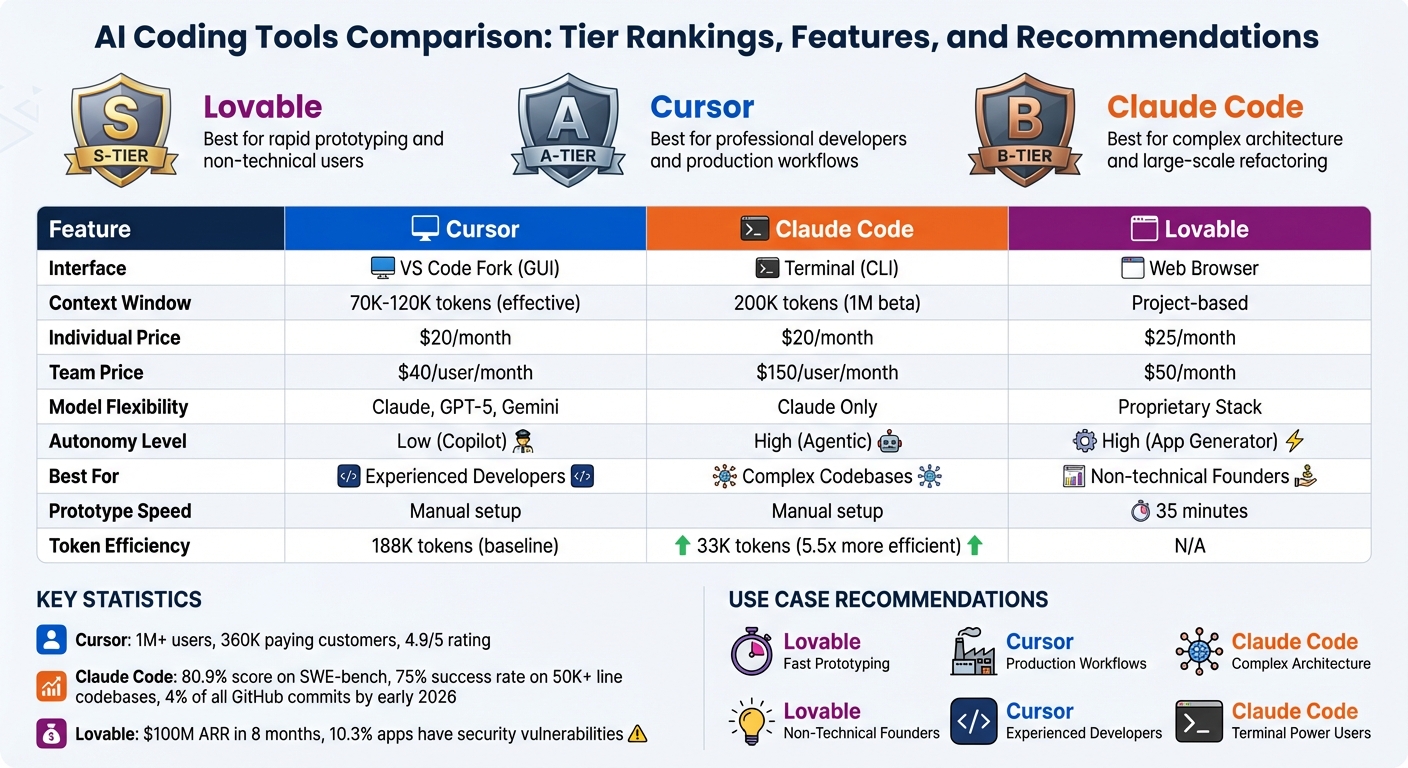
Cursor vs Claude Code vs Lovable: Feature Comparison and Tier Rankings 2026
We Tier Ranked Every AI Coding Assistant
sbb-itb-212c9ea
Cursor: AI-Powered IDE for Developers
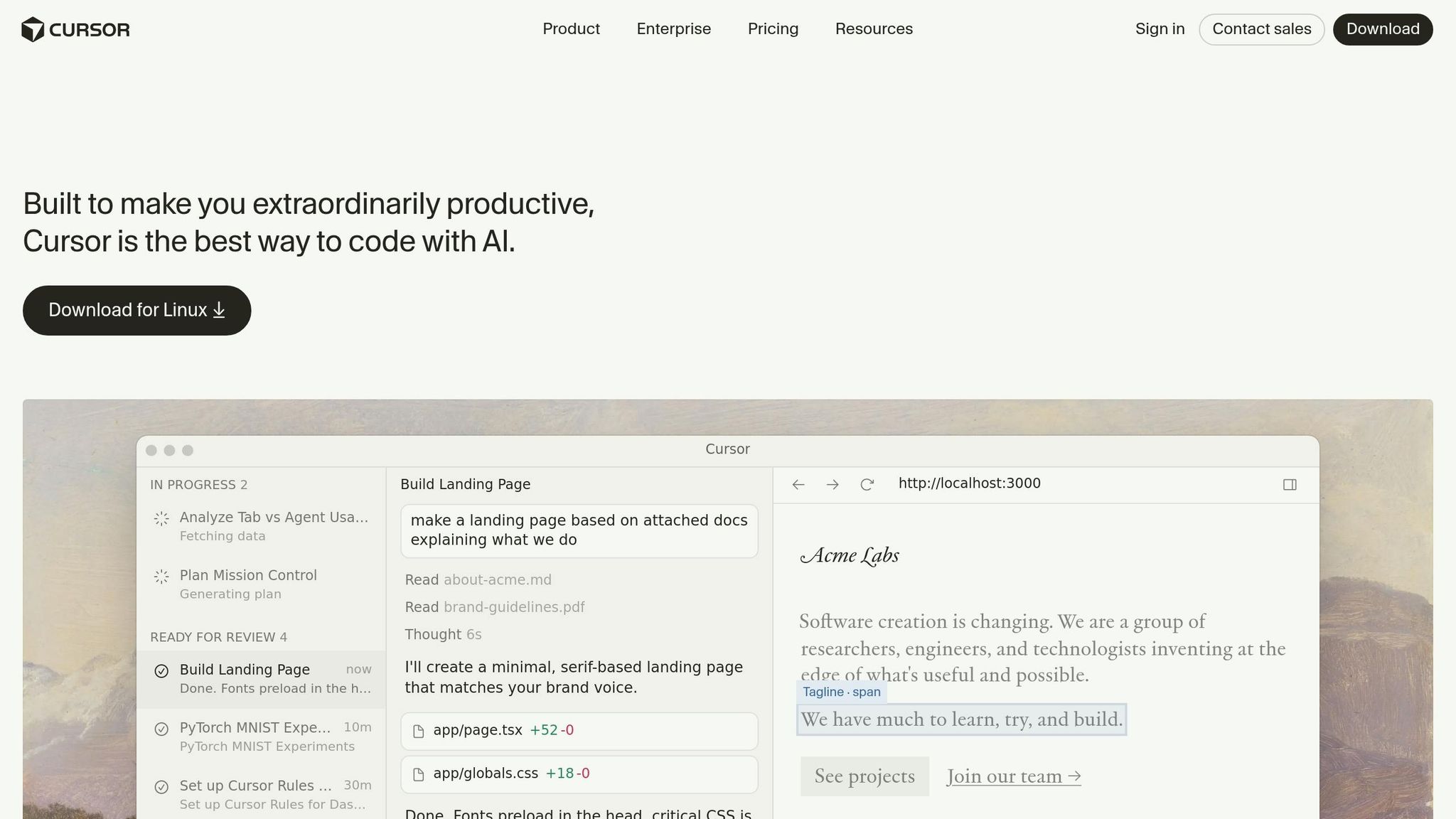
Cursor is a version of VS Code that integrates AI as a core feature rather than relying on plugins. It’s tailored for professional developers, offering tools like autocomplete and multi-file refactoring to streamline everyday coding tasks.
In just 16 months, Cursor has attracted over 1 million users, including 360,000 paying customers. It boasts a stellar 4.9/5 user rating, largely due to its seamless incorporation into existing VS Code workflows.
Features and Benefits
One of Cursor’s standout features is Tab Autocomplete, which uses a specialized model to predict multi-line edits in real time. After acquiring Supermaven, the tool now goes beyond finishing lines - it predicts your next move, helping developers maintain focus and reduce interruptions.
Another key feature, Composer Mode, indexes your entire repository using retrieval-augmented generation. This allows for rapid multi-file edits, such as implementing OAuth integration across various routes, middleware, and schemas. The Composer model is four times faster than similar tools, completing most tasks in under 30 seconds. These capabilities streamline workflows and help developers stay in a productive rhythm.
Cursor also provides flexibility by allowing users to switch between models, avoiding vendor lock-in. It offers four interaction modes:
- Agent: Handles autonomous edits.
- Plan: Creates step-by-step outlines.
- Debug: Focuses on intelligent bug fixing.
- Ask: Enables read-only exploration.
Background agents operate in isolated Ubuntu VM sandboxes, ensuring parallel task execution without interfering with your active editor. For teams, the Teams plan costs $40 per user per month and includes features like SSO (SAML/OIDC), audit logs, and shared .cursorrules files to maintain coding standards.
These features make Cursor a powerful tool for developers, though it comes with some trade-offs.
Pros and Cons
Cursor’s visual diff view simplifies the process of reviewing multi-file changes before accepting them. Additionally, VS Code users can continue using their existing extensions and keybindings.
"Cursor makes you faster at what you already know how to do. Cursor acts as an accelerator rather than a replacement."
- Marco Nahmias, solvedbycode.ai
However, there are some limitations. While Cursor advertises a 200,000-token context window, practical usage often falls between 70,000 and 120,000 tokens due to internal truncation safeguards. On larger codebases, indexing can cause noticeable lag or freezing. Cursor also uses 5.5 times more tokens than terminal-based competitors for similar tasks, which can increase costs on the Pro plan ($20/month).
A 2025 study revealed a surprising downside: while developers felt 20% faster using AI assistants, they were actually 19% slower due to time spent debugging and refining AI-generated code. As Cursor CEO Michael Truell explained:
"Cursor can end up building 'shaky foundations' if you never look at the code - like adding floors to a house without ever checking the wiring."
- Michael Truell, CEO of Cursor
Ultimately, Cursor doesn’t aim to automate entire coding pipelines. Developers remain responsible for reviewing diffs, managing dependencies, and ensuring the overall integrity of their projects. It’s designed for those who want to enhance their workflow while staying actively involved in the development process.
Claude Code: Advanced Reasoning and Architecture
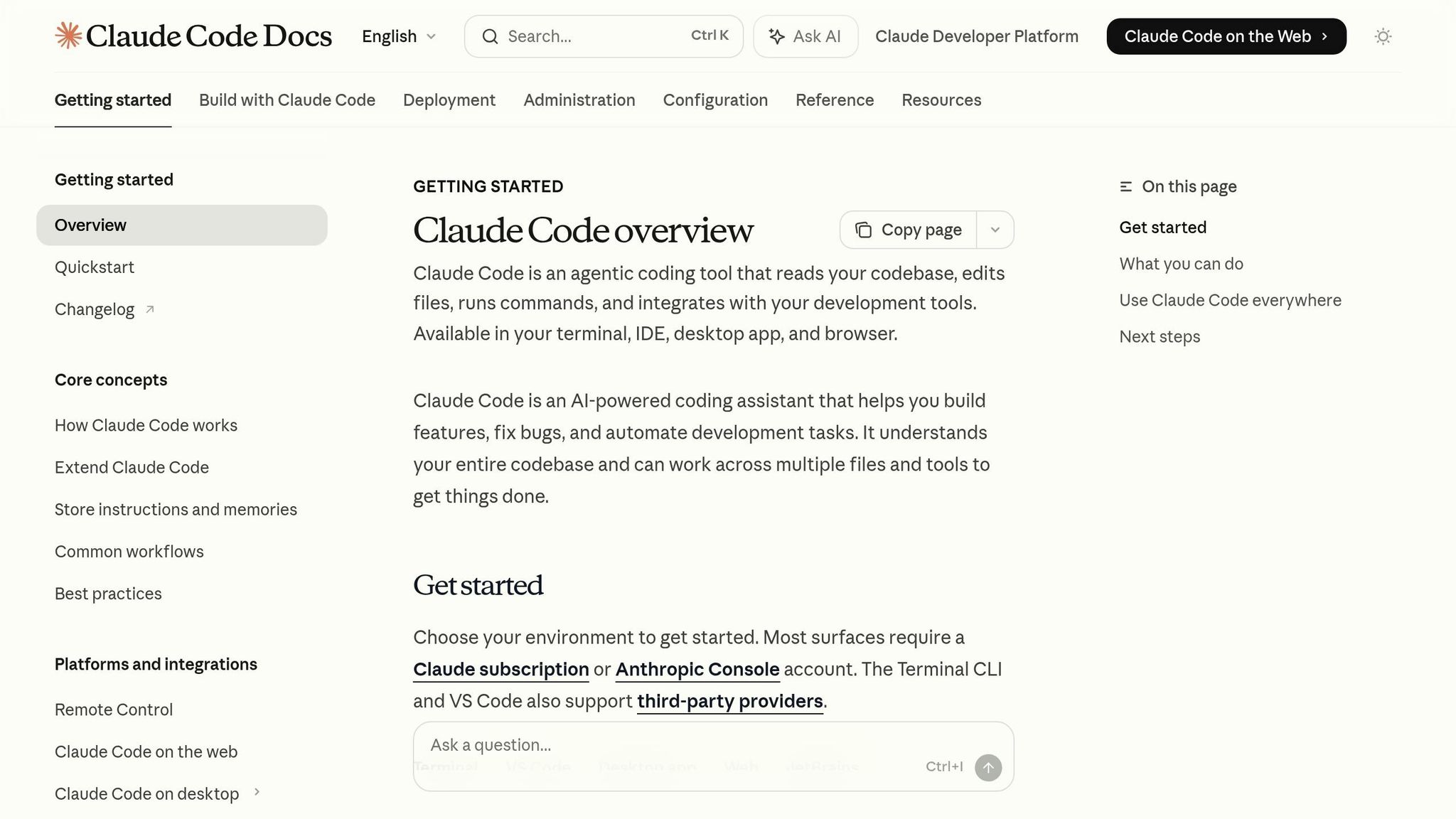
Claude Code offers an innovative approach to development by acting as an autonomous junior developer, capable of handling complex, multi-file tasks directly from the command line. Unlike IDE-based tools like Cursor, which integrate within development environments, Claude Code operates independently, streamlining workflows for large-scale projects.
This tool is designed to function seamlessly across various setups, including local machines, remote SSH sessions, Docker containers, and CI/CD pipelines. Its flexibility makes it particularly suited for tasks like extensive refactoring or architectural overhauls. Boris Cherny, the creator of Claude Code at Anthropic, shared that since November 2025, he has been submitting 10–30 pull requests daily without manually writing code.
At its core, Claude Code uses advanced code intelligence and planning capabilities to adapt to constantly evolving repositories, reinforcing its autonomous design.
Features and Benefits
Claude Code stands out with its agentic search system, which actively navigates your repository during task execution. It reads files, follows imports, and searches for references to adapt to the current state of the codebase. This capability contributed to its impressive 80.9% score on SWE-bench Verified, a benchmark designed to evaluate bug-fixing performance in open-source repositories.
What makes Claude Code unique is its "plan-first" reasoning approach. Before generating any code, it enters Plan Mode to create a detailed roadmap for implementation.
"Claude Code isn't trying to be your coding partner - it's trying to be your junior developer who can work independently on complex tasks."
- Marco Nahmias
To manage context effectively, Claude Code offers a 200,000-token window, with a beta version supporting up to 1 million tokens introduced in Claude Opus 4.6 in February 2026. This efficiency allows it to use 5.5 times fewer tokens than Cursor for similar tasks, reducing costs and speeding up completions.
Claude Code's architecture includes a main orchestrator agent that delegates tasks to sub-agents. These sub-agents handle various responsibilities, such as backend API updates, React component modifications, and unit test creation, all while sharing a unified workspace and plan to maintain consistency throughout the project. Native LSP (Language Server Protocol) support enhances its understanding of code structure and relationships.
Developers can enforce specific coding standards, architectural guidelines, and review processes via a CLAUDE.md file located at the project root. For teams looking to integrate Claude Code into their workflows, Python and TypeScript SDKs are available to enable programmatic automation.
Pros and Cons
Claude Code excels in autonomous implementation, tackling complex refactors in codebases exceeding 50,000 lines with a 75% success rate. Users have noted its ability to "compress three weeks of work into two days" during major architectural updates. By early 2026, it accounted for 4% of all public GitHub commits, showcasing its growing adoption.
Its terminal-native design shifts the focus from real-time collaboration to asynchronous delegation. Developers primarily interact with finished git diffs and pull requests rather than inline suggestions. As one engineer put it:
"Claude Code behaves less like a compiler and more like a senior engineer sitting next to you, reading the repository, connecting the dots, and challenging weak assumptions."
- Cristian Sifuentes, Senior Software Engineer
However, this level of autonomy has its downsides. Tasks requiring human judgment - like assessing security risks or making final architectural decisions - still need manual oversight. Additionally, Claude Code is tied exclusively to the Anthropic Claude model family (versions 3.5, 4.5, and 4.6), meaning it cannot be used with other AI providers.
The pricing structure starts at $20/month for the Pro plan and goes up to $200/month for the Max 20x plan. API access is available at $5 per million input tokens and $25 per million output tokens, with support for prompt caching to optimize costs.
Lovable: Natural Language App Building
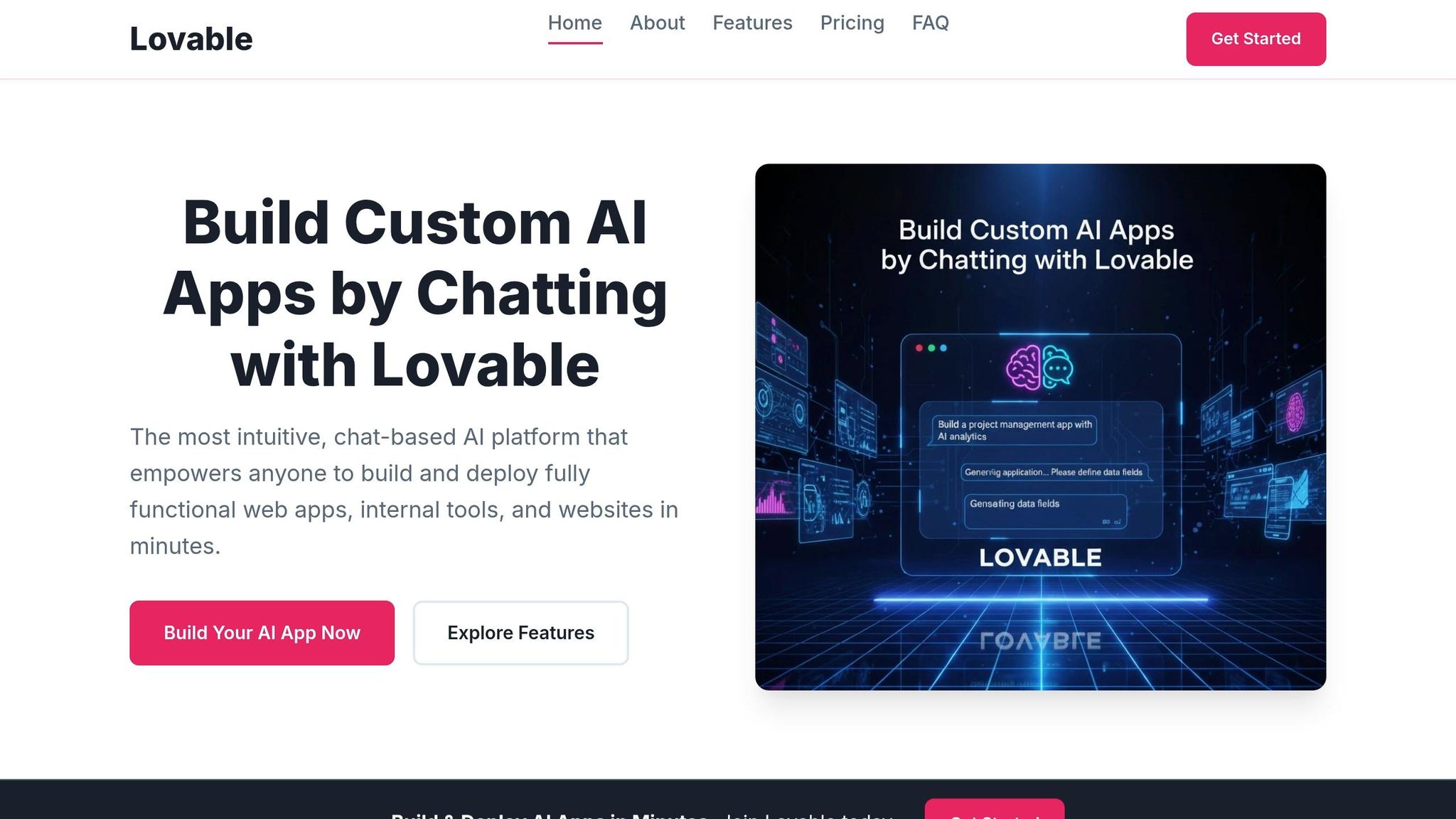
Lovable is reshaping app development for those without coding expertise. Aimed at non-technical founders and designers, it enables users to create fully functional applications without writing a single line of code. Instead of tweaking existing workflows, Lovable generates everything from React frontends and PostgreSQL databases to user authentication and Stripe payment integration - all based on natural language instructions.
The platform provides three distinct modes to suit different user needs: Agent Mode for autonomous development with built-in debugging and real-time web search, Chat Mode for step-by-step planning, and Visual Edits for hands-on, Figma-style UI adjustments. This combination makes it accessible for complete beginners while still offering flexibility for users who want more control.
A standout feature is its two-way GitHub synchronization, which exports clean TypeScript and React code directly to your repository. This allows teams to move seamlessly from rapid prototyping in Lovable to further development in professional tools like Cursor, following what’s often called the "graduate workflow." Many users validate their ideas quickly in Lovable, then refine the prototype in a professional IDE once the concept is proven.
Lovable's speed is impressive, with prototypes ready in just 35 minutes. The platform’s rapid success is evident - it hit $100M ARR within eight months of launching. Hosting expert Walter Akolo highlighted its efficiency:
"Lovable finished in under 10 minutes while Cursor took nearly an hour... Lovable treats my prompts as requests for complete products." - Walter Akolo
Features and Benefits
Lovable simplifies the technical side of app development, making it ideal for beginners. It automates infrastructure tasks like creating database schemas, API routes, and security policies, so users don’t need to understand backend complexities. For example, building a landing page with email collection is as easy as describing the flow - “a landing page with a waitlist form connected to Supabase” - and Lovable handles the rest.
The platform operates on a credit-based system, where task complexity determines the credit cost. Simple UI tweaks might use 0.5 credits, while more advanced features like authentication can consume 1.2+ credits, particularly when using Agent Mode’s debugging capabilities. The Pro plan, priced at $25/month (billed annually), includes 150 credits, private projects, and custom domains.
Deployment is straightforward with one-click hosting integration, eliminating the need for manual CI/CD setups. Additionally, Visual Edits mode offers a credit-efficient way to adjust elements directly, such as changing colors or padding, without using natural language prompts.
Pros and Cons
Lovable shines in the early stages of development, helping users transform ideas into prototypes quickly. This makes it perfect for MVPs and testing business concepts, especially when speed is a priority. Its ability to interpret vague prompts and deliver functional results has made it a favorite for solopreneurs.
However, the platform faces challenges in the later stages of development. Code quality can degrade over time, with outputs becoming less reliable after repeated prompts. As MasteringAI noted:
"Every hour learning Claude Code makes you more capable. Every hour fighting Lovable bug loops just burns credits. One investment grows, one depletes." - MasteringAI
Security is another concern. A May 2025 study revealed that around 10.3% of apps built with Lovable had vulnerabilities exposing personal data. The platform doesn’t always flag contradictory instructions, which can lead to security gaps. Experts strongly advise against deploying Lovable-generated code to production without a thorough security review, especially for applications handling sensitive data or payments.
While Lovable is excellent for rapid prototyping, it struggles with complex production needs like OAuth state validation, session expiry handling, and multi-tenancy isolation. Its reliance on a specific stack - React, TypeScript, and Supabase - can also limit flexibility for projects requiring different architectures. For many teams, it’s often easier to rebuild the app from scratch with clean architecture rather than fixing accumulated issues from the prototype stage.
Side-by-Side Comparison
This section provides a quick comparison of key features, pricing, and performance, building on the detailed tool reviews above.
Comparison Table
Choosing the right tool depends on how well it aligns with your coding needs and workflow preferences. Here’s a snapshot of the three tools:
- Cursor: An IDE-focused accelerator that enhances your coding speed while keeping you in control.
- Claude Code: A terminal-native tool designed to handle complex tasks autonomously.
- Lovable: A full-stack builder capable of generating complete applications from natural language inputs.
Cursor’s Pro plan costs $20/month (or $16/month annually), Lovable’s Pro tier is $25/month, and Claude Code’s individual plan is also $20/month. For teams, Cursor’s plan is $40 per user per month, while Claude Code charges $150 per user monthly for its Premium seats. Lovable offers a $50/month Business plan.
| Feature | Cursor | Claude Code | Lovable |
|---|---|---|---|
| Primary Interface | VS Code Fork (GUI) | Terminal (CLI) | Web Browser |
| Context Window | 70K–120K (Effective) | 200K (Reliable) / 1M Beta | Project-based |
| Individual Plan | $20/month | $20/month | $25/month |
| Team Plan | $40/user/month | $150/user/month | $50/month (Business) |
| Model Flexibility | Claude, GPT-5, Gemini | Claude Only | Proprietary Stack |
| Autonomy Level | Low (Copilot) | High (Agentic) | High (App Generator) |
| Backend Setup | Manual | Manual/CLI | Integrated (Supabase) |
| Tab Completion | Yes | No | No |
| Deployment | Manual | CLI/GitHub Actions | One-click |
A standout difference lies in how these tools handle context. Cursor’s effective context window is lower than its claimed 200K tokens, while Claude Code reliably supports 200K tokens (with a 1M beta version). This makes Claude Code ideal for large codebases. For instance, it can manage projects exceeding 50,000 lines of code about 75% of the time. Tests revealed that Claude Code used just 33K tokens to complete a task, compared to Cursor’s 188K, making it 5.5 times more token-efficient.
Pros and Cons Summary
Here’s a closer look at the strengths and limitations of each tool, highlighting practical takeaways beyond the numbers.
Cursor:
Cursor is a great fit for experienced developers looking to streamline their daily workflow. Its integration with a familiar VS Code environment ensures a smooth transition, and features like tab completion deliver natural, real-time coding suggestions. The team pricing at $40 per user per month is a budget-friendly option. However, Cursor may fall short on large-scale refactors requiring deep context across multiple files. It’s also been reported to sometimes overlook configuration rules (e.g., those in ".cursorrules") or truncate larger files.
Claude Code:
Claude Code shines when it comes to managing complex architectural changes and large-scale refactors. It reduces the need for rework by about 30% and can autonomously test, fix, and commit changes. That said, its terminal-native interface might be a hurdle for developers unfamiliar with command-line workflows. Additionally, its premium team pricing reflects its advanced capabilities, which may not suit all budgets.
Lovable:
Lovable’s standout feature is its ability to generate complete full-stack applications in under 35 minutes. It delivers solutions with React frontends, PostgreSQL databases, and built-in authentication. Its Visual Edits mode is particularly user-friendly for non-technical users. However, approximately 10.3% of Lovable-generated apps have been found to have security vulnerabilities in production, and its reliance on a locked-in stack (React, TypeScript, Supabase) could be restrictive for teams needing more flexibility.
Tier Rankings and Recommendations
Tier Rankings: S, A, and B
Based on the strengths and weaknesses discussed earlier, these tools have been grouped into three tiers to summarize their overall performance.
Lovable earns the S-Tier for its speed and simplicity in prototyping. It’s the go-to choice for quickly turning ideas into functional prototypes. It creates full-stack apps with React frontends, Supabase databases, and authentication - all without requiring any local setup. Non-technical founders can describe their needs and instantly see visual results. As the Lovable Team puts it:
"The barrier between describing an application and owning one has collapsed."
Cursor is placed in A-Tier for its professional-grade IDE features tailored for software developers and engineers. It’s ideal for those who want AI to enhance their coding process without losing control over their work. At $20/month for the Pro plan, users get unlimited completions in a VS Code-like environment, which makes it easy to adopt and integrate into existing workflows.
Claude Code takes the B-Tier for its focus on complex reasoning and large-scale architectural tasks. With a deep context window (up to 1 million tokens) and terminal-native interface, it excels at handling massive codebases - often exceeding 50,000 lines. It boasts a 75% success rate for large-scale refactors and reduces rework by 30%. However, its CLI-only design can be challenging to master, and its pricing reflects its specialized nature.
To help you decide which tool fits your needs, the table below highlights the ideal scenarios for each.
Use Case Recommendations
These rankings directly influence the recommended use cases for each tool, aligning with their capabilities and tier placements.
| Use Case | Recommended Tool | Why It Works |
|---|---|---|
| Fast Prototyping | Lovable | Quickly build functional MVPs without worrying about code or server management. |
| Production Workflows | Cursor | Maintain high-quality code with full developer control in a familiar IDE. |
| Complex Architecture | Claude Code | Manage large-scale refactors and deep reasoning tasks across extensive codebases. |
| Non-Technical Founders | Lovable | Start building using natural language - no technical knowledge required. |
| Experienced Developers | Cursor | Use AI assistance while keeping full control over repositories and workflows. |
| Terminal Power Users | Claude Code | Take advantage of its powerful CLI for testing, fixing, and committing during major changes. |
A growing trend for 2026 involves combining these tools in different stages of development. For example, teams often start with Lovable to validate concepts, then move to Cursor for scaling and professional maintenance. AI development expert Till Freitag explains:
"Cursor for developers, Lovable for MVPs, Claude Code for complex codebases – and most teams need more than one tool."
Conclusion
After carefully examining the features, efficiency, and practical applications of these tools, here’s how to make your choice.
The best AI coding tool for you in 2026 depends on your role and the nature of your project. For non-technical founders, beginner-friendly AI tools like Lovable (S-Tier) are ideal for quickly building MVPs, thanks to an intuitive natural language interface. Professional developers will find Cursor (A-Tier) invaluable for production workflows, offering deep codebase awareness and seamless IDE integration for $20/month. For terminal users managing complex refactoring tasks, Claude Code (B-Tier) is the go-to option for large-scale architectural challenges.
Today’s workflows often combine tools. Teams frequently start with Lovable to validate concepts before moving to Cursor for production refinement and maintenance. Meanwhile, Claude Code is often brought in for specialized, large-scale refactoring. As one developer remarked:
"Cursor offers arguably the most advanced development experience, weaving AI into nearly every interaction a programmer has with their code." – HostAdvice
However, it’s crucial to stay vigilant. Studies show that around 45% of vibe-coded applications have security flaws, such as weak authentication protocols. Developers must evolve from simply writing code to acting as meticulous inspectors, carefully reviewing AI-generated diffs before deploying to production.
Ultimately, your choice should align with your technical expertise and the stage of your project. Non-technical founders can rely on Lovable to kickstart their ideas, professional developers will benefit from Cursor’s production-ready capabilities, and terminal users tackling major refactors should leverage Claude Code, despite its steeper learning curve.
The key takeaway? Vibe coding can dramatically boost productivity when paired with the right tool. Select the one that fits your workflow best, and always keep a close eye on the AI's output.
For a detailed breakdown of each tool’s strengths, weaknesses, and ideal use cases, revisit the tool comparison section.
FAQs
Which tool should I start with for my project stage?
When choosing the right tool, it all comes down to what your project requires and your level of technical know-how. If you're aiming for full control and need production-ready code, Cursor is a solid choice. On the other hand, if your priority is speedy prototyping or building MVPs, Lovable shines with its ability to streamline frontend development.
Interestingly, many teams find success by starting with Lovable for prototyping and then moving to Cursor for deployment. This approach lets them enjoy the best of both worlds: rapid development paired with a more robust, scalable solution.
How can I reduce security risks from AI-generated code?
To minimize security risks associated with AI-generated code, it's crucial to stick to some solid practices. Start by using security frameworks like STRIDE to spot vulnerabilities early in the development process. Tools like Snyk and Semgrep can be invaluable for running security scans, helping detect and address potential issues before they become problems.
When it comes to data privacy, choosing enterprise plans that offer clear privacy guarantees is a smart move. Additionally, formalizing security policies ensures everyone is on the same page about protecting sensitive information.
Don't forget to keep a close eye on AI activity. Regular monitoring, combined with aligning security reviews to match the fast pace of development, can help ensure vulnerabilities aren't missed along the way.
Can I use more than one of these tools in the same workflow?
Yes, it’s absolutely possible to integrate multiple tools like Cursor, Claude Code, and Lovable into a single workflow. Developers often mix and match these tools to enhance efficiency and tackle various tasks. For instance, Lovable might be your go-to for prototyping, while Cursor can handle more detailed coding work. Pairing tools such as Cursor and Claude Code is another popular approach, allowing you to combine real-time coding capabilities with a tool designed for managing complex, autonomous tasks.