Productivity
Free AI Tools That Are Actually Good in 2026 (No Credit Card Required)
Compare the best free AI tools in 2026 that need no credit card — coding, research, and agentic IDEs with generous free tiers.

Free AI Tools That Are Actually Good in 2026 (No Credit Card Required)
Looking for free AI tools in 2026 that work without requiring a credit card? Here's the deal: You can accomplish about 90% of common AI tasks for free using tools that don’t hide features behind paywalls or time-limited trials. From coding assistants to research tools, these options deliver real functionality without sneaky upsells.
Top Free AI Tools in 2026:
- GitHub Copilot Free: Offers 2,000 monthly code completions and 50 advanced requests for personal projects.
- OpenCode: Open-source terminal-based coding assistant with no enforced limits; works with local or cloud models.
- Google AI Studio: Free access to Gemini models for multimodal inputs (text, images, video) and up to 1,000 daily requests.
- Google Antigravity: AI-powered development environment with autonomous agents for software tasks.
- Gemini Code Assist: 180,000 monthly code completions with advanced features like multi-file refactoring.
- NotebookLM: Research tool that works with your uploaded files to generate FAQs, summaries, and structured outputs.
- Aider: Terminal-based coding tool with git integration; requires your own API key or local models for free usage.
- Continue: Open-source VS Code extension supporting multiple AI models with unlimited free access.
Each tool has its strengths, from beginner-friendly setups to advanced, customizable options. Whether you need help coding, researching, or automating tasks, these tools provide practical solutions without hidden costs.
Quick Comparison Table
| Tool | Free Tier Limits | Main Use Case | Setup Difficulty | Key Features |
|---|---|---|---|---|
| GitHub Copilot Free | 2,000 completions/month, 50 advanced requests | Coding Assistance | Intermediate | Inline code suggestions, chat-based help |
| OpenCode | No enforced limits (local/cloud models) | Terminal-Based Coding | Advanced | Open-source, supports 75+ LLM providers |
| Google AI Studio | 1,000 requests/day, multimodal inputs | API Prototyping | Intermediate | Gemini models, JSON Mode, multimodal support |
| Google Antigravity | Unlimited completions (public preview) | App Building | Beginner | Autonomous agents, browser integration |
| Gemini Code Assist | 180,000 completions/month, 240 chat requests | Coding Assistance | Intermediate | Multi-file refactoring, TODO-based completions |
| NotebookLM | 100 notebooks, 50 sources per notebook | Research & Learning | Beginner | Grounded answers, infographics, mind maps |
| Aider | Unlimited (self-hosted, API key needed) | Terminal-Based Coding | Advanced | Git integration, voice-to-code, test execution |
| Continue | Unlimited (requires API keys or local models) | Editor-Based Coding | Intermediate | Open-source, multi-model support, semantic indexing |
These tools help you save time, improve productivity, and avoid unnecessary expenses. Pick the one that fits your workflow and start using it today.
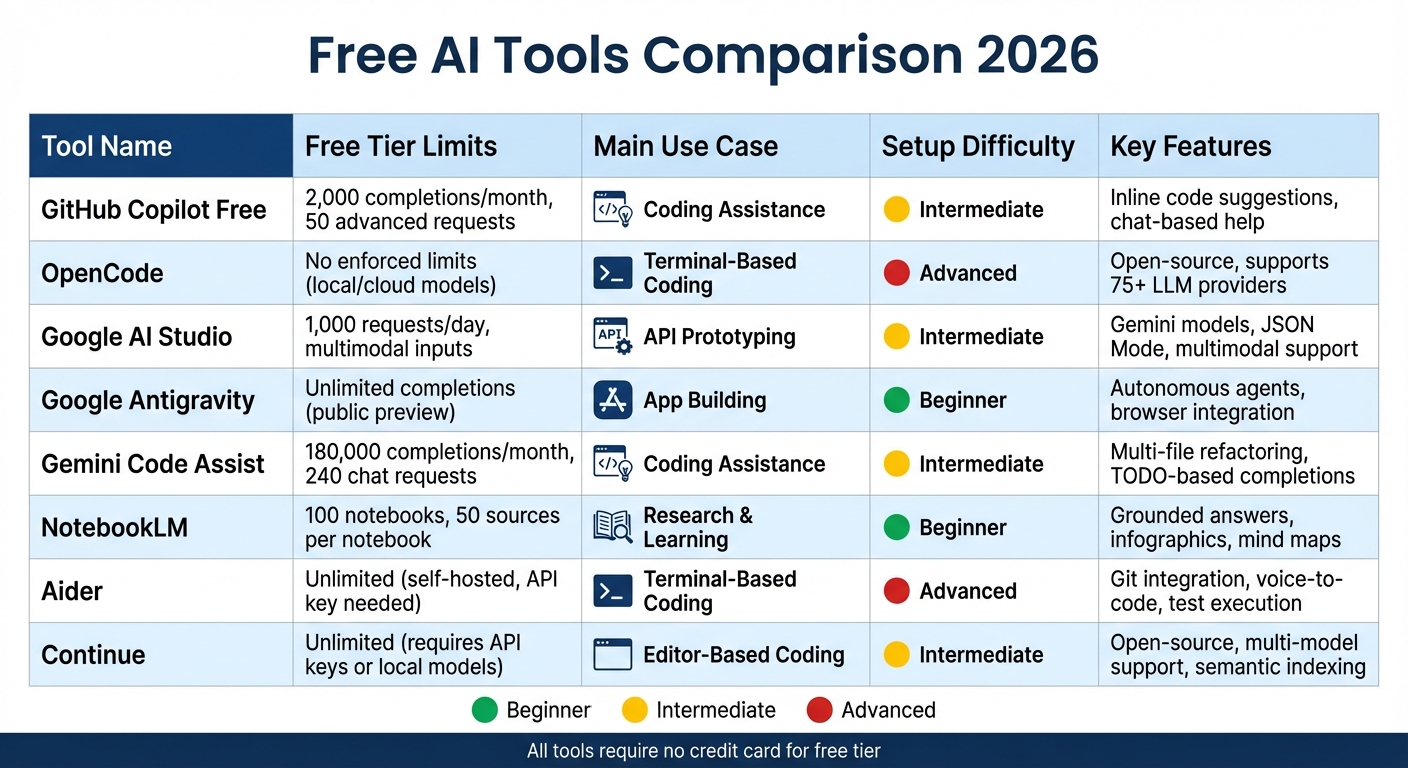
Free AI Tools 2026: Feature Comparison Chart
19 FREE AI Tools You Need In Your Life
sbb-itb-212c9ea
1. GitHub Copilot Free
GitHub Copilot Free is a coding assistant that integrates seamlessly into your development environment. All you need is a GitHub account - no credit card required, no hidden fees. It’s tailored for individual developers working on personal projects or side gigs, offering an opportunity to experience AI-assisted coding without spending a dime.
Free Tier Limits
With the free tier, you get 2,000 inline code completions per month and 50 premium requests for features like chat interactions, Agent mode, and Copilot Edits. If you hit the monthly limit in Visual Studio, the IDE automatically switches back to standard IntelliCode suggestions. You can also disable completions in your IDE settings once you’ve maxed out. This tier even grants access to advanced models like GPT-5 mini and Claude Haiku 4.5.
Primary Use Case
Copilot Free is ideal for repetitive coding tasks like generating boilerplate code, writing unit tests, or creating getter/setter functions. It also includes a /explain command to help you understand unfamiliar or legacy code. Developers have reported a 55% productivity boost and increased job satisfaction when using this tool.
"Copilot Free gives you the choice between Anthropic's Claude 3.5 Sonnet or OpenAI's GPT-4o model. You can ask a coding question, explain existing code, or have it find a bug." - Thomas Dohmke, CEO, GitHub
Setup Complexity
Getting started is quick and hassle-free. In VS Code or Visual Studio, simply click the Copilot icon in the sidebar and select "Sign up for Copilot Free." You can also activate it via the web at github.com/copilot or through the GitHub Mobile app. No additional extensions are required. Once set up, you can monitor your usage by selecting "Copilot Free Status" from the Copilot badge dropdown. For more customization, you can create a .github/copilot-instructions.md file in your project.
Notable Features
Copilot Free includes tools like Copilot Edits and CLI integration, which streamline your workflow. Copilot Edits allows you to propose and apply changes across multiple files with a single prompt, saving you from tedious manual edits. The CLI integration helps generate terminal commands and debug directly from the command line. However, this free tier is not available for accounts managed by organizations or those with enterprise subscriptions.
Next, we’ll take a closer look at OpenCode, another excellent free AI tool for developers.
2. OpenCode
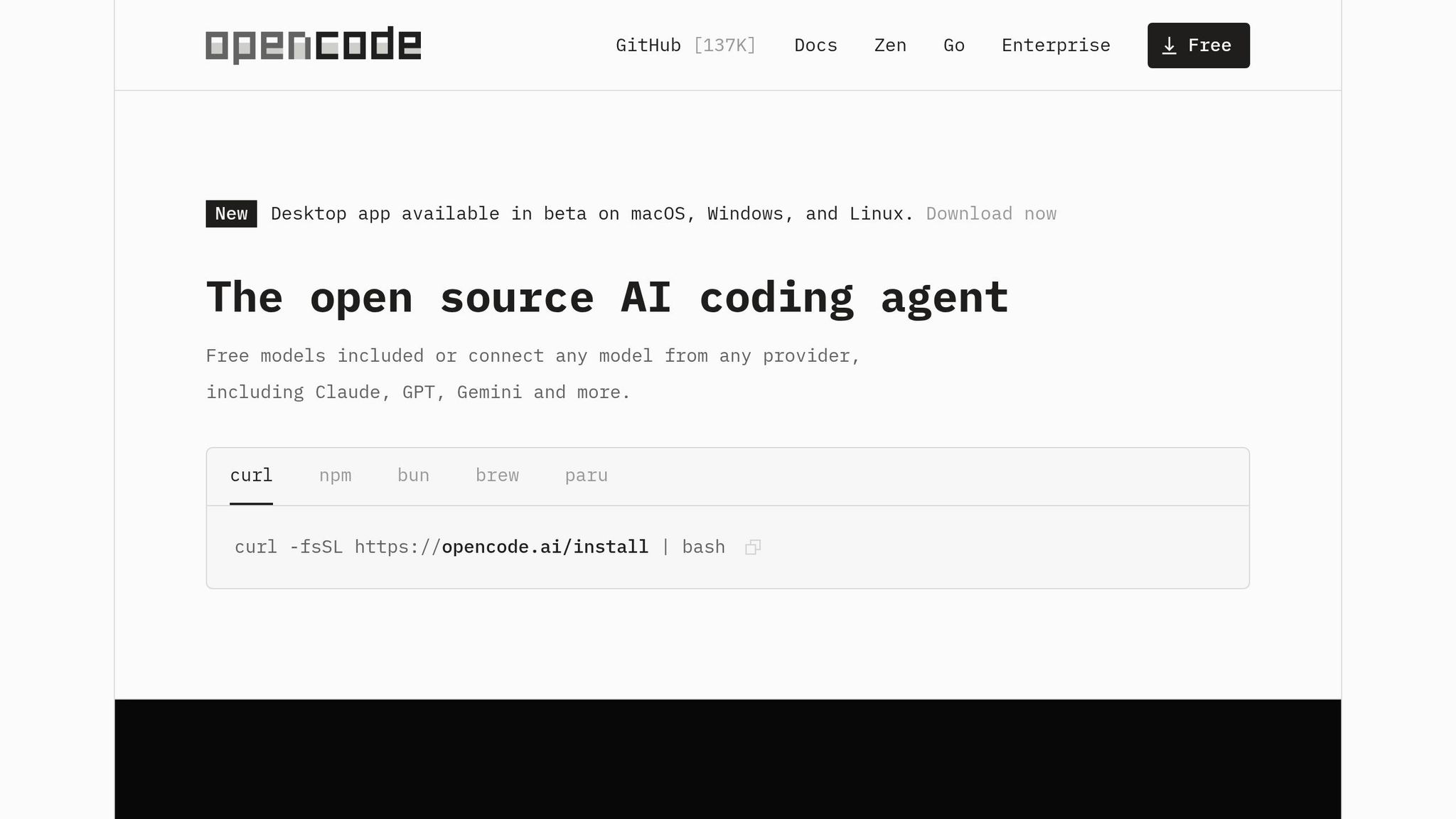
OpenCode is an open-source AI coding assistant designed to work directly within your terminal. There’s no need for a credit card - just bring your own API key or run it with local models for free. With over 120,000 GitHub stars and a massive user base of 5,000,000 developers each month, OpenCode has become a go-to tool for terminal users seeking full control over their AI coding workflows. It’s a perfect fit for anyone prioritizing free AI tools for developers that boost productivity without hidden fees.
Free Tier Limits
Since OpenCode is fully open source, there are no usage limits. Your expenses depend entirely on the LLM provider you choose. For instance, you can run local models via Ollama for free (though it requires at least 16 GB of RAM), or opt for cloud APIs. Light usage with DeepSeek typically costs $2–$5 per month, while moderate professional use with Claude Sonnet ranges from $10–$20 monthly. With support for over 75 LLM providers, OpenCode gives you the freedom to choose without being tied to a single vendor.
Primary Use Case
OpenCode is widely used by developers for tasks like writing and debugging code, modernizing legacy classes with patterns like dependency injection, and adding new features such as dark mode toggles. It’s also helpful for non-developers who need to understand complex codebases. For example, the AI can explain intricate authentication flows or business logic in simple terms.
"OpenCode is the standout open-source AI coding tool of 2026... It runs entirely in your terminal with a polished TUI and deep LSP integration." - NxCode Team
This versatility makes OpenCode a valuable tool for a wide range of users.
Setup Complexity
Getting started is quick and easy. Just run:
curl -fsSL https://opencode.ai/install | bash
in your terminal. Then, use the /connect command to link your preferred LLM provider. OpenCode Zen simplifies the process by curating validated models, so you don’t have to spend time benchmarking providers. Once installed, execute the /init command in your project directory to generate an AGENTS.md file. This file helps the AI understand your project’s structure and coding conventions.
Notable Features
OpenCode includes several standout features that enhance its usability:
- Plan mode for read-only analysis and Build mode for write access, easily toggled with the Tab key.
- Drag-and-drop functionality for UI mockups or screenshots, enabling the AI to analyze and implement front-end updates.
- The
/undocommand, which instantly reverts AI-generated changes. - Multi-session support, allowing multiple agents to work on the same project simultaneously.
Additionally, OpenCode prioritizes privacy. It doesn’t store code or context data on external servers, making it an excellent choice for corporate environments where data security is paramount. These features make OpenCode a powerful tool for users who value both efficiency and control.
3. Google AI Studio
Google AI Studio is a user-friendly, web-based platform designed for experimenting with Gemini models. It’s open to developers, students, and researchers who want to test prompts, fine-tune parameters, and work with multimodal inputs like text, images, audio, and video - all without needing a credit card. Beyond that, it also serves as a free API key provider, enabling seamless integration of Gemini into custom applications.
Free Tier Limits
The free tier offers generous limits. Gemini 2.0 Flash provides a massive context window of 1 million tokens per request, allowing 15 requests per minute (RPM) and 200 requests per day (RPD). For higher-frequency tasks, Gemini 2.5 Flash-Lite supports up to 1,000 requests daily. When it comes to image generation, the platform allows between 500 and 1,000 free images daily through the Gemini 2.5 Flash Image model. These quotas reset daily at midnight Pacific Time (8:00 AM UTC), so planning your workload around the reset can help maximize usage. It’s worth noting that on the free tier, Google may use input and output data to improve its services, whereas paid accounts exclude user data from training.
Primary Use Case
Google AI Studio is ideal for rapid prototyping and testing. Developers can create MVPs and internal tools without upfront costs, while students and researchers benefit from its extensive context windows for analyzing long-form documents like research papers or even entire codebases. One standout feature, "Vibe code", introduced in 2026, allows users to generate fully functional AI applications using natural language and deploy them with a single click. Some users have reported saving up to 105 minutes weekly by automating repetitive tasks using Gemini AI tools.
Setup Complexity
Getting started is quick and hassle-free. Simply sign in with your Gmail or Google Workspace account at aistudio.google.com, and you can begin in under a minute. There’s no installation or waiting list required for the web interface. The platform operates entirely in your browser, and the "Developer quickstart" guide helps you make your first API request in about 4 minutes. Additionally, the "Get Code" feature makes it easy to export successful prompts into Python, JavaScript, or cURL instantly.
Notable Features
Google AI Studio stands out with its support for multimodal inputs, enabling users to upload and analyze PDFs, code folders, audio files, and videos directly within the interface. The System Instructions feature allows you to define the AI’s persona and constraints for an entire conversation, reducing the need for repetitive prompts. For structured outputs, JSON Mode simplifies data extraction into formats that are easy to use in code. All generated images come with invisible SynthID watermarks, ensuring they are identifiable as AI-generated. Additionally, the platform provides OpenAI-compatible API endpoints, making it a convenient alternative for tools that rely on OpenAI’s infrastructure.
4. Google Antigravity
Google Antigravity is a free, AI-powered development environment designed to transform the coding process. It uses autonomous agents to plan, execute, and validate entire software tasks across your editor, terminal, and browser during its public preview. Developer Steren describes it as "not an IDE, it's a coding agent UI... the agent can control a Chrome browser, enabling it to validate, open, and use the app it builds". Below, we break down its features and capabilities.
Free Tier Limits
The Individual Plan is completely free with a Gmail account, offering a weekly quota based on the workload of the autonomous agents. However, if you frequently run tasks with multiple agents, you might hit these limits quickly. Antigravity operates on the Gemini 3 Pro model, which achieved a 76.2% score on the SWE-bench Verified benchmark. It also supports a 1-million-token context window, making it capable of analyzing large codebases effectively. These limits provide ample room for meaningful development work compared to traditional tools.
Primary Use Case
Antigravity shines in managing parallel tasks through its Manager View, a mission-control-style dashboard for AI agents. Developers can run multiple agents simultaneously to address bugs or build features, with some reporting a 3–4× increase in task throughput for independent workflows. The built-in browser enhances productivity by enabling agents to launch local servers, test UI changes in real time, and produce Artifacts - such as screenshots, recordings, and test results - to validate functionality.
Setup Complexity
The setup process is straightforward, taking just 5–10 minutes on Windows, macOS, or Linux. As a fork of VS Code, Antigravity supports importing your existing themes, keybindings, and many extensions without hassle. It requires minimal system resources - only 4GB of RAM and 500MB of disk space - and includes built-in access to Gemini 3 Pro without needing external API keys.
Notable Features
The Manager View allows you to oversee up to five agents working on separate tasks at the same time, functioning much like managing a team of junior developers. You can switch between models like Gemini 3 Pro, Claude Sonnet 4.5, and OpenAI's GPT-OSS to optimize performance. The platform’s Artifacts system creates verifiable Markdown deliverables, including implementation plans, code diffs, and browser recordings, ensuring transparency in autonomous workflows. Additionally, it integrates seamlessly with Google Cloud for easy deployment.
Bruce from AI Guide rated Antigravity 8/10, commenting, "Antigravity is the most innovative AI coding tool of 2026. The Manager View, multi-model support, and zero-cost entry make it genuinely compelling".
Next, we’ll dive into Gemini Code Assist.
Gemini Code Assist
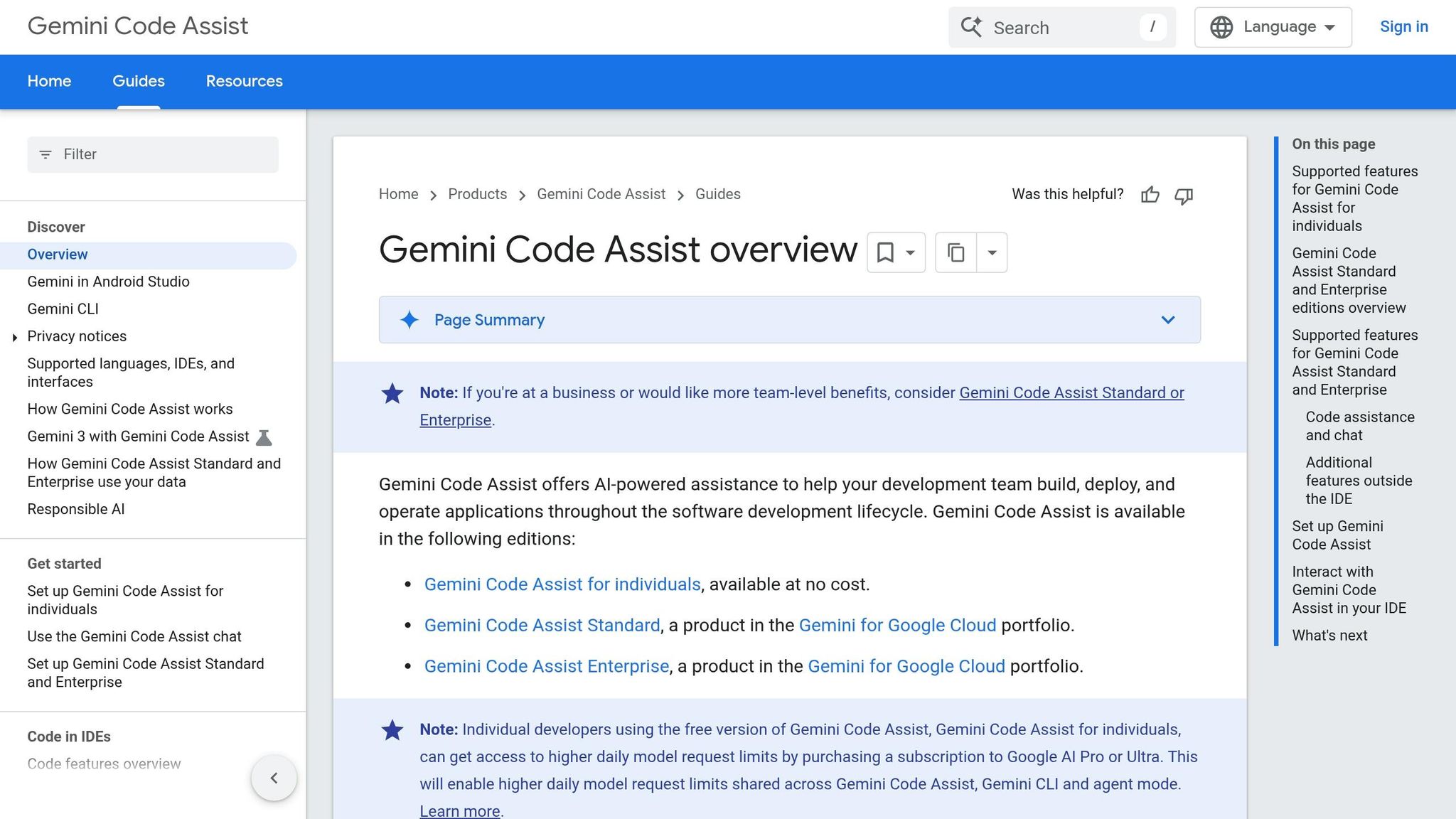
Gemini Code Assist is Google's free AI-powered coding assistant designed to integrate seamlessly with popular IDEs like VS Code, JetBrains IDEs, and Android Studio. It supports the entire software development process, from writing code to deploying apps, without requiring any payment information to get started. One of its standout features is Agent Mode, which can autonomously handle multi-step tasks such as adding authentication across multiple files or updating imports throughout an entire project.
Free Tier Limits
The free tier is generous, offering up to 180,000 code completions per month. Daily limits include 6,000 code-related requests, 240 chat requests, and 1,000 agent requests. Ryan Salva, Senior Director of Product Management at Google, explained the reasoning behind these limits:
"Our goal with this release was to make it so that you would have to be the most insanely dedicated developer coding fourteen hours a day to actually hit any of the limits."
This tier operates using Gemini 2.0/2.5 models and provides a 128,000-token context window for chat, enabling the tool to work effectively with large codebases.
Primary Use Case
Gemini Code Assist shines with its intent-based completion capabilities. For instance, its "Finish Changes" feature allows developers to simply leave a TODO comment, such as // TODO: add email validation, and the tool will automatically generate the corresponding logic. With Agent Mode, it can handle complex, multi-file changes, like refactoring an Express app to incorporate JWT authentication. Adam Fayne, Vice President for Enterprise Engineering at Dun & Bradstreet, highlighted its impact:
"AI-assisted code creation is a game changer for everyone involved in the solution-delivery business, it enables our teams to innovate, test, and deploy faster, without having to risk security or quality."
Setup Complexity
Getting started is straightforward. Install Gemini Code Assist through the Extensions panel in VS Code or the Plugins menu in JetBrains, then log in using a personal Gmail account. If you prefer using the terminal, you can install the Gemini CLI via npm with the following command:
npm install -g @google/gemini-cli
No credit card is needed to complete the setup.
Notable Features
Gemini Code Assist includes several tools to streamline development:
- Smart Actions: Right-click on any code to generate unit tests, simplify logic, or add documentation with one click.
- Outlines: Provides concise English summaries embedded within your editor to help clarify complex codebases.
- Next Edit Predictions: Offers suggestions for your next coding move, even if your cursor isn't in the area.
Additionally, the built-in GitHub Code Review app provides free AI-powered reviews for both public and private repositories. It detects bugs and style issues in pull requests and allows for customization by adding a .gemini/styleguide.md file to align with your team's coding standards. It also flags suggestions that include extended quotations from open-source sources, ensuring proper documentation for license compliance.
The tool has already proven its value in real-world scenarios. In early 2025, Adauris, a Canadian startup, used Gemini Code Assist's extensive token context window to identify and resolve complex bugs, cutting debugging time from days to hours. Similarly, Cirkuit, a smart-building company, utilized the tool to create intricate Postgres queries for analyzing time-series data from power meters, achieving highly accurate results using natural language prompts.
Next, we’ll dive into NotebookLM.
6. NotebookLM
NotebookLM is a free research assistant from Google, designed to work exclusively with the documents you upload. Unlike general chatbots, it doesn’t pull information from the internet. Instead, it relies solely on your uploaded files - like PDFs, Google Docs, YouTube transcripts, audio files, and website URLs - minimizing the risk of inaccuracies. Steven Johnson, an author and member of the NotebookLM team, describes it as:
"NotebookLM is a tool for understanding things."
In late 2025, NotebookLM saw a 57% growth rate, becoming Google’s fastest-growing AI tool at the time. It supports a context window of up to 1 million tokens (about 500,000 words per source), making it capable of handling entire textbooks or lengthy research papers.
Free Tier Limits
The free version is generous, offering up to 100 notebooks, 50 sources per notebook, and 50 daily chat queries. Additionally, users can generate 3 audio or video overviews daily and run up to 10 deep research reports each month. For most users, these limits are more than enough. If you need to analyze more material, you can combine related documents into a single Google Doc or PDF before uploading.
Primary Use Case
NotebookLM shines when it comes to turning raw research into structured outputs. Whether you’re working with meeting notes, academic papers, or other documents, it can generate FAQs, study guides, podcasts, slide decks, infographics, data tables, or mind maps [68,71].
For example, in late 2025, a user uploaded a 45-minute phone recording along with a short document. The result? A personalized slide deck titled "Aunt Carol's Gumbo Gospel", complete with conversational quotes and a playful recipe presentation. Educational technologist Justin Lai uses the infographic feature to simplify complex AI concepts, while data scientist Jean-Christophe Chouinard has used the mind map tool to visualize optimization strategies for large language models. This ability to transform unstructured information into polished content makes it a powerful tool for researchers and creatives alike. Max Anh from AI Fire sums it up:
"This shift turns NotebookLM from a simple research assistant into a complete content production system."
Setup Complexity
Getting started is quick and easy - just visit NotebookLM in your browser or download the iOS/Android app. Log in with your Google account, and you’re ready to go. No installation or payment details are needed.
Notable Features
NotebookLM stands out for its thoughtful features. Every response includes inline citations that link directly to the specific passage in your source, so you can verify information instantly [67,69]. The interactive audio mode lets you interrupt AI podcast hosts in real time to ask questions or guide the discussion [65,68]. The Studio panel enables one-click creation of professional outputs like slide decks (exportable to PPTX), infographics, data tables (exportable to CSV), and mind maps [68,72].
For projects requiring web research, the deep research feature summarizes the latest information beyond your uploaded files. You can even integrate this curated research into Gemini threads to turn your findings into blog posts or scripts.
With its robust research tools, NotebookLM sets the stage for more specialized platforms like Aider.
7. Aider
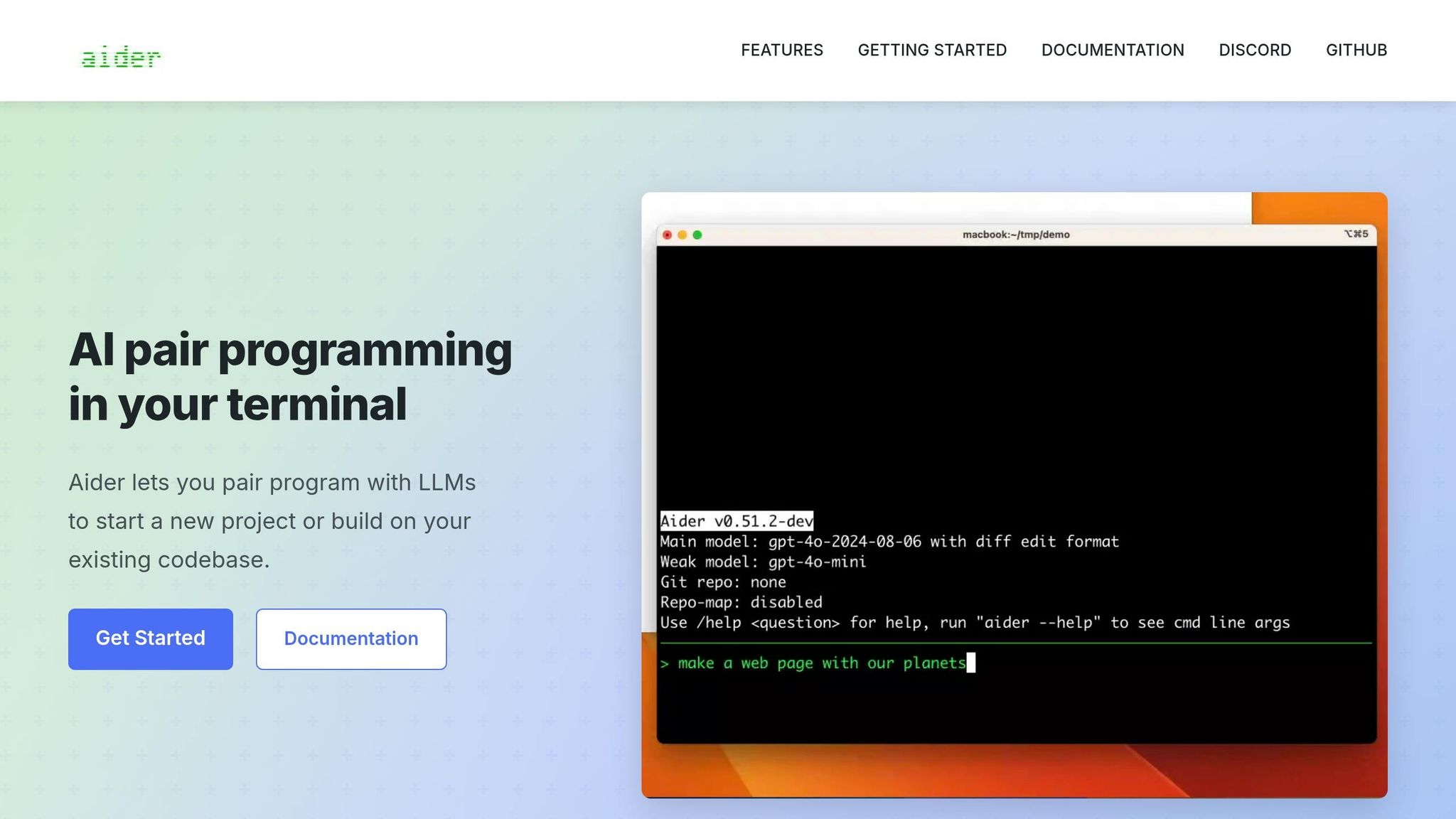
Aider stands out in the world of terminal-based AI tools, offering a fresh approach to on-device code editing. Fully free and open-source under the Apache 2.0 license, it operates directly in your command line, enabling natural language edits to local git repositories. As Eric S. Raymond, a respected developer and author, put it:
"My life has changed... Aider... It's transformative."
By 2026, Aider has earned over 40,000 stars on GitHub and been installed 5.7 million times, cementing its reputation as a top-tier tool for terminal-based coding. Many developers even call it the "gold standard" in this category.
Free Tier Limits
While Aider itself is free, it requires your own API key for AI access. This typically costs around $10 per month for moderate use, though heavy professional use could run between $70 and $80 per month. For those seeking a completely cost-free option, pairing Aider with Ollama allows you to run local models like DeepSeek or Llama. [76,77]
Primary Use Case
Aider is particularly effective for large-scale refactoring and multi-file operations, especially when maintaining a detailed git history is essential. Users have reported impressive productivity gains - tasks that once took an hour now take just 30 minutes, saving up to 15 hours weekly. Its automatic commit feature ensures a clear audit trail, and as noted by DevTools Review:
"The Git-native workflow is not just a feature - it changes how you think about AI-assisted development."
Beyond speed, Aider also improves code quality. Users have observed a 40% drop in post-release defects, thanks to its built-in testing and linting processes. [76,77]
Setup Complexity
Installing Aider is straightforward and takes about 5 minutes using pip or Homebrew (pip install aider-install or brew install aider). However, its command-line interface does require some familiarity with terminal operations and git workflows. Unlike GUI-based tools, Aider doesn’t provide visual diff previews or easy click-to-accept options. Instead, users manually select files and review changes as git diffs within the terminal.
Notable Features
Aider supports more than 75 large language model (LLM) providers, giving users the flexibility to switch between options like Claude, GPT-4, DeepSeek, or local models during a session to optimize cost and performance. Its repository mapping feature offers a concise overview of your codebase, helping you manage projects efficiently without draining your token allocation. Other standout features include:
- Watch Mode: Detects comments in editors like VS Code, Vim, or JetBrains to trigger AI-driven changes.
- Architect Mode: Splits planning and implementation by using one model for high-level design and another for execution.
- Voice-to-Code: Powered by the Whisper API, this feature simplifies complex tasks through voice commands.
With its git-centric design and versatile model support, Aider sets itself apart in the realm of free AI tools. Up next, we’ll dive into another tool that further broadens the possibilities of free AI solutions.
8. Continue
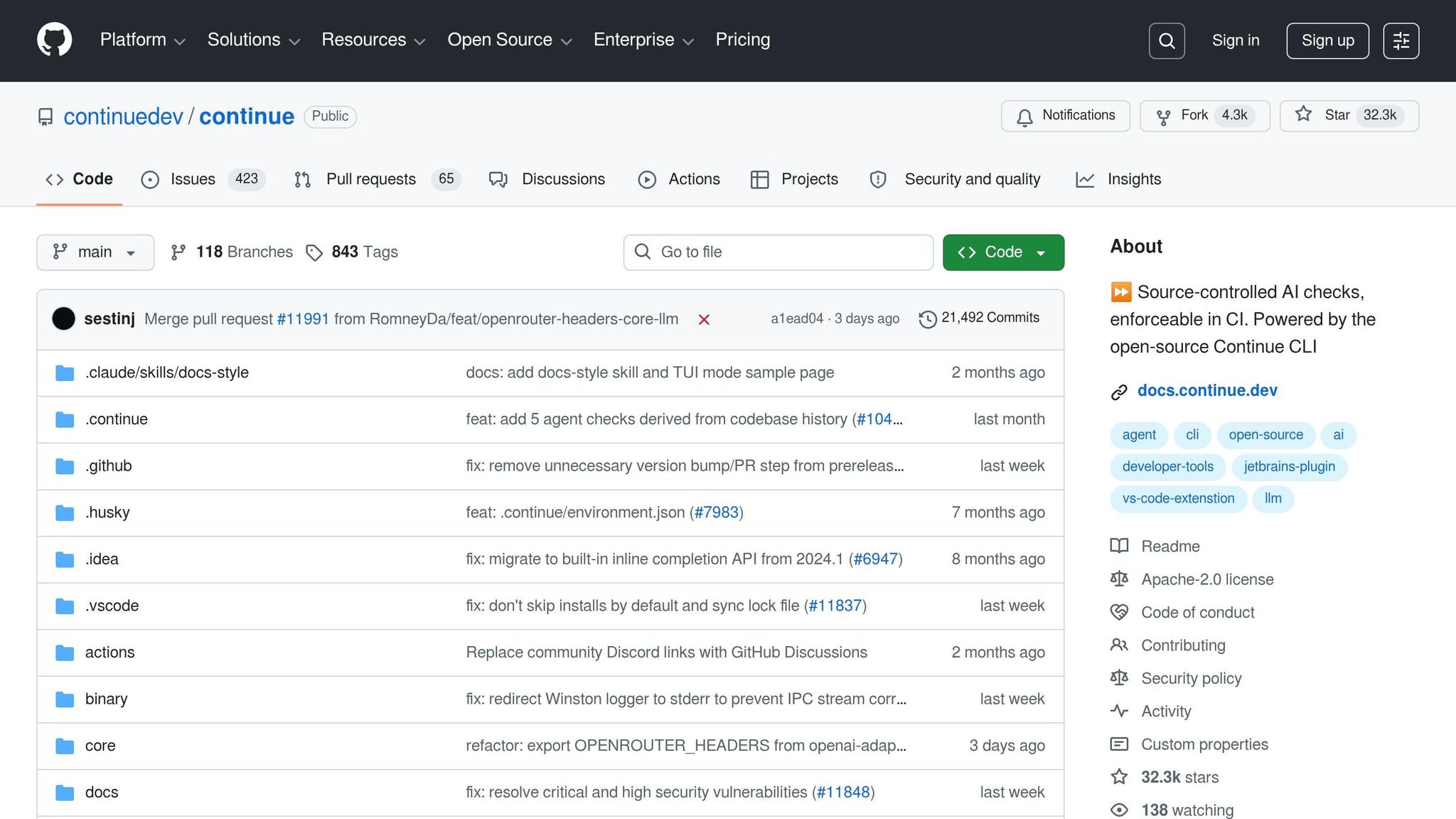
Continue stands apart from other AI coding tools by being fully open-source under the Apache 2.0 license. It integrates seamlessly as an extension into your existing VS Code or JetBrains setup. With over 31,300 GitHub stars and more than 2.5 million installs on the VS Code Marketplace, it's become a go-to choice for developers who want complete control over their AI tools.
What makes Continue shine is its ability to work with any model. You can connect it to providers like OpenAI, Anthropic, Google, or even local models through Ollama. Plus, you can switch models mid-conversation without leaving your editor. As AI:PRODUCTIVITY puts it:
"Continue is the open-source answer to GitHub Copilot."
Free Tier Limits
The Solo tier of Continue is free forever, with no usage restrictions. However, you'll need your own API keys for cloud-based models, which can cost between $20 and $50 monthly for extensive use. For a completely free setup, you can pair Continue with local models via Ollama. Smaller models like Qwen2.5-Coder (1.5B) are great for autocomplete, while larger ones are better for more complex tasks. For those using cloud models, a "Maximum Free Cloud" setup with providers like Groq and Google AI Studio can handle over 1,300 requests daily - enough for 8 to 10 hours of uninterrupted coding.
Primary Use Case
Continue is perfect for developers prioritizing privacy and flexibility. It's especially useful in security-sensitive environments or for avoiding vendor lock-in. Users have reported saving an average of 6 hours per week, cutting net coding time by about 12%. For a developer billing $70 per hour, this translates to an annual savings of $10,968. Beyond the editor, its "Continuous AI" approach applies automated agents to pull requests, ensuring consistent code quality across your CI/CD pipeline.
Setup Complexity
Installing Continue is straightforward and takes just a few minutes via the VS Code or JetBrains marketplace. However, setting it up requires manual edits to a config.yaml file to configure API keys, select models, and create custom commands. While advanced configuration can take 2 to 3 weeks to fully master, the result is unparalleled customization.
Notable Features
Continue brings several standout features to the table:
- Context-aware coding: Use "@" mentions like
@codebase,@docs, or@terminalto bring specific context into your AI interactions. - Semantic indexing: Automatically maps your entire codebase, enhancing chat and completions without extra effort.
- Agent Mode: Allows the AI to autonomously read and write files or execute terminal commands.
- Edit Mode: Enables inline code modifications using natural language.
- Model switching: Seamlessly alternate between fast models for autocomplete and more robust ones for complex tasks.
- Local model support: Run models locally for unlimited assistance, even without a GPU.
As aicoolies describes it:
"Continue in 2026 is the Swiss Army knife of AI coding assistance... What it offers is freedom."
This flexibility, combined with its open-source foundation, positions Continue as a must-have tool for developers seeking high-performance AI assistance without the constraints of vendor lock-in. It’s a game-changer for those looking to maximize efficiency while keeping costs low and maintaining control over their workflow.
Quick Comparison Table
Here’s a side-by-side look at some of the most popular free AI tools, highlighting their key features and limitations. This breakdown should help you quickly figure out which one matches your workflow needs.
| Tool | Free Tier Limits | Main Use Case | Setup Difficulty | Key Features |
|---|---|---|---|---|
| GitHub Copilot Free | 2,000 completions/month, 50 chat messages/month | Coding Assistance | Intermediate (requires IDE) | AI-driven code suggestions, chat-based help, and context-aware completions |
| Google AI Studio | 1,000 requests/day, 1-million-token context window | API Prototyping | Intermediate (web-based) | Access to Gemini models with support for multimodal inputs like text, images, and video |
| Google Antigravity | Unlimited completions (public preview) | App Building | Beginner | An agentic IDE that manages package installations and testing automatically |
| Gemini Code Assist | 180,000 completions/month, 240 chat messages/day | Coding Assistance | Intermediate (requires IDE) | Seamless integration in the Google ecosystem, offering code explanations and refactoring tools |
| NotebookLM | 100 notebooks, 50 sources per notebook, 50 chat queries/day, 3 Audio Overviews/day | Research & Learning | Beginner (web-based) | Provides grounded answers from your sources, podcast-style Audio Overviews, and study guides |
| Aider | Unlimited (self-hosted)* | Terminal-Based Coding | Advanced | Features like native git integration, autonomous file editing, test execution, and commit handling |
*Aider is free and open-source but requires your own API keys for cloud-based models. Alternatively, it can run entirely free with local models through Ollama.
One standout feature is Google AI Studio's 1-million-token context window, which allows you to analyze large documents or codebases in a single request. Each tool has its strengths, from beginner-friendly setups to advanced, self-hosted options, ensuring there's something for everyone.
Conclusion: How to Pick the Right Free AI Tool
When selecting a free AI tool, consider your technical skills, how often you'll use it, and your privacy preferences. For those comfortable with command-line tools and equipped with a decent GPU, open-source options like Aider or local models via Ollama can provide unlimited access without watermarks or data collection. On the other hand, if you prefer something ready to use with minimal setup, focus on tools designed for easy integration into your workflow.
As Ivan Bogdanov, a technical writer, notes:
"Free versions are not merely stripped-down products for non-paying users; they are fully functional tools with practical ceilings that are irrelevant for many use cases."
- Ivan Bogdanov
For most users, a combination of 3–5 tools can cover about 90% of their AI needs. For example, you might rely on one tool for writing, another for research, and a third for coding tasks. This mix-and-match approach can help you get the most out of free options while tailoring your toolset to your specific workflow.
It’s also smart to evaluate your usage patterns using an AI tools selection checklist. Stick with free versions until you consistently hit their limits. If you're running into daily caps or need advanced features, then upgrading to a paid plan might make sense. However, if your AI usage is infrequent - say, once a week - the free tier will likely suffice. Be mindful of hidden restrictions like watermarks on images or resolution limits on videos, especially for professional or client-facing projects.
Start with free tools, upgrade only when necessary, and choose options that align with your workflow and goals.
FAQs
Which free tool should I start with if I’m a beginner?
ChatGPT is an excellent option for those just starting out. Known for its intuitive interface and practical features, it’s perfect for tasks such as drafting content, generating ideas, and answering a wide range of questions. Even better, it includes a free tier, allowing users to try it out without spending a dime.
How can I use these tools for free without sharing my code or data?
You can access free AI tools without exposing your code or data by opting for open-source options or platforms with free tiers that don’t demand sign-ups, credit card details, or data uploads. For instance, open-source coding assistants or image generators can often be run locally, keeping your data private. Some platforms also provide free access with clear policies against data sharing, particularly when the tools are operated locally or within their free usage limits.
What’s the best way to avoid hitting free-tier limits?
To make the most of free-tier AI tools, keep a close eye on your usage and focus on platforms that offer generous or unlimited free plans. If possible, spread your tasks across multiple tools to avoid hitting usage limits. Many platforms have caps that can disrupt your workflow if not managed properly. By planning carefully, you can ensure uninterrupted access to these free resources.