Productivity
Why Everyone Is Dumping ChatGPT: The 5 Trending AI Apps Taking Over Right Now
Five AI apps that outpace general chatbots in automation, research, writing, and workflows—features, accuracy, and pricing compared.

Why Everyone Is Dumping ChatGPT: The 5 Trending AI Apps Taking Over Right Now
ChatGPT's popularity is slipping as users demand more advanced features and better performance. Its citation accuracy (76%) and struggles with complex tasks (31% failure rate) have opened the door for competitors. Here are five AI apps that are stepping in to fill the gaps:
- Lindy: Automates tasks like email management, scheduling, and CRM updates with modular agents. Saves time for professionals using AI automation tools. Plans start at $49.99/month.
- Claude: Excels in coding, legal reviews, and long-form writing with a 1-million-token context window. Pro plan costs $20/month.
- Perplexity: A research-focused "answer engine" with 89% citation accuracy. Free tier available; Pro plan at $20/month.
- Gumloop: Simplifies workflow automation with a no-code, drag-and-drop interface. Starter plan priced at $97/month.
- Google Labs: Offers AI tools like NotebookLM for research and Google Flow for creative tasks. Pro subscription is $19.99/month.
Quick Comparison:
| App | Strengths | Weaknesses | Pricing |
|---|---|---|---|
| Lindy | Task automation, modular agents | Requires detailed setup | Free; Paid plans $49.99+ |
| Claude | Coding, long-form writing | No image generation | Free; Pro $20/month |
| Perplexity | Research, citation accuracy | Limited creativity | Free; Pro $20/month |
| Gumloop | Workflow automation | Costs rise with high usage | Free; Paid plans $97+ |
| Google Labs | Research, creative tools | Limited to Google ecosystem | Free; Pro $19.99/month |
Each tool excels in specific areas, making them strong alternatives to ChatGPT depending on your needs. When switching, follow an AI tools selection checklist to ensure the best fit.
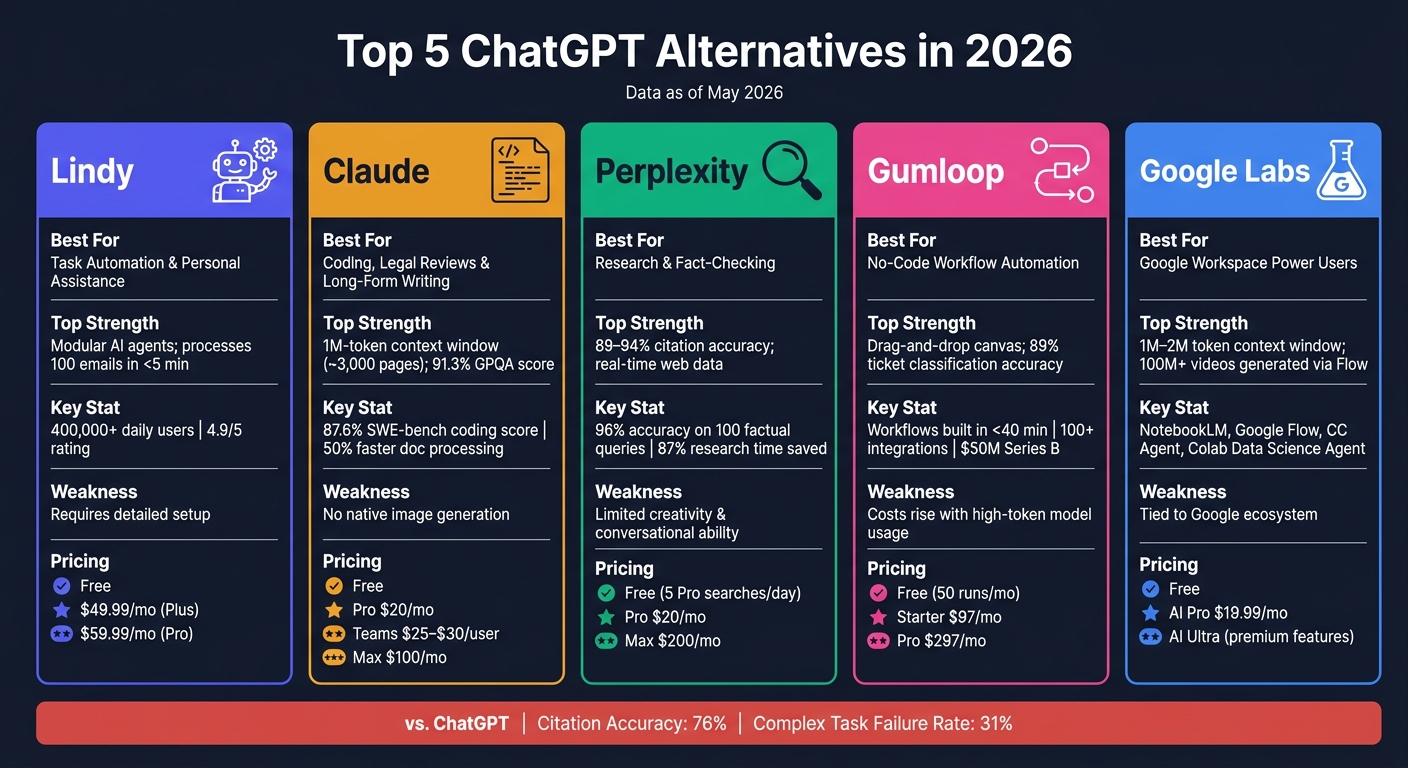
Top 5 ChatGPT Alternatives Compared: Features, Strengths & Pricing (2026)
Stop Using ChatGPT: I Tested 5 AI Tools and THIS One BEATS Them All
sbb-itb-212c9ea
1. Lindy
Lindy stands out from traditional AI chatbots by going beyond just answering questions. It actively manages tasks like monitoring your inbox, scheduling meetings, updating your CRM, and handling support tickets. As of May 2026, over 400,000 professionals use Lindy daily, and it boasts an impressive 4.9/5 rating on major platforms. This proactive approach is anchored by its innovative modular system.
One of Lindy’s standout features is its modular agent system. Instead of relying on a single, all-purpose agent, Lindy employs what it calls the "Alpha Strategy," similar to other AI agents designed to streamline complex workflows. This involves a network of specialized agents, each dedicated to a specific task - whether it’s email triage, drafting responses, or updating CRMs. This setup minimizes errors and ensures workflows run smoothly. For instance, Lindy can process and route 100 support emails in under 5 minutes, a job that would typically take a human administrator 4–5 hours.
Getting started with Lindy is simple and doesn’t require technical expertise. Just describe your task in plain language, and the agent is ready to go in under 60 seconds. Lindy also integrates seamlessly with over 6,000 SaaS tools, including Gmail, Slack, HubSpot, and Salesforce. You can even assign tasks on the fly via iMessage or SMS.
"It's like hiring a 24/7 ops teammate who never misses a deadline." - Ken Aseme, CEO, VC CFO
Here’s a pro tip: set your email agent to save replies as drafts instead of sending them automatically. This gives you a chance to review and tweak responses before granting full autonomy. Many users report reclaiming over 10 hours per week once they trust the agent’s accuracy.
Lindy offers flexible pricing options. There’s a free plan at $0/month, while paid plans start at $49.99/month (Plus) and $59.99/month (Pro). For larger teams, enterprise plans include features like HIPAA compliance, SSO, and advanced access controls.
2. Claude
When it comes to AI tools designed for professional-grade tasks, Claude stands out as a reliable option. Think of it this way: if Lindy is the go-to for operational support, Claude is the senior analyst you turn to for high-stakes assignments. Developed by Anthropic, Claude specializes in areas like legal reviews, synthesizing research, long-form writing, and debugging complex code.
What truly sets Claude apart is its writing style. It avoids the usual pitfalls of AI-generated content - like overly generic phrases and rigid templates. As tech writer Benjamin Thomas from CortexHub explains:
"Claude's writing is consistently more specific, less padded, and better calibrated to the requested tone. It avoids the generic AI voice that plagues GPT-4o outputs." - Benjamin Thomas, Tech Writer, CortexHub
This polished approach to writing complements its advanced capabilities.
Claude also excels in tackling intricate problems through its Adaptive Thinking mode. For instance, it can analyze contract clauses or debug code by breaking down multi-step challenges internally. Instead of bluffing when uncertain, it flags areas where it's less confident. On the GPQA Diamond benchmark - designed to test graduate-level knowledge in physics, chemistry, and biology - Claude scored an impressive 91.3%, demonstrating its ability to handle expert-level, ambiguous questions.
One of Claude's standout features is its 1-million-token context window. To put that into perspective, it can process the equivalent of about 3,000 pages of text in a single session. This capability has been transformative for industries like legal and insurance. In 2026, the legal AI platform Harvey used Claude's Managed Agents to streamline long-form drafting. By activating the "dreaming" feature - which reviews past sessions to identify patterns - they boosted task completion rates by around 6x. Similarly, Wisedocs, a company specializing in insurance and legal document processing, used Claude's "outcomes" feature to assess document reviews against internal guidelines. This reduced processing time by 50% while maintaining strict quality standards.
For team collaboration, Claude offers a Projects feature. This allows users to upload resources like brand style guides or internal wikis, which the AI then applies consistently across all workspace interactions. Additionally, its prompt caching feature can significantly reduce API costs - by up to 90% for stable, frequently used prompts. These tools make Claude an efficient and cost-effective solution for high-volume workflows.
Pricing is structured to accommodate different needs. It starts with a free tier, followed by a Pro plan at $20/month for access to the flagship Opus model. Teams can opt for a plan priced at $25–$30 per user per month, which includes shared workspaces and admin controls. For those requiring higher capacity, the Max tier is available at $100/month.
3. Perplexity
If Claude feels like your senior analyst, then Perplexity acts as your go-to research librarian, scouring the web in seconds to deliver concise, sourced summaries. Unlike a traditional search engine, it functions as an "answer engine", pulling live data from the web and synthesizing it into direct, citation-backed responses for every query.
What sets Perplexity apart is its robust inline citation system. Every claim is tied to numbered, clickable sources, making it easy to verify information. In a manual review of over 200 citations, 94% of Perplexity's sources were found to accurately support its claims. Its citation error rate stands at 37%, a significant improvement over the 67% error rate observed in a comparable AI search tool. Across 100 factual queries, it achieved an impressive 96% accuracy rate.
Perplexity’s Focus modes refine results by source type - Academic for peer-reviewed studies, Finance for SEC filings, or Social for real-time discussions on platforms like Reddit and X. This feature helps users avoid SEO-driven blog clutter and quickly zero in on credible primary sources. This makes it one of the best AI tools for journalists who require verified data for reporting. It’s a game-changer for those who need precise, reliable information without wading through irrelevant content.
For more extensive research, the platform’s Deep Research mode is a standout. It autonomously compiles data from multiple sources into a well-structured, multi-page report. This tool can cut research time dramatically - reducing tasks that might take 90 minutes to just 12 minutes, saving up to 87% of your time.
PCMag contributor Alan Bradley summed it up well:
"Google remains the map of the web, but for me, Perplexity is fast becoming its smart guide." - Alan Bradley, Contributor, PCMag
When it comes to pricing, Perplexity keeps things simple. The free tier offers unlimited basic searches with 5 Pro Searches daily. For those needing more, the Pro plan costs $20/month and includes unlimited Pro Searches, file uploads, access to frontier models, and the Spaces feature for organizing research by project. For power users, the Max plan at $200/month adds the "Computer" multi-model agent, designed for handling complex workflows.
4. Gumloop
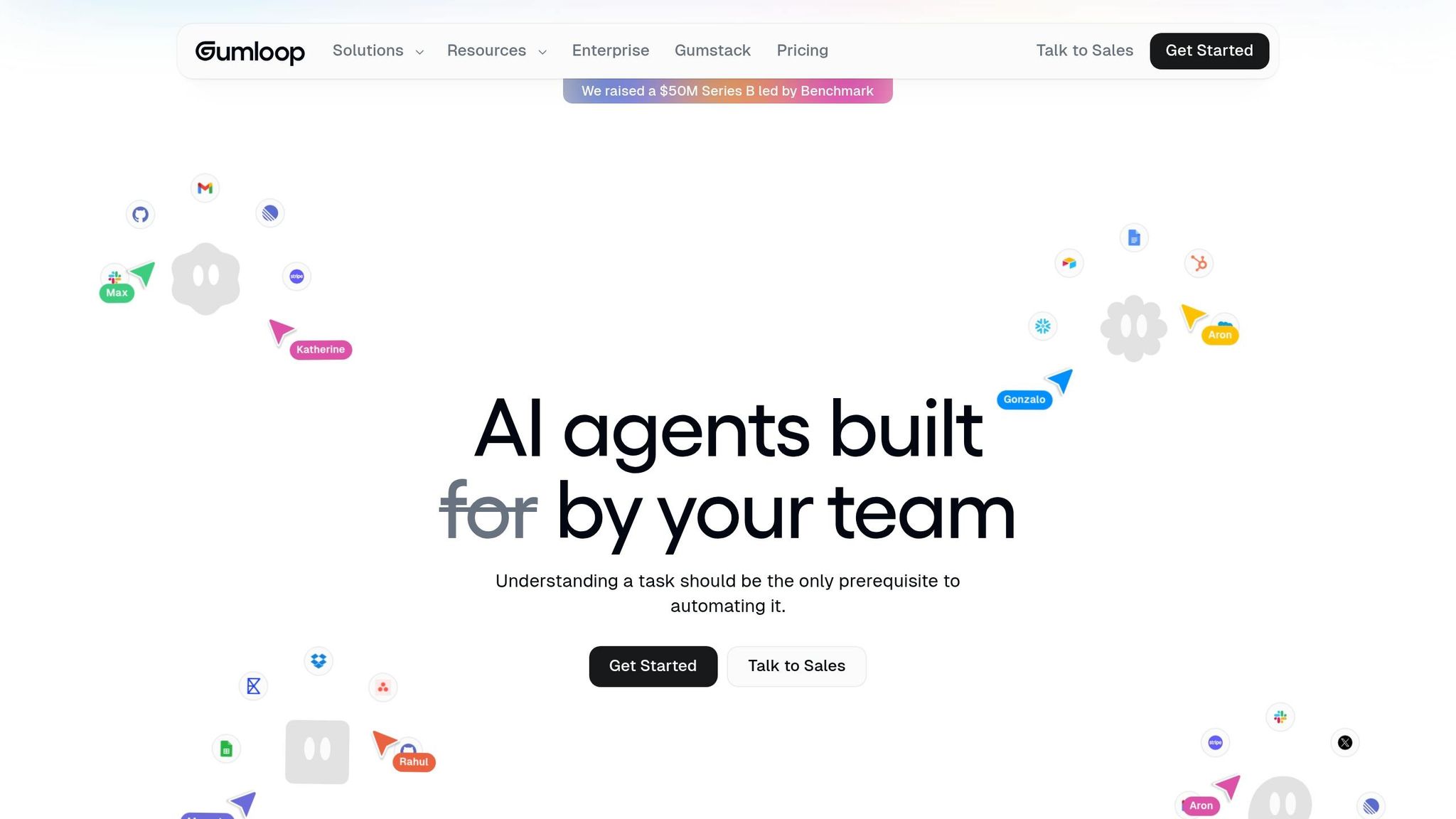
Gumloop steps in to tackle the workflow automation gap that ChatGPT leaves behind, using a visual, node-based approach. With its intuitive drag-and-drop canvas, users can link functional nodes - like AI prompts, CRM lookups, or Slack messages - to design intricate workflows. This no-code setup makes creating advanced processes more accessible.
What makes Gumloop stand out is its AI-first design. Unlike traditional platforms, it integrates intelligent decision-making into every workflow step. This means it can handle tasks like classifying support tickets, scoring leads, or routing tasks automatically. Plus, it supports multiple AI models, so you can assign specific models to different nodes - like using Claude for analyzing lengthy documents or GPT-4o for extracting structured data.
The platform also features the Gummie AI Agent, which allows users to generate workflows just by describing them in plain English. According to users, this feature has enabled them to build workflows, such as lead qualification pipelines, in less than 40 minutes.
Ryan Schwartz, VP of Marketing Systems & Intelligence at Samsara, shared his experience:
"Gumloop turned our sales and marketing teams into builders, and saved us thousands of hours of manual work."
Gumloop is particularly useful for areas like sales operations, marketing, and customer support - fields that require more than just basic data transfers. In testing, its support ticket classifier reached 89% accuracy across 200 test tickets. The platform also integrates seamlessly with over 100 tools, including Salesforce, HubSpot, Slack, and Notion. On top of that, Gumloop secured $50 million in Series B funding, led by Benchmark, in March 2026.
For pricing, Gumloop offers a free tier (up to 50 runs per month), a Starter plan at $97/month (500 runs), and a Pro plan at $297/month with team collaboration features. However, keep in mind that running high-token models like GPT-4o at scale could increase costs quickly.
5. Google Labs
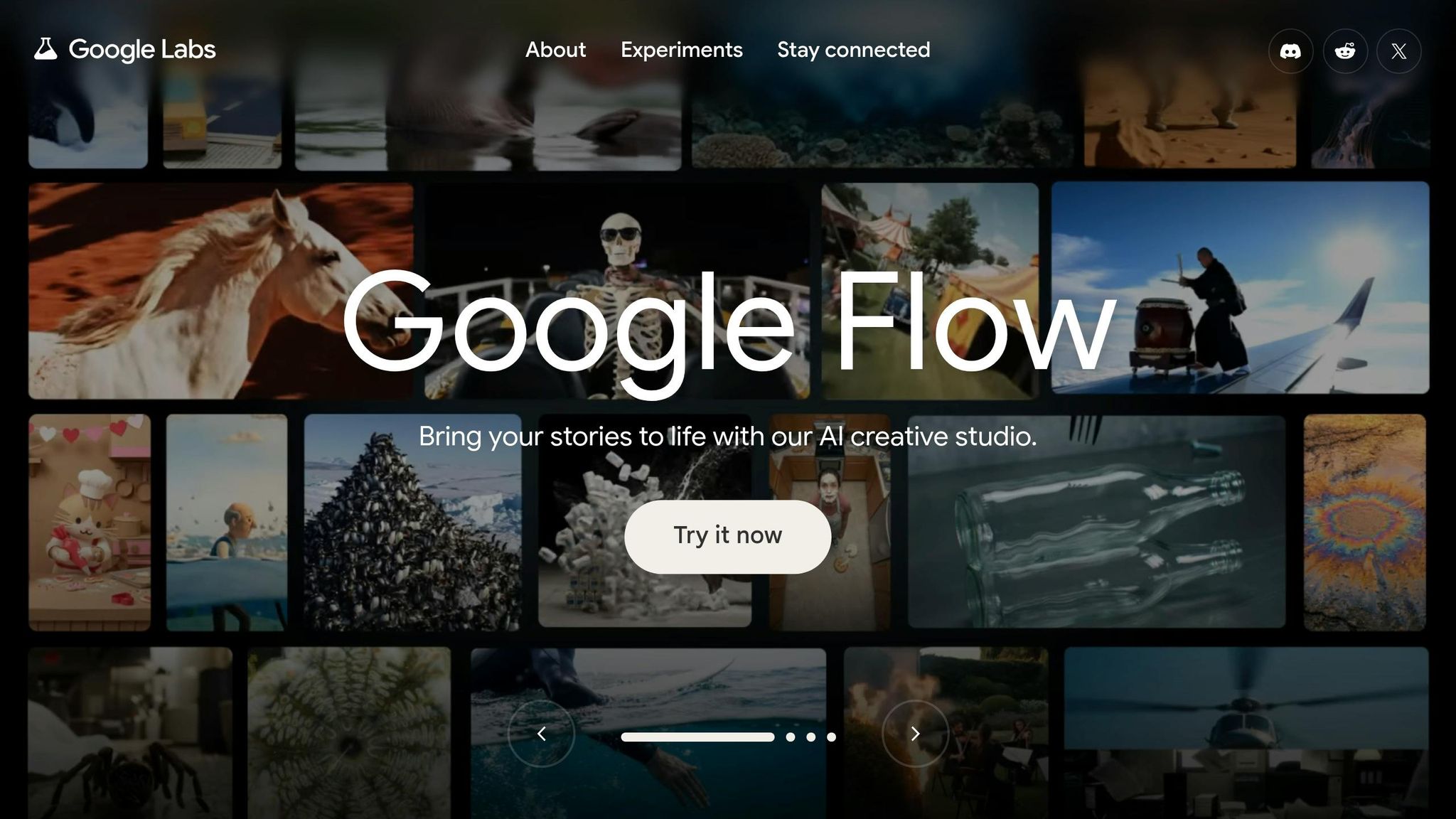
Google Labs brings together a collection of AI tools designed to make everyday tasks - like research, content creation, scheduling, and coding - more efficient. Each tool is tailored to meet specific needs, complementing the platforms discussed earlier.
For researchers, NotebookLM is a standout. This tool works exclusively with your uploaded documents, whether they’re PDFs, websites, or YouTube transcripts, and it cites every answer it provides, significantly reducing errors. One of its coolest features, "Audio Overview", can transform dense research material into a podcast-style conversation, making complex topics easier to digest.
On the creative side, Google Flow combines image generation, visual remixing, and video creation into one platform. Its Veo 3.1 feature creates cinematic video clips up to 8 seconds long, complete with synchronized audio and lip-matched dialogue. By May 2026, Flow had generated over 100 million videos. During the same period, early access partner László Gaal developed a tool called "pixelBento" within the Flow ecosystem, allowing users to add lo-fi and glitch effects to AI-generated videos - all without needing to code.
For productivity, the CC agent integrates Gmail, Calendar, and Drive to provide a "Your Day Ahead" briefing and even drafts emails automatically. Meanwhile, Google Colab's Data Science Agent can take care of data cleaning, analysis, and visualization tasks on its own.
When it comes to pricing, many tools are free for Google account holders, though daily usage limits may apply. For more advanced features, Google AI Pro costs $19.99/month and includes access to Flow, ImageFX, MusicFX, and higher Gemini usage limits. Premium capabilities, such as Veo 3.1’s cinematic features and NotebookLM’s Cinematic Video Overviews, require a Google AI Ultra subscription. It’s worth noting that users in the EU and UK might face restrictions on certain Labs tools due to local data privacy laws.
Pros and Cons
Every app has its own set of strengths and limitations, making them suitable for specific needs. Here's a quick look at how each app stands out, where it falls short, and who it’s best suited for:
| App | Biggest Strength | Biggest Weakness | Best For |
|---|---|---|---|
| Lindy | Handles tasks autonomously (like email, CRM updates, and scheduling) | Needs very detailed instructions upfront | Personal assistance and automating workflows for business consultants |
| Claude | Excels at coding (87.6% SWE-bench) and reasoning through long documents with minimal hallucination (36%) | Doesn’t support native image generation; extended reasoning mode can slow it down | Developers and long-form writers |
| Perplexity | High citation accuracy (89%–91.3%) and real-time web updates (≈32-hour data lag) | Limited in creativity and conversational abilities | Research and fact-checking |
| Google Labs | Large context window (1M–2M tokens) and seamless Google Workspace integration | Primarily designed for Google Workspace, which may lead to inconsistent outputs | Power users focused on Google’s ecosystem |
For example, Perplexity stands out in research thanks to its high reliability. Ramanath, CTO & Co-Founder of Presenc AI, highlights this:
"Perplexity is the citation accuracy leader. 89% in independent tests."
These strengths and weaknesses help clarify which tool might best fit your specific workflow or goals.
Conclusion
The AI landscape in 2026 is all about choosing the right tool for the right task. As Harrison Painter of LaunchReady explains:
"The selection rule that survives model releases: pick by task, not by brand."
Each tool shines in its specific area of expertise.
For instance, Lindy is a top choice for sales professionals juggling busy schedules, offering seamless help with tasks like scheduling, email follow-ups, and CRM updates. Claude is a standout for writing and coding, delivering polished, natural-sounding results with minimal need for revisions. Perplexity is perfect for research, providing sourced answers with an impressive 89% citation accuracy. Gumloop focuses on workflow automation, ensuring precise task orchestration. And for those deeply integrated into Google Workspace, Google Labs (Gemini) is a powerhouse, especially for handling large documents with its 2-million-token context window.
When it comes to pricing, most premium plans - like Claude Pro, Perplexity Pro, and Gemini AI Pro - hover around $20/month. However, Lindy’s advanced automation features justify its higher starting point of $49.99/month after a 7-day free trial.
The best approach? Start with a free plan that aligns with your primary need, and upgrade only when usage limits become a hurdle.
FAQs
Which of these AI apps is best for my main use case?
The best AI app for you depends on what you're looking to accomplish:
- Gemini: A helpful tool for streamlining your digital life with features like Daily Briefs and task automation.
- MIND: Excellent for organizing and creating a knowledge graph from your documents and notes.
- Computer: Designed for building custom agents and analyzing workflows with ease.
- Poe: Provides access to versatile models along with multimedia tools.
- COSMO: A mobile-first assistant tailored for managing contextual, everyday tasks.
How do I choose between a research tool and an automation tool?
When choosing between a research tool and an automation tool, it all comes down to the task at hand. A research tool is ideal for digging up facts, cross-checking information, or creating detailed reports with proper citations. On the other hand, if you're dealing with repetitive tasks like organizing emails, setting up schedules, or drafting responses, an automation tool can simplify your workflow and cut down on time spent doing manual work.
What should I test on the free plans before paying?
Before signing up, try out the free plan to see how it performs with your everyday tasks and whether the usage limits align with your requirements. Take a moment to evaluate if your existing tools already provide the necessary features. Lastly, determine if the free plan includes advanced tools for more complex tasks or if those require upgrading to a paid plan.