Productivity
AI Coding Agents in 2026: How Claude Code, Cursor, and GitHub Copilot Compare
Compare top AI coding agents for refactoring, multi-file edits, and fast autocomplete, plus pricing and best-use guidance.

AI Coding Agents in 2026: How Claude Code, Cursor, and GitHub Copilot Compare
AI code tools dominate software development in 2026. With AI generating 60% of new professional code, developers rely heavily on tools like Claude Code, Cursor, and GitHub Copilot to boost productivity by 5–8×. But which one is right for you? Here's the breakdown:
- Claude Code: A terminal-native CLI agent excelling at large-scale refactoring and code intelligence tasks like debugging. It’s ideal for complex, multi-file tasks and architectural planning. Pricing starts at $20/month.
- Cursor: An AI-native IDE based on VS Code, perfect for multi-file editing, visual diff reviews, and streamlined workflows. Pro plans begin at $20/month.
- GitHub Copilot: A plugin offering fast inline autocomplete across 10+ IDEs. It’s widely adopted for everyday coding tasks, starting at $10/month.
Quick Comparison
| Feature | Claude Code | Cursor | GitHub Copilot |
|---|---|---|---|
| Interface | Terminal/CLI | Standalone IDE | IDE Plugin |
| IDE Support | Any editor | Cursor IDE only | 10+ platforms |
| Strengths | Refactoring, debugging | Multi-file edits, visual diffs | Inline autocomplete |
| Starting Price | $20/month | $20/month (Pro) | $10/month |
Key takeaway: Use Claude Code for complex tasks, Cursor for deep IDE integration, and GitHub Copilot for fast, versatile coding assistance. Most developers now combine tools to maximize efficiency.
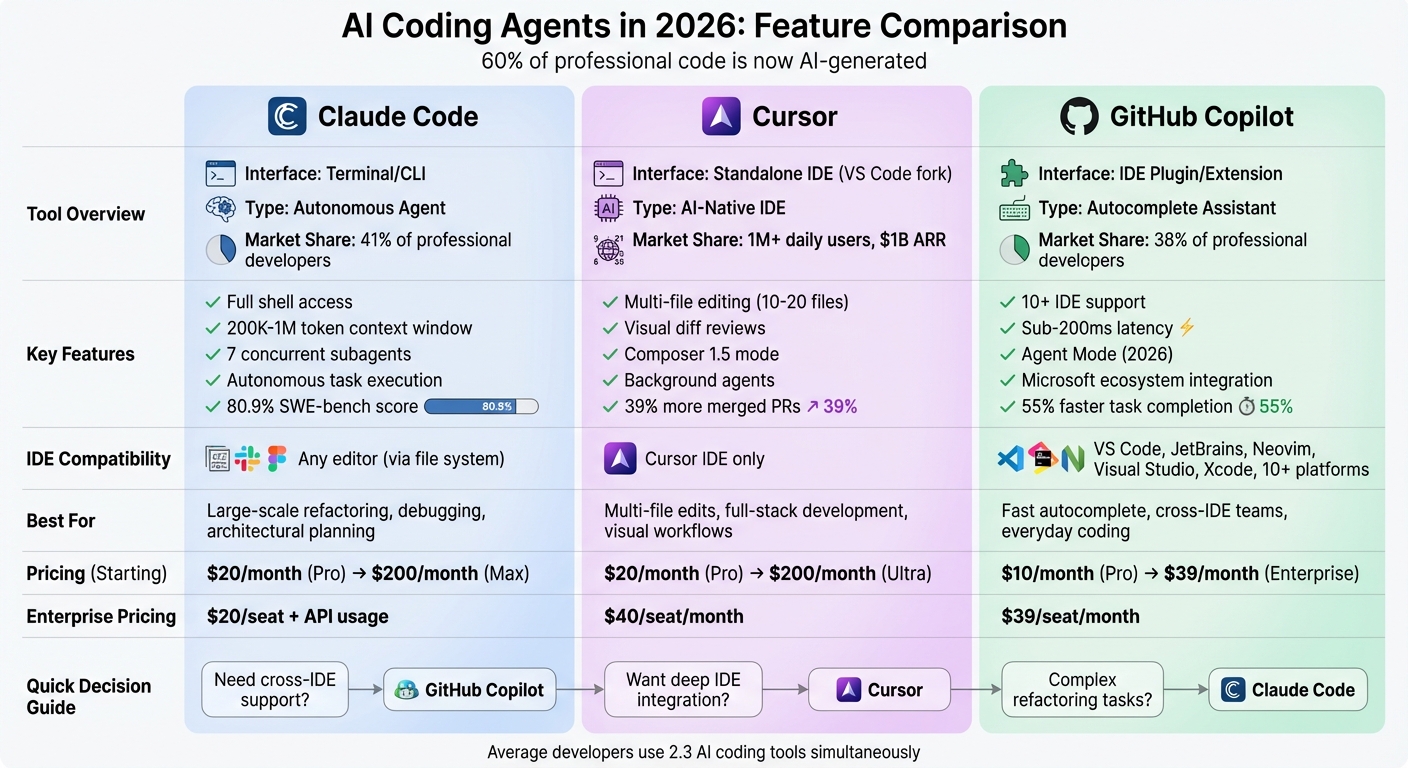
Claude Code vs Cursor vs GitHub Copilot: Feature Comparison Chart 2026
Claude Code: Features and Performance
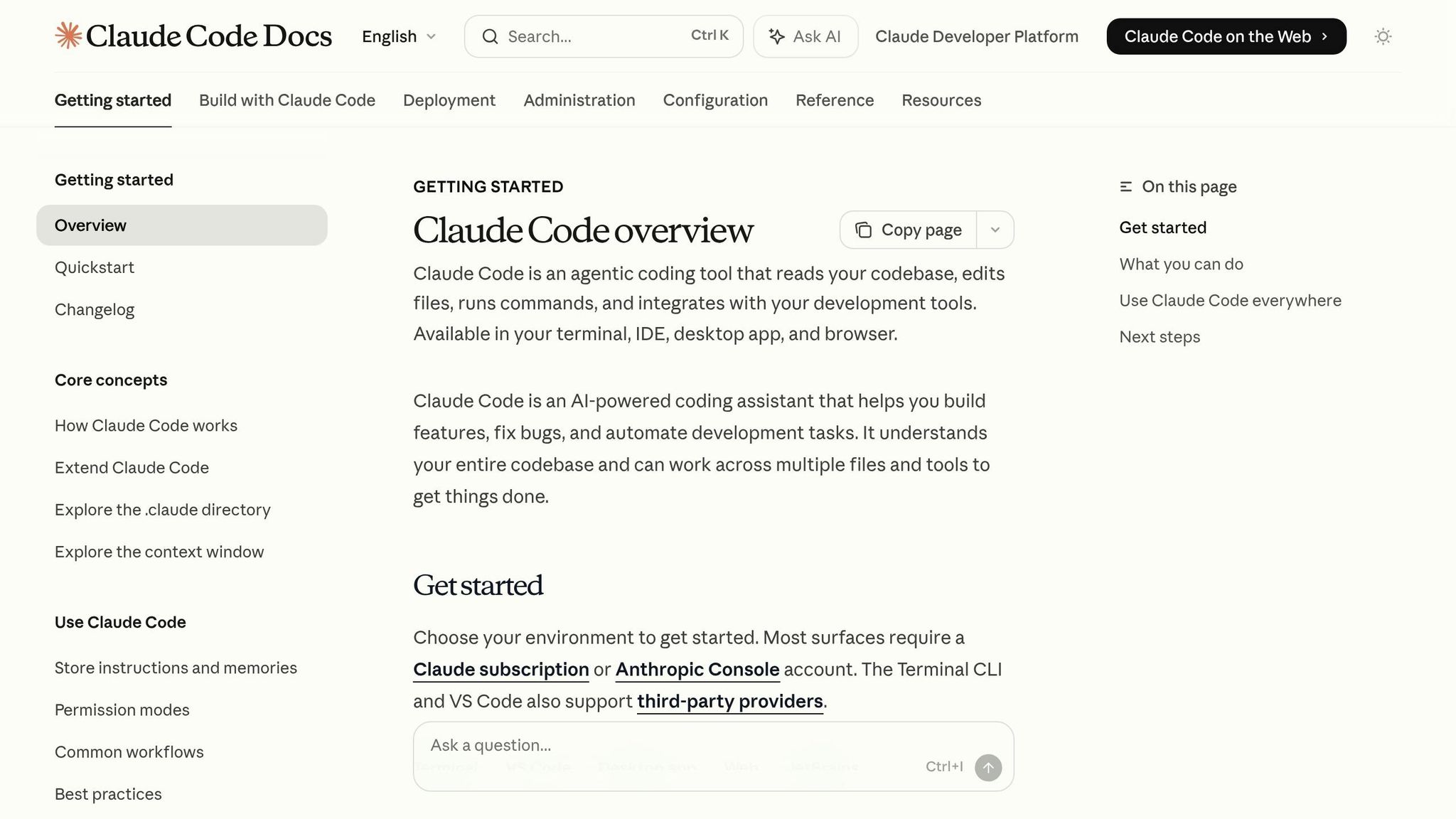
Features and Pricing
Claude Code operates entirely through the terminal, offering a command-line interface (CLI) that allows users to read files, execute shell commands, run tests, and even perform Git commits directly from the terminal. This design positions Claude Code as a self-sufficient tool, capable of planning and executing multi-step tasks without constant user input, iterating until tests are successfully completed.
The tool boasts a generous 200,000-token context window, with a beta version expanding this to 1,000,000 tokens. It also supports up to seven concurrent subagents, making it well-suited for handling multiple tasks at once. This capability enables it to maintain context across a module of about 50 files. Additionally, it integrates with external tools via the MCP protocol.
Pricing begins at $20 per month for the Claude Pro plan, which includes 45 messages every five hours. For heavier users, the Max tiers are available at $100 per month (5× capacity) or $200 per month (20× capacity). API users can opt for a pay-as-you-go model, which typically costs around $6 per day, though intensive sessions focused on architecture can run between $80 and $120 daily.
Powered by Opus 4.6, Claude Code achieves an impressive 80.9% score on the SWE-bench Verified benchmark. It has also been shown to be 5.5 times more token-efficient than Cursor for similar tasks, with developers reporting about 30% fewer code revisions compared to other tools. These features make it a standout option for challenging refactoring and debugging tasks.
Best Use Cases
Claude Code shines in scenarios involving complex, multi-file refactoring, thanks to its large token window and ability to manage concurrent subagents. For example, it simplifies tasks like upgrading API versions across numerous files or reorganizing entire modules. Unlike tools that require repeated context uploads for every small change, Claude Code processes the entire codebase in one go.
Its debugging capabilities are equally impressive, with over 80% of complex debugging tasks succeeding on the first attempt. Developers often rely on it for architectural changes, generating test suites, and diagnosing bugs that span multiple components. Its ability to map dependencies and relationships across large codebases makes it particularly effective for root-cause analysis.
A helpful tip for users is to maintain a CLAUDE.md file in the repository's root directory. This file provides persistent, project-specific context, eliminating the need to reintroduce the architecture in every session. Additional features, like hooks for automatic linters or formatters and checkpoints for code snapshots, enhance its usability by streamlining workflows and enabling rollbacks when needed.
Drawbacks
Despite its strengths, Claude Code does have some limitations.
The terminal-based workflow can be challenging for developers accustomed to graphical interfaces. Unlike IDE-integrated tools, it doesn’t offer real-time inline suggestions or autocomplete, which means users need to adjust to managing an autonomous agent rather than directly coding.
While the VS Code extension provides real-time visualizations for diffs, many developers find that combining Claude Code with IDE tools creates a more seamless workflow. However, at very high usage levels - such as conversations exceeding 100,000 tokens - Opus 4.6 may lose track of earlier instructions, requiring users to start a fresh session.
Another drawback is response latency, which can feel slow compared to instant autocomplete tools. This makes it less ideal for generating simple boilerplate code quickly. Additionally, the Pro plan's usage limits may not suffice for heavy daily coding, often requiring serious users to upgrade to higher-tier plans or switch to API billing.
sbb-itb-212c9ea
Cursor: IDE-First Coding Assistant
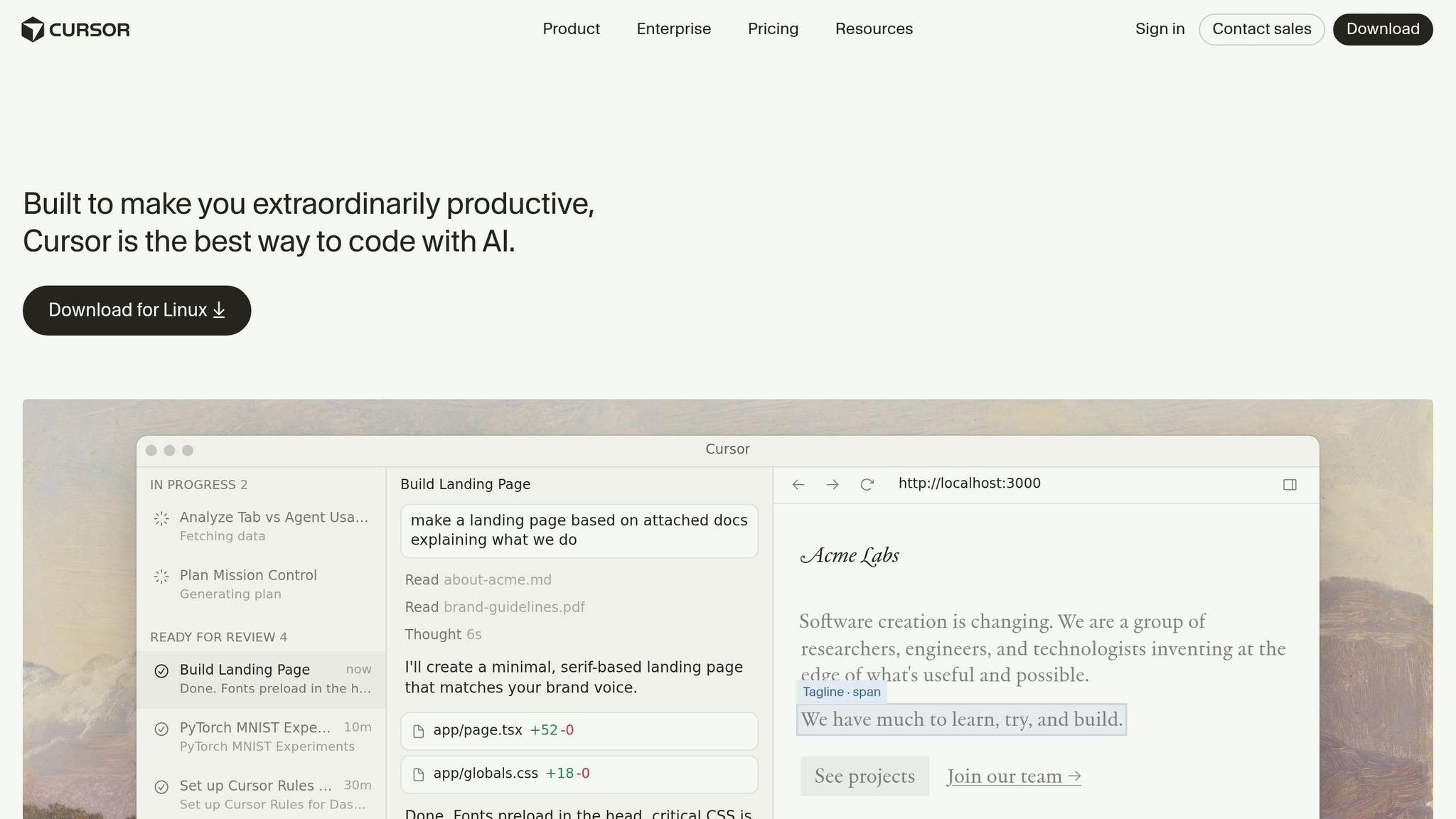
Features and Pricing
Cursor is a specialized IDE derived from Visual Studio Code, offering compatibility with its extensions, themes, and keybindings. This foundation allows Cursor to integrate AI-native features more deeply than typical editor plugins.
One of its standout features is Composer 1.5, which enables multi-file editing. It can handle changes across 10–20 files at once, using scaled reinforcement learning to improve efficiency. This results in a 60% reduction in latency compared to earlier versions. Large-scale refactoring tasks that once took hours can now be completed in just 15 minutes, with over 90% accuracy.
Other notable tools include Tab Completion and Ghost Mode, which predict and suggest logical code blocks based on recent edits. Developers can accept these suggestions with a single keystroke. Background Agents further enhance productivity by operating on cloud-based Ubuntu VMs. These agents can clone repositories, work on branches, and create pull requests autonomously, all accessible via mobile or web apps. Additionally, BugBot scans pull requests for bugs, security vulnerabilities, and overall code quality.
Cursor also introduces a project-specific .cursorrules file, embedding coding standards into AI interactions. Its Cursor Blame feature helps distinguish between human-written and AI-generated code, aiding in audits.
Pricing begins with a free Hobby plan, which includes 2,000 completions and 50 premium requests each month. The Pro plan costs $20 per month and offers unlimited completions. For users with higher demands, Pro+ is available at $60 per month, while the Ultra plan costs $200 per month, providing larger credit pools and priority access. Team plans, priced at $40 per user per month, include admin controls, dashboards, and access to Cursor Blame. During the 2026 preview period, Background Agents are priced at roughly $4.63 per pull request. Heavy users should note that monthly costs could range from $100 to $150 due to the credit-based pricing model.
These pricing options cater to a wide range of developers, making Cursor a versatile tool for boosting productivity.
Benefits for Developers
Cursor has made a significant mark on developer efficiency, attracting over 1 million daily users and generating $1 billion in annual recurring revenue by early 2026. Its valuation soared to $29.3 billion after a $2.3 billion Series D funding round in late 2025.
Users have reported productivity gains of up to 3x compared to traditional editors. In one test, Cursor completed a paginated activity table with server-side filtering in just 28 minutes. The solution included a fully functional patch across an API route, shared types, and React components. Salesforce also saw a 30%+ boost in developer velocity after leveraging Cursor's Subagents for tasks like test generation and linting.
The IDE's visual diff review system allows developers to approve or reject specific code changes before committing them. This feature has helped teams catch potential errors early. Teams using Cursor have experienced a 39% increase in merged pull requests, while its semantic search has proven to be 12.5% more accurate than standard methods. These tools illustrate how AI is reshaping coding workflows in 2026.
"Cursor is the best VS Code experience money can buy." - Jeff Delaney (Fireship), Tech Educator
Drawbacks
While Cursor offers a wide range of features, it does have some drawbacks.
Its deep integration with Visual Studio Code is both a strength and a limitation, as it primarily supports the VS Code ecosystem. Although JetBrains support was introduced in early 2026 via the Agent Client Protocol, the experience is not as refined as it is in the native VS Code environment.
Cursor can be resource-intensive, requiring 4–8GB of RAM for larger projects. Additionally, its multi-file reasoning capabilities may falter when working with more than five or six files, leading to inconsistencies in later files. The credit-based pricing model, which sparked controversy in mid-2025, is often criticized for being unclear.
Compared to competitors like Claude Code, Cursor lacks robust terminal and shell integration, which limits its ability to handle background processes or manage infrastructure directly. Some enterprise users have also raised privacy concerns about sending code to Cursor's servers for indexing. In this area, GitHub Copilot's enterprise features, such as SSO and audit logs, may provide an edge.
GitHub Copilot: Cross-IDE Support and Microsoft Integration
Features and Pricing
GitHub Copilot stands out by offering compatibility across more than ten platforms, including popular choices like VS Code, JetBrains, Neovim, Visual Studio, and Xcode. This broad support ensures that teams can work seamlessly with their preferred editors without needing to overhaul their toolchains. It’s a practical solution for maintaining consistency in workflows, especially for teams using diverse environments.
As of March 2026, Copilot introduced Agent Mode, now available on VS Code and JetBrains IDEs, which supports developers working with Java, Kotlin, and Python. Another notable feature is Agentic Code Review, designed to analyze pull requests within the context of the entire project and even generate fix PRs automatically. For users on Pro+ and Enterprise plans, the new GitHub Spark feature allows app creation through natural language commands, complete with live previews.
Copilot’s integration with Microsoft tools like Azure, GitHub Enterprise, Visual Studio, and Microsoft Teams enables features such as PR summaries, issue-to-PR automation, and the use of custom knowledge bases. Additionally, developers can choose between frontier models like GPT-5.4, Claude Opus 4.6, and Gemini 3 Pro, ensuring flexibility within their preferred IDE.
The pricing structure includes a Free tier, which offers 2,000 completions and 50 chat/agent requests per month but is limited to VS Code and GitHub.com. The Pro plan, at $10 per month, includes 300 premium requests, coding agent access, and support for all IDEs. For $39 per month, the Pro+ plan provides 1,500 premium requests, access to all frontier models, and GitHub Spark. Teams can opt for the Business plan at $19 per user per month, which includes organizational management and IP indemnity, or the Enterprise plan at $39 per user per month, which adds advanced agents and custom knowledge bases.
These features collectively highlight Copilot’s focus on improving productivity and streamlining development tasks.
Key Benefits
Copilot’s features translate into measurable productivity gains. For instance, it speeds up task completion by 55% and achieves a 30% acceptance rate in production workflows. Its ability to work across multiple IDEs is a standout feature, especially for teams using a mix of editors. As Cosmic AI put it, "If your team uses multiple IDEs, nothing else comes close".
The platform also integrates smoothly with Microsoft’s ecosystem, making it particularly appealing for organizations already using Azure or other Microsoft services. This integration extends to features like IP indemnification, which adds an extra layer of security for enterprises.
Copilot’s inline autocomplete function operates with sub-200ms latency, setting a high standard for efficiency. Its "Tab-to-accept" feature supports all major programming languages, making it a go-to for rapid coding assistance. Additionally, its semantic code search uses embeddings to locate code based on intent rather than keywords, simplifying the process of finding related code snippets.
"Copilot is the ecosystem play - it ties together your editor, your repository, your issues, and your pull requests." - NxCode
Drawbacks
Despite its strengths, Copilot has some limitations. The Free tier restricts usage to VS Code and GitHub.com, which may not suit teams relying on other Git providers. Additionally, its context understanding is often file-centric, unlike Cursor’s full repository indexing, which can result in less cohesive suggestions across a project.
While Agent Mode is now available for JetBrains, it lacks features like visual diff previews and refined iteration loops, which are standard in AI-native IDEs such as Cursor. Copilot also doesn’t support terminal-based workflows for executing shell commands or managing infrastructure directly from the CLI, a feature offered by tools like Claude Code.
For paid plans, premium requests come with limits - 300 per month for the Pro plan - with additional requests costing $0.04 each. Moreover, with an average code acceptance rate of 30%, developers often need to reject or modify suggestions. As Ilir Ivezaj pointed out, "Copilot's most dangerous quality is that its incorrect suggestions look identical to its correct ones".
AI Coding Tools Ranked from Worst to Best (2026)
Beyond these rankings, you can explore more AI tools for software developers and engineers to find the right fit for your specific workflow.
Side-by-Side Feature Comparison
Taking a closer look at these tools reveals how each one approaches AI-assisted coding differently. By understanding these distinctions, you can better decide which tool fits your workflow and preferences.
Claude Code operates as a terminal-native CLI agent, seamlessly integrating with any editor you prefer - whether it’s Vim, Emacs, VS Code, or another. Its strength lies in its ability to analyze an entire project and autonomously execute tasks.
On the other hand, Cursor functions as a standalone AI-native IDE, built as a fork of VS Code. While it offers deep integration within its dedicated environment, it requires you to work exclusively in its editor.
GitHub Copilot takes a different route by functioning as an extension. It supports over ten platforms, including VS Code, JetBrains (like IntelliJ, PyCharm, and WebStorm), Neovim, Visual Studio, and even Xcode.
In terms of programming languages, Claude Code and Cursor shine with JavaScript, TypeScript, Python, Rust, and Go. GitHub Copilot, however, benefits from its training on GitHub’s extensive corpus, enabling it to support a broader range of languages, including older, legacy ones. Framework-wise, Claude Code is particularly adept with full-stack options like Next.js and Express, while Cursor focuses on web and app development frameworks such as React, Vue, and Svelte.
Here’s a side-by-side breakdown to make the comparison even clearer:
| Feature | Claude Code | Cursor | GitHub Copilot |
|---|---|---|---|
| Primary Interface | Terminal / CLI | Standalone IDE (VS Code fork) | IDE Extension / Plugin |
| IDE Support | Any (via file system) | Cursor IDE only | 10+ (VS Code, JetBrains, Neovim, etc.) |
| Language Strength | JS, TS, Python, Rust, Go | JS, TS, Python, Rust, Go | Broadest (includes legacy languages) |
| Context Depth | Full codebase + CLAUDE.md | Indexed codebase + .cursorrules | Open files + repository context |
| Multi-File Edits | Excellent (Autonomous) | Good (Visual diff review) | Limited (Workspace preview) |
| Shell Access | Full shell access | Limited | None |
| Agentic Ability | Full – plans, executes, tests, and iterates | Partial (Composer mode) | Minimal (Workspace preview) |
| Entry Price | $20/month | $20/month (Pro) | $10/month |
| Enterprise Price | $20/seat + API usage | $40/seat/month | $39/seat/month |
As of February 2026, Claude Code leads the pack, with 41% of professional developers using it, compared to GitHub Copilot’s 38%. Among developers at companies with fewer than 200 employees, Claude Code’s adoption climbs to 75%. This trend mirrors a broader shift in the industry: by 2026, approximately 60% of new code in professional settings is AI-generated, a sharp rise from 35% in 2025.
Which Tool to Choose
Selecting the right AI coding tool comes down to your workflow, the complexity of your projects, and whether you’re working alone or as part of a team. On average, developers now juggle 2.3 AI coding tools at the same time to boost productivity. Here's a breakdown of how different tools align with specific development scenarios.
For Solo Developers
If you're coding solo and watching costs, GitHub Copilot is a great starting point at just $10/month. It’s straightforward to set up, offers super-fast inline autocomplete (under 200ms latency), and supports over ten IDEs. It’s perfect for building foundational skills and increasing efficiency.
For those who want more advanced features and are comfortable using a single IDE, Cursor Pro provides a more powerful option at $20/month. Its "Composer" mode simplifies multi-file changes by presenting visual diffs, making it ideal for tackling complex features. If you’re already working in VS Code, transitioning to Cursor Pro is seamless.
Experienced developers handling intricate tasks like large-scale refactoring or architectural planning might prefer Claude Code. Starting at $20/month (Pro) and scaling up to $200/month (Max) for higher usage, it’s designed for heavy-duty work. It scores 80.8% on the SWE-bench Verified benchmark and is particularly skilled at spotting flaky tests and concurrency issues that simpler tools might miss.
For Teams and Businesses
For organizations, considerations go beyond raw coding power. Security, integration, and flexibility across IDEs become critical.
GitHub Copilot is a natural fit for teams already embedded in the GitHub ecosystem. It offers features like IP indemnity, granular admin controls, and compatibility with JetBrains IDEs (including IntelliJ, PyCharm, and WebStorm). Pricing starts at $19 per seat per month for Business plans and $39 per seat per month for Enterprise plans. Its deep integration with GitHub workflows - like pull requests and issue-to-PR linking - makes it a dependable choice.
For teams prioritizing compliance and high-speed multi-file refactoring, Cursor Business is a strong contender at $40 per seat per month. It’s SOC 2 Type 2 certified, and research from the University of Chicago found it boosted merged pull requests by 39%. However, teams must commit to using Cursor’s custom VS Code fork, which might not suit everyone.
Infrastructure and DevOps teams often lean toward Claude Code for its terminal-based capabilities. It handles shell commands, test execution, and complex logic management with ease. HIPAA readiness, IP allowlisting, and Slack integration for task assignment make it a versatile tool. Pricing starts at $25 per seat per month or $20 per seat plus API usage, depending on enterprise needs.
"Choosing an AI coding assistant in 2026 is no longer about which tool produces the best inline suggestion. It is an architectural decision about how a developer or team wants to build software."
- SitePoint Team
For Specific Development Needs
Certain tasks demand specific strengths that these tools offer.
- Debugging: Claude Code stands out with its autonomous root-cause analysis. It can read logs, trace dependency graphs, and run tests until they pass. Meanwhile, Cursor provides a visual debugging experience, showing side-by-side diffs for AI-suggested fixes.
- Code Generation: For routine tasks, GitHub Copilot excels with its fast inline autocomplete and boilerplate generation, helping users complete tasks 55% faster. For more complex, multi-file feature generation, both Cursor’s "Composer" mode and Claude Code are better suited.
- Language Support: GitHub Copilot leads with its wide range of supported languages, including niche ones like COBOL and Elixir, thanks to its training on the entire GitHub corpus. Claude Code and Cursor, on the other hand, perform best with popular languages like TypeScript, Python, Rust, and Go.
- Architectural Reasoning: For large-scale planning, Claude Code’s 200K context window is often the most practical and cost-efficient choice.
Many developers are now blending tools for maximum impact - using Copilot for typing, Cursor for editing, and Claude Code for refactoring. This multi-agent approach helps cover each tool’s limitations while leveraging their strengths.
"The developers who thrive will be the ones who learn to conduct the orchestra - choosing the right instrument for each passage."
- Ilir Ivezaj
Conclusion
The AI coding landscape in 2026 isn’t about singling out one perfect tool - it’s about figuring out which option fits best into your workflow. GitHub Copilot stands out with its fast inline autocomplete and broad IDE compatibility, all at a budget-friendly price point. Meanwhile, Cursor has carved a niche as the go-to AI-native IDE, offering features like visual diff reviews and multi-file edits through its "Composer" mode. This makes it a great choice for full-stack developers seeking deep IDE integration without the hassle of terminal-based setups. For high-complexity tasks, Claude Code shines by handling autonomous refactoring and architectural changes that other tools struggle to manage. Together, these tools address a wide range of developer needs - from routine coding to tackling intricate engineering problems.
By early 2026, AI-generated code accounts for roughly 60% of new code written in professional environments. The most productive developers aren’t relying on just one tool - they’re orchestrating multiple AI agents to get the job done. A clear trend has emerged: developers lean on GitHub Copilot or Cursor for everyday coding tasks, while turning to Claude Code for more complex challenges. As Kelsey Hightower pointed out at QCon London:
"We're not asking whether to use AI for coding anymore. We're asking which combination of agents maximizes output per engineer".
FAQs
Can I use these tools together in one workflow?
Yes, you can absolutely use Claude Code, Cursor, and GitHub Copilot in the same workflow. Many developers combine these tools to maximize productivity by taking advantage of each one's unique strengths. For instance, you might keep Claude running in a browser tab for brainstorming or generating ideas while using GitHub Copilot directly in your code editor. Additionally, tools like Visual Studio Code allow seamless integration of multiple agents, making it easier to create a workflow that suits your specific development needs.
Which tool is best for large, multi-file refactors?
As of 2026, Claude Code stands out as the go-to tool for handling large, multi-file refactoring projects. Its ability to manage complex logic and perform extensive edits across numerous files makes it a top choice for developers tackling big codebase changes. With support for up to 128K output tokens, it’s designed to handle large-scale tasks with ease. While Cursor shines with its IDE integration and GitHub Copilot is great for inline autocompletion, Claude Code takes the lead when it comes to multi-step, large-scale refactoring challenges.
How do I manage privacy and security when using AI on my code?
To maintain privacy and security while using AI with your code, stick to these key practices:
- Limit agent permissions: Only grant agents access to the tools they absolutely need.
- Use per-tool permission scoping: Assign permissions specific to each tool to reduce risk.
- Separate tools by trust levels: Group tools based on their trustworthiness to manage access more effectively.
- Require explicit authorization: Always demand clear approval for sensitive tasks.
Additionally, avoid exposing confidential information, and take steps to prevent issues like context window leakage or prompt injection attacks. Ensure that sensitive data is neither stored persistently nor leaked during AI operations.