Productivity
Vibe Coding Tools Compared: Cursor vs Lovable vs Bolt vs v0 (2026)
Compare four AI coding tools in 2026 — speed, code quality, pricing, and best uses for prototyping or production.
Vibe Coding Tools Compared: Cursor vs Lovable vs Bolt vs v0 (2026)
By 2026, AI tools have transformed software development, with "vibe coding" leading the charge. Developers now describe goals in plain English, letting AI handle code creation. Four standout tools dominate this space:
- Cursor: A professional AI-powered IDE for managing complex codebases.
- Lovable: A full-stack app builder for beginners, ideal for MVPs.
- Bolt: A browser-based tool for rapid prototyping across frameworks.
- v0: A React/Next.js UI generator focused on high-quality components.
Key Insights:
- Cursor excels in production-level coding but has a learning curve.
- Lovable simplifies app creation for non-technical users.
- Bolt prioritizes speed but sacrifices some code quality.
- v0 delivers top-tier UI components but lacks backend support.
Quick Comparison:
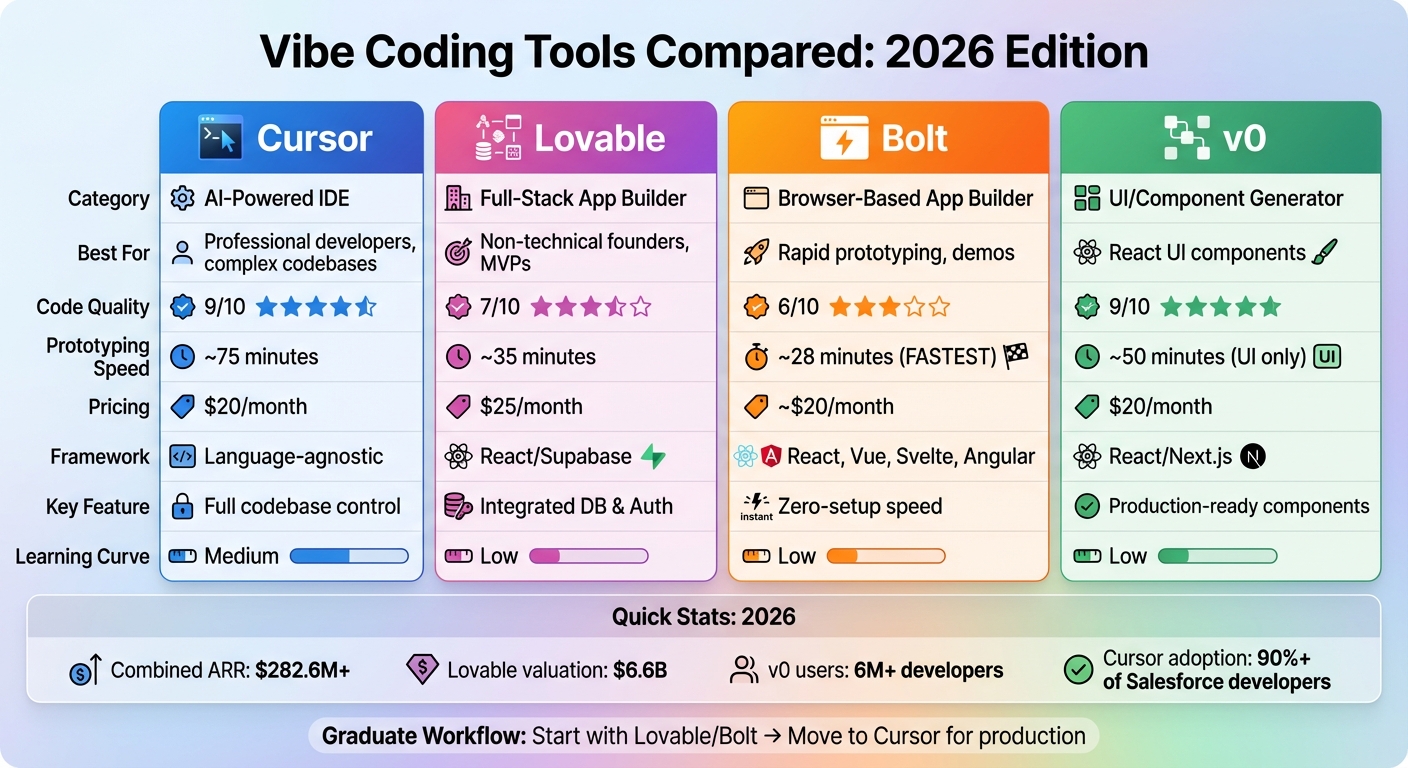
| Feature | Cursor | Lovable | Bolt | v0 |
|---|---|---|---|---|
| Category | AI IDE | Full-Stack Builder | Prototyping Tool | UI Generator |
| Code Quality | ⭐⭐⭐⭐⭐ (9/10) | ⭐⭐⭐⭐ (7/10) | ⭐⭐⭐ (6/10) | ⭐⭐⭐⭐⭐ (9/10) |
| Speed | ~75 mins | ~35 mins | ~28 mins | ~50 mins (UI only) |
| Pricing | $20/month | $25/month | ~$20/month | $20/month |
| Focus | Complex projects | MVPs | Prototyping | React UIs |
Each tool caters to different needs - choose based on your project stage and technical requirements using a selection checklist.
Cursor vs Lovable vs Bolt vs v0: AI Coding Tools Comparison 2026
I Ranked Every AI App Builder for 2026: Lovable vs. Bolt vs. Replit vs. Cursor (No Code)
sbb-itb-212c9ea
Cursor: AI-Powered IDE for Developers
Cursor is a standalone IDE, branching off from Visual Studio Code, tailored for professional developers tackling intricate, existing codebases. By indexing your project, Cursor identifies dependencies and architectural patterns, ensuring its suggestions consider the broader system.
Transitioning from VS Code is effortless - Cursor lets you import all extensions, themes, and keybindings with a single click. This makes adopting its advanced AI tools a smooth process without requiring developers to adjust to an unfamiliar environment.
Features and Capabilities
Cursor's Agent Mode is a standout feature, offering a high level of autonomy. It can handle tasks like editing multiple files, executing terminal commands, and implementing entire features based on written specifications. In tests, Agent Mode completed a complex feature addition, including TypeScript types and test updates, in just 11 minutes.
The Composer 2 feature excels in large-scale refactoring. Using advanced models like Kimi K2.5, it allows users to describe architectural changes in plain English, which it then applies across multiple files. For instance, you could instruct it to "convert all class components to functional components with hooks", and it would systematically update your codebase.
Another key tool is the .cursorrules file, which helps teams enforce coding standards and architectural guidelines. By placing this file in the project root, you can ensure strict adherence to type safety, error handling, and framework best practices during AI interactions.
Smart Tab Completions offer more than basic token prediction. This feature anticipates multi-line changes and can even complete entire functions. By using @ symbols, developers can direct the AI toward specific files, folders, or documentation, ensuring responses are grounded in the right context. This bridges the gap between Cursor's deep understanding of your project and the day-to-day coding challenges developers face.
Cursor also lets you choose between models - opting for faster processing for simple tasks or enhanced reasoning for more complex architectural decisions.
The tool's adoption speaks volumes. Over 90% of Salesforce developers use Cursor, resulting in notable improvements in cycle time and pull request velocity. Additionally, more than half of the Fortune 500 rely on it for secure, large-scale software development.
"My favorite enterprise AI service is Cursor. Every one of our engineers, some 40,000, are now assisted by AI and our productivity has gone up incredibly."
– Jensen Huang, President & CEO, NVIDIA
Cursor offers flexible pricing plans: a free Hobby plan, Pro at $20/month (500 fast requests, unlimited completions), and Business at $40/user/month, which includes centralized billing, admin tools, and Privacy Mode.
Pros and Cons
| Aspect | Details |
|---|---|
| Strengths | Full codebase indexing for seamless context; autonomous Agent Mode for complex tasks; familiar VS Code interface with extension support; customizable rules for team standards. |
| Limitations | Requires time to master advanced prompting; may lag with very large monorepos; heavy Agent Mode use can quickly consume the 500 monthly fast requests. |
Cursor’s deep understanding of codebases makes it ideal for evolving projects, though it requires some initial setup. Teams should keep an eye on their fast request usage, as Agent Mode can deplete monthly limits during intensive sessions. Overall, its tools position it as a strong choice for managing dynamic codebases in today’s AI-driven development world.
"The best LLM applications have an autonomy slider... In Cursor, you can do Tab completion, Cmd+K for targeted edits, or you can let it rip with the full autonomy agentic version."
– Andrej Karpathy, CEO, Eureka Labs
For added safety, consider using shadow workspaces. These allow the AI to test changes in a separate environment before applying them to your main branch. This precaution helps avoid breaking your code during aggressive refactoring sessions. Such features highlight Cursor’s potential to significantly boost developer efficiency, a trend expected to grow in the coming years.
Lovable: Prompt-to-App Builder for Beginners
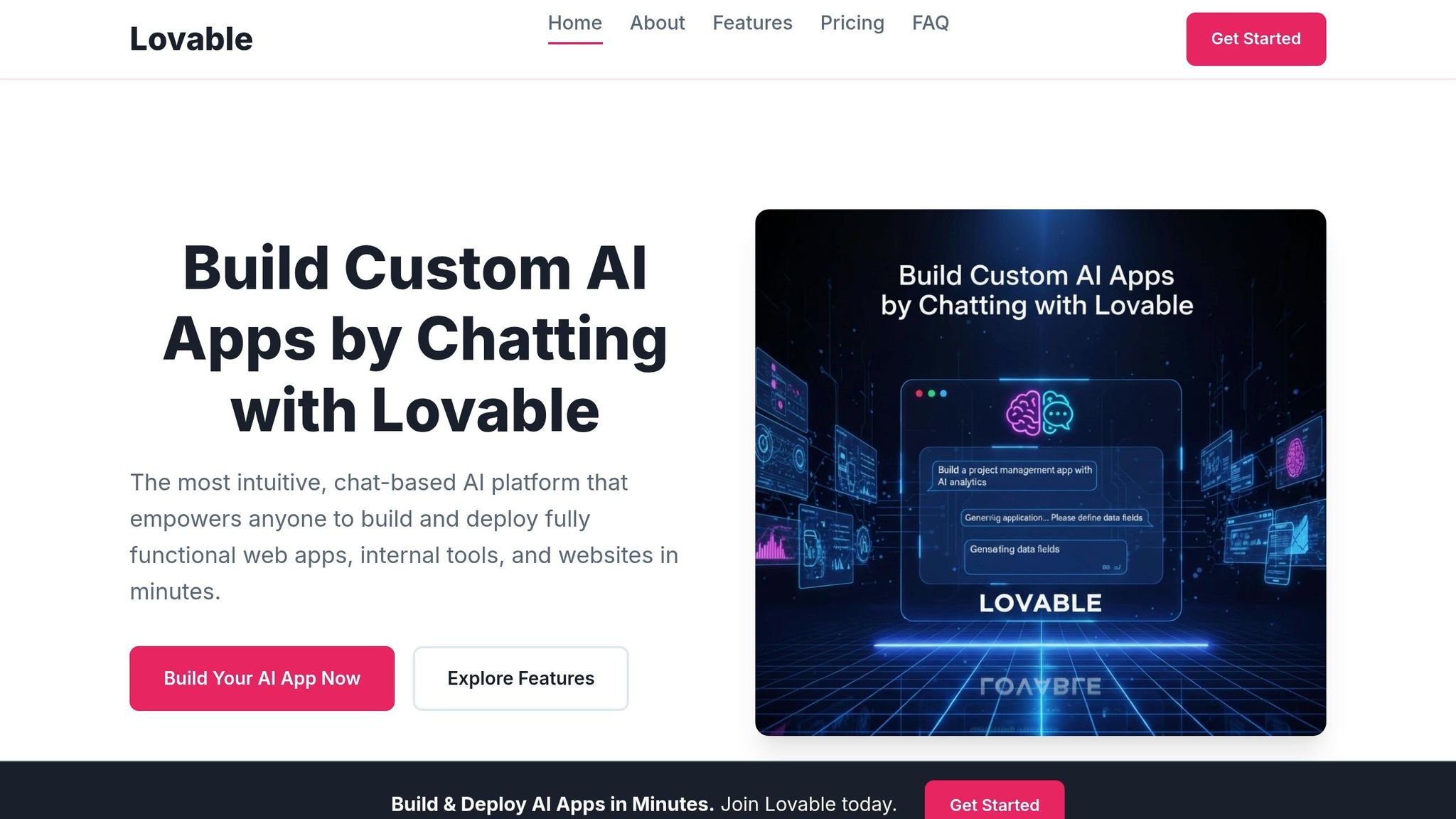
Lovable takes a refreshing approach to app creation, catering specifically to non-technical founders and beginners eager to build full-stack web applications - without writing a single line of code. All you need to do is describe your idea in plain English, and the AI transforms it into a React app complete with backend support. By 2026, Lovable has reached a valuation of $6.6 billion, achieved $200 million ARR, and supports 100,000 daily projects.
The platform’s conversational interface makes it approachable, removing the fear often associated with software development. Business Insider journalist Aditi Bharade put it best: “With Lovable… the learning was intuitive, and it felt like I was talking to ChatGPT”. Let’s take a closer look at the features that make Lovable a game-changer for full-stack app creation.
Features and Capabilities
Lovable is designed to simplify the app-building process while maintaining full-stack functionality. The standout feature, Lovable Cloud, provides backend infrastructure for authentication and data storage right out of the box. This spares users from the hassle of configuring external services like Supabase manually - a common stumbling block for those new to coding. For simpler projects, you can skip backend setup entirely and focus on building features.
Another notable feature is Agentic Mode, which automates multi-step changes with impressive accuracy, cutting errors by 91% compared to manual, single-step edits. For example, you can request something as complex as “add a Stripe checkout flow,” and the AI will implement it across your codebase without disrupting existing layouts. This level of automation makes it possible to add intricate features through straightforward conversations.
For more advanced projects, Supabase integration provides PostgreSQL databases and authentication, while Visual Edits mode allows for CSS-level styling changes without requiring prompts. Unlike tools that focus solely on the user interface, Lovable generates fully functional applications with synchronized frontend and backend. Once your prototype is ready, you can export the complete React codebase to GitHub for continued development in professional tools like Cursor - a step many users call “graduating”.
The platform also bridges design and development with a Figma-to-code import feature. Real-time collaboration allows up to 20 users to work on a single project simultaneously.
In benchmark testing, Lovable produces working prototypes in about 35 minutes - a bit slower than Bolt’s 28-minute average. However, Lovable’s strength lies in its design quality, consistently delivering polished, visually appealing interfaces described as having a “girlypop” aesthetic.
Pricing is flexible, starting with a free tier offering 5 daily credits for public projects. The Starter plan ranges from $20–$25/month, providing 100–150 credits and support for private projects. For more intensive use, the Business plan costs $50/month and includes 500 credits, SSO support, and the option to opt out of data training. Be mindful of credit usage, as complex debugging can quickly deplete your allowance.
Pros and Cons
| Aspect | Details |
|---|---|
| Strengths | Easy for beginners; full-stack functionality with built-in backend; polished UI output; exportable React codebase; Agentic Mode reduces manual effort. |
| Limitations | Limited to React, Tailwind CSS, and Supabase; high credit consumption during debugging; struggles with consistency in apps with more than 15–20 interconnected components; requires security audits for production use. |
A May 2025 study flagged security vulnerabilities in 170 out of 1,645 apps built with Lovable, emphasizing the need for manual security reviews before launching apps that handle payments or sensitive data. While Lovable excels at rapid prototyping and MVP creation, production-ready apps often require additional hardening in a professional development environment.
To make the most of Lovable, combine related requests to save credits and draft complex prompts externally before using them.
Bolt: Browser-Based AI App Builder for Rapid Prototyping
Bolt takes a different approach compared to other coding tools, prioritizing speed and adaptability for quickly testing ideas. Powered by StackBlitz's WebContainers technology, it operates a full Node.js environment right in your browser - no downloads or setups required. By 2026, Bolt has achieved an impressive $40 million ARR, positioning itself as a favorite for hackathons, quick experiments, and "let me show you this idea" moments.
Bolt's efficiency shines in benchmarks, producing a functional prototype in just 28 minutes. Zane, an AI Tools Editor, sums it up perfectly:
"Bolt.new is the speed demon of the group. Browser-based, no setup, describe what you want, get a shareable URL".
You can see a working preview in about 30 seconds, making it perfect for validating ideas in record time.
Unlike Lovable, which focuses only on React, Bolt caters to developers working with various frameworks, including React, Vue, Svelte, Angular, Next.js, and Nuxt.js. It also generates full-stack applications with backend code, integrates seamlessly with Supabase for databases, and offers one-click deployment to Netlify. For those who need to refine or expand their projects, Bolt supports full code export through GitHub synchronization.
Now, let’s break down Bolt’s standout features and how it works.
Features and Capabilities
Bolt eliminates the usual setup hassles with its zero-setup environment. Thanks to WebContainers technology, it provides a complete Node.js runtime in your browser, handling both frontend and backend tasks without requiring local installations. Developers can also switch between AI models like Claude 3.5 Sonnet, GPT-4o, and Gemini to fit their project needs.
The workflow is simple: describe your app in plain English, and Bolt generates a fully functional application, complete with frontend, backend, and database connections. A live preview lets you see the app in action, and you can deploy it to Netlify with a single click for immediate sharing.
Bolt offers a free tier with 1 million tokens per month (capped at 300,000 daily). For more demanding projects, the Pro plan costs about $20 per month, providing higher token limits. However, keep in mind that complex iterations can quickly use up tokens.
While Bolt excels in speed, it does come with trade-offs. Its code quality scored 6/10 in 2026 benchmarks, falling behind v0 (9/10) and Lovable (7/10). Users have reported inconsistent variable naming and Git integration that feels less intuitive. Additionally, research indicates that AI-generated code has a 45% vulnerability rate, making thorough security checks essential before deploying apps to production. As The Blink Blog notes:
"Bolt's browser-based server is a unique solution that minimizes setup friction".
In short, Bolt is best suited for early-stage validation and prototyping rather than production-ready applications.
Pros and Cons
| Aspect | Details |
|---|---|
| Strengths | Rapid prototyping (28 minutes to a working prototype); supports various frameworks (React, Vue, Svelte, Angular, Next.js, Nuxt.js); zero-setup environment; full-stack capabilities; one-click Netlify deployment; GitHub synchronization for complete code export. |
| Limitations | Lower code quality (6/10) with inconsistent naming conventions; 45% vulnerability rate requiring security audits; less intuitive Git integration; token limits can hinder complex iterations; limited control over infrastructure. |
In 2026, software developers and engineers often use Bolt for quick prototyping and then export the code to tools like Cursor for more polished, production-grade refinement. For hackathons, demos, or weekend projects where speed matters most, Bolt delivers unmatched efficiency.
v0: UI Generator for React/Next.js
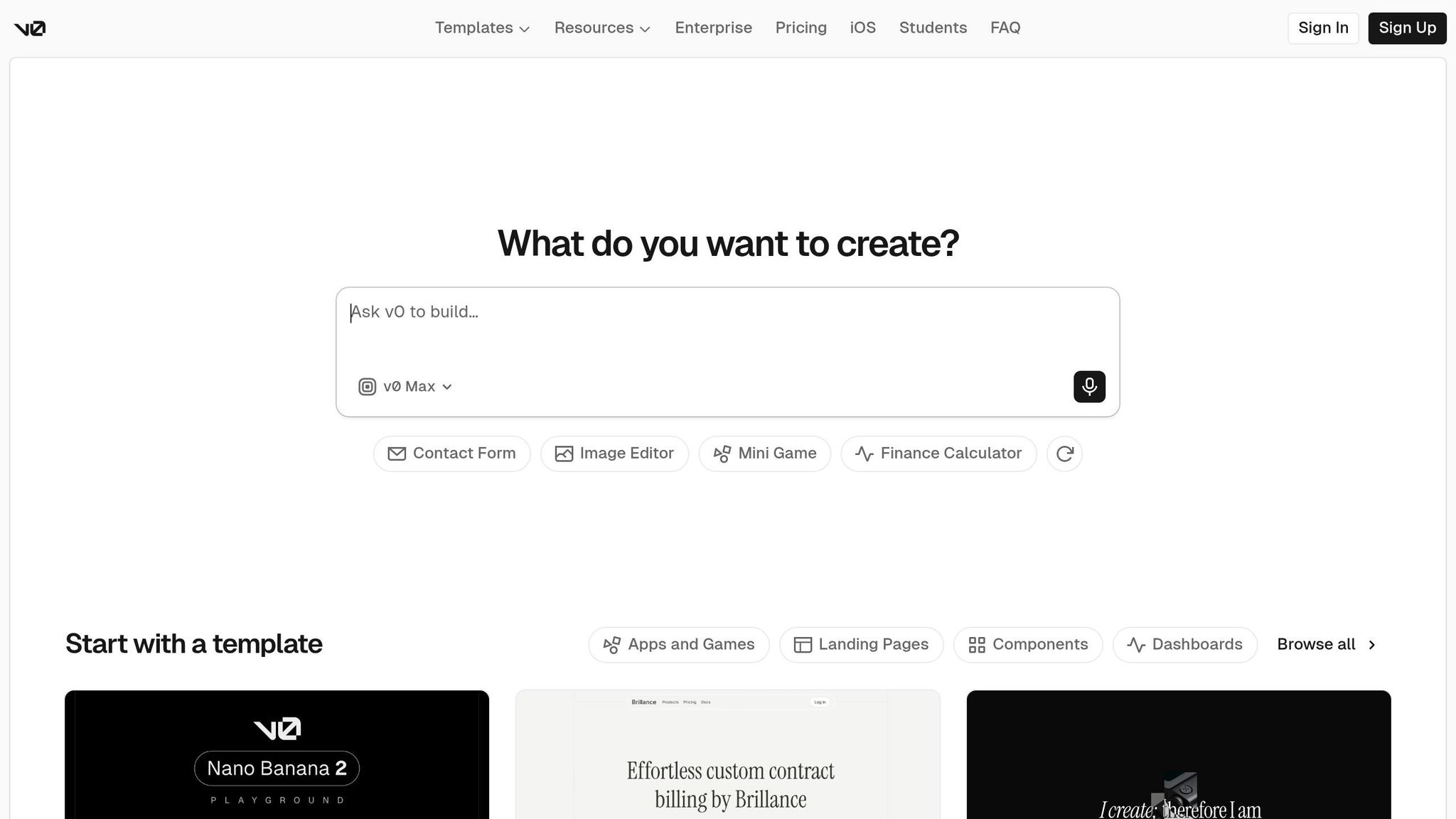
v0 takes a different approach compared to full-stack builders by zeroing in on top-tier React UI components instead of creating entire applications. Developed by Vercel, this tool transforms natural language inputs or Figma designs into production-ready React code. As of March 2026, v0 has attracted over 6 million developers and around 80,000 active teams, boasting an estimated $42 million in annual recurring revenue and a growth rate of about 25% month-over-month. Unlike tools that attempt to handle everything, v0 narrows its focus to UI components, making design workflows more efficient.
The standout feature of v0 is its exceptional code quality. In 2026 benchmarks, it achieved a 9/10 rating, the highest among similar tools. Across 12 component categories, it averaged 4.3/5 for visual quality and 4.1/5 for code cleanliness. As VibeCoding.app puts it:
"For React developers building modern web UIs, v0 produces the cleanest code of any tool in this list".
Using v0 is simple: describe the component you need, upload a screenshot, or share a Figma design, and within 15 to 30 seconds, it generates functional React code. You can tweak components through conversational prompts like "add a loading skeleton" or "make the table sortable", all without disrupting existing code. The platform integrates advanced AI models, including Claude, Gemini, and OpenAI, and supports one-click deployment to Vercel, complete with built-in CI/CD integration.
However, v0 is strictly a frontend tool. It doesn’t handle backend logic, databases, or authentication. Since components make up only about 20% of a full application, developers must handle the remaining functionality separately. Some users have reported issues like manual code edits being overwritten during subsequent AI generations or encountering blank screens after exporting projects. Additionally, v0’s close alignment with the Vercel/Next.js ecosystem can lead to a potential lock-in effect.
Many developers use v0 as part of a "graduate" workflow: generating UI components in v0 and then exporting them to tools like Cursor for backend integration. This UI-first approach sets v0 apart from more comprehensive app-building platforms.
Features and Capabilities
v0’s primary strength lies in its ability to deliver high-quality, modular React components. Unlike tools that aim to build entire applications, v0 is all about creating reusable components. Its multi-turn refinement feature allows developers to iterate on components through conversational tweaks without starting over. Additionally, it can instantly convert Figma mockups or screenshots into production-ready React code.
The generated code adheres to Vercel's recommended patterns, making it nearly plug-and-play for Next.js projects. v0 also addresses security concerns by implementing automated checks, which have blocked over 100,000 insecure deployments. This feature is particularly important given that AI-generated code has been found to have 1.7× more major issues and 2.74× higher security vulnerabilities compared to human-written code.
Pricing is token-based as of February 2026. The free tier includes $5 in credits (about 200 tokens, or 10–15 generations). The Premium plan is $20 per month and includes $20 in credits, Figma imports, and API access. Team plans are priced at $30 per user per month, offering shared credits and collaboration tools. However, token-based billing means costs can vary depending on the complexity of the generated components, which makes budgeting less predictable.
v0 has received high praise, earning a 4.7/5 rating on G2 and 4.6/5 on Capterra as of March 2026. OpenAIToolsHub highlights:
"v0.dev's visual output quality is the best we have seen from any AI component generator".
In January 2026, v0 rebranded from v0.dev to v0.app, signaling its growth from a basic component generator to a more robust tool with features like Git integration and direct database connections for platforms like Snowflake and AWS.
Pros and Cons
| Aspect | Details |
|---|---|
| Strengths | Exceptional code quality (9/10); production-ready React components; Figma-to-code conversion; multi-turn conversational refinement; one-click Vercel deployment; clean, maintainable code; easy to use for UI tasks. |
| Limitations | Frontend-only (no backend, databases, or authentication); tightly tied to Vercel/Next.js; manual edits may be overwritten; components cover only 20% of an application; occasional export issues like blank screens; variable costs based on complexity. |
v0 shines as a tool for scaffolding UI components rather than building complete applications. AIAgentsKit sums it up well:
"v0 makes ingredients; Bolt.new makes meals".
For React developers who need polished UI components and are prepared to handle backend logic separately, v0 is an excellent addition to the workflow. Its ability to deliver clean, high-quality code makes it a go-to choice for those focused on design fidelity and frontend efficiency.
Side-by-Side Comparison Table
The table below highlights the core features and market positioning of four AI coding tools: Cursor, Lovable, Bolt, and v0. Each tool brings something unique to the table, catering to different stages of the development process. The comparison covers key factors like category, strengths, pricing, ease of use, code quality, framework compatibility, and prototyping efficiency.
| Feature | Cursor | Lovable | Bolt | v0 |
|---|---|---|---|---|
| Category | AI-Powered IDE | Full-Stack App Builder | Browser-Based App Builder | UI/Component Generator |
| Primary Strength | Full codebase control | Integrated DB & Auth | Prototyping speed | High-quality UI code |
| Learning Curve | Medium | Low | Low | Low |
| Code Quality | ⭐⭐⭐⭐⭐ (9/10) | ⭐⭐⭐⭐ (7/10) | ⭐⭐⭐ (6/10) | ⭐⭐⭐⭐⭐ (9/10) |
| Framework Focus | Language-agnostic | React/Supabase | React, Vue, Svelte | React/Next.js |
| Prototyping Speed | ~75 minutes | ~35 minutes | ~28 minutes | ~50 minutes (UI only) |
| Pro Pricing | $20/month | $25/month | ~$20/month | $20/month |
Cursor and v0 excel in code quality, both scoring 9/10 in 2026 benchmarks, making them strong choices for production-grade applications. Cursor, as a desktop IDE, offers extensive control over the codebase but requires some coding proficiency. On the other hand, v0 operates in a browser-based environment and focuses on delivering high-quality frontend components, similar to how tools like Screenshot To Code automate UI development.
Bolt shines in speed, allowing developers to create a working prototype in just 28 minutes, though it has a slightly lower code quality rating of 6/10. Lovable, meanwhile, strikes a middle ground, offering full-stack capabilities with an integrated Supabase backend. It delivers prototypes in about 35 minutes and achieves a solid 7/10 for code quality.
When it comes to pricing, all tools remain competitive. Lovable, Bolt, and v0 are particularly beginner-friendly with their chat-based interfaces, whereas Cursor's IDE-based setup presents a moderate learning curve. Framework support varies: Cursor is language-agnostic, Bolt accommodates multiple frameworks (React, Vue, Svelte), and both Lovable and v0 are tailored for the React ecosystem.
This side-by-side breakdown helps identify the best tool for specific development needs, whether it's speed, quality, or comprehensive app-building capabilities.
Performance Benchmarks
When it comes to speed, Bolt.new takes the lead during the initial prototyping phase, delivering a preview in just 3 minutes and a working prototype in about 28 minutes. Lovable follows closely, creating web apps with integrated database and authentication features in around 4 minutes for an initial build and 35 minutes for a complete prototype. On the other hand, v0 shines in crafting UI components, generating high-quality React/Tailwind elements in roughly 2 minutes, though assembling a full UI-only prototype stretches to about 50 minutes. Cursor, which functions as a local IDE built for production-ready code rather than rapid scaffolding, takes approximately 75 minutes to produce a complete working prototype. These timeframes highlight the trade-offs between speed and the depth of features each tool provides.
When it comes to quality, the picture becomes more nuanced. AI-generated code tends to have 1.7× more major issues and 2.74× higher vulnerabilities compared to human-written code. To address these concerns, Vercel's v0 incorporates built-in security checks that have successfully blocked over 100,000 insecure deployments. Both Cursor and v0 consistently deliver high-quality code suitable for production environments. Lovable excels with its clean React/TypeScript code and bi-directional GitHub sync capabilities. However, Bolt.new, while optimized for speed, can occasionally produce inconsistent code quality, particularly during extended iterations on complex projects.
Database integration is another area where these tools differ. Lovable and Bolt Cloud offer native database and authentication support through conversational interfaces. In contrast, Cursor requires manual configuration for external databases, while v0 remains focused on frontend development without built-in database support.
Mobile development capabilities also set these tools apart. Bolt supports React Native for cross-platform development, while Lovable is centered on React-based web applications. Cursor, however, stands out by supporting both React Native and Flutter within its IDE, catering to native mobile development. On the flip side, v0 is limited to generating web-only UI components, with no mobile-specific features.
Adding another layer to this comparison, a 2025 randomized trial revealed an interesting productivity paradox. While AI coding tools boosted individual developer output by 76% (from an average of 4,450 to 7,839 lines of code), experienced developers were paradoxically 19% slower when using AI assistance, even though they believed they were working 20% faster. Developer Nadia Okafor captured this challenge perfectly:
"The code these tools generate almost works. And 'almost' is the most expensive word in software".
How to Choose the Right Tool
Selecting the right tool boils down to three key factors: your skill level, the stage of your project, and the technical demands of your work. Here's an overview of how different tools align with various needs:
If you're not experienced with coding, Lovable is a great choice for building a full-stack app. It comes with a built-in database and authentication, making it beginner-friendly. Need a live demo in record time? Bolt.new can get you up and running in under 30 minutes. For professional developers working on complex codebases or tackling intricate logic, Cursor offers the control and flexibility needed to manage sophisticated projects. Meanwhile, if your focus is on user interfaces, v0 is excellent for generating React components that integrate smoothly into your existing project.
A trending workflow in 2026 is the "graduate workflow." This approach starts with rapid prototyping in tools like Lovable or Bolt.new, then transitions to Cursor for more advanced, production-ready development. As Anna Arteeva, a Product Design Leader, puts it:
"Prototype fast in Lovable, then graduate the project into a proper repo and continue in Cursor when it gets serious".
Once you've matched your project needs with the right tool, it's essential to verify the output's security. This step is critical because AI-generated code is 2.74× more likely to have security vulnerabilities compared to human-written code. Always run your code through static analysis tools like Semgrep or Snyk before deploying, especially if your application involves sensitive user data or payment processing.
Most pro-tier plans are priced at around $20/month across platforms. Instead of focusing on cost, prioritize the tool that aligns with your expertise and project requirements. For a more in-depth breakdown, you can explore our AI Apps directory.
Conclusion
The AI coding landscape in 2026 showcases four standout tools, each tailored to specific development needs. Cursor is the go-to for professional developers managing intricate codebases, Lovable shines in empowering non-technical founders to craft functional MVPs with integrated backends, Bolt.new delivers a working prototype in just 28 minutes, and v0 stands out for producing top-tier React components for UI-centric projects.
The key to success lies in knowing when and how to use these tools. The "graduate workflow" has become a widely adopted strategy: begin with Lovable or Bolt.new for swift validation, and shift to Cursor as your project scales and requires production-level refinement. However, as previously mentioned, security cannot be overlooked. AI-generated code is 2.74× more likely to contain vulnerabilities compared to human-written code, making tools like Semgrep or Snyk essential for static analysis before deployment.
"The tool you pick affects your development speed and workflow, but the output always needs human eyes on it."
– Vince, VibeCodeBlue
Ultimately, beyond just code quality, factors like speed, security, and cost play a pivotal role in choosing the best free AI tools for developers or paid alternatives. For professional developers handling established repositories, Cursor is the clear choice. Meanwhile, founders looking to validate ideas quickly will find Lovable's full-stack capabilities indispensable. This layered approach - beginning with rapid prototyping, progressing to production-grade refinement, and maintaining a strong focus on security - captures the essence of the graduate workflow. It can often mean the difference between a project's success and unnecessary delays.
FAQs
Which tool should I start with for my project stage?
The best tool for you will depend on your specific needs and the stage of your project:
- Cursor: Perfect for improving existing workflows, as it seamlessly integrates AI into Visual Studio Code.
- Lovable: Excellent for creating MVPs, offering full-stack support and one-click deployment.
- Bolt: A browser-based option designed for quick experiments and scaffolding modern apps.
- v0: Tailored for frontend-focused teams, especially those working with Next.js and Tailwind CSS.
Can I move a prototype from Lovable or Bolt into Cursor later?
Cursor, Lovable, and Bolt serve distinct functions, which might explain the lack of clarity on whether prototypes from Lovable or Bolt can transfer directly into Cursor. Cursor acts as an AI-powered IDE designed to streamline workflows, while Lovable and Bolt focus on rapid AI app development. Given these differing purposes and environments, it’s likely that direct migration paths between them don’t exist.
How do I keep AI-generated code secure before shipping?
To make sure AI-generated code is secure before deployment, it's important to bring security reviews into the development process from the start. Assume the code is untrusted by default and conduct detailed testing to uncover any vulnerabilities.
Key steps to follow:
- Integrate security checks directly into your workflows.
- Configure AI tools to prioritize security during development.
- Carefully evaluate AI-generated suggestions to catch potential issues.
By consistently testing and closely examining the code, you can help ensure it’s both safe and reliable before it goes live.