Digital Transformation
Best AI Tools for Small Business in 2026: Automate Marketing, Sales & Support
Practical AI tools can reclaim weeks of work by automating marketing, sales, and support for small businesses.

Best AI Tools for Small Business in 2026: Automate Marketing, Sales & Support
Small businesses in 2026 are leveraging AI tools to save time, cut costs, and scale operations efficiently. AI adoption has surged, with 72% of U.S. small businesses using at least one AI-powered tool, up from 48% in 2024. These tools help teams handle repetitive tasks, automate customer support, which is essential for customer service representatives, and streamline marketing and sales processes. Businesses report saving 12–15 hours weekly and reducing operational costs by 20–30%.
Here’s a quick look at the top AI tools and what they offer:
- Writesonic: Generates SEO-friendly content and includes tools like Chatsonic for real-time responses. Starts at $16/month.
- HubSpot AI: Combines CRM, marketing, and sales features, offering predictive lead scoring and AI-driven workflows. Free CRM available; paid plans start at $20/month.
- Zapier with AI Actions: Automates workflows across 8,000+ apps, integrating AI seamlessly. Plans start at $19.99/month.
- Google Workspace Duet AI: Built into Gmail, Docs, and Sheets for drafting, organizing, and summarizing tasks. Enterprise pricing is $30/user/month.
- ChatGPT: A versatile tool for creating content, automating responses, and data analysis. Free and Plus plans available for $20/month.
These tools help small businesses automate tasks, improve efficiency, and focus on growth. Below, we’ll dive into their features, integrations, pricing, and best use cases.
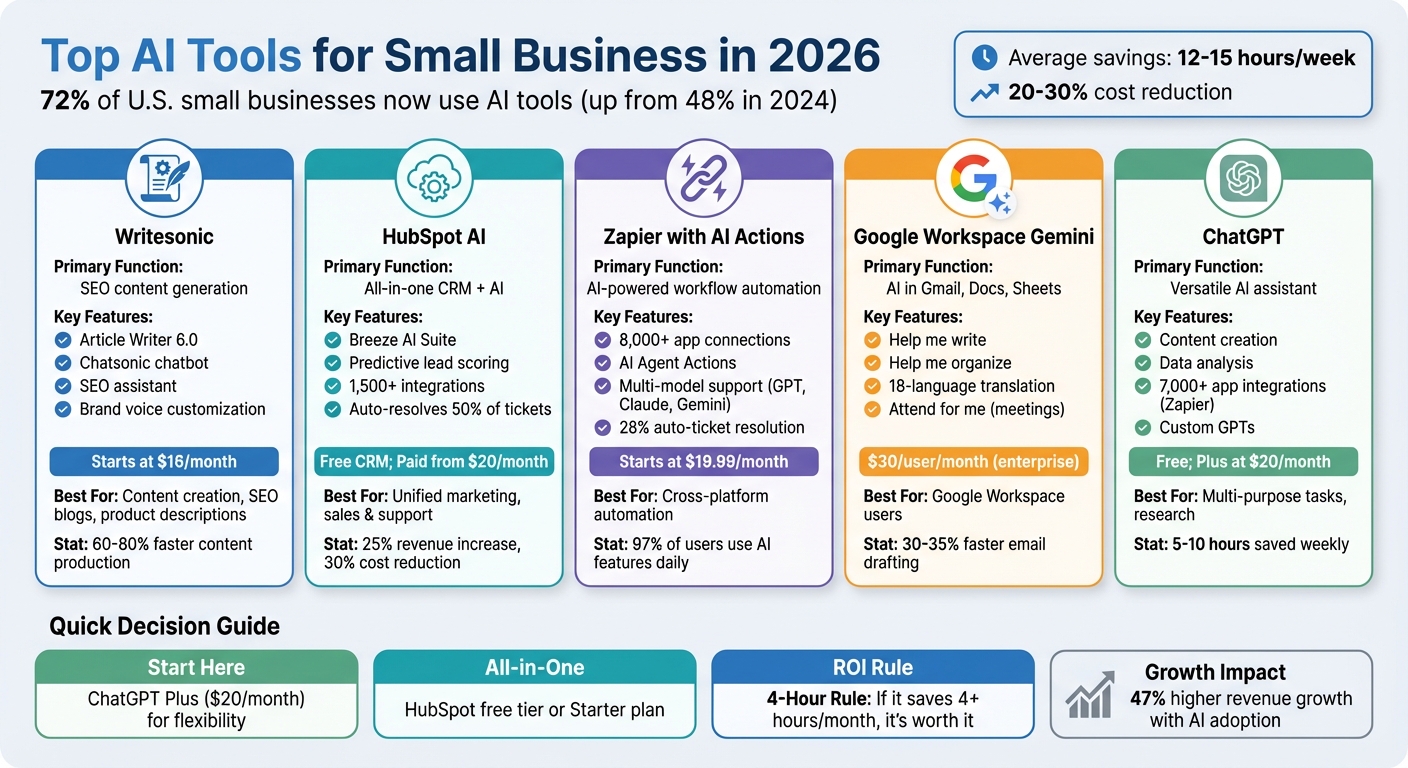
Top 5 AI Tools for Small Business: Features and Pricing Comparison 2026
1. Writesonic
Core Functionality
Writesonic transforms short prompts into fully developed drafts for blogs, advertisements, product descriptions, and social media posts. It features the AI-powered Article Writer 6.0 for long-form content and Chatsonic, a chatbot that uses real-time web data to ensure accuracy. The platform also includes an SEO assistant that suggests keywords to help drive web traffic. You can even tailor your brand's voice, ensuring emails, landing pages, and social posts maintain a unified tone. According to reports, small businesses using AI for marketing have seen content production speeds increase by 60% to 80%. Writesonic also boosts content performance with its smooth integration options. This makes it one of the best AI apps for content creators looking to scale production.
Integration Capabilities
Writesonic works with Surfer SEO to improve content optimization and establish topical authority.
Pricing Model
Writesonic follows a freemium model. Basic content generation is free, while advanced features start at $16 per month. Specialized plans range from $39 to $59+ per month, depending on your needs.
Best Use Cases
Small businesses rely on Writesonic to quickly create SEO-friendly content and weekly promotional materials. Sales teams use it for crafting compelling product descriptions and email subject lines, while customer support teams turn to Chatsonic for real-time data to draft precise and effective customer responses.
sbb-itb-212c9ea
2. HubSpot AI

Core Functionality
HubSpot AI brings marketing, sales, and customer support together under one CRM platform through its Breeze AI Suite. This includes Breeze Copilot for hands-on assistance, Breeze Agents for automating workflows, and Breeze Intelligence for enriching data - effectively breaking down data silos.
For marketers, HubSpot AI offers an AI writing tool capable of generating blog posts, social media content, and emails. It also provides AI-driven SEO tools for keyword research and crafting meta descriptions. Sales teams benefit from features like predictive lead scoring and automated, personalized outreach powered by the Prospecting Agent. On the customer support side, the Customer Agent uses knowledge base articles to address inquiries, potentially saving support teams 5–10 hours per week and automatically resolving up to 50% of support tickets. This integration creates a streamlined workflow across departments.
Integration Capabilities
HubSpot boasts over 1,500 pre-built integrations, including popular tools like Slack, Gmail, Shopify, and Zapier, and it natively syncs with Gmail and Outlook. Through Zapier, HubSpot can connect to more than 7,000 additional apps, enabling automated workflows across platforms. With Breeze Intelligence, HubSpot further improves data quality by automatically filling in missing contact details and tracking buyer intent to highlight high-value prospects. These integration capabilities align perfectly with HubSpot's mission to centralize and simplify operations.
Pricing Model
HubSpot offers a free CRM that includes AI email drafting and unlimited contacts. Paid plans include:
- Starter: $20 per user/month, which removes HubSpot branding.
- Professional: $890 per month for three seats, with a one-time onboarding fee ($3,000–$4,000) and an annual commitment. This tier unlocks full Breeze AI features.
- Enterprise: $3,600 per month for five seats, including advanced AI agents and predictive lead scoring. Onboarding fees range from $10,000 to $12,000.
Startups may qualify for discounts of 30% to 90% through the HubSpot for Startups program.
Best Use Cases
It's a good idea to begin with the free CRM for 3–6 months to see if HubSpot meets your needs before committing to a paid plan. This platform is ideal for teams looking for a unified tool to manage marketing, sales, and support. Users have reported a 25% increase in sales revenue and a 30% reduction in costs. To maximize its potential, regularly auditing and cleaning your CRM data is recommended to ensure accurate AI reporting and automation.
3. Zapier with AI Actions
Core Functionality
Expanding on the AI features seen in tools like Writesonic and HubSpot AI, Zapier takes automation to a whole new level by integrating AI into its vast app ecosystem.
Zapier has grown from a basic "if-then" automation tool into a sophisticated AI-driven platform capable of managing complex workflows across more than 8,000 apps. With AI Agent Actions, the platform can now analyze, adapt, and carry out multi-step workflows tailored to specific goals. By early 2026, an impressive 97% of Zapier users reported using its AI features daily.
One standout feature is AI by Zapier, a built-in tool that allows you to add AI-powered steps to workflows without the hassle of managing separate API keys. You can seamlessly switch between advanced models like OpenAI's GPT-5.4, Anthropic's Opus 4.6, and Google's Gemini 3.1 Pro without needing to rebuild workflows. Zapier Agents act as autonomous assistants, handling tasks across your tech stack by making context-aware decisions rather than following rigid instructions.
For marketers, AI Actions can generate blog posts and social media content based on simple ideas. Sales teams benefit from automated lead enrichment and customized outreach emails. In customer support, the platform can classify ticket urgency, route issues to the right department, and draft response templates for human approval. One IT team even reported that Zapier AI resolved 28% of their tickets automatically.
Integration Capabilities
Zapier's ability to connect with over 8,000 apps - including HubSpot, Salesforce, Slack, Google Workspace, Shopify, and QuickBooks - sets it apart. Its Model Context Protocol (MCP) lets external AI tools like ChatGPT or Claude perform tasks directly within other apps, eliminating the need for complex API integrations. By linking to data sources like Google Drive, Notion, and Confluence, you can ground AI workflows in your company’s specific context.
Interestingly, 33% of all AI-powered workflows created on Zapier are aimed at lead management systems. A marketing operations specialist shared that AI automation saved them 15 minutes per call, while Marcus Saito, Head of IT and AI Automation, remarked:
"Zapier makes our team of three feel like a team of ten"
This seamless integration enhances Zapier's AI features, making it a powerful addition to the tools discussed earlier.
Pricing Model
| Plan | Monthly Price (Billed Annually) | Tasks/Month | Best For |
|---|---|---|---|
| Free | $0 | 100 | Testing and learning |
| Professional | $19.99 | 750 | Solo operators |
| Team | $69 | 2,000 | Small teams (5–15 workflows) |
| Enterprise | $750+ (Custom) | Custom | Large organizations |
Multi-step workflows typically use 3–5 tasks per run. To avoid unexpected costs, estimate your task needs for the next six months and choose a plan accordingly.
With the pricing structure in mind, let’s look at how Zapier can be applied in practical scenarios.
Best Use Cases
To get started, identify your top 3–5 repetitive weekly tasks, like lead follow-ups or ticket triage. Use lighter AI models like GPT-5.4 nano for straightforward tasks, and save more resource-intensive models like Opus 4.6 for complex workflows. For safety, always include a human review step before AI sends communications or makes changes to CRM data. Treat prompts like code - maintain a changelog and thoroughly test any updates before deploying them in production workflows.
Zapier extends the automation capabilities discussed earlier, creating a unified system that integrates marketing, sales, and support tools into a seamless workflow.
4. Google Workspace Duet AI
Core Functionality
Google Workspace Duet AI, now known as Gemini for Google Workspace, integrates AI directly into everyday tools like Gmail, Docs, Sheets, Slides, and Meet. This means you can access AI-powered assistance right where you work [29,31].
With features like Help me write, you can draft emails or documents from simple prompts in Gmail and Docs. Help me organize lets you create project trackers or task plans in Sheets from brief descriptions, even auto-filling names and details on mobile. For presentations, Help me visualize generates custom images in Slides using text prompts.
In 2024, Anthony Biolatto, CIO of Sports Basement, shared how Gemini helped their customer service team respond to inquiries almost instantly, cutting drafting time by 30–35% and reducing reliance on over 100 rigid templates. Google Meet also offers real-time translated captions in 18 languages and an Attend for me feature, where AI can join meetings, deliver messages, and provide recaps.
Integration Capabilities
Gemini is deeply integrated into the Google Workspace ecosystem, making it easy to boost productivity. The AI can pull data from various apps to create, for example, a complete Slides presentation based on content stored in Drive or Gmail. A handy side panel in Gmail, Docs, Sheets, and Drive enables users to summarize, analyze, or generate content without switching tabs.
Google’s AI-powered tools, like grammar and spell check, have already been used over 180 billion times in a year, showcasing their utility. On top of that, Gemini connects with automation platforms like Zapier, linking Google Workspace to thousands of other business tools.
"The ability to quickly create ready-to-use copy with generative AI features in Docs and Gmail has been accelerating projects and processes in ways that have even surprised us!" – Romain Liot, Chief Operating Officer, Adore Me
Pricing Model
Businesses can try Gemini for free with a 14-day trial [31,36]. Afterward, it’s available as an add-on to Google Workspace plans, with enterprise pricing set at $30 per user, per month. Smaller teams can start with basic Workspace plans and add Gemini features as needed.
For teams managing high communication volumes, Gemini’s ability to reduce drafting time by 30–35% offers a strong return on investment, improving workflows and saving time.
Best Use Cases
Gemini’s features can simplify and enhance everyday business tasks:
- Use Help me organize in Sheets to quickly create project trackers for new campaigns, skipping manual setup [32,33].
- Rely on Help me write in Docs to draft job descriptions or business proposals, avoiding the dreaded blank page [33,34].
- When you can’t attend a meeting, let Attend for me in Meet communicate your input and send you a summary.
- For customer support, generate personalized replies using your company’s knowledge base or summarize long email threads for faster responses [30,34].
- Marketing teams can create on-brand copy for blogs, social media, or newsletters using Jasper, analyze campaign performance, and generate A/B test variations [30,32].
5. ChatGPT
Core Functionality
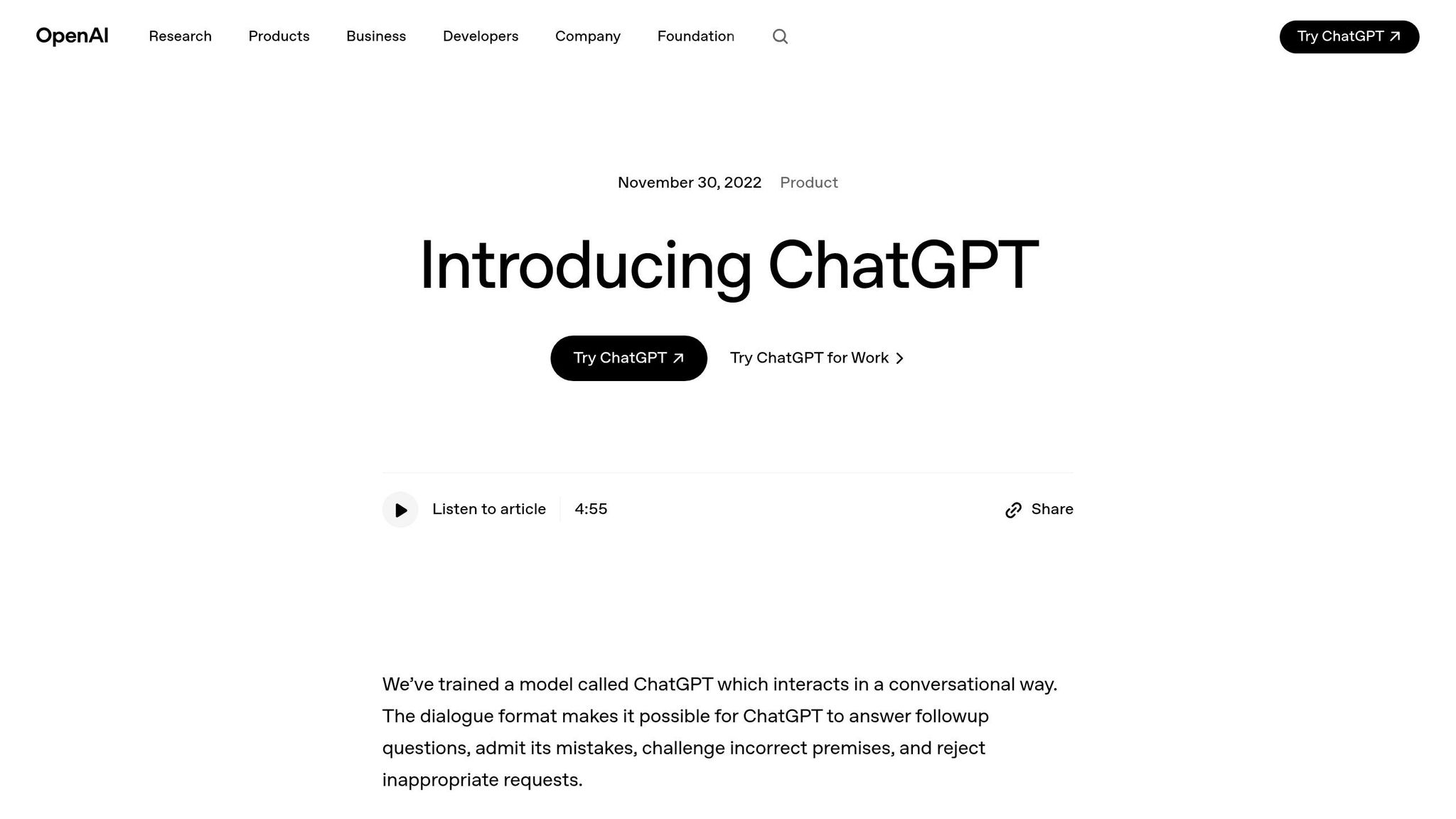
ChatGPT is a multi-purpose tool designed to streamline tasks in marketing, sales, and operations. It can craft blog posts, social media updates, email newsletters, and product descriptions. On the sales side, it automates pitches, proposals, and personalized customer emails, saving time and effort.
But its capabilities don’t stop there. ChatGPT can summarize lengthy documents, pull key details from contracts, and answer internal "how-to" queries. For instance, you can upload vendor contracts to quickly extract payment terms or cancellation policies, cutting down on manual review time. It can even analyze spreadsheets to pinpoint lead trends, clean up sales data, and generate detailed reports.
Take a local bakery in early 2026, for example. By using ChatGPT, the bakery revamped its marketing within 30 days, producing 30 blog posts, 90 social media captions, and weekly email newsletters. This replaced $5,000 worth of traditional copywriting services, boosting online engagement by 40% and increasing email open rates by 25%.
Small business owners report saving 3 to 5 hours weekly using ChatGPT for content creation, while its research and market analysis tools offer similar time savings. Businesses using AI-driven tools like ChatGPT for content production also report working 60% to 80% faster, all while maintaining high-quality output.
Integration Capabilities
ChatGPT integrates with over 7,000 apps via Zapier, making it easy to automate workflows across platforms like Slack, Google Workspace, Shopify, and QuickBooks - all without requiring coding skills. Many small businesses keep it simple by drafting content in ChatGPT and then transferring it to tools like Mailchimp, Buffer, or Canva.
Custom GPTs take things a step further. They let you create versions tailored to your brand’s guidelines, product catalogs, and tone-of-voice preferences, ensuring consistent results across your team. The 2026 update also introduced a 128K context window, allowing users to input entire brand guides or lengthy contracts for analysis in one go. This level of flexibility sets it apart from traditional automation tools.
"ChatGPT Plus remains one of the most versatile tools available for small business marketing." – Claire Cruz, Author, aidecodednews.com
These integration options make ChatGPT an easy addition to existing workflows, offering both convenience and cost savings.
Pricing Model
ChatGPT provides a free tier for basic tasks. For more advanced features like custom GPTs, data analysis, and image generation, the Plus plan is available at $20 per month. Teams can opt for the Team plan at $25 per user per month (billed annually), which includes higher message limits and collaborative workspaces. For larger organizations, Enterprise pricing is tailored to meet specific needs, including enhanced security features.
Small businesses using the ChatGPT Plus plan report saving 5 to 10 hours per week, translating to productivity gains valued between $500 and $2,000 monthly. This makes it an affordable and effective choice for businesses looking to adopt AI tools for small business while scaling their operations.
Best Use Cases
ChatGPT shines in creating email sequences, product descriptions, and social media calendars, reducing the need for costly freelance copywriters. Marketing teams use it for brainstorming blog ideas, writing ad copy, generating SEO keywords, and conducting competitor analysis. Sales teams rely on it for automating proposals, cleaning lead data, and crafting sales pitches. Meanwhile, customer support teams use it to draft response templates, automate FAQs, and summarize lengthy email threads. Across these areas, businesses save 5 to 10 hours weekly.
Operationally, ChatGPT can draft standard operating procedures (SOPs), extract actionable items from meeting notes, and analyze customer feedback for sentiment trends. Its integration options and budget-friendly pricing make it a practical addition to specialized tools. By spending just 2 to 3 hours learning basic prompt techniques, users can significantly boost the quality of AI-generated content. However, always double-check the accuracy of AI-generated content before publishing.
6. AI Apps
Core Functionality
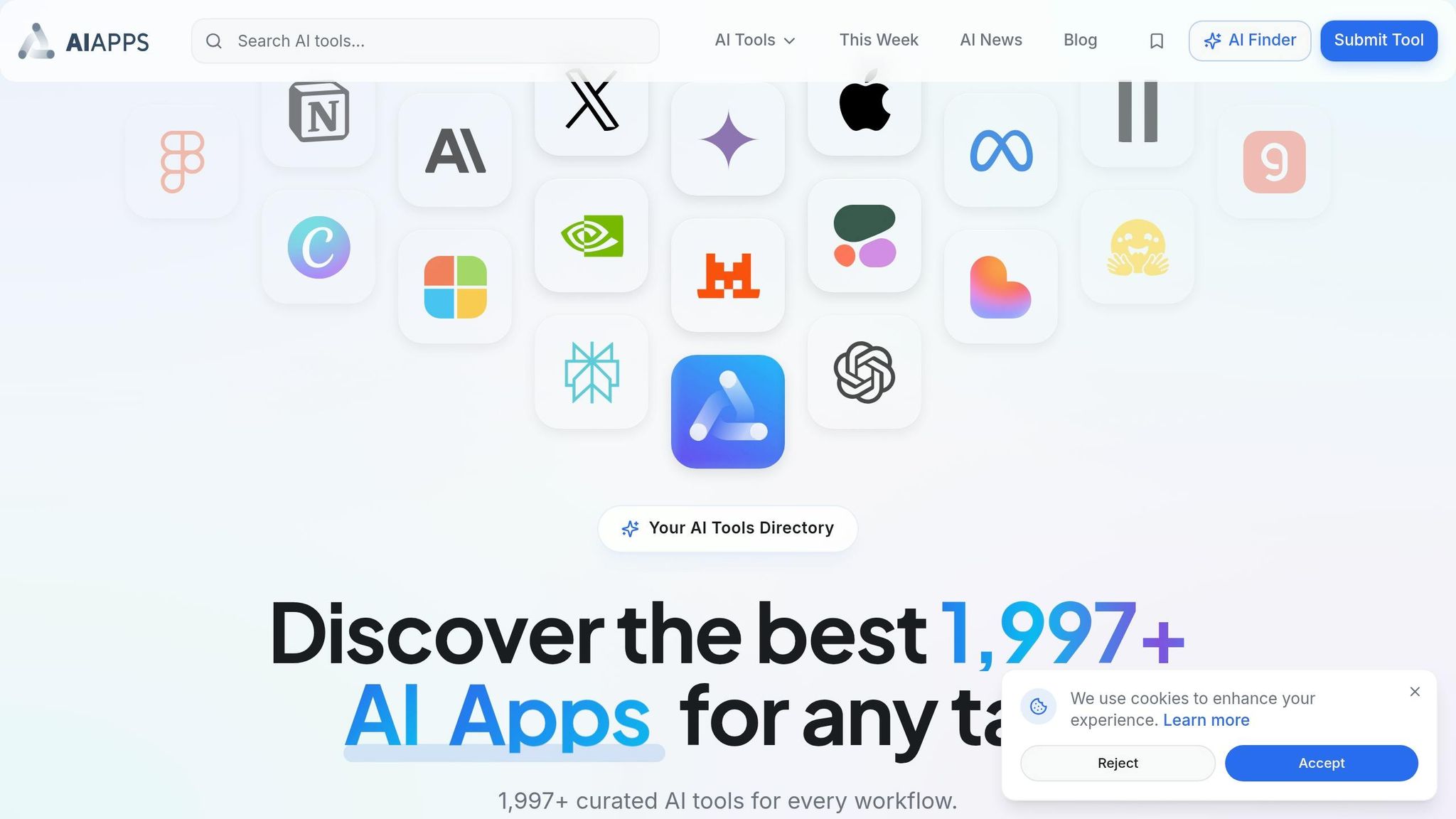
AI Apps serves as a go-to platform for small businesses looking to create their ideal AI toolkit. With a directory featuring over 1,900 AI tools tailored for marketing, sales, and customer support, it simplifies the process of finding the right solutions.
The platform’s advanced filters make it easy to compare tools based on features, pricing, and specific use cases. For example, a small business owner can quickly narrow down options for affordable content creation tools or AI-powered chatbots without spending hours researching. This efficient search process helps businesses adopt tools that enhance productivity without delay.
AI Apps also shines by spotlighting the latest tools in the market, giving users early access to cutting-edge solutions. Plus, every tool undergoes a multi-step verification process to ensure users get high-quality recommendations.
Best Use Cases
AI Apps is particularly useful for businesses aiming to build a well-rounded AI stack. Marketing teams can explore tools for tasks like SEO optimization and email campaign automation. Meanwhile, sales teams might find solutions for lead qualification or appointment scheduling. For customer support managers, the platform offers a range of chatbot options capable of handling routine inquiries across platforms like WhatsApp, SMS, and email.
The platform is also a lifesaver for businesses juggling multiple subscriptions. By allowing users to compare features and pricing side by side, AI Apps helps identify opportunities to consolidate tools and cut costs. For instance, a company paying for several standalone tools might discover an all-in-one solution that delivers the same capabilities at a fraction of the price.
I'm Saving 20+ Hours A Week With These AI Tools - Here's Exactly How
Pros and Cons
Every tool comes with its strengths and challenges, especially for small businesses. Knowing where each one shines - and where it might fall short - can help you make better decisions about what belongs in your tech stack.
Writesonic is great for quickly producing large volumes of marketing content, particularly for SEO blogs and ad copy. However, it doesn't integrate well beyond SEO platforms, meaning you'll often need to transfer content manually.
HubSpot AI combines CRM, marketing, and sales into one platform. Its predictive lead scoring and automated outreach features can significantly boost growth. That said, costs can climb quickly as your contact list grows, and many premium features are only available on higher-tier plans.
Zapier with AI Actions connects over 6,000 apps, making it a lifesaver for businesses managing various disconnected tools. The downside? Managing complex workflows can get tricky, and higher task volumes often mean upgrading to more expensive plans. Still, its ability to link multiple tools makes it a strong choice for businesses needing seamless integrations.
Google Workspace Gemini stands out for its simplicity. If you're already using Gmail, Docs, and Sheets, its AI features integrate seamlessly without the need for extra training. However, this convenience comes at a cost - you're locked into Google's ecosystem, with limited options for customization outside of their apps. While Gemini is perfect for Google users, ChatGPT offers broader, cross-functional capabilities.
ChatGPT is a flexible tool priced at $20/month, making it ideal for brainstorming, research, and drafting across different business areas. On the flip side, it requires additional effort to maintain brand consistency in real-time applications, and human review is essential to catch inaccuracies or "hallucinations".
AI Apps takes a different approach. Instead of being a tool for direct use, it helps you discover and compare over 1,900 verified AI solutions. Advanced filters make it easier to build an efficient tech stack for automating marketing, sales, and support - saving you hours of research. Its multi-step verification process ensures high-quality recommendations, and side-by-side comparisons help identify ways to consolidate subscriptions and reduce costs.
These comparisons can help you zero in on the tool that best fits your business needs.
Conclusion
Choose AI tools that tackle your biggest time-consuming tasks first. Instead of rushing to build a full tech stack, concentrate on solving your main challenges. For example, if you’re spending hours crafting repetitive emails or creating content, ChatGPT Plus ($20/month) can be a flexible starting point for both content creation and research needs. This focused strategy allows you to evaluate tools based on what truly matters to your workflow.
For businesses looking for an all-in-one solution, HubSpot’s free tier or its Starter plan (priced around $18–$20/month) offers features like integrated CRM, lead scoring, and email automation.
A helpful guideline to consider is the "4-Hour Rule." If an AI tool saves you at least four hours of manual work each month, it’s generally worth the investment. Many small businesses report seeing a positive return on investment within just 90 days. In fact, companies that adopt AI often experience up to 47% higher revenue growth.
As you start to see these benefits, aim to simplify your workflow by cutting down on unnecessary subscriptions. Instead of juggling multiple tools, platforms like Zapier can help integrate your apps, keeping your monthly expenses manageable as your business grows.
FAQs
Which AI tool should I start with first?
Consider starting with ChatGPT Plus at just $20 per month. This AI tool offers a range of capabilities tailored for small businesses in 2026, including content creation, research, and document processing. It's a practical starting point to simplify and enhance your day-to-day operations.
How do I calculate ROI from an AI tool?
To figure out the ROI (Return on Investment) for an AI tool, here’s a straightforward process:
- Estimate Benefits: Pin down measurable gains, such as higher revenue or reduced expenses.
- Calculate Costs: Factor in everything - subscription fees, setup charges, and training costs.
- Compute ROI: Plug the numbers into this formula: ROI = (Net Benefits - Total Costs) / Total Costs × 100
Keep an eye on performance over time to make sure the AI tool delivers what you need.
What should I automate vs keep human-reviewed?
In 2026, small businesses should focus on automating tasks that are repetitive and time-consuming, such as content creation, email marketing, social media scheduling, and data analysis. These activities don’t rely on complex decision-making and can be managed effectively with AI tools, freeing up valuable time.
However, processes that require human judgment, empathy, or strategic thinking - like handling complex customer support issues, making final content edits, or managing sensitive communications - should remain under human oversight. This ensures accuracy, maintains the right tone, and keeps interactions appropriate.