Productivity
Stop Prompting: The New Class of AI Tools That Actually Do the Work for You
AI tools now act like delegates—finishing tasks across research, scheduling, support, coding, content, and cross-app automation.

Stop Prompting: The New Class of AI Tools That Actually Do the Work for You
The big shift in 2026 is simple: the best AI tools don’t just answer you - they finish work. I’d sort the tools in this article into six jobs: research, internal search, scheduling, support, coding, content, and cross-app automation.
If I were picking fast, here’s the short version:
- Perplexity: best when I want a report, memo, deck, or dashboard from one request
- Glean: best when I need answers and actions from company data
- Reclaim AI: best for protecting focus time on my own calendar
- Motion: best for deadline-heavy task planning across a team
- Intercom Fin: best for support teams that want tickets solved, not just routed
- Zendesk AI: best for high-volume service work across chat, email, and voice
- Cursor: best for multi-file code changes and background coding tasks
- GitHub Copilot: best for turning issues into draft pull requests
- Jasper: best for campaign content work with brand controls
- Zapier: best for moving work across apps
- AI Apps: best used as a directory to find tools by category, not as a niche tool itself
A few numbers stand out right away:
- Perplexity can produce cited research reports with 10–20 sources
- Reclaim AI saved users 3+ hours per week
- Intercom Fin averages a 66% resolution rate
- Zendesk AI aims to handle up to 80% of customer interactions
- Cursor helped teams save 15–20 hours per week
- GitHub Copilot users merged 37% more PRs per day
- Zapier connects with 9,000+ apps
The main takeaway: don’t ask only whether a tool can write text. Ask whether it can change records, send messages, edit files, run checks, and finish the task.
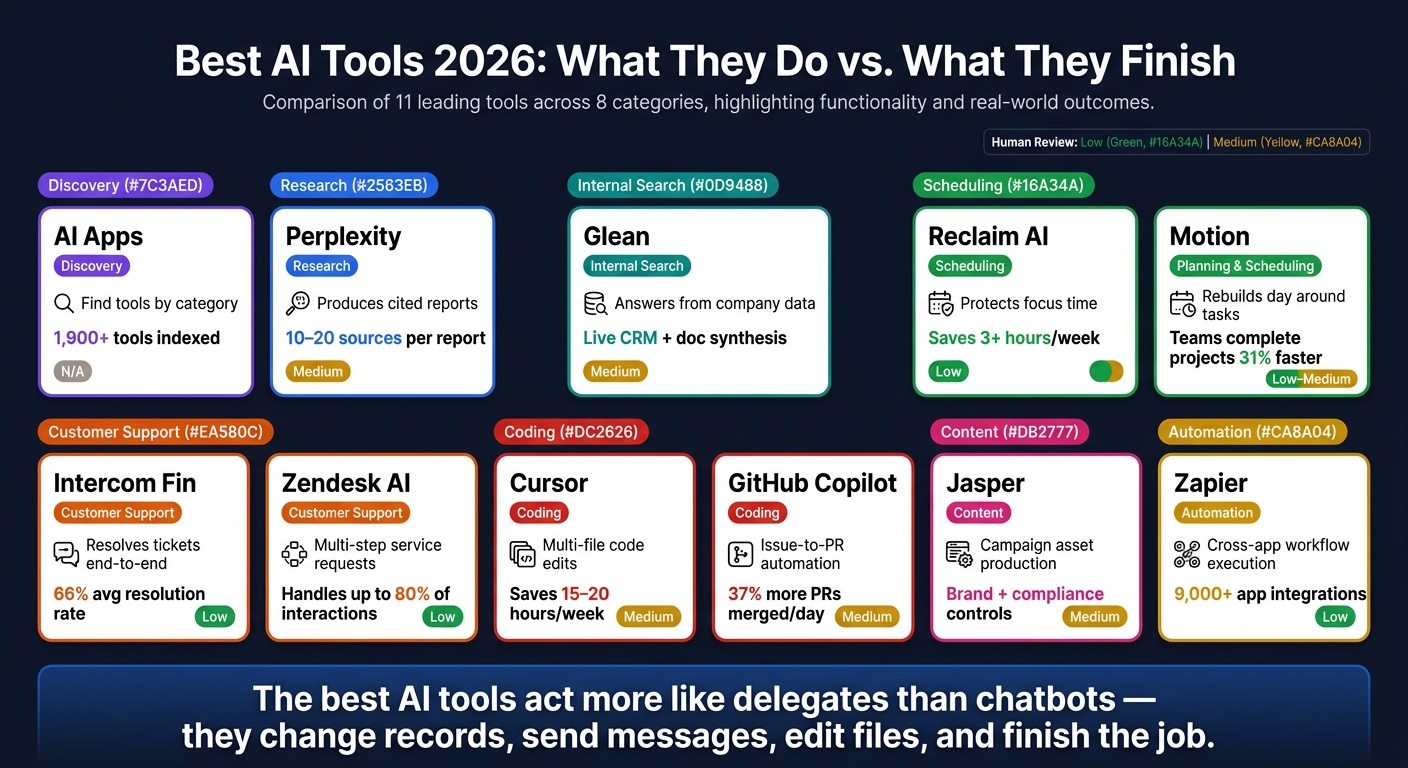
Best AI Tools 2026: What They Do vs. What They Finish
Every AI Tool I'm Actually Using in 2026
sbb-itb-212c9ea
Quick Comparison
| Tool | Main job | What it finishes | Best fit | Human check |
|---|---|---|---|---|
| AI Apps | Discovery | Helps me discover the best AI tools by category and capability | Comparing options before buying | N/A |
| Perplexity | Research | Reports, memos, decks, dashboards, and knowledge bases | Market research and analysis | Medium |
| Glean | Internal search | Answers from company systems with follow-up actions | Internal knowledge work | Medium |
| Reclaim AI | Scheduling | Focus blocks and calendar reshuffling | Solo work | Low |
| Motion | Planning + scheduling | Daily plans based on tasks and deadlines | Team project work | Low to Medium |
| Intercom Fin | Customer support | Refunds, cancellations, returns, ticket resolution | SaaS, e-commerce, subscriptions | Low |
| Zendesk AI | Customer support | Multi-step service requests | High-volume support teams | Low |
| Cursor | Coding | Code edits, terminal work, PR support | Refactors and feature work | Medium |
| GitHub Copilot | Coding | Issue-to-PR flow with tests and checks | Async dev work | Medium |
| Jasper | Content | Near-finished campaign assets | Marketing teams | Medium |
| Zapier | Automation | Cross-app workflows and approvals | Sales, ops, support, IT | Low |
If I had to sum up the article in one line, it would be this: the best AI tools now act more like delegates than chatbots.
1. AI Apps
AI Apps is a curated directory with 1,900+ AI tools, plus categories, filters, and search, so you can find tools by the work they finish, not just by the output they produce. That distinction matters. The big question isn’t whether a tool can reply. It’s whether it can actually get a job done.
Task Autonomy
AI Apps separates draft-only tools from tools that can finish multi-step work. Interest in agentic AI is climbing, but few enterprises have deployed autonomous agents in production.
Workflow Depth and Output Completeness
The directory helps you judge tools based on finished results, like a booked meeting, a shipped pull request, or a filed expense report.
Integration Reach
AI Apps also shows how deeply a tool connects to APIs, browsers, and other systems.
Use AI Apps to narrow your options before you compare tools for research, scheduling, support, coding, writing, and automation. Once you land on the right category, the next move is picking the tool that can handle the work from start to finish.
2. Perplexity
Perplexity shows this move from simple answers to finished work in a very clear way. In early 2026, it shifted from an answer engine to an agentic system. With Perplexity Computer, one prompt can kick off a research project and come back with a finished deliverable.
Task Autonomy
Perplexity Computer uses 19+ models, including Claude Opus 4.6, Gemini, and GPT-5.4, to break a goal into subtasks and run them in parallel. That’s a big jump from the usual chatbot flow of prompt, reply, prompt, reply.
In March 2026, entrepreneur Greg Isenberg gave it one prompt and got back a 12-page Shopify investment memo with financial charts, competitive analysis, and bull and bear cases.
Workflow Depth and Output Completeness
The main draw here is simple: you get finished research, not a pile of search links. Deep Research mode creates cited reports of 1,500–3,000 words with 10–20 sources from a single prompt.
And it doesn’t stop at text. Outputs can also include:
- Spreadsheets
- Slide decks
- Web apps
- Dashboards
Perplexity also keeps persistent memory across sessions, so you don’t have to restate the same context every time you start a new task.
Integration Reach
Perplexity connects with Gmail, Slack, GitHub, Notion, HubSpot, and Salesforce, among others. So instead of just looking things up, it can fit into work you’re already doing.
For example, you can use it to monitor competitors and send a report only when key changes show up.
That makes Perplexity a good fit when the goal is research that needs to end as a report, deck, or dashboard.
3. Glean
Glean works inside your company’s current systems, pulling answers and kicking off actions from internal data. It’s not a general research tool. Instead, it plugs into the tools your team already uses and draws from live internal sources - CRMs, error logs, and more - to spot issues without anyone needing to ask first.
Task Autonomy
Glean can find the right internal information, map out the steps, and carry out work across company systems. Say someone has a client call coming up. Glean can scan internal docs, messages, and project tools, then surface a single synthesized answer without anyone doing a manual search.
Workflow Depth and Output Completeness
What you get is a synthesized answer pulled from internal docs, messages, and tools, then shaped for the person who needs it. That finished output is what sets Glean apart from a basic search box.
Integration Reach
Glean connects natively to Google Workspace - Drive, Gmail, Calendar, and Meet - along with other business apps your team already depends on.
Use it when teams need internal answers turned into action across the systems they already use. Once that internal knowledge is surfaced, the next step is using tools that turn time and priorities into action.
4. Reclaim AI
After research and internal knowledge work, scheduling is often where agentic tools save the most time day to day. Reclaim AI is an always-on scheduling tool that protects focus time and reshuffles work on its own.
Task Autonomy
Reclaim reads your calendar, finds open time, and blocks off space for focused work automatically. In a six-week test, Reclaim made 47 autonomous reschedules with only 2 manual interventions.
Workflow Depth and Output Completeness
Reclaim handles the full scheduling loop from start to finish. It finds gaps, protects focus blocks, and declines conflicts on its own. Its Habits system moves recurring tasks to the next open slot when meetings land on top of them. Testing showed it saved users 3+ hours per week.
Integration Reach
Reclaim connects to Google Calendar, Gmail, and Slack. It also works with task tools like Todoist, Linear, Jira, and Asana.
| Feature | Reclaim AI |
|---|---|
| Autonomy Level | High - acts without asking |
| Best For | Solo professionals (developers, writers, designers) |
| Conflict Resolution | 47/49 cases resolved without input in testing |
| Integrations | Google Workspace, Outlook (paid), Slack, Todoist, Linear, Jira, Asana |
| Starting Price | $8/month (Starter) |
Reclaim fits solo professionals who want a schedule that can guard their time without constant check-ins. If your main challenge is shared calendars and team coordination, the next tool, Clockwise, is built more for that kind of setup.
5. Motion
Where Reclaim protects the calendar you already have, Motion takes a different path. It rebuilds your day around tasks, meetings, and deadlines. Its algorithm decides when each task should happen, so you don't need to keep nudging it along. That makes Motion a strong fit when your task list is just as important as your calendar.
Task Autonomy
Motion is a high-autonomy scheduling tool. The AI places tasks based on deadlines, priority levels, and estimated durations. If a meeting runs long or a new appointment shows up, Motion reshuffles the rest of your day around it. The 2026 update pushed this further: Motion can message colleagues in Slack to suggest meeting time changes and send you a morning brief with the plan for your day.
You still need to do the upfront work. That means creating the first set of tasks, setting deadlines, and telling Motion about your energy preferences. Final approval or small edits happen during the morning brief.
Workflow Depth and Output Completeness
Motion also works well for team scheduling. It supports multi-person projects with dependency tracking, resource allocation, and deadline propagation across a team calendar. If a deadline stops being realistic, Motion flags it and suggests fixes instead of waiting for someone on the team to spot the problem. Teams using AI scheduling tools like Motion complete projects 31% faster than teams using older planning tools.
Integration Reach
Motion connects with Google Workspace, Zoom, Slack, Asana, and Jira. Setup takes about 20 minutes, and results improve after 2 to 4 weeks of task data. That's where the integrations do the heavy lifting: schedule changes flow into the tools teams already rely on.
| Feature | Motion |
|---|---|
| Autonomy Level | High - AI places tasks automatically |
| Best For | Deadline-heavy knowledge workers |
| Dynamic Rescheduling | Yes - shifts blocks when disruptions occur |
| Integrations | Google Workspace, Zoom, Slack, Asana, Jira |
| Starting Price | $19/month billed annually; $34/month month-to-month |
The main downside is setup time. Motion depends on accurate task duration estimates. If those estimates are off, the schedule can drift away from how the day plays out. It also performs better on desktop than on mobile, with a 4.5/5 G2 rating for desktop and a 2.7/5 rating on Google Play.
6. Intercom Fin
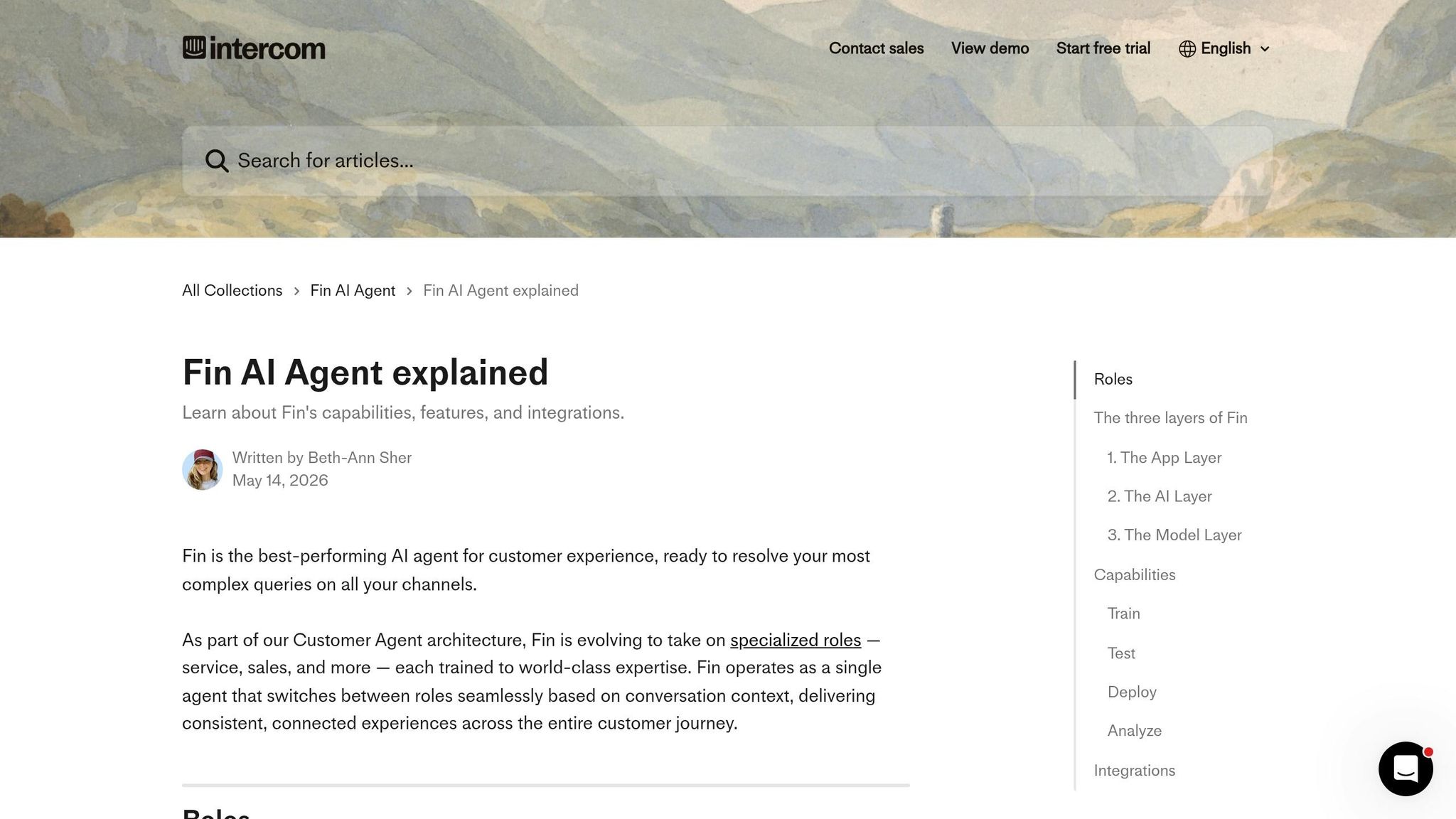
Once scheduling is handled, support is usually the next big time sink. That’s where agentic tools start to pull their weight: they don’t just route issues, they solve them. Most AI chatbots stop at answering questions. Intercom Fin goes further. It can close tickets from start to finish by pulling account data, making changes like refunds or subscription cancellations, and then confirming the result with the customer - all without a human stepping into the chat.
Task Autonomy
Fin does more than handle simple FAQ-style requests. It can process refunds, update orders, pause or cancel subscriptions, and manage returns from start to finish. Intercom says a fully autonomous resolution happens when Fin identifies the customer’s intent, gathers the needed details, checks policy, performs the system action, and confirms that the issue is resolved - all in one flow.
The scale here stands out. Across 6,000+ customers, Fin averages a 66% resolution rate, and more than 20% of customers get past 80%. Intercom also uses Fin on its own support team, where it resolves more than 81% of total support volume.
Workflow Depth
Fin’s Procedures mix natural-language instructions with branching logic, code snippets, and data connectors. That matters because some support work can’t rely on language-model guesswork alone. For things like billing math or return windows, Fin uses code instead of LLM judgment so the numbers stay accurate.
It can also change Procedures in the middle of a conversation if the customer shifts direction. For example, a billing question can turn into a cancellation request, and Fin can follow that change without dropping context.
A couple of results help put this into perspective:
- Nuuly increased Fin’s resolution rate by 10%, reaching about 20,000 automated conversations per month.
- Peddle says Fin saves $163,000 per year.
Integration Reach
Fin connects directly with Shopify, which lets it sync catalog and order data. Fin Voice also supports natural conversations in 28 languages, and voice latency is now 30%–40% lower than it was at launch.
There are still limits, and that’s probably the right call. Humans take over for high-risk overrides and for cases where no defined procedure exists.
That makes Fin a strong example of support automation that ends with a resolved issue, not just a handoff.
| Feature | Intercom Fin |
|---|---|
| Best For | E-commerce, SaaS, subscription support teams |
| Avg. Resolution Rate | 66% overall; 70–84% for e-commerce |
| Channels | Messenger, email, SMS, WhatsApp, Slack, Discord, Voice |
| Starting Price | $0.99 per successful resolution |
7. Zendesk AI
Zendesk AI pushes support automation past basic ticket replies and into large-scale service work. It’s trained on about 20 billion ticket interactions and already resolves 60,000+ support requests per quarter inside Zendesk itself, including 2,000 multi-step service requests.
Task Autonomy
Zendesk AI agents are built to handle up to 80% of customer interactions without a human agent. That means they don’t just answer simple questions. They can sort out unclear requests, ask for missing details, and carry out multi-step tasks on their own, like turning on data exports, processing trial extensions, or running bulk user imports.
And this isn’t just vendor talk—it’s why following an AI tools selection checklist is critical for vetting performance. TeamSystem's IT Lead Davide Donini reported an 80% automation rate and a 99% reduction in repetitive emails after deploying Zendesk AI agents.
Workflow Depth
The Agent Builder lets admins describe procedures in plain English instead of mapping out every step by hand. From there, Action Flows and Custom Actions take care of multi-step and single-step work.
Zendesk AI also starts with a lot of context. It can pull from more than 150 customer data points at the start of a conversation and tap into outside knowledge sources like SharePoint, Google Drive, Notion, and Guru.
Integration Reach
Zendesk’s voice agents support 60+ languages, which matters for teams serving customers across regions. On email, the system strips out signatures and footers, then bundles related questions into a single reply instead of sending fragmented answers.
It also works across messaging, email, and voice, while connecting to outside knowledge sources to complete service requests without bouncing the customer between teams.
| Feature | Zendesk AI |
|---|---|
| Best For | Support teams handling high-volume service requests |
| Autonomous Resolution Target | Up to 80% of customer interactions |
| Channels | Messaging, email, voice (60+ languages) |
| Pricing Model | Outcome-based; pay per automated resolution |
From support queues, the next test is whether AI can ship code inside the IDE.
8. Cursor
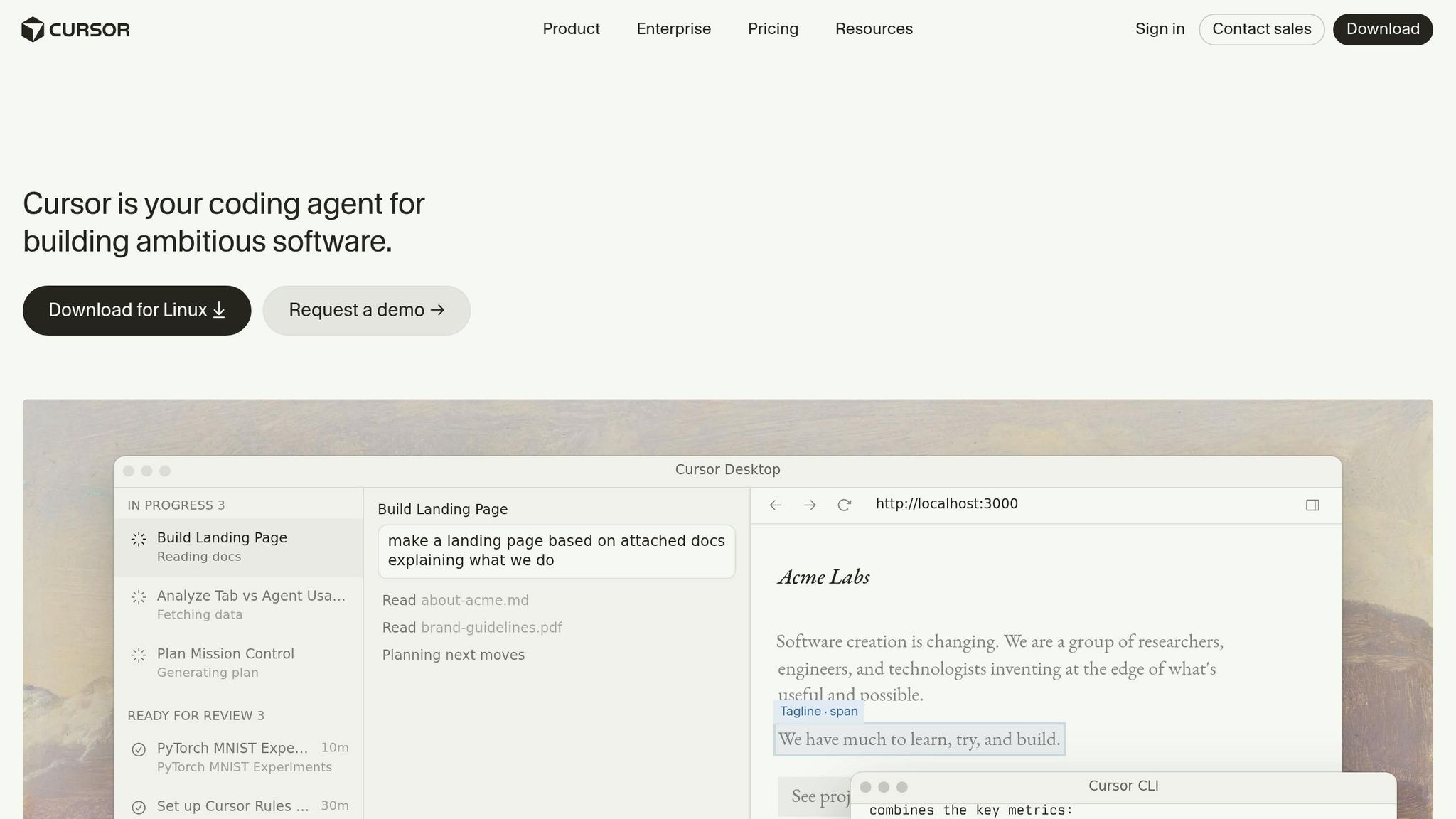
Coding is one of the toughest proving grounds for agent-style AI. The work has to be exact, step-by-step, and easy to check. Cursor is built for that kind of job. It works inside the repo, edits code, runs commands, and checks what happened after each step. It began as an autocomplete tool. Now it can take a plain-English request and turn it into file edits, terminal work, and checked results.
Task Autonomy
Cursor can take a plain-English request, edit multiple files, create new ones, and run terminal commands to finish the job. In a test on a large Next.js codebase, it correctly updated 14 separate files to rename a shared utility function from a single request, avoiding the kind of manual errors that can break builds.
At Money Forward, a Japanese financial platform, Cursor was rolled out to more than 1,000 employees across engineering, product, design, and QA. Engineers saved 15–20 hours per week, and QA test generation time dropped by 70%.
Workflow Depth
Cursor indexes your codebase, so it can track project-wide dependencies instead of only looking at the file in front of you. It also reads .cursorrules files, where teams spell out coding rules and team standards.
Launched in March 2026, Cursor Automations lets the tool react to outside events like Slack messages, Linear issues, or PagerDuty alerts and then do diagnostic work or bug triage without a new prompt. In one early-2026 demo, Matthew Berman showed Cursor opening a pull request in the Astro Hub repository, reviewing it, fixing issues, committing changes, and confirming that CI passed with no further human input.
Output Completeness
Cursor uses a specialized apply model to merge code proposals into existing files with more consistency than a general-purpose LLM. Its Background Agents run in isolated cloud VMs with their own desktop and browser, which lets them visually check UI changes before submitting work. For bigger jobs, like test backfills, Cursor can fan out up to 8 parallel background agents. Human review still matters for security-sensitive, architectural, or unclear changes.
| Feature | Cursor |
|---|---|
| Best For | Multi-file refactors, new feature development, automated PRs |
| Autonomy | High - multi-file edits, terminal access, background agents |
| Benchmark | 79.8% on SWE-Bench Multilingual (Composer 2.5, May 18, 2026) |
| Parallelism | Up to 8 background agents simultaneously |
| Pricing | Free tier available; Pro at $20/month; Business at $40/user/month |
That puts Cursor in the coding lane, while the next tools focus on content work.
9. GitHub Copilot
Where Cursor stays inside the repo, Copilot starts one step earlier: at the GitHub issue. From there, it pushes the work all the way to a draft pull request. In plain English, GitHub Copilot can turn an issue into code, tests, and a PR, with CI/CD and security checks built into the flow.
Task Autonomy
Copilot now works as an issue-to-PR agent. Its Coding Agent can handle the whole cycle: assign an issue to @github, and it reads the codebase, maps out the change, edits files, runs tests, and opens a draft pull request.
That’s a big shift. Instead of using Copilot only for inline code help, teams can hand off routine implementation work and let it move in the background. Developers using this setup merge 37% more pull requests per day and spend 55% less time on routine implementation tasks.
Workflow Depth
Agent Mode doesn’t stop after the first pass. It plans the work, makes edits, runs tests, reads failures, fixes what broke, and keeps going until the task is finished.
Teams can steer that behavior with a .github/copilot-instructions.md file, which is useful when you want the agent to follow house rules instead of guessing. Copilot CLI can also hand off background jobs like Playwright tests or flaky build fixes.
Output Completeness
Before a human even reviews the PR, Copilot can review its own changes with Copilot code review to spot logic mistakes and edge cases. It also runs secret scanning, code scanning, and dependency vulnerability checks as part of the workflow.
In one demo, a Copilot agent benchmarked a lookup function, fixed it, and then measured it again for a 99% improvement. That kind of loop matters. It’s not just writing code and hoping for the best.
Integration Reach
Copilot works across VS Code, JetBrains, Neovim, and Xcode, so teams don’t have to switch editors to use it. Through the Model Context Protocol (MCP), it can connect with outside tools like Playwright or internal APIs when the task needs extra context.
There’s also the Copilot SDK, which lets teams build this execution flow into their own apps. And for companies that want billing control, Copilot supports a Bring Your Own Key (BYOK) option for paying model providers like Anthropic or OpenAI directly.
| Feature | Detail |
|---|---|
| Best For | Issue-to-PR delegation, bug fixes, async background tasks |
| Autonomy | High - GitHub-native issue intake, self-review, security checks |
| Key Stat | 37% more PRs merged per day; 55% less time on routine tasks |
| IDE Support | VS Code, JetBrains, Neovim, Xcode |
| Pricing | Free ($0); Pro ($10/month); Business ($19/user/month); Enterprise ($39/user/month) |
That makes Copilot the coding lane’s closest thing to a hands-off delegate, right before the article shifts into content tools.
10. Jasper
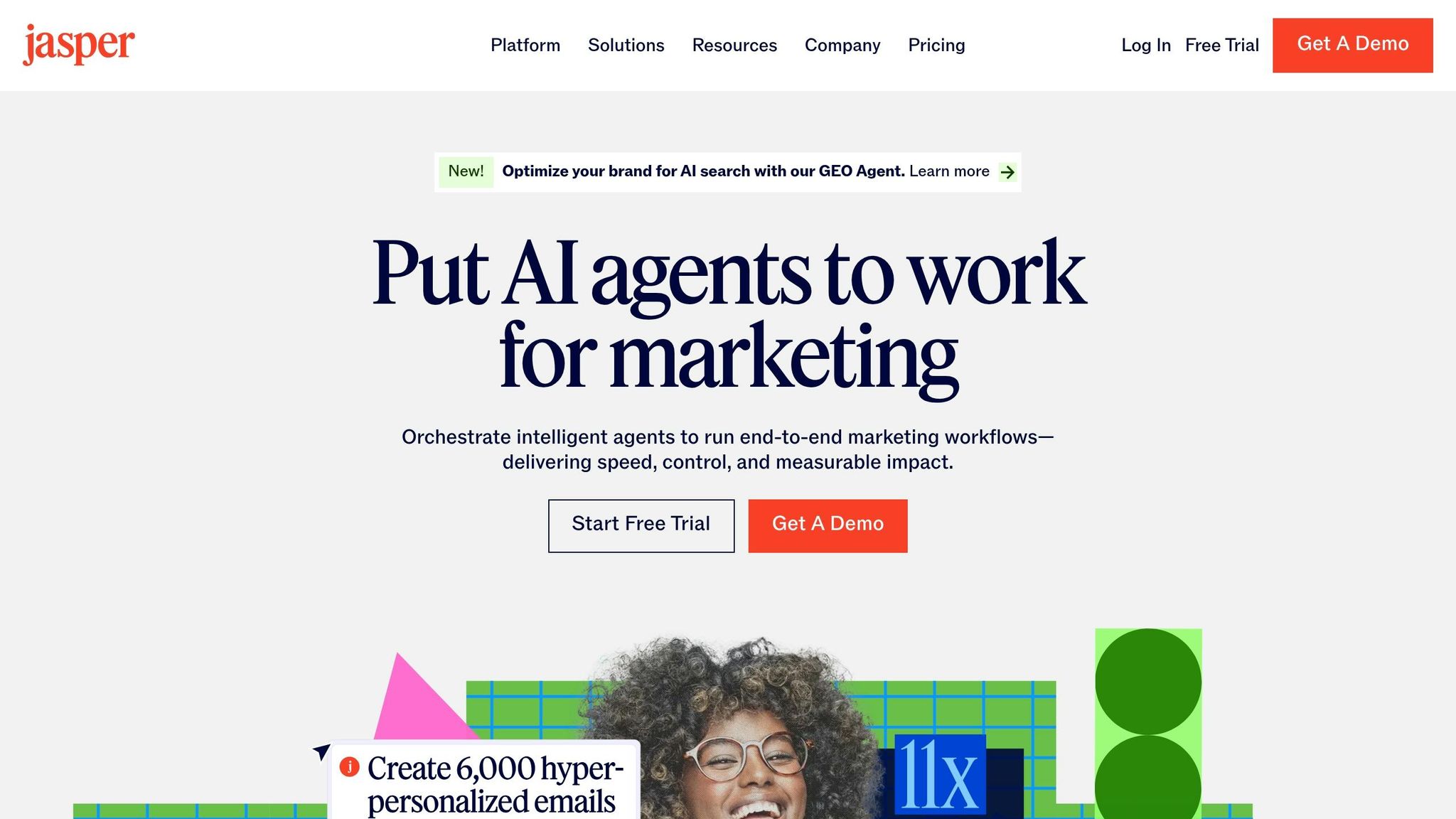
For content marketing teams, this shift means fewer prompts and more finished campaigns. Jasper has moved past being just a writing tool. It now uses goal-driven agents that handle marketing work from research all the way through measurement.
Task Autonomy
Teams can set a goal like "rank for target queries" and let Jasper work toward it. In June 2026, Jasper launched its GEO Agent, which tracks citation share and builds content for AI answer engines to cite. That’s a big change. Jasper isn’t just helping with drafts anymore; it’s taking on campaign execution.
Workflow Depth
Jasper Grid handles repeatable workflows across multiple campaign assets. Jasper IQ keeps output in line with brand voice, style guides, and visual rules, so teams don’t have to check every piece by hand. That matters because brand, compliance, and legal review became the biggest 2026 bottleneck, up 3.4x year over year.
Output Completeness
People still need to step in for final approval, legal sign-off, and publishing. Jasper doesn’t remove that part. What it does is shrink the work that comes before it, so teams spend less time making drafts and more time reviewing near-finished work.
Integration Reach
Jasper connects through Jasper MCP and APIs, which lets agents pull from company data sources without manual copy-paste. As a result, the output is tied to actual company information instead of broad prompt inputs.
Use this version when the goal is scalable content production, not one-off copy.
| Feature | Detail |
|---|---|
| Best For | Multi-asset campaign production, brand-consistent content at scale |
| Autonomy | High - goal-driven agents manage research, creation, optimization, and publishing |
| Key Stat | Brand, compliance, and legal review challenges up 3.4x in 2026 |
| Brand Controls | Jasper IQ (Brand IQ + Knowledge Base) |
| Integration | Jasper MCP, APIs, company data sources |
11. Zapier
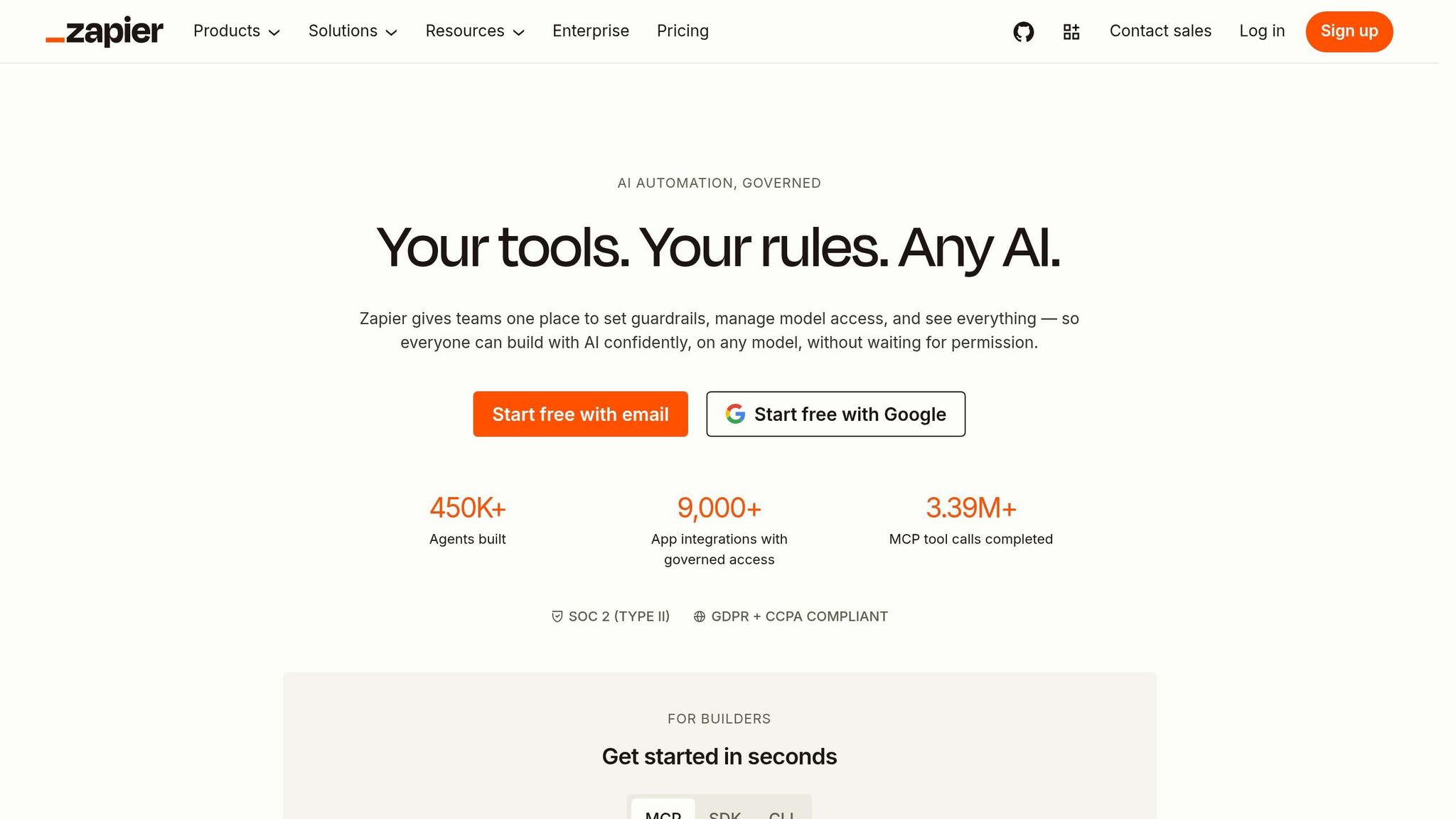
After content generation, the next layer is the one that moves work between apps. That's where Zapier fits. Zapier Agents take a goal and turn it into action across apps, using AI agents that plan and carry out tasks. They break a goal into smaller steps, run those steps in order, and adjust when conditions shift.
Task Autonomy
Zapier Agents handle cross-app execution from start to finish. They go from a high-level goal to completed work across a team's current stack. Instead of relying on fixed if-this-then-that rules, they work in a plan, act, and check results loop.
Workflow Depth
Teams can connect agents together, so one agent can review incoming emails and pass certain tasks to specialist agents farther down the line. In a Vendasta case study, agents enriched lead data, created CRM records in Salesforce and HubSpot, routed leads to reps, and drafted personalized follow-up emails from call transcripts. The result was 20 hours saved per day across 20 sales reps and roughly $1 million in recovered revenue.
Zapier also goes past lead management. Teams use it for support and IT triage too.
Output Completeness
Zapier can produce finished outputs such as enriched CRM records, sorted tickets, and drafted follow-ups. Remote's IT team automated triage for 1,100 monthly tickets, resolved 28% automatically, and saved more than 600 hours per month. For sensitive actions, like refunds or financial updates, Zapier can pause and wait for an approval step before moving ahead.
Integration Reach
With more than 9,000 app integrations, Zapier's biggest strength is range. Agents can work across a team's current stack without forcing a switch to new software. Pricing starts at $19.99/month for AI Agents and $29/month for the Professional plan.
| Feature | Detail |
|---|---|
| Best For | Cross-app workflow automation with AI-driven decision-making |
| Autonomy | High - agents plan, act, and check results across changing conditions |
| Key Stat | Remote resolved 28% of 1,100 monthly IT tickets automatically |
| App Coverage | More than 9,000 apps |
| Pricing | From $19.99/month |
That range makes Zapier the clearest pick when the work stretches across multiple apps and teams.
Pros and Cons by Tool Type
These tools vary in how much they can finish on their own. Some can carry a task close to the finish line. Others help your team get to the next draft faster.
That’s why this table works as a simple buying rule: match the tool type to the amount of trust, setup time, and review capacity your team can handle.
The biggest risk is silent failure. A tool may say the task is done, even when a small mistake slipped through.
| Tool Category | Advantages | Limitations | Ideal Use Case | Human Review |
|---|---|---|---|---|
| Research (Perplexity) | Deep synthesis; cited sources | Can miss nuance; conclusions may be incomplete | Market research, internal knowledge retrieval | Medium - fact-check before sharing |
| Scheduling (Reclaim, Motion) | Auto-reschedules; protects focus time | Needs calendar and app compatibility | Complex, shifting calendars | Low - set once, monitor occasionally |
| Customer Support (Intercom Fin) | High autonomy; 24/7 coverage | Requires strong knowledge base | Tier-1 query resolution | Low - humans handle exceptions only |
| Coding (Cursor, GitHub Copilot) | Context-aware; speeds coding and testing | Can introduce subtle bugs | Bug fixes, boilerplate, unit tests | Medium - code review required before deploy |
| Content (Jasper) | Fast drafts for repetitive copy | Needs editing; long projects can drift | Blog posts, ad copy, campaign content | Medium - editing pass always needed |
| Workflow Automation (Zapier) | Connects 9,000+ apps; handles cross-app work | Needs careful live testing | CRM updates, lead routing, ticket triage | Low - high upfront, minimal once validated |
In practice, support and workflow automation often show the clearest ROI. Once you set them up and test them, they keep working in the background. That makes them easier to justify.
Coding and content tools can still save a lot of time. But there’s a catch: they usually cut execution time, not review time. So the work moves faster, but your team still needs to check the output with care.
"Treat them as force multipliers that take the grunt work, not autonomous replacements for judgment." - Louis Corneloup, Founder, Dupple
Conclusion
Across these categories, the pattern is pretty simple: these tools map to six kinds of work - research, scheduling, support, coding, content, and automation. The right pick comes down to one thing: which job do you want finished from start to finish?
If support tickets eat up your day, go with a conversational agent. If work gets stuck as it moves from one app to another, use workflow automation. If coding is the bottleneck, use coding tools for developers. The clearer your definition of done, the more use you’ll get from these tools.
That line matters because not every "AI" tool actually does the work. Before you choose one, ask a direct question: can it change something inside your systems, or does it only suggest what to do next? If it can update a record, send a message, or edit a file, that’s execution. If not, it’s still a prompt tool.
In 2026, the shift isn’t about better prompting. It’s about better delegation: tools that act, connect to your stack, and finish the job.
FAQs
How do I know if an AI tool can actually finish work?
Look for a tool that can handle multi-step tasks on its own. It shouldn’t just suggest the next move or stop for approval at every turn. An agentic tool takes a goal, splits it into smaller jobs, uses connected tools to do the work, checks how things are going, and fixes course when something goes wrong.
To confirm that, watch for three signs:
- It can write to your data
- It keeps persistent memory across sessions
- It can run on a schedule without a person kicking off each step
Which type of AI tool should I start with first?
Start with your main task.
If your work centers on documents, research, and writing, begin with no-code cowork agents. In practice, that usually means agent-mode features inside the chat tools you already use.
If you build or fix software, start with coding agents like Claude Code.
If you don’t code, use no-code workspaces to run operations and content in plain English. Then, after you’ve done those jobs by hand and know the process works, move to scheduling tools for recurring, hands-off work.
How much human review do these AI tools still need?
Agentic AI can cut down on back-and-forth prompting. But it doesn't remove the need for human oversight.
How much review you need comes down to two things: how risky the task is, and how easy it is to undo if something goes wrong.
For low-stakes work, like drafting content or organizing information, a review of the final output is often enough. But when AI is about to touch live systems, the bar should be higher.
That includes actions like:
- shipping code
- deleting data
- sending external messages
In those cases, a human should check the action before it happens.